1. Киришүү
This manual provides instructions for the HCDZ Replacement Remote Control, designed for use with the Ridgeway DISCO3210BA Party PA High Powered Speaker System. This remote control offers a straightforward solution for operating your speaker system without the need for complex programming.
2. Орнотуу: Батареяны орнотуу
The remote control requires two AAA batteries for operation. Batteries are not included with the remote control.
- Пульттун артындагы батарея отсегин табыңыз.
- Батарея бөлүмүнүн капкагын ачуу үчүн ылдый же сыртка жылдырыңыз.
- Оң (+) жана терс (-) терминалдары бөлүмдүн ичиндеги белгилер менен туура дал келишин камсыз кылып, эки жаңы AAA батарейкасын салыңыз.
- Батарея бөлүмүнүн капкагын бекем чыкылдаган үн чыкканга чейин кайра ордуна жылдырып, жабыңыз.
Once new batteries are inserted, the remote control will be ready for use without any additional programming.

Image: Back of the remote control with the battery compartment open, illustrating the correct insertion of two AAA batteries.
3. Иштөө нускамалары
This HCDZ replacement remote control is an infrared (IR) device and requires no programming. It is designed to function immediately upon battery installation.
- Point and Operate: Direct the remote control towards the IR sensor of your Ridgeway DISCO3210BA speaker system.
- Көрүү сызыгы: Ensure there are no obstructions between the remote control and the speaker system's IR sensor for optimal performance.
- Функционалдык: All standard functions of your original remote control for the DISCO3210BA speaker system should be accessible through this replacement unit.
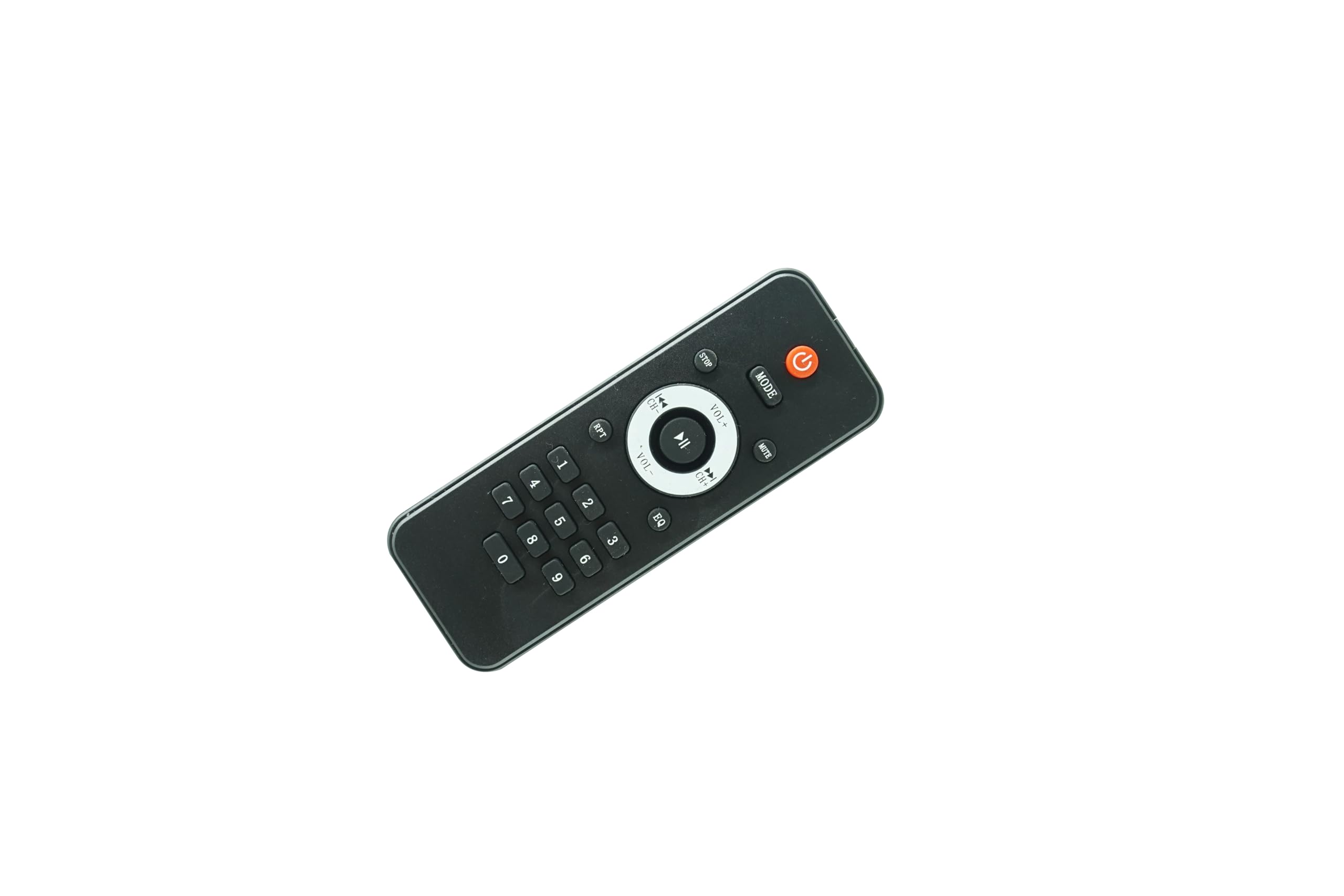
Сүрөт: алдыңкы view of the HCDZ Replacement Remote Control, displaying its button layout.

Сүрөт: Артка view of the HCDZ Replacement Remote Control, with the battery compartment closed.
4. Техникалык тейлөө жана кам көрүү
To ensure the longevity and proper functioning of your remote control, please observe the following guidelines:
- Экологиялык шарттар: Do not leave the remote control in extremely hot or humid places, as this can damage internal components.
- Батареяны колдонуу: Always use new batteries together. Do not mix new batteries with old ones, as this can lead to leakage or improper operation.
- Sensor Exposure: Avoid exposing the remote control's IR sensor to direct sunlight or strong lighting apparatuses. This can cause interference and malfunction.
- Узак мөөнөттүү сактоо: If you do not plan to use the remote control for an extended period, remove the batteries to prevent potential damage from battery leakage and corrosion.
- Тазалоо: Wipe the remote control with a soft, dry cloth. Avoid using liquid cleaners or abrasive materials.
5. Кыйынчылыктарды
If you experience issues with your remote control, please refer to the following troubleshooting steps:
- Алыстан башкаруунун бузулуулары: If the remote is unresponsive, proceed to the next steps.
- Батареяларды алмаштыруу: The most common cause of remote control issues is depleted batteries. Replace the remote control batteries with two fresh AAA batteries.
- Батарея терминалдарын текшерүү: Ensure that the battery terminals inside the compartment are clean and that the batteries are inserted with correct polarity (+/-).
- Remote Out of Range: Move closer to the Ridgeway DISCO3210BA speaker system. The effective range for IR remotes is typically within 15-20 feet.
- Тоскоолдуктарды алып салуу: Ensure there are no physical objects blocking the line of sight between the remote control and the IR sensor on the speaker system.
- Динамик күчү: Verify that the power cord to your Ridgeway DISCO3210BA speaker system is securely plugged in and that the speaker is turned on.
6. Техникалык шарттар
| Бренд | HCDZ |
| Шайкеш түзмөктөр | Ridgeway DISCO3210BA Party PA High Powered Speaker System |
| Байланыш технологиясы | Инфракызыл (IR) |
| Колдоого алынган түзмөктөрдүн максималдуу саны | 1 (Ridgeway DISCO3210BA Speaker System) |
| Батареялар талап кылынат | 2 AAA батарейка (киргизилген эмес) |
| Өзгөчө өзгөчөлүк | No programming needed, works out of package |
| ASIN | B0D8BB6B3M |
7. Кепилдик жана колдоо
Specific warranty information for this HCDZ Replacement Remote Control is not provided in the product details. For any support inquiries or further assistance, please refer to the seller or the HCDZ brand's official support channels.


