1. Продукт бүтүп калдыview
The Itel Buds Ace 2 are True Wireless Stereo (TWS) earbuds designed to deliver a premium audio experience with advanced features for daily use. These earbuds offer extended battery life, clear call quality, and a durable, comfortable design.

Image: Itel Buds Ace 2 TWS Earbuds in their open white charging case.
2. Кутуда эмне бар
Сураныч, пакеттин мазмунун текшерип, бардык буюмдар бар экенин текшериңиз:
- Itel Buds Ace 2 TWS Earbuds (Left and Right)
- Заряддоо кутусу
- USB Type-C кубаттоочу кабель
- Кошумча кулак учтары (ар кандай өлчөмдөгү)
- Колдонуучунун Колдонмосу (бул документ)
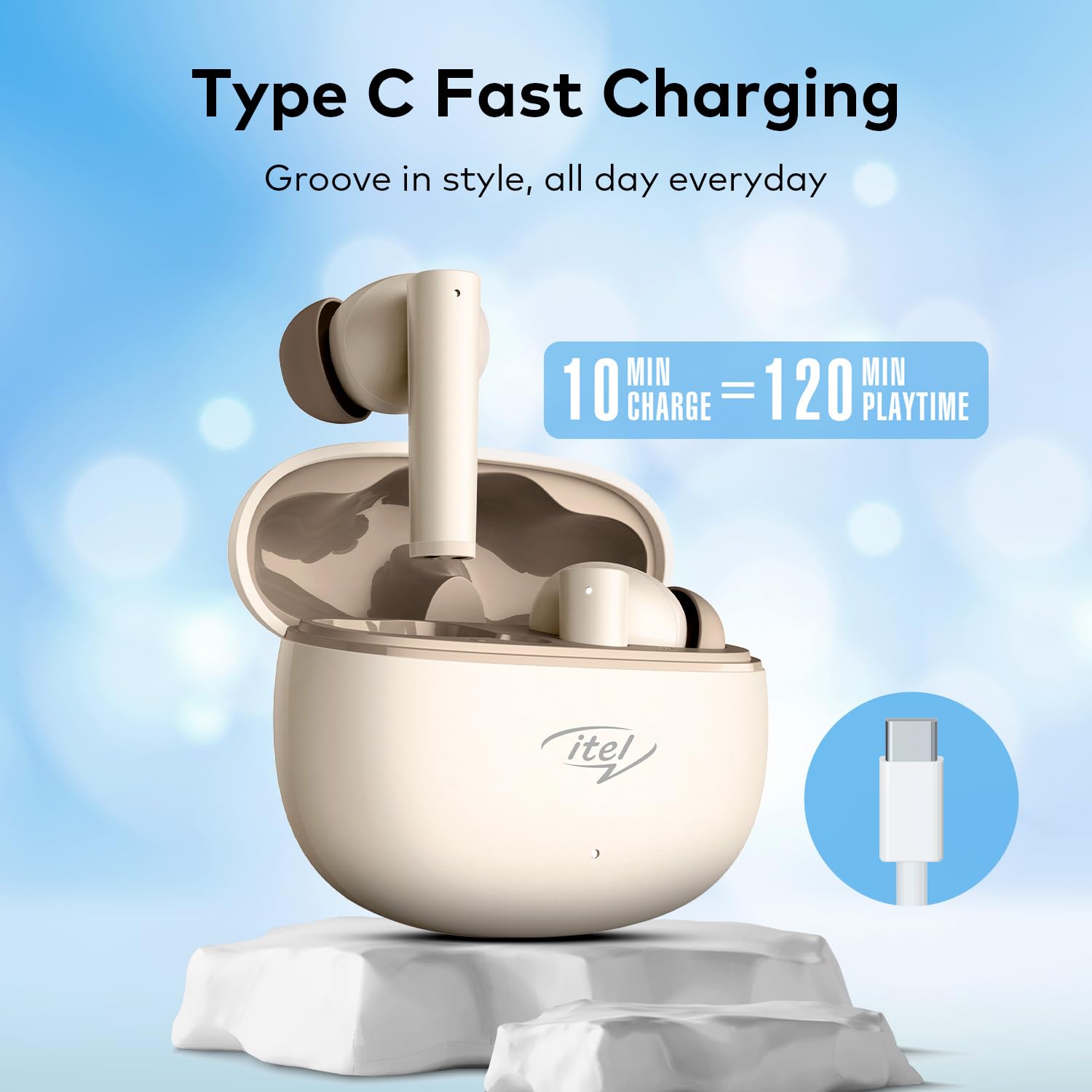
Image: The Itel Buds Ace 2 earbuds, charging case, and USB Type-C cable laid out.
3. Продукциянын өзгөчөлүктөрү
- 13mm Bass Boost Drivers: Experience rich and powerful audio with enhanced bass for an immersive listening experience.
- 360° Deep Bass with DSP: Digital Signal Processing (DSP) technology optimizes sound for a comprehensive deep bass effect.
- Төрт микрофондун ENCси: Environmental Noise Cancellation (ENC) with four microphones ensures crystal-clear call quality by reducing background noise.
- 50 саат ойноо убактысы: Enjoy extended listening sessions with up to 50 hours of total playtime (including charges from the case).
- Тез кубаттоо: A quick 10-minute charge provides up to 120 minutes of playback.
- Type-C заряддоо: Convenient and universal Type-C port for charging the case.
- IPX5 сууга туруктуулугу: Чачырандыларга жана терге туруштук берүү үчүн иштелип чыккан, бул аларды машыгууларга жана сырткы иш-чараларга ылайыктуу кылат.
- Bluetooth 5.3 туташуусу: Provides a stable, reliable, and efficient wireless connection with compatible devices.
- Сенсордук башкаруу: Intuitive touch sensors on the earbuds allow for easy management of music playback, calls, and voice assistant activation.
- Эргономикалык дизайн: Secure and comfortable fit for prolonged wear during various activities.

Сүрөт: жакын план view of an earbud, emphasizing the 13mm Bass Boost Drivers for premium audio.

Image: The Itel Buds Ace 2 charging case with a Type-C cable, illustrating the fast charging capability: 10 minutes charge for 120 minutes playtime.

Image: The Itel Buds Ace 2 charging case being splashed with water, indicating its IPX5 water resistance.
4. Орнотуу жана жупташтыруу
4.1 Алгачкы заряддоо
- Open the charging case and place both earbuds inside.
- Берилген USB Type-C кабелин корпустагы кубаттоо портуна жана кубат булагына туташтырыңыз.
- The indicator light on the case will show charging status. Ensure the earbuds and case are fully charged before first use.
4.2 Күйгүзүү/өчүрүү
- Күйгүзүү: Кубаттоочу кутучаны ачыңыз, ошондо кулакчындар автоматтык түрдө күйөт. Же болбосо, эки кулакчындын тең тийүү аймагын 3 секунд бою көпкө басып туруңуз.
- Өчүрүү: Place the earbuds back into the charging case and close the lid. They will automatically power off and begin charging. Alternatively, long-press the touch area on both earbuds for 5 seconds.
4.3 Bluetooth жупташтыруу
- Кулакчындар кубатталганын жана күйүп турганын текшериңиз.
- Open the charging case. The earbuds will enter pairing mode, indicated by a flashing LED light on one of the earbuds.
- Түзмөгүңүздө (смартфон, планшет ж.б.) Bluetooth иштетиңиз.
- Издөө available Bluetooth devices and select "Itel Buds Ace 2" from the list.
- Once connected, the LED indicator on the earbuds will stop flashing, and your device will confirm the connection.
- Эгер жупташтыруу ишке ашпаса, кулакчындарды өчүрүп, түзмөгүңүздөгү Bluetooth'ду өчүрүп, кадамдарды кайталаңыз.
Видео: Кыскача продуктview demonstrating unboxing, pairing, and key features of the Itel Buds Ace 2.
5. Иштөө нускамалары
5.1 Кулакчындарды тагынуу
Gently insert the earbuds into your ears and rotate them slightly to find a comfortable and secure fit. Ensure the ear tips create a good seal for optimal sound quality and bass response.
5.2 Сенсордук башкаруу
The Itel Buds Ace 2 feature intuitive touch controls on each earbud. The specific functions may vary slightly, but common controls include:
- Ойнотуу/тындыруу: Кулакчындарды бир жолу таптаңыз.
- Кийинки трек: Оң кулакчынды эки жолу таптаңыз.
- Мурунку трек: Сол кулакчынды эки жолу таптаңыз.
- Чалууга жооп берүү/аяктоо: Кирүүчү чалуу учурунда гарнитураны бир жолу таптаңыз.
- Чакырууну четке кагуу: Кирүүчү чалуу учурунда кулакчындардын бирин көпкө басып туруңуз.
- Үн Жардамчысын жандыруу: Кулакчындарды үч жолу таптаңыз.
6. Техникалык тейлөө жана кам көрүү
To ensure the longevity and optimal performance of your Itel Buds Ace 2 earbuds, follow these maintenance guidelines:
- Тазалоо: Кулакчындарды жана заряддоо кутусун жумшак, кургак, түксүз чүпүрөк менен дайыма тазалап туруңуз. Катуу химиялык заттарды же абразивдүү материалдарды колдонбоңуз.
- Кулак кеңештери: Кулак учтарын алып, аларды жумшак самын жана суу менен тазалаңыз. Кайра жабыштыруудан мурун алар толугу менен кургатылганын текшериңиз.
- Заряддоо порту: C Type-C кубаттоо портун чаңдан жана таштандылардан таза кармаңыз.
- Сактагыч: Колдонулбаганда, кулакчындарды бузулуудан коргоо жана кубатталган бойдон калуу үчүн кубаттоо кутучасында сактаңыз.
- Суу каршылык: While IPX5 rated, avoid submerging the earbuds in water or exposing them to heavy rain. Dry them thoroughly if they get wet.
- Температура: Кулакчындарды экстремалдык температурага (ысык же муздак) же тике күн нуруна узак убакытка калтыруудан сактаңыз.
7. Кыйынчылыктарды
If you encounter any issues with your Itel Buds Ace 2, try the following solutions:
| Көйгөй | Чечим |
|---|---|
| Кулакчындар түзмөк менен жупташкан жок |
|
| Бир же эки кулакчындан үн чыкпайт |
|
| Заряддоо маселелери |
|
| Кулакчындар ажыратыла берет |
|
7.1 Кулакчындарды баштапкы абалга келтирүү
Эгерде сизде көйгөйлөр тынымсыз пайда болуп жатса, аларды заводдук баштапкы абалга келтирүү чечиши мүмкүн:
- Кулакчындардын экөөнү тең зарядкага салыңыз.
- Капкагын ачык кармаңыз.
- Press and hold the reset button (usually a small button inside the case or a touch area on the earbuds) for approximately 10-15 seconds until the indicator lights flash, indicating a successful reset.
- Remove the earbuds and try pairing them again with your device.
8. Техникалык шарттар
| Өзгөчөлүк | Деталь |
|---|---|
| Модель аты | Buds Ace 2 |
| Байланыш технологиясы | Bluetooth |
| Bluetooth версиясы | 5.3 |
| Аудио драйверинин өлчөмү | 13мм |
| Батареянын иштөө мөөнөтү (жалпы) | 50 саатка чейин |
| Тез заряддоо | 10 мүнөт кубаттоо = 120 мүнөт ойнотуу убактысы |
| Заряддоо порту | USB Type-C |
| Суу каршылык | IPX5 |
| Микрофондор | Quad Mic with ENC |
| Башкаруу түрү | Touch Control |
| Материал | Пластик |
| Элемент Салмагы | 22 г |
9. Кепилдик жана колдоо
For warranty information, technical support, or service inquiries, please refer to the warranty card included in your product packaging or visit the official Itel webсайт. Кепилдик дооматтар үчүн сатып алганыңыздын далилин сактаңыз.


