Introduction
Welcome to the user manual for your new Itel S9 Pro Wireless In-Ear Earbuds. This guide provides detailed instructions on how to set up, operate, maintain, and troubleshoot your device to ensure an optimal audio experience. Please read this manual carefully before using the earbuds.
Продукт бүттүview
The Itel S9 Pro earbuds are designed for immersive sound and convenient wireless listening. Key features include:
- Узартылган ойноо убактысы: Up to 40 hours of total playtime with the charging case, and 6 hours of non-stop playback on a single charge.
- Жакшыртылган аудио: Features heavy bass optimized by DSP (Digital Signal Processing) and 10mm dynamic drivers for powerful sound.
- Таза байланыш: Equipped with 2-Mic Environmental Noise Cancellation (ENC) for clear voice calls.
- Тез кубаттоо: Type-C fast charging provides 120 minutes of playback from just a 10-minute charge.
- Төмөн күтүү: Ultra-low 45ms audio latency for synchronized audio and video.
- Суу каршылык: IPX5 water resistance protects against sweat and light splashes.
- Интуитивдик башкаруулар: Touch controls for easy management of music and calls.
- Ыңгайлуу дизайн: Rounded tips earpiece shape and full in-ear form factor for a secure and comfortable fit.
- Байланыш: Туруктуу жана натыйжалуу зымсыз байланыш үчүн Bluetooth V5.4.
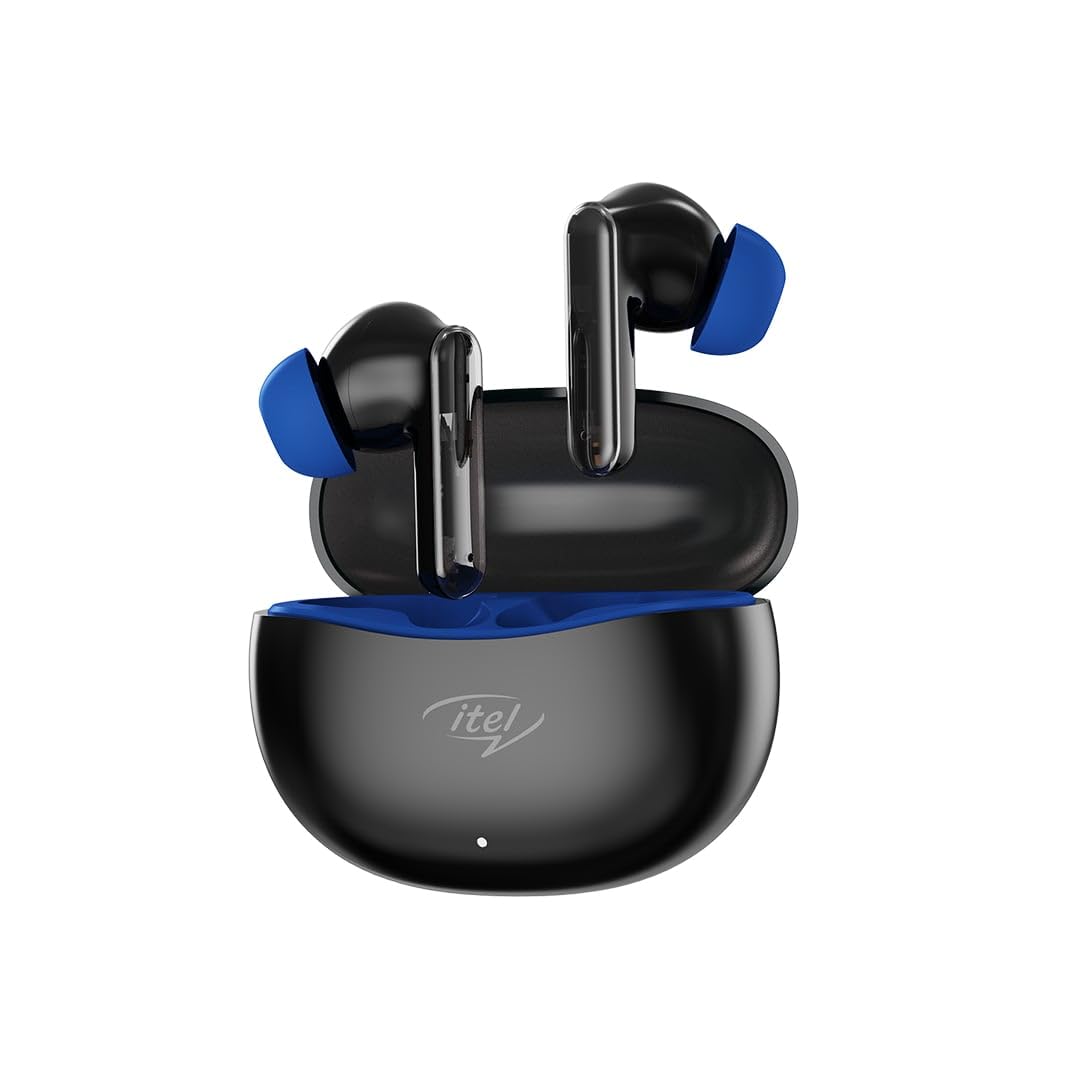
Image: The Itel S9 Pro Wireless In-Ear Earbuds, black with blue ear tips, resting in their open charging case.
Жайгашуу
1. Кулакчындарды жана кутуну кубаттоо
Биринчи колдонуудан мурун, кулакчындарды жана заряддоо кутучасын толук заряддаңыз.
- Кулакчындарды заряддоо кутусуна салыңыз. Алардын туура отурганын текшериңиз.
- Connect the provided USB Type-C charging cable to the charging port on the case and the other end to a USB power adapter (not included) or a computer's USB port.
- The indicator light on the charging case will show the charging status. Once fully charged, the indicator will change or turn off depending on the model.
2. Түзмөк менен жупташтыруу
Follow these steps to pair your Itel S9 Pro earbuds with your Bluetooth-enabled device:
- Open the charging case. The earbuds will automatically enter pairing mode, and their indicator lights will flash (usually blue and red alternately).
- Түзмөгүңүздө (смартфон, планшет, ноутбук) Bluetooth иштетиңиз.
- Издөө available Bluetooth devices. You should see "Itel S9 Pro" in the list.
- Select "Itel S9 Pro" to connect. Once connected, the earbud indicator lights will stop flashing or flash slowly.
- If pairing fails, turn off Bluetooth on your device, place the earbuds back in the case, close it, and then repeat the steps.
Иштөө нускамалары
Күйгүзүү/өчүрүү
- Күйгүзүү: Open the charging case, and the earbuds will automatically power on. Alternatively, press and hold the touch area on both earbuds for 3 seconds.
- Өчүрүү: Place the earbuds back into the charging case and close the lid. Alternatively, disconnect them from Bluetooth, and they will power off automatically after a few minutes, or press and hold the touch area on both earbuds for 5 seconds.
Touch Controls
The Itel S9 Pro earbuds feature intuitive touch controls. The functions may vary slightly depending on your device and application.
| Акция | Функция |
|---|---|
| Бир жолу таптоо (Сол/Оң кулакчын) | Музыканы ойнотуу/тындыруу, Чалууга жооп берүү/Аяктоо |
| Эки жолу таптоо (Оң кулакчын) | Кийинки трек |
| Сол кулакчын менен эки жолу таптоо | Мурунку трек |
| Үч жолу таптоо (Сол/Оң кулакчын) | Үн жардамчысын жандырыңыз |
| Press and hold (Left/Right earbud, 2 seconds) | Кирүүчү чалууну четке кагуу |
| Press and hold (Left earbud, 2 seconds) | Үндү төмөндөтүү |
| Press and hold (Right earbud, 2 seconds) | Үндү көтөрүү |
Техникалык тейлөө
- Тазалоо: Кулакчындарды жана заряддоо кутусун жумшак, кургак, түксүз чүпүрөк менен дайыма тазалап туруңуз. Катуу химиялык заттарды же абразивдүү материалдарды колдонбоңуз.
- Сактагыч: Колдонулбаганда, кулакчындарды коргоо жана кубаттоо үчүн кубаттоочу кутучага сактаңыз.
- Суу каршылык: The earbuds are IPX5 water resistant, meaning they can withstand light splashes and sweat. Do not submerge them in water or expose them to heavy rain. Ensure they are dry before placing them back in the charging case.
- Температура: Кулакчындарды экстремалдык температурага (ысык же муздак) тийгизбеңиз, анткени бул батареянын иштөө мөөнөтүн жана иштешине таасирин тийгизиши мүмкүн.
Проблемаларды чечүү
If you encounter any issues with your Itel S9 Pro earbuds, refer to the following common solutions:
- Кулакчындар жупташкан жок: Эки кулакчын тең кубатталганын текшериңиз. Аларды кайра кутуга салып, капкагын жаап, жупташтыруу режимине кайра кирүү үчүн кайра ачыңыз. Түзмөгүңүздүн Bluetooth жөндөөлөрүн текшерип, кайра туташтырып көрүңүз.
- Бир гана кулакчын иштейт: Ensure both earbuds are charged. Try placing both earbuds back in the case, closing the lid, and then reopening it. If the issue persists, try resetting the earbuds (refer to the manufacturer's specific reset instructions if available, or try forgetting the device on your phone and re-pairing).
- Үн жок: Түзмөгүңүздөгү жана кулакчындардын үнүнүн деңгээлин текшериңиз. Кулакчындар түзмөгүңүзгө туура туташтырылганын текшериңиз.
- Заряддоо маселелери: Кубаттоочу кабелдин корпуска жана кубат булагына бекем туташтырылганын текшериңиз. Башка кубаттоочу кабелди же кубат адаптерин колдонуп көрүңүз. Кулакчындардын жана корпустун ичиндеги кубаттоочу контакттарды тазалаңыз.
- Үн сапаты начар: Ensure the earbuds are properly seated in your ears. Try different ear tip sizes for a better seal. Check for any obstructions in the earbud nozzles.
Техникалык шарттар
| Өзгөчөлүк | Деталь |
|---|---|
| Модель аты | S9 Pro |
| Байланыш технологиясы | Зымсыз (Bluetooth) |
| Bluetooth версиясы | 5.4 |
| Аудио драйвер түрү | Динамикалык драйвер (10 мм) |
| Аудио кечигүү | 45 Миллисекунд |
| Ызы-чууну башкаруу функциялары | Экологиялык ызы -чууну жокко чыгаруу (ENC) |
| Башкаруу ыкмасы | тийүү |
| Сууга туруктуулук деңгээли | IPX5 сууга туруктуу |
| Наушник формасы | Тегеректелген кеңештер |
| Форма фактору | Full in-ear |
| Материал | Пластик |
| Элемент Салмагы | 22 г |
| Продукциянын өлчөмдөрү | 120 x 10 x 10 см |
| Сунушталган Колдонуулар | Calling, Exercising, Music Listening |
Кутуда эмне бар
The Itel S9 Pro Wireless In-Ear Earbuds package includes:
- Itel S9 Pro Wireless In-Ear Earbuds (Left and Right)
- Заряддоо кутусу
- USB Type-C кубаттоочу кабель
Note: Other accessories like a power adapter or additional ear tips may be sold separately or included depending on the region.
Кепилдик жана колдоо
For warranty information and customer support, please refer to the documentation included with your purchase or visit the official Itel webсайт. Кепилдик дооматтар үчүн сатып алганыңыздын далилин сактаңыз.
Продукт видеосу бүттүview
A video overview of the Itel S9 Pro Earbuds would be embedded here if a direct URL to an official seller video was provided in the product data. This video would typically cover key features, design, and compatibility.
Video Placeholder: Official Product Video
If an official seller video URL (m3u8 format) were available, it would be embedded here with a maximum width of 420px.


