1. Киришүү
This manual provides detailed instructions for the installation, operation, and maintenance of your AINAVI 10-inch Car Radio Stereo GPS Navigation System. Please read this manual thoroughly before use to ensure proper functionality and to maximize your experience with the device.

Figure 1: AINAVI 10-inch Car Radio Stereo main interface.
2. Шайкештик
This in-dash navigation system is compatible with various Jeep and Chrysler models. Please verify your vehicle's compatibility before installation.
- Жип: Wrangler/Unlimited (2007-2018), Compass (2009-2016), Patriot (2009-2016), Grand Cherokee (2005-2011), Liberty (2008-2011), Commander (2008-2011)
- Chrysler: Sebring (2007-2010), Town & Country (2007-2010), Grand Caravan (2011-2014), Charger (2008-2010)
- Додж: Ram Pickup 1500/2500/3500 (2009-2012)

Figure 2: Visual comparison of the dashboard before and after installing the AINAVI unit.
3. Setup: What's Included
Пакет төмөнкү компоненттерди камтыйт:
- 10-inch Head Unit with Frame
- Радио антенна адаптери
- GPS антеннасы
- USB & Audio Cables
- AHD 1080P камдык камера
- Тышкы микрофон
- User Manual

3-сүрөт: пакетке киргизилген бардык компоненттер.
4. Орнотуу
The AINAVI system is designed for plug-and-play installation for compatible models. It includes an in-dash head unit, wiring harness cables, a CANbus decoder, and a frame panel. No modification of existing vehicle components is typically required. Ensure all connections are secure before reassembling the dashboard.
4.1. Жалпы орнотуу кадамдары
- Carefully remove the existing car radio and dashboard trim using appropriate tools.
- Connect the provided wiring harnesses to the vehicle's existing wiring.
- Connect the GPS antenna, external microphone, and rearview камера (эгер бар болсо).
- Mount the new AINAVI head unit into the dashboard opening.
- Башкаруу панелин толугу менен кайра чогултуудан мурун, түзмөктүн иштешин текшериңиз.
- Башкаруу панелинин жасалгасын кайра орнотуңуз.
Video 1: Installation process for the AINAVI car stereo in a Jeep Wrangler.
Видео 2: Бүттүview of the installed AINAVI unit and its features.
5. Иштөө нускамалары
5.1. CarPlay жана Android Auto
The unit features built-in wireless and wired CarPlay, and built-in USB connection Android Auto. This allows for seamless integration with your smartphone for GPS navigation, calls, messages, and music playback. Activate voice commands by saying "Hey Siri" or "Hey Google" directly from the head unit.

4-сүрөт: CarPlay жана Android Auto интерфейстери.
Video 3: Demonstration of CarPlay and Android Auto functionality.
5.2. GPS навигациясы
The system includes a built-in GPS module and supports map software from the Google Play application market. This allows for accurate real-time navigation and traffic information.
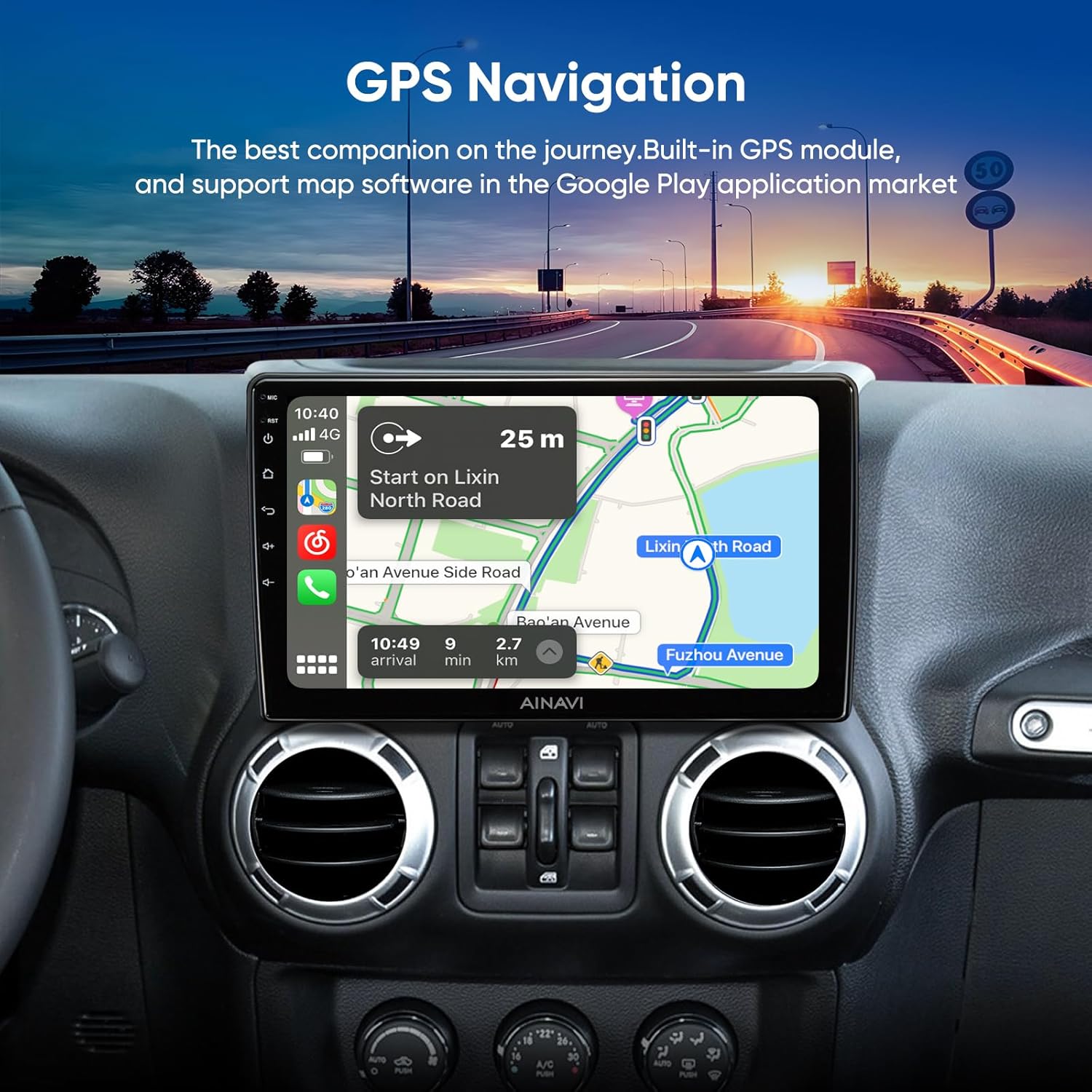
5-сүрөт: GPS навигациясынын интерфейси.
Video 4: Google Earth and Google Maps functionality on the stereo.
5.3. Медиа ойнотуу
The unit supports 1080P video playback and various audio formats. You can access music and video files through USB or streaming services.
Video 5: Demonstration of 1080P video player and color key panel light settings.
5.4. Байланыш
The system supports 5G (2.4GHz & 5GHz) WiFi for faster network speeds and a smooth APP environment. Bluetooth connectivity is also available for hands-free calling and audio streaming.

Figure 6: WiFi and Bluetooth connection options.
Video 6: USB network connection and mirror projection function.
5.5. Sound Settings (DSP)
A built-in Digital Sound Processor (DSP) with Time Correction and a 48-band EQ allows for precise audio customization. You can adjust the sound field position and fine-tune audio output for optimal sound quality.

7-сүрөт: DSP жана эквалайзердин жөндөөлөрү.
Video 7: Pro DSP and split screen features demonstration.
5.6. Split Screen & Mirroring
The unit supports split-screen functionality, allowing two applications to run simultaneously. Mobile phone mirroring (Tlink) is available for both iPhone (Airplay) and Android devices, projecting your phone's screen onto the head unit.

Figure 8: Split Screen Mode and Steering Wheel Control.

Figure 9: Mobile Phone Mirroring (Tlink).
5.7. Рулду башкаруу (SWC)
The system supports factory steering wheel controls, allowing you to manage audio and other functions without taking your hands off the wheel.
5.8. Арткыview Камера
An AHD 1080P rearview camera is included, offering a 170-degree wide-angle view and waterproof design. This assists in reducing blind spots and enhances safety during reversing maneuvers.

Figure 10: 1080P Rearview Камеранын дисплейи.
6. Техникалык тейлөө
To ensure the longevity and optimal performance of your AINAVI car stereo, follow these maintenance guidelines:
- Тазалоо: Сенсордук экранды жана блоктун сыртын тазалоо үчүн жумшак, кургак чүпүрөктү колдонуңуз. Абразивдүү тазалагычтардан же эриткичтерден качыңыз.
- Программалык камсыздоо жаңыртуулары: Periodically check for and install software updates to ensure the system has the latest features and bug fixes.
- Экологиялык шарттар: Аппаратты экстремалдык температурага, түз күн нуруна узак убакытка же ашыкча нымдуулукка дуушар кылуудан алыс болуңуз.
- Кабелдик башкаруу: Бардык кабелдердин бекем туташтырылганын жана кысылбаганын же бузулбаганын текшериңиз.
7. Кыйынчылыктарды
If you encounter issues with your AINAVI car stereo, refer to the following common troubleshooting tips:
- Кубат жок: Check all power connections and vehicle fuses. Ensure the unit is properly installed.
- Үн жок/Үзгүлтүктүү үн: Verify speaker connections. If using an aftermarket amplifier, ensure it is correctly wired and compatible. Some users reported intermittent sound issues; check manufacturer FAQs or contact support if persistent.
- Сенсордук экран жооп бербейт: Ensure the screen is clean. If unresponsive, try restarting the unit. Some users reported needing a longer touch than normal; this can depend on the number of running apps.
- Bluetooth/CarPlay/Android Auto туташуу көйгөйлөрү: Ensure your phone's Bluetooth is on and discoverable. For wired connections, check the USB cable. Re-pair devices if necessary.
- Mirroring Function Not Working: Verify the correct app is installed on your phone and the connection method (wired/wireless) is correctly configured.
- GPS сигналын жоготуу: GPS антеннасы ачык жерде, тоскоолдуксуз орнотулганын текшериңиз view асмандын.
For complex issues, please contact technical support.
8. Техникалык шарттар
| Өзгөчөлүк | Деталь |
|---|---|
| Элемент Салмагы | 4.22 фунт |
| Пакеттин өлчөмдөрү | 13.82 x 9.65 x 5.31 дюйм |
| Дисплей өлчөмү | 10.2 дюйм |
| Резолюция | 1280x720 |
| Операция системасы | Android 12 OS |
| RAM | 2 ГБ |
| ROM | 64 ГБ |
| Байланыш технологиясы | 5G & 2.4G Wi-Fi, Bluetooth, USB, Wireless and wired CarPlay & Android Auto |
| Карта түрү | Europe, North America, Worldwide |
| Аудио чыгаруу режими | Айлана-чөйрө стерео |
| Өзгөчөлүктөр | Android Mirroring+Airplay, Built-In Bluetooth, Touchscreen, AM RDS Radio, Panel light, 2 USB (4Pin+6Pin), 48EQ (Sound Point Control)+Premium DSP, QLED Touch Screen, Split Screen Function, Equalizer, Music Streaming, RCA, Subwoofer, Spotify, Rear View Camera Input, Built-In Wi-Fi, Support original backup camera |
9. Кепилдик жана колдоо
продукт менен келет 12 Months Manufacturer Guarantee.
For professional technical support, please contact us via Amazon email. We aim to reply as soon as possible to assist with any inquiries or installation support.

Figure 11: How to contact support for assistance.

