1. Киришүү
The ALLmeter OBD2 Scanner is a professional diagnostic tool designed to help you quickly and accurately identify and resolve vehicle issues. This device supports 9 major OBD2/EOBD protocols, ensuring broad compatibility with most vehicles manufactured after 1996. It features a 2.4-inch color screen for clear display of diagnostic data and offers a range of functions including reading and clearing fault codes, real-time data streaming, battery voltage testing, and more.

Figure 1.1: The ALLmeter OBD2 Scanner assists in diagnosing and resolving common vehicle problems, such as engine issues, flat tires, and general maintenance.
2. Коопсуздук маалыматы
Always observe the following safety precautions when using the ALLmeter OBD2 Scanner:
- Унаанын коопсуз, жакшы желдетилген жерде экенине ынаныңыз.
- Айдап бара жатканда сканерди иштетпеңиз.
- Keep the scanner away from water, oil, and extreme temperatures.
- Avoid touching hot engine components when connecting or disconnecting the scanner.
- Refer to your vehicle's service manual for specific diagnostic procedures.
3. Кутуда эмне бар
Пакетти ачканда, бардык буюмдар бар экенин текшериңиз:
- ALLmeter OBD2 Scanner Unit
- User Manual
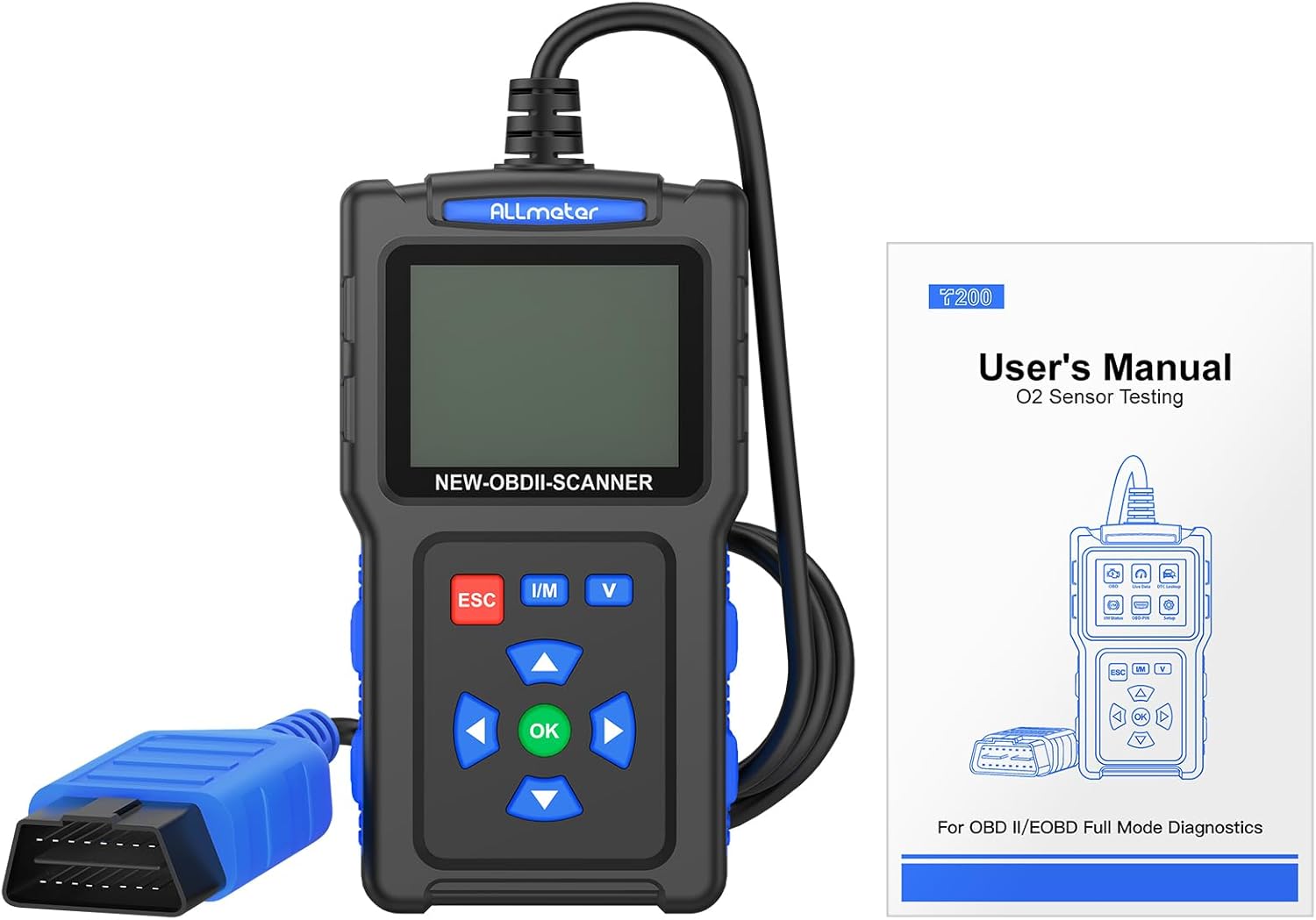
Figure 3.1: The package includes the ALLmeter OBD2 Scanner and a user manual for detailed instructions.
4. Продукт бүтүп калдыview
The ALLmeter OBD2 Scanner features a compact design with a 2.4-inch color screen and intuitive button layout for easy operation.

Figure 4.1: The ALLmeter OBD2 Scanner, showing its 2.4-inch color screen, navigation buttons, and OBD2 connector cable.
4.1. Компоненттер жана башкаруу элементтери
- 2.4 дюймдук түстүү экран: Displays diagnostic data and menu options.
- OBD II туташтыргычы: Connects the scanner to the vehicle's OBD2 port.
- ESC баскычы: Exits current menu or cancels an operation.
- I/M баскычы: I/M даярдык абалына тез жетүү.
- V баскычы: Quick access to Battery Voltage Тест.
- Жебе баскычтары (Өйдө, Төмөн, Солго, Оңго): Менюлар жана параметрлер боюнча чабыттоо.
- OK баскычы: Тандоону ырастайт же менюга кирет.

4.2-сүрөт: Детальдуу view of the scanner's screen and control panel, highlighting the independent shortcut buttons for quick access to key functions.
5. Орнотуу
5.1. Унаа шайкештиги
The ALLmeter OBD2 Scanner is compatible with most US vehicles manufactured after 1996, and most European and Asian vehicles manufactured after 2000. It supports the following protocols:
- ISO9141-2 (5 бауд башталышы, 10.4 Кбайт)
- SAE J1850 PWM (41.6 Кбауд)
- SAE J1850 VPW (10.4 Kbaud)
- ISO14230-4 KWP (5 берүү ЖМТИ, 10.4 Kbaud)
- ISO14230-4 KWP (орозо ЖМТИ, 10.4 Kbaud)
- ISO15765-4 CAN (11bit ID, 500 Kbaud)
- ISO15765-4 CAN (29bit ID, 500 Kbaud)
- ISO15765-4 CAN (11bit ID, 250 Kbaud)
- ISO15765-4 CAN (29bit ID, 250 Kbaud)
Note: This scanner does not support SRS, ABS, or advanced system diagnostics.

5.1-сүрөт: Шайкештик аяктадыview for US, EU, and Asian vehicles, detailing the 9 supported OBD2 protocols and multilingual support.
5.2. Сканерди туташтыруу
- Унаанын 16-пиндүү маалымат туташтыргычын (DLC) табыңыз. Ал, адатта, айдоочу тарабындагы башкаруу панелинин астында жайгашкан.
- Унаанын от алдыруучу системасын "ON" абалына коюңуз (кыймылдаткыч өчүрүлгөн).
- Plug the ALLmeter OBD2 Scanner's connector into the vehicle's DLC. The scanner will power on automatically.
- The main menu will appear on the screen.
5.3. Тил тандоо
The scanner supports 9 languages. To change the language:
- From the main menu, navigate to 'Settings' or 'Language' (exact menu name may vary).
- Use the Arrow buttons to select your desired language (English, French, Spanish, German, Italian, Russian, Chinese, Portuguese, Polish).
- Press the 'OK' button to confirm your selection.
6. Иштөө нускамалары
The ALLmeter OBD2 Scanner provides a comprehensive suite of diagnostic functions. Navigate through the menus using the Arrow buttons and confirm selections with the 'OK' button. Use 'ESC' to go back.

Figure 6.1: ашыкview of the comprehensive diagnostic functions, including Read Codes, Erase Codes, Live Data, and more.
6.1. Диагностикалык ката коддорун окуу жана тазалоо (DTCs)
- From the main menu, select 'Read DTC' to view current, pending, and historic trouble codes.
- To clear codes and turn off the Check Engine Light, select 'Clear DTC'. Confirm the action when prompted.

Figure 6.2: The scanner can read and then clear diagnostic trouble codes, effectively turning off the Check Engine Light after a repair.
6.2. ViewLive Data
This function displays real-time operational parameters from the vehicle's sensors and modules.
- Select 'Live Data' from the main menu.
- Choose the parameters you wish to monitor. The scanner can record and playback data streams.
6.3. I/M Readiness Check
The I/M Readiness function indicates whether the various emissions-related systems on the vehicle are operating correctly and are ready for Inspection and Maintenance testing.
- Press the 'I/M' shortcut button or select 'I/M Status' from the menu.
- Monitors will display as 'OK' (complete), 'INC' (incomplete), or 'N/A' (not applicable).
6.4. DTC издөө
The built-in DTC library allows you to look up the meaning of over 7000 diagnostic trouble codes directly on the device.
- Select 'DTC Lookup' from the menu.
- Enter the DTC code using the navigation buttons to view анын аныктамасы.
6.5. Батарея Voltage Test
Monitor your vehicle's battery health and voltage реалдуу убакытта.
- Press the 'V' shortcut button or select 'Battery Voltage Test' from the menu.
- Экран учурдагы батареянын көлөмүн көрсөтөтtage and a voltage ийри.
6.6. Башка функциялар
- O2 сенсор тести: Monitors the performance of vehicle oxygen sensors.
- EVAP тести: Performs a test on the evaporative emission system.
- Retrieve VIN: Reads vehicle identification number and other vehicle information.
- Кадр дайындарын тоңдуруп коюу: Displays a snapshot of vehicle conditions at the time a fault code was set.

6.3-сүрөт: Мисamples of multiple test data functions, including I/M Status, Live Data, and Waveform Testing for battery voltage.
7. Техникалык тейлөө
7.1. Аспапты тазалоо
To maintain the scanner's performance and appearance:
- жумшак колдонуу, damp cloth to clean the exterior of the scanner.
- Абразивдүү тазалагычтарды же эриткичтерди колдонбоңуз.
- Ensure the device is dry before storage.
7.2. Программалык камсыздоону жаңыртуу
The ALLmeter OBD2 Scanner supports free lifetime updates to ensure compatibility with new vehicle models and diagnostic protocols.
- Visit the official ALLmeter website for the latest software and update instructions.
- Typically, updates involve connecting the scanner to a computer via a USB cable (not included) and running the update tool.
8. Кыйынчылыктарды
| Көйгөй | Мүмкүн себеп | Чечим |
|---|---|---|
| Сканер күйбөйт. | Loose connection to DLC; vehicle ignition not ON; vehicle battery low. | Ensure secure connection. Turn ignition ON. Check vehicle battery. |
| "Failed to Connect" message. | Vehicle not OBD2 compliant; incorrect protocol; faulty DLC. | Verify vehicle year/model for OBD2 compliance. Try on another vehicle. Consult a mechanic if DLC is suspected faulty. |
| Коддорду тазалоо мүмкүн эмес. | Fault causing the code is still present; ignition not ON. | Ensure the underlying vehicle fault has been repaired. Turn ignition ON (engine off). |
| Экран күңүрт же окулбайт. | Low light conditions; screen brightness setting. | The 2.4-inch TFT backlit color screen is designed for clarity. Check if there's a brightness setting in the menu (refer to manual if available). |
9. Техникалык шарттар
- Бренд: ALLmeter
- Модел: OBD2 сканер кодун окугуч
- Элемент Салмагы: 8.2 унция
- Продукциянын өлчөмдөрү: 5.12 x 1.42 x 6.89 дюйм
- Экран: 2.4-inch TFT backlit color screen (320*240 resolution)
- Колдоого алынган протоколдор: ISO9141-2, SAE J1850 PWM, SAE J1850 VPW, ISO14230-4 KWP, ISO15765-4 CAN (9 protocols total)
- Операция системасы: No external operating system required (standalone device)
- Колдоого алынган тилдер: English, French, Spanish, German, Italian, Russian, Chinese, Portuguese, Polish
10. Кепилдик жана колдоо
ALLmeter provides free lifetime software updates for this OBD2 scanner. For technical support, warranty claims, or further assistance, please refer to the contact information provided in the original product packaging or visit the official ALLmeter webсайт.
Official ALLmeter Store: Visit the ALLmeter Store on Amazon


