1. Киришүү
This manual provides detailed instructions for the safe and effective operation of your Flashpoint Flashback Lux Master Retro R2 TTL Camera Flash. Designed for photographers seeking precision and versatility, this advanced flash unit integrates a touch screen interface and supports the R2 2.4G wireless system. Please read this manual thoroughly before use to ensure optimal performance and to prevent damage to the unit or injury.
2. Коопсуздук маалыматы
Электр тогуна урунуунун, өрттүн же продуктунун бузулушунун алдын алуу үчүн ар дайым төмөнкү коопсуздук чараларын сактаңыз:
- Жарк этүүчү аппаратты ажыратпаңыз же өзгөртпөңүз. Жогорку томtage компоненттери бар.
- Жарк этүүчү аппаратты кургак кармаңыз. Аны жамгырга же нымга тийгизбеңиз.
- Жаркылдактын көзгө түз тийүүсүнөн, айрыкча жакын аралыктан алыс болуңуз, анткени ал көрүүнү убактылуу начарлатышы мүмкүн.
- Жарыкты күйүүчү газдар же суюктуктар бар жерде иштетпеңиз.
- Ensure proper ventilation during use to prevent overheating. The flash tube can become very hot after continuous firing.
- Use only specified batteries and charging accessories.
3. Продукциянын өзгөчөлүктөрү
The Flashpoint Flashback Lux Master offers a range of advanced features:
- Superior Power Output: Delivers a guide number of 82, providing ample illumination for various shooting scenarios.
- Lightning-Fast Recycle Time: Achieves a rapid 1.8-second recycle time for continuous shooting.
- TTL функциясы: Offers seamless integration with multi-brand cameras for accurate automatic flash exposure.
- HSS Support: High-Speed Sync enables shooting at faster shutter speeds, freezing motion and allowing creative depth of field control.
- R2 2.4G Wireless System: Supports TTL, Multi, Manual, and Auto modes for versatile wireless control.
- Innovative Touch Screen Interface: Provides intuitive control and access to various settings.
- Wireless Sync Function: Simplifies channel and ID settings when using multiple flash triggers.
- Курулуштун өзгөчө сапаты: Robust construction ensures reliable performance and durability.
4. Компонентти идентификациялоо
Familiarize yourself with the various parts of your Flashpoint Lux Master flash unit:
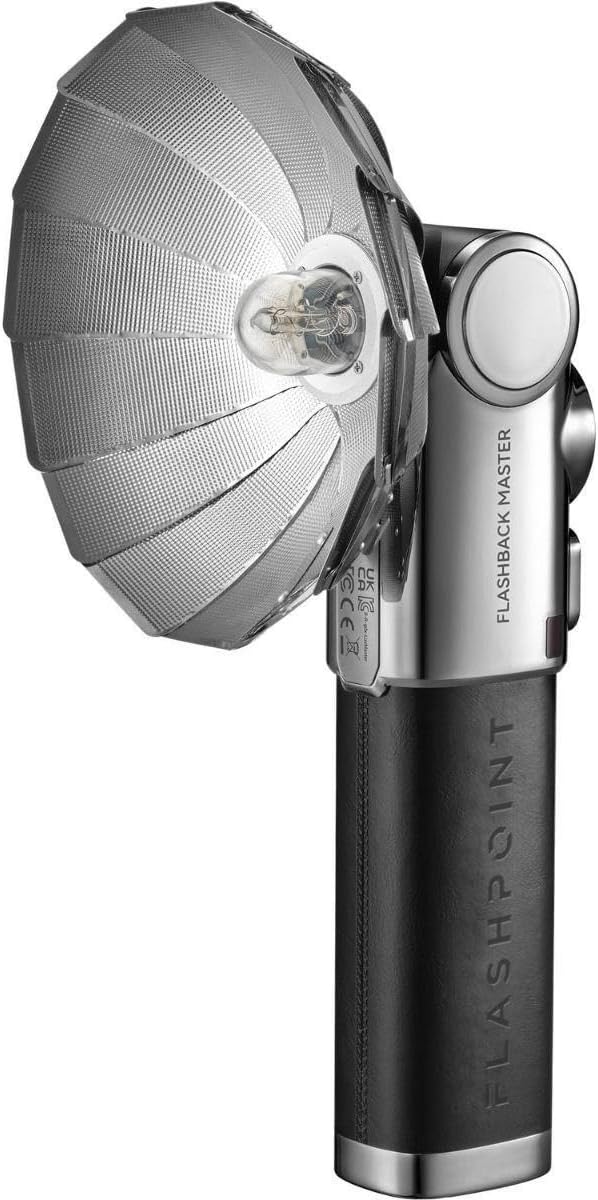
Figure 4.1: Flashpoint Flashback Lux Master Retro R2 TTL Camera Flash with its retro-styled parabolic reflector attached.

4.2-сүрөт: Арткы view of the Flashpoint Lux Master, showing the circular touchscreen interface and control buttons.
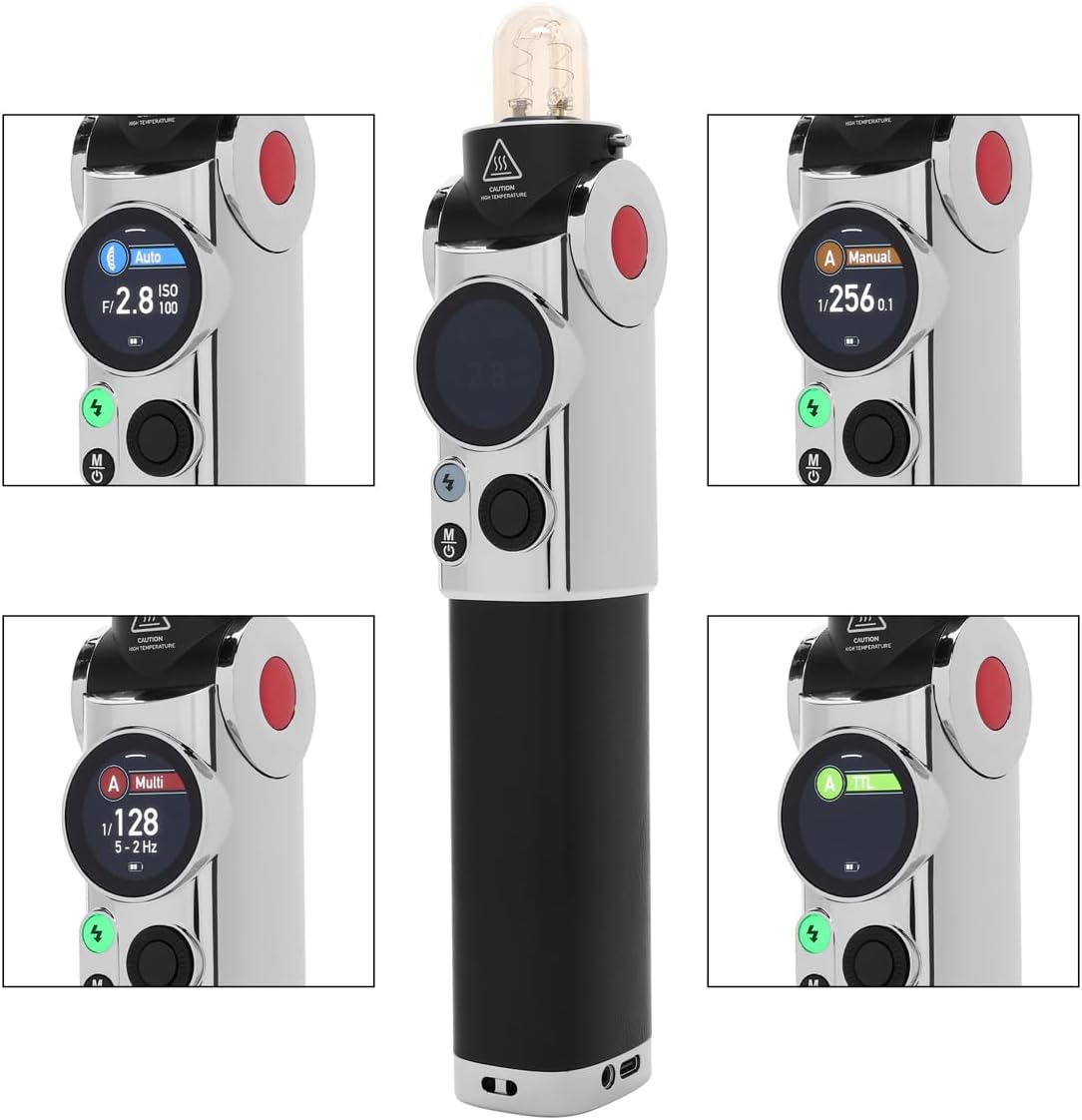
4.3-сүрөт: Детальдуу view of the Flashpoint Lux Master's touchscreen, displaying various operating modes including Auto, Manual, Multi, and TTL.
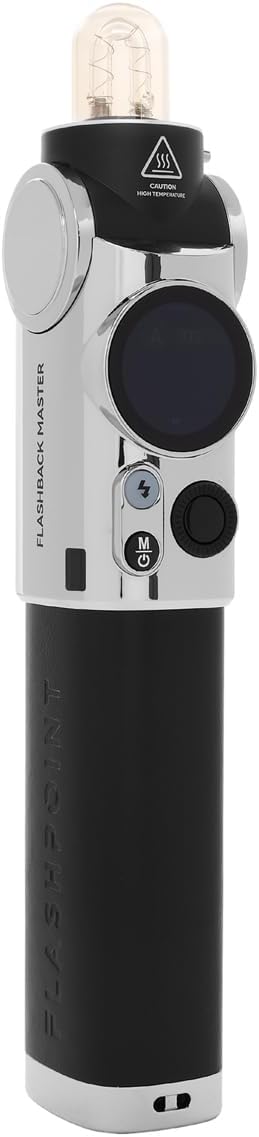
4.4-сүрөт: Side profile of the Flashpoint Lux Master without the reflector, highlighting its sleek design and control layout.

Сүрөт 4.5: Алдыңкы view of the Flashpoint Lux Master, showing the flash tube and the 'CAUTION HIGH TEMPERATURE' warning.

4.6-сүрөт: жогорудан ылдыйга view of the Flashpoint Lux Master, focusing on the flash tube and the power/mode buttons.
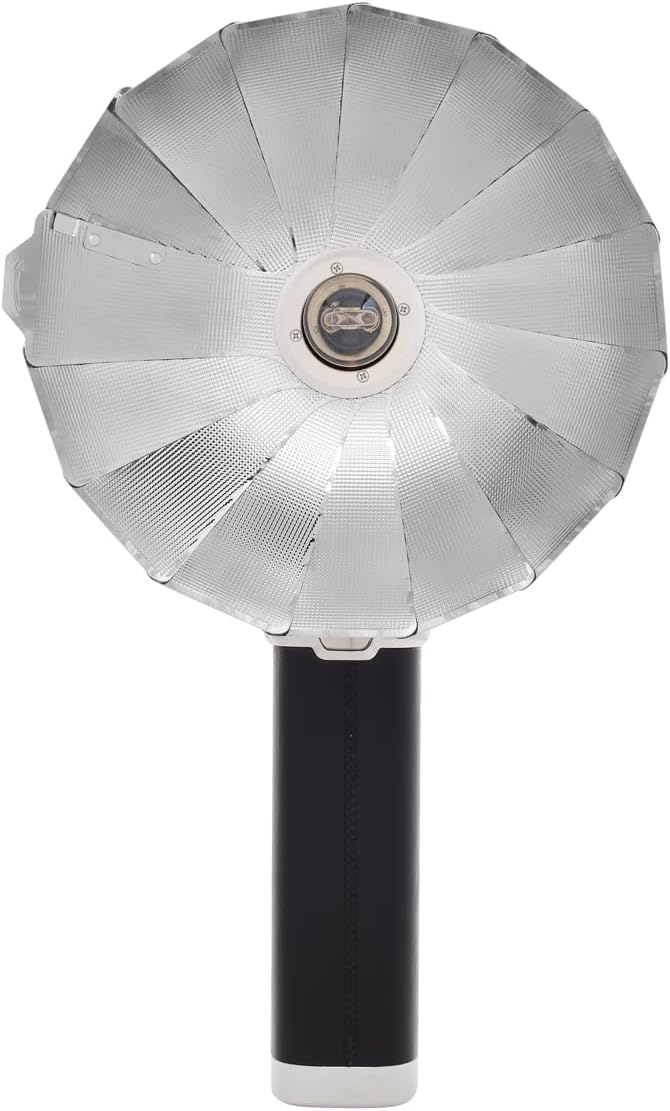
4.7-сүрөт: Арткы view of the Flashpoint Lux Master, showing regulatory markings and the Flashpoint branding.
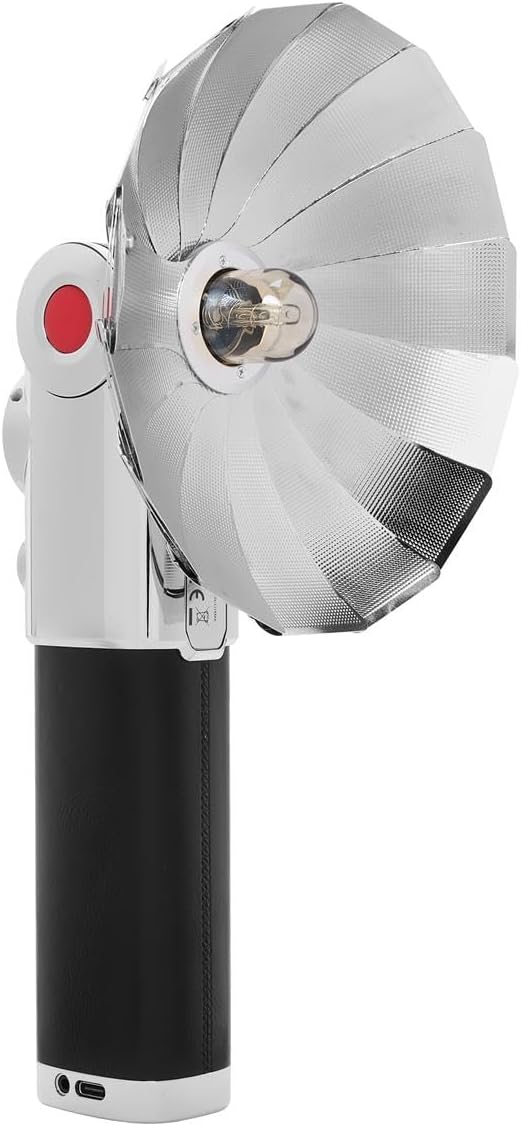
Сүрөт 4.8: Алдыңкы view of the Flashpoint Lux Master with the parabolic reflector, showcasing the light-shaping accessory.
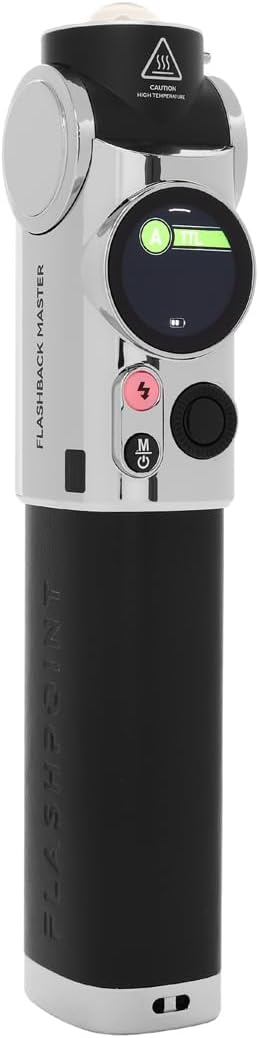
4.9-сүрөт: Башка тарап view of the Flashpoint Lux Master, emphasizing its compact form factor.
5. Орнотуу
Follow these steps to set up your Flashpoint Lux Master for first use:
- Батареяны заряддоо: Connect the flash unit to a power source using the provided USB-C cable. The battery indicator on the touchscreen will show charging status. Ensure the unit is fully charged before first use.
- Attaching to Camera: Slide the flash unit's hot shoe mount securely onto your camera's hot shoe. Tighten the locking mechanism if available on your camera or the flash.
- Күйгүзүү/өчүрүү: Press and hold the power button (usually marked with a circle and a vertical line) for a few seconds to turn the unit on or off. The touchscreen will illuminate upon power-on.
- Баштапкы жөндөөлөр: Use the touchscreen to navigate through initial setup options such as language, time, and basic flash parameters.
6. Иштөө режимдери
The Flashpoint Lux Master offers several operating modes to suit various photographic needs:
- TTL (Объектив аркылуу) режими: This mode automatically adjusts flash output based on the camera's metering system, providing accurate exposure without manual adjustments. Select TTL on the touchscreen for automatic flash control.
- Кол режими: Allows you to manually set the flash power output from full power down to the lowest setting. This mode offers precise control over lighting for consistent results. Adjust power levels using the touchscreen interface.
- Көп (Стробоскопиялык) режим: Fires a series of rapid flashes during a single exposure, ideal for capturing multiple movements of a subject in one frame. Configure flash frequency and number of flashes via the touchscreen.
- Авто режим: The flash uses its own light sensor to determine the correct exposure, independent of the camera's metering. This is useful for older cameras or specific creative effects.
- R2 2.4G Wireless System: The Lux Master can function as a master or slave unit within the Flashpoint R2 2.4G wireless system. This enables remote control and multi-flash setups. Use the wireless sync function on the touchscreen to set channels and IDs for seamless communication with other R2 devices.
- Жогорку ылдамдыктагы синхрондоштуруу (HSS): When enabled, HSS allows the flash to synchronize with shutter speeds faster than the camera's native flash sync speed (e.g., 1/250s). This is crucial for shooting with wide apertures in bright conditions or freezing fast motion.
7. Техникалык тейлөө
Proper maintenance ensures the longevity and optimal performance of your flash unit:
- Тазалоо: Use a soft, dry cloth to clean the flash body and touchscreen. For stubborn dirt, a slightly damp кездемени колдонсо болот, андан кийин дароо кургатуу. Эриткичтерди же абразивдик тазалагычтарды колдонбоңуз.
- Flash Tube: Avoid touching the flash tube directly with bare hands, as oils can reduce its lifespan. If touched, clean gently with an alcohol wipe.
- Сактагыч: Store the flash unit in a cool, dry place away from direct sunlight and extreme temperatures. If storing for an extended period, remove the battery to prevent leakage.
- Батареяга кам көрүү: Батарейканын ден соолугун сактоо үчүн колдонулбаса дагы, аны үзгүлтүксүз толтуруңуз. Батареяны бат-баттан толук кубаттап калуудан алыс болуңуз.
8. Кыйынчылыктарды
If you encounter issues with your Flashpoint Lux Master, refer to the following common problems and solutions:
| Көйгөй | Мүмкүн себеп | Чечим |
|---|---|---|
| Flash күйбөйт | Low battery; Incorrect camera/flash settings; Flash not securely mounted. | Charge battery; Check flash mode (TTL/Manual) and camera flash settings; Re-mount flash securely. |
| Туура эмес экспозиция (өтө караңгы/жарык) | Incorrect flash power; TTL compensation needed; ISO/aperture mismatch. | Adjust manual power; Apply flash exposure compensation in TTL mode; Verify camera ISO/aperture settings. |
| Зымсыз байланыш көйгөйлөрү | Mismatched channel/ID; Out of range; Interference. | Ensure master and slave units have matching channels and IDs; Reduce distance between units; Change channel to avoid interference. |
| Flash overheats | Ашыкча тез атуу. | Жарк эттирүүнүн муздаганына жол бериңиз. Атышуу жыштыгын азайтыңыз. |
If the problem persists after attempting these solutions, please contact Flashpoint customer support.
9. Техникалык шарттар
Key technical specifications for the Flashpoint Flashback Lux Master:
- Модел: Люкс Мастер
- Гид номери: 82 (болжол менен)
- Кайра иштетүү убактысы: 1.8 seconds (approximate)
- Flash синхрондоштуруу ылдамдыгы: Up to 1/250s (standard), HSS supported
- Байланыш технологиясы: Wireless (R2 2.4G System)
- Шайкеш орнотуулар: ISO Hot Shoe
- Элемент Салмагы: 2.45 фунт
- Пакеттин өлчөмдөрү: 12.5 x 9 x 7.5 дюйм
- Өндүрүүчү: Flashpoint
10. Кепилдик жана колдоо
For warranty information, please refer to the documentation provided at the time of purchase or visit the official Flashpoint website. For technical assistance, troubleshooting beyond this manual, or service inquiries, please contact Flashpoint customer support directly.


