Introduction
Thank you for choosing the MOFII Wireless Keyboard and Mouse Combo. This manual provides detailed instructions for setting up, operating, maintaining, and troubleshooting your new wireless peripheral set. Please read this manual carefully before use to ensure optimal performance and longevity of your product.
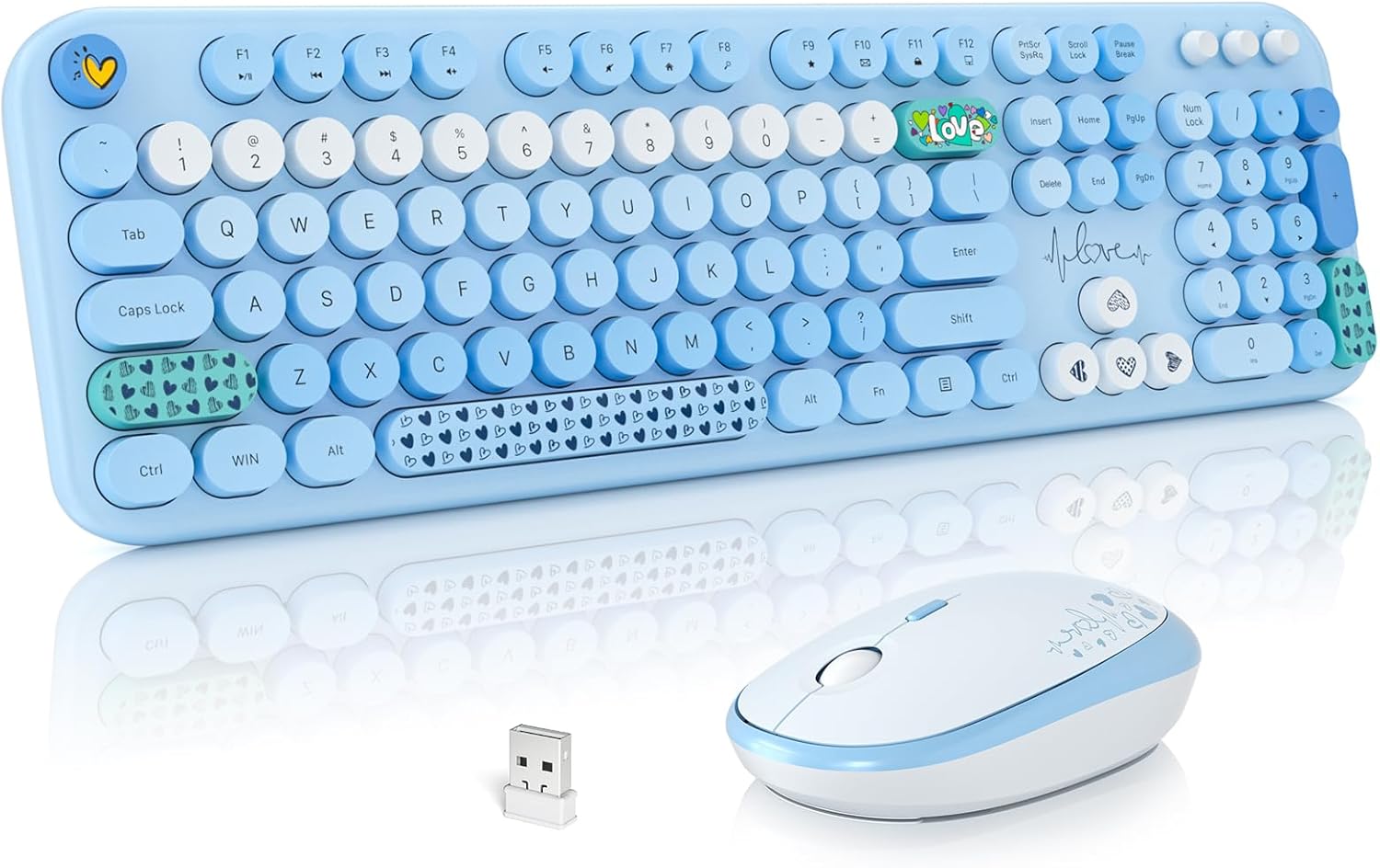
Image: The MOFII Wireless Keyboard and Mouse Combo, featuring a full-size blue keyboard with round, retro-style keycaps, a matching blue and white mouse, and the compact USB receiver.
Орнотуу колдонмосу
Follow these steps to set up your MOFII Wireless Keyboard and Mouse Combo.
1. Батареяны орнотуңуз
- Батарея бөлүмдөрүн клавиатуранын жана чычкандын астыңкы бетинен табыңыз.
- Батарея капкактарын ачыңыз.
- Insert one (1) AA battery into the keyboard, ensuring correct polarity (+/-).
- Insert one (1) AA battery into the mouse, ensuring correct polarity (+/-).
- Батареянын капкактарын бекем жабыңыз.

Сүрөт: деталдуу view of the keyboard and mouse undersides, highlighting the battery compartments and indicating the use of 1 AA battery for each device.
2. Connect the USB Receiver
- Locate the 2-in-1 nano USB receiver, typically stored in the mouse's battery compartment or packaged separately.
- Plug the USB receiver into an available USB port on your computer (PC, Desktop, Laptop).
- The system should automatically detect and install the necessary drivers. No additional software installation is required.
- The keyboard and mouse are now ready for use.
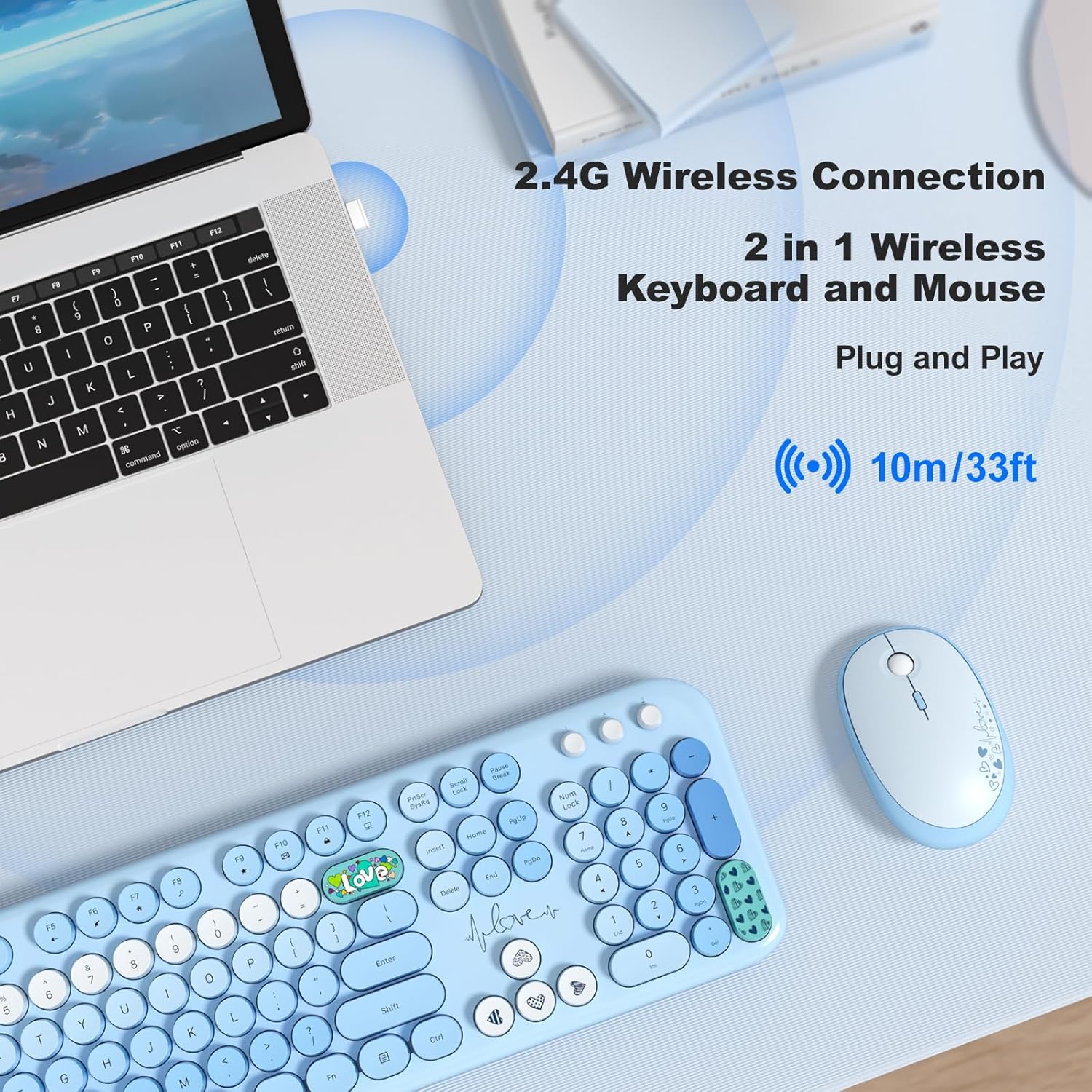
Image: A visual guide demonstrating the 2.4GHz wireless connection, with the USB receiver plugged into a laptop, enabling wireless communication with the keyboard and mouse up to 33 feet (10 meters).
Иштөө нускамалары
Баскычтоптун өзгөчөлүктөрү
- Толук өлчөмдөгү макет: The keyboard features a complete layout including a numeric keypad for enhanced productivity.
- Ретро тегерек баскычтар: Designed for a comfortable typing experience with a nostalgic aesthetic.
- Эргономикалык дизайн: Includes foldable stands on the underside to adjust the typing angle for improved comfort and reduced wrist pressure.
- Мультимедиялык Ыкчам баскычтар: Access 12 dedicated multimedia shortcut keys (F1-F12) for quick control over media playback, volume, web серептөө жана электрондук почта.
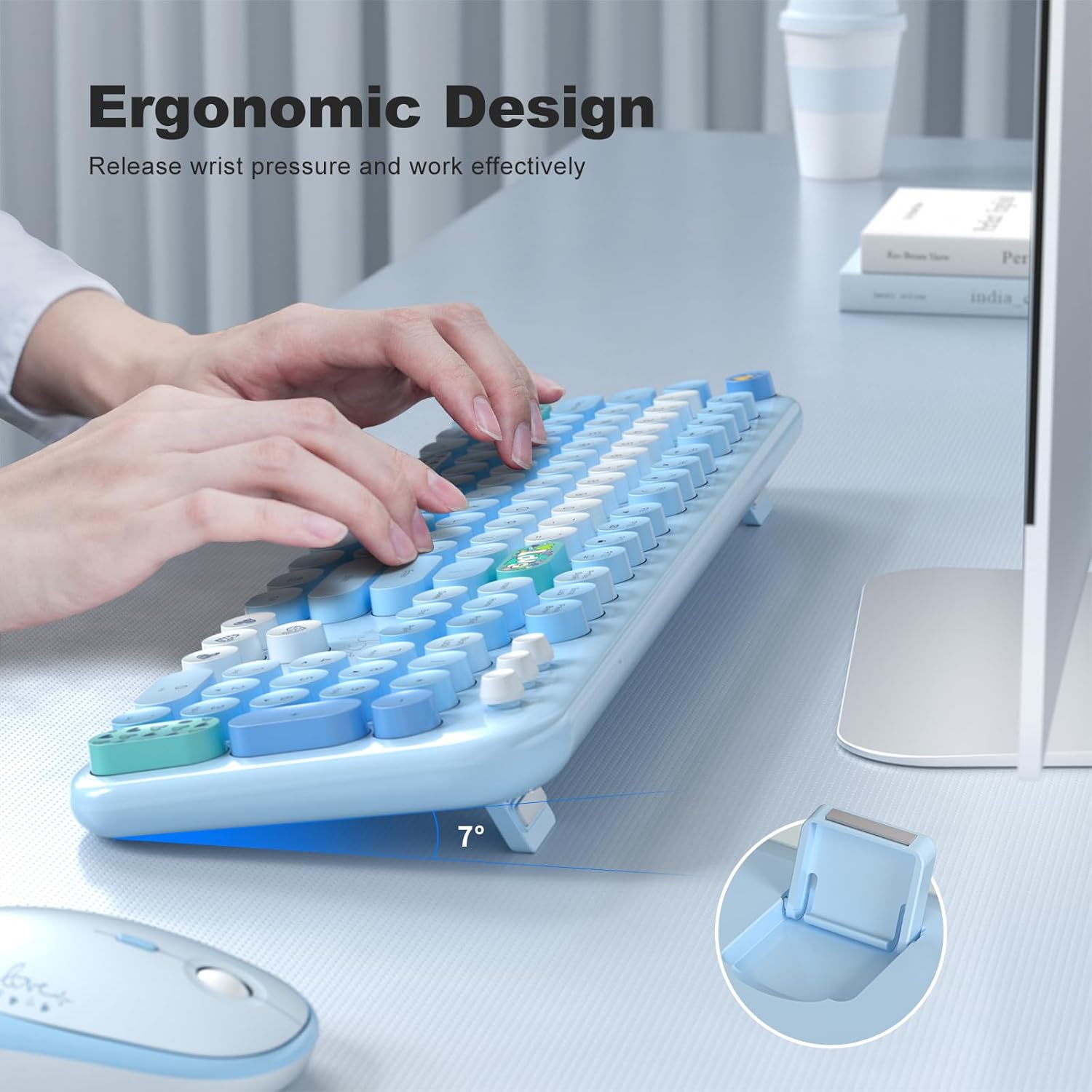
Image: A user's hands positioned on the MOFII keyboard, demonstrating the ergonomic design and the adjustable foldable stand that elevates the keyboard to a comfortable 7-degree angle.

Сүрөт: үстүнкү view of the MOFII keyboard, with a graphic overlay indicating the location and function of the 13 multimedia hotkeys (F1-F12) for one-touch commands.
Чычкан өзгөчөлүктөрү
- Жөнгө салынуучу DPI: Cycle through 800, 1200, and 1600 DPI settings to adjust cursor sensitivity. Press the DPI button located near the scroll wheel to change settings.
- Унчукпай чыкылдатуу: Designed for quiet operation, reducing click noise.
- Эргономикалык дизайн: Contoured shape for comfortable grip during extended use.

Image: A close-up of the MOFII mouse, illustrating its key features: adjustable DPI settings (800, 1200, 1600) for sensitivity control, silent click buttons, and an ergonomic shape designed for comfortable hand placement.
Авто уйку режими
To conserve battery life, both the keyboard and mouse will automatically enter sleep mode after 5 minutes of inactivity. To wake them up, simply press any key on the keyboard or click any button on the mouse.
Техникалык тейлөө
- Тазалоо: Баскычтоптун жана чычкандын беттерин тазалоо үчүн жумшак, кургак чүпүрөктү колдонуңуз. өжөр кир үчүн, бир аз гamp cloth with mild soap can be used, ensuring no liquid enters the device. Do not use harsh chemicals or abrasive cleaners.
- Батареяны алмаштыруу: When the devices stop responding or performance degrades, replace the AA batteries in both the keyboard and mouse. Ensure correct polarity during installation.
- Сактагыч: When not in use for extended periods, remove the batteries to prevent leakage and store the devices in a cool, dry place.
Проблемаларды чечүү
| Көйгөй | Чечим |
|---|---|
| Баскычтоп/чычкан жооп бербей жатат |
|
| Артта калуу же үзгүлтүктүү байланыш |
|
| Mouse cursor moves erratically |
|
| Keyboard/Mouse enters sleep mode too quickly | This is a normal power-saving feature. Simply press any key on the keyboard or click the mouse to wake the devices. |
Техникалык шарттар
| Өзгөчөлүк | Деталь |
|---|---|
| Бренд | MOFII |
| Модель номери | B0D93F219H |
| Байланыш технологиясы | 2.4 ГГц зымсыз (USB кабыл алуучу) |
| Зымсыз диапазон | 35 фут (10 метр) чейин |
| Баскычтоптун батареясы | 1 x AA Батарея (киргизилген эмес) |
| Чычкан батареясы | 1 x AA Батарея (киргизилген эмес) |
| Чычкандын DPI жөндөөлөрү | 800 / 1200 / 1600 DPI |
| Special Keyboard Feature | Retro Round Keycaps, Multimedia Hotkeys, Foldable Stand |
| Шайкеш түзмөктөр | Ноутбук, персоналдык компьютер, планшет |
| Шайкеш операциялык системалар | Windows 7/8/10/11/XP/Vista/Server, Chrome OS, Mac OS, Linux |
| Түс | Blue Colorful |
| Баскычтоптун өлчөмдөрү | Болжол менен 17.71 x 5.31 x 0.78 дюйм (45 x 13.5 x 2 см) |
| Чычкандын өлчөмдөрү | Болжол менен 4.13 x 2.56 x 1.37 дюйм (10.5 x 6.5 x 3.5 см) |
| Элемент Салмагы | Болжол менен 2.01 фунт (0.91 кг) |

Image: A diagram illustrating the physical dimensions of the MOFII keyboard and mouse, including length, width, and height measurements for both devices.
Кепилдик жана колдоо
MOFII products are manufactured under strict quality control standards. This product is covered by a 12 айлык кепилдик сатып алынган күндөн тартып.
If you encounter any issues or have questions regarding your MOFII Wireless Keyboard and Mouse Combo, please do not hesitate to contact our customer support team. We are committed to providing prompt assistance, with all inquiries typically responded to within 24 hours.
For support, please refer to the contact information provided with your purchase or visit the official MOFII webсайт.


