Introduction
Сатып алганыңыз үчүн рахматasing the AFEXOA ZH083K Digital Sunrise Alarm Clock. This device is designed to enhance your waking and sleeping experience with its natural sunrise simulation, customizable alarm sounds, multi-color night light, and sleep aid features. Please read this manual carefully to ensure proper use and optimal performance of your new alarm clock.
Пакеттин мазмуну
- AFEXOA ZH083K Digital Sunrise Alarm Clock
- USB кубат кабели
- User Manual
Продукт бүттүview
Familiarize yourself with the components and controls of your AFEXOA ZH083K alarm clock.

Сүрөт 1: Фронт view of the AFEXOA ZH083K Digital Sunrise Alarm Clock, showing the digital time display and control buttons on the top panel. The light dome is visible above the fabric-covered speaker base.
Башкаруу баскычтары:
- ДИММЕР: Adjusts the brightness of the clock display.
- TIME: Учурдагы убакытты орнотуу үчүн колдонулат.
- ЭСКЕРТҮҮ: Used for setting and activating the alarm.
- ОЙГОЛГОН КҮЙГҮЗҮҮ/ӨЧҮРҮҮ: Сигнализация функциясын өчүрөт/күйгүзөт.
- УЙКУ ТАЙМЕРИ: Activates and adjusts the sleep timer function.
- +/-: Adjusts values (time, brightness, volume) up or down.
- Лампочканын сүрөтчөсү: Controls the night light/mood light.
- Тындырма баскычы: Located on the bottom, activated by pressing down the clock.
Жайгашуу
1. Power Connection
Connect the provided USB power cable to the alarm clock and plug it into a suitable USB power adapter (not included) or a USB port. The clock display will illuminate.
2. Учурдагы убакытты орнотуу
- басып, кармап туруңуз TIME button until the hour display starts flashing.
- колдонуу +/- саатты тууралоо үчүн баскычтар.
- басыңыз TIME саатты ырастоо жана мүнөттүк жөндөөлөргө өтүү үчүн кайра баскычын басыңыз.
- колдонуу +/- мүнөттөрдү тууралоо үчүн баскычтар.
- басыңыз TIME Убакыт жөндөөсүн сактоо үчүн баскычын дагы бир жолу басыңыз.
Иштөө нускамалары
1. Setting the Alarm and Sunrise Simulation
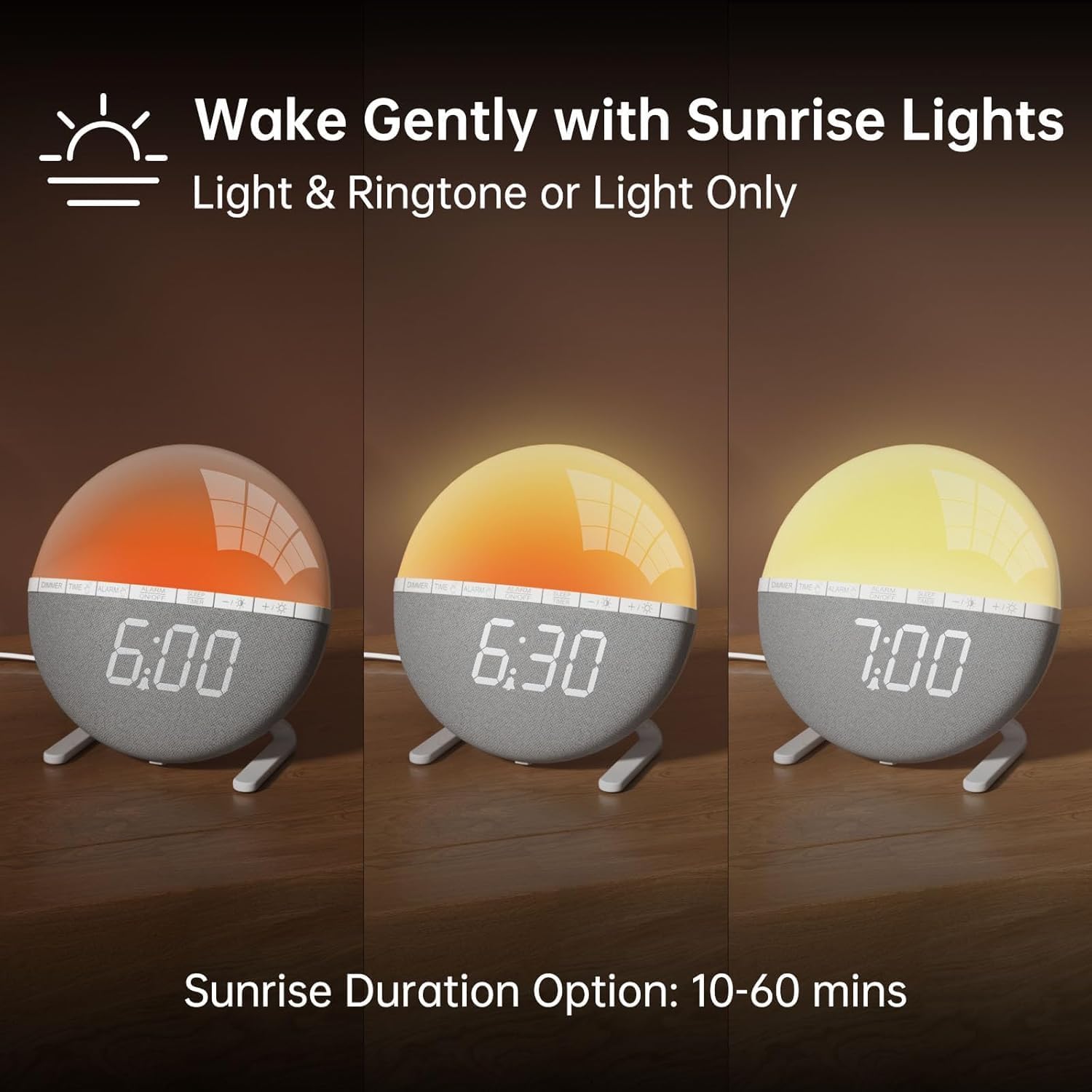
Сүрөт 2: Illustration of the sunrise simulation feature, showing the light gradually changing from dim red to bright yellow over a period, with time indications of 6:00, 6:30, and 7:00.
- басып, кармап туруңуз АЛАРМ button until the alarm time display starts flashing.
- колдонуу +/- каалаган ойготкуч саатын коюу үчүн баскычтар.
- басыңыз АЛАРМ саатты ырастоо жана мүнөттүк жөндөөлөргө өтүү үчүн баскычты басыңыз.
- колдонуу +/- каалаган ойготкуч мүнөттөрдү коюу үчүн баскычтар.
- басыңыз АЛАРМ button to confirm the minutes and proceed to sunrise duration setting.
- колдонуу +/- buttons to select the sunrise simulation duration (10-60 minutes). This is the period before your set alarm time when the light will gradually brighten.
- басыңыз АЛАРМ button to confirm the duration and proceed to alarm sound selection.
- колдонуу +/- buttons to cycle through the 7 available alarm sounds or select "OFF" for light-only alarm.
- басыңыз АЛАРМ button to confirm the sound and proceed to volume adjustment.
- колдонуу +/- buttons to set the alarm volume (10 levels).
- басыңыз АЛАРМ button once more to save all alarm settings.
Ойготкучту иштетүү же өчүрүү үчүн, баскычын басыңыз КҮЙГҮЗҮҮ / КҮЧҮРҮҮ button. An alarm icon will appear on the display when activated.

Сүрөт 3: A visual representation of the seven built-in wake-up ringtones, including icons for Beep, Bell, Birds, and four types of Soft Music. It also shows a 10-level volume adjustment bar.
2. Тындырма функциясы
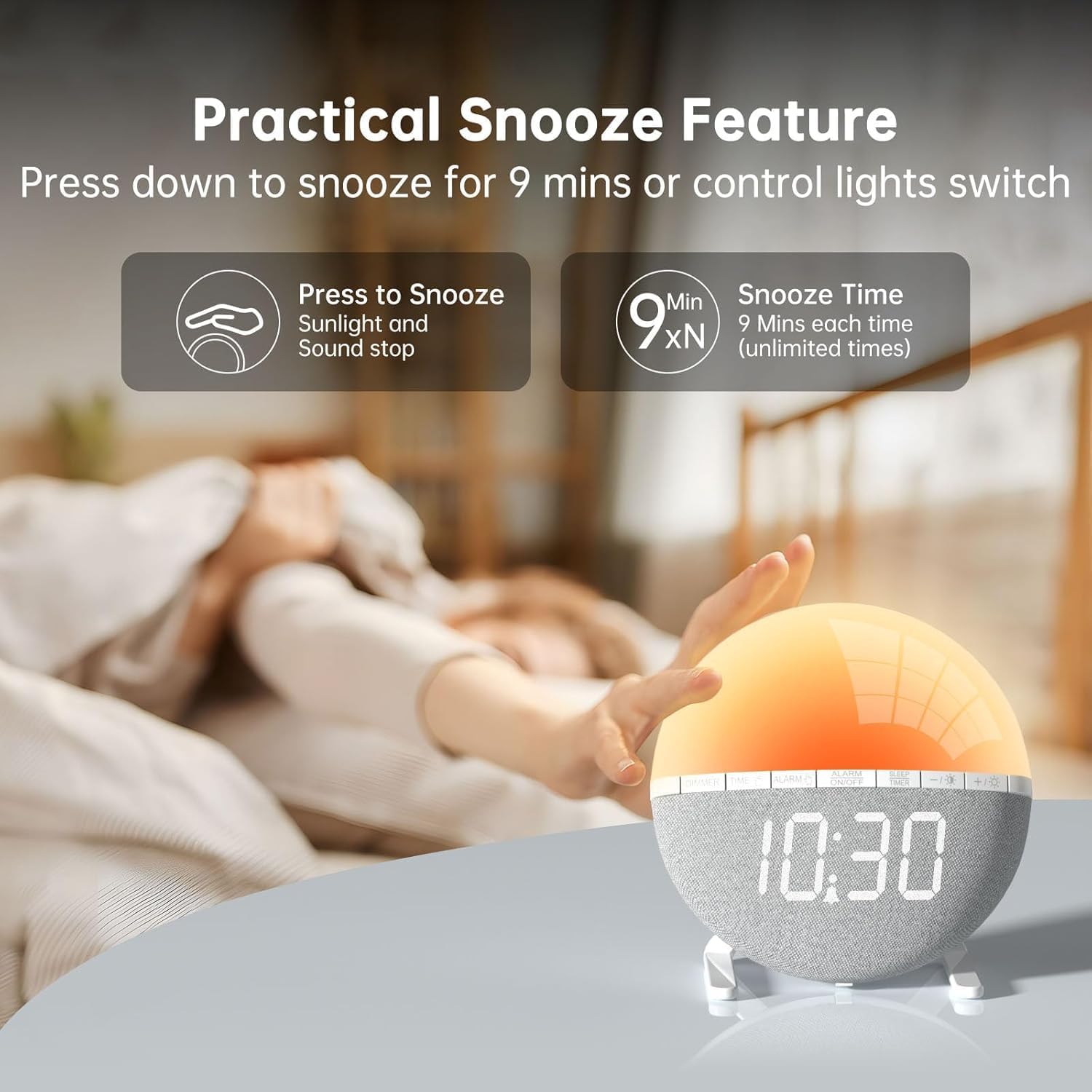
Сүрөт 4: A hand pressing down on the top of the alarm clock to activate the snooze function. Text indicates that pressing down snoozes for 9 minutes and can also control the light switch.
When the alarm sounds, gently press down on the top of the alarm clock to activate the snooze function. The alarm will pause for 9 minutes and then sound again. This can be repeated an unlimited number of times.
3. Night Light / Mood Light

Сүрөт 5: A display of the various solid color and RGB mood light options available on the alarm clock, shown as a spectrum of colors from light blue to purple, with the clock displaying each color.
- басыңыз Лампочка сүрөтчөсү түнкү жарыкты күйгүзүү үчүн баскыч.
- басыңыз Лампочка сүрөтчөсү button repeatedly to cycle through the 7 solid colors and 2 mixed RGB mood light options.
- колдонуу +/- buttons to adjust the brightness of the selected light (10 levels).
- басып, кармап туруңуз Лампочка сүрөтчөсү түнкү жарыкты өчүрүү үчүн баскыч.
4. Уйку таймери

Сүрөт 6: An image illustrating the sleep aid function with an auto-off timer, showing options for 15m, 30m, 60m, 90m, and 120m. The alarm clock is shown emitting a soft, warm light.
The sleep timer allows the light to gradually dim and turn off after a set period, aiding in sleep.
- басыңыз УЙКУ ТАЙМЕРИ баскычы.
- колдонуу +/- buttons to select the desired sleep timer duration (15, 30, 60, 90, or 120 minutes). The light will gradually dim and turn off after the selected time.
- Уйку таймерин жокко чыгаруу үчүн, басыңыз УЙКУ ТАЙМЕРИ button repeatedly until the timer is off, or press and hold the button.
5. Дисплейдин жарыктыгын жөндөө

Сүрөт 7: Four images of the alarm clock demonstrating different display brightness levels, from off to full brightness, highlighting the dimmable and eye-caring features.
басыңыз DIMMER button to cycle through the 4 display brightness levels: 0% (off), 5%, 50%, and 100%. This allows you to adjust the display visibility according to your preference, especially at night.
Техникалык тейлөө
- Аппаратты жумшак, кургак чүпүрөк менен тазалаңыз. Абразивдүү тазалагычтарды же эриткичтерди колдонбоңуз.
- Аппаратты суудан жана жогорку нымдуулуктан алыс кармаңыз.
- Аппаратты жерге түшүрүүдөн же катуу таасирлерден сактаныңыз.
- Түзмөктү өз алдынча бөлүктөргө бөлүүгө же оңдоого аракет кылбаңыз. Көйгөйлөр жаралса, кардарларды колдоо кызматына кайрылыңыз.
Проблемаларды чечүү
| Көйгөй | Мүмкүн себеп | Чечим |
|---|---|---|
| Сааттын дисплейи өчүк же иштебей жатат. | No power connection or power adapter issue. Display brightness set to 0%. | Ensure the USB cable is securely connected and the power adapter is working. Press the DIMMER button to increase display brightness. |
| Ойготкуч угулбайт. | Alarm not activated. Alarm volume set to 0 or sound option set to "OFF". | Басыңыз КҮЙГҮЗҮҮ / КҮЧҮРҮҮ to activate. Check alarm settings to ensure a sound is selected and volume is not 0. |
| Sunrise simulation does not work. | Sunrise duration not set or set to 0. | Verify the sunrise duration is set to a value between 10-60 minutes in the alarm settings. |
| Night light is not turning on. | Light function not activated. | басыңыз Лампочка сүрөтчөсү жарыкты күйгүзүү үчүн баскыч. |
Техникалык шарттар
- Модел: ZH083K
- Бренд: AFEXOA
- Өлчөмдөрү: 9.5 x 3.81 x 9.5 см
- Салмагы: 400 г
- Материал: Пластик
- Дисплей түрү: Санарип
- Кубат булагы: Электр кабели (USB)
- Өзгөчөлүктөр: Sunrise Simulation, Mood Light, Color-Changing Night Light, Loud Alarm, Snooze, Sleep Timer, Dimmable Display
Кепилдик жана колдоо
The AFEXOA ZH083K Digital Sunrise Alarm Clock comes with a standard manufacturer's warranty. For detailed warranty information, please refer to the product packaging or contact your retailer. If you encounter any issues or have questions regarding your product, please contact AFEXOA customer support through the retailer's platform or the official brand webжардам үчүн сайт.
Кепилдик дооматтары үчүн сатып алуунун далили катары сатып алуу дүмүрчөгүңүздү сактап коюңуз.


