1. Киришүү
The OLIGHT Perun 3 is a high-performance, multi-functional lighting tool designed for versatility and reliability. It serves as both a powerful headlamp and a convenient handheld flashlight, making it ideal for a wide range of activities including outdoor adventures, professional tasks, and emergency situations. With its robust construction, advanced features, and user-friendly design, the Perun 3 ensures optimal illumination and hands-free operation when you need it most.
2. Кутуда эмне бар
- Perun 3 Headlamp/ Фонар
- Head Band
- Lanyard
- MCC3 Charging Cable
- User Manual

Figure 2.1: OLIGHT Perun 3 and its included accessories.
3. Орнотуу
3.1 Баштапкы төлөм
Before first use, fully charge your Perun 3. Connect the MCC3 magnetic charging cable to the magnetic tail cap of the flashlight. Plug the USB end of the cable into a compatible USB power source. The indicator light on the charger will show charging status.
3.2 Attaching to Headband
The Perun 3 can be easily detached from and attached to the included headband. Align the flashlight with the mount on the headband and push until it securely snaps into place. Ensure the light is facing the desired direction.

Figure 3.1: Removable tail cap for easy battery access.

Figure 3.2: Comfortable and durable headband for secure fit.
Video 3.1: Official product video demonstrating the Perun 3's features, including its use as a headlamp жана кол чырак.
4. Иштөө нускамалары
4.1 Күйгүзүү/өчүрүү
Press the large metal side button once to turn the light on or off.
4.2 Brightness Modes (White Light)
When the light is on, press and hold the side button to cycle through Moonlight, Low, Medium, and High modes. Release the button to select the desired mode.
4.3 Турбо режими
Double-press the side button quickly to activate Turbo mode (3,000 lumens). Double-press again to return to the previous mode.
4.4 Red Light Modes
From the OFF state, press and hold the side button for approximately 1 second to activate the red light. Single-press to cycle between Low Red and High Red. Double-press for flashing red mode.
4.5 Жакындык сенсору
The Perun 3 is equipped with a proximity sensor. When in Turbo mode, if the light detects an obstruction within 0.5 seconds, it will automatically reduce the output power to prevent overheating or damage.
4.6 Headlamp Тууралоо
When mounted on the headband, the flashlight can be tilted up or down to adjust the beam angle as needed.

Figure 4.1: Unmatched lighting for wide spaces with 3000 lumens.
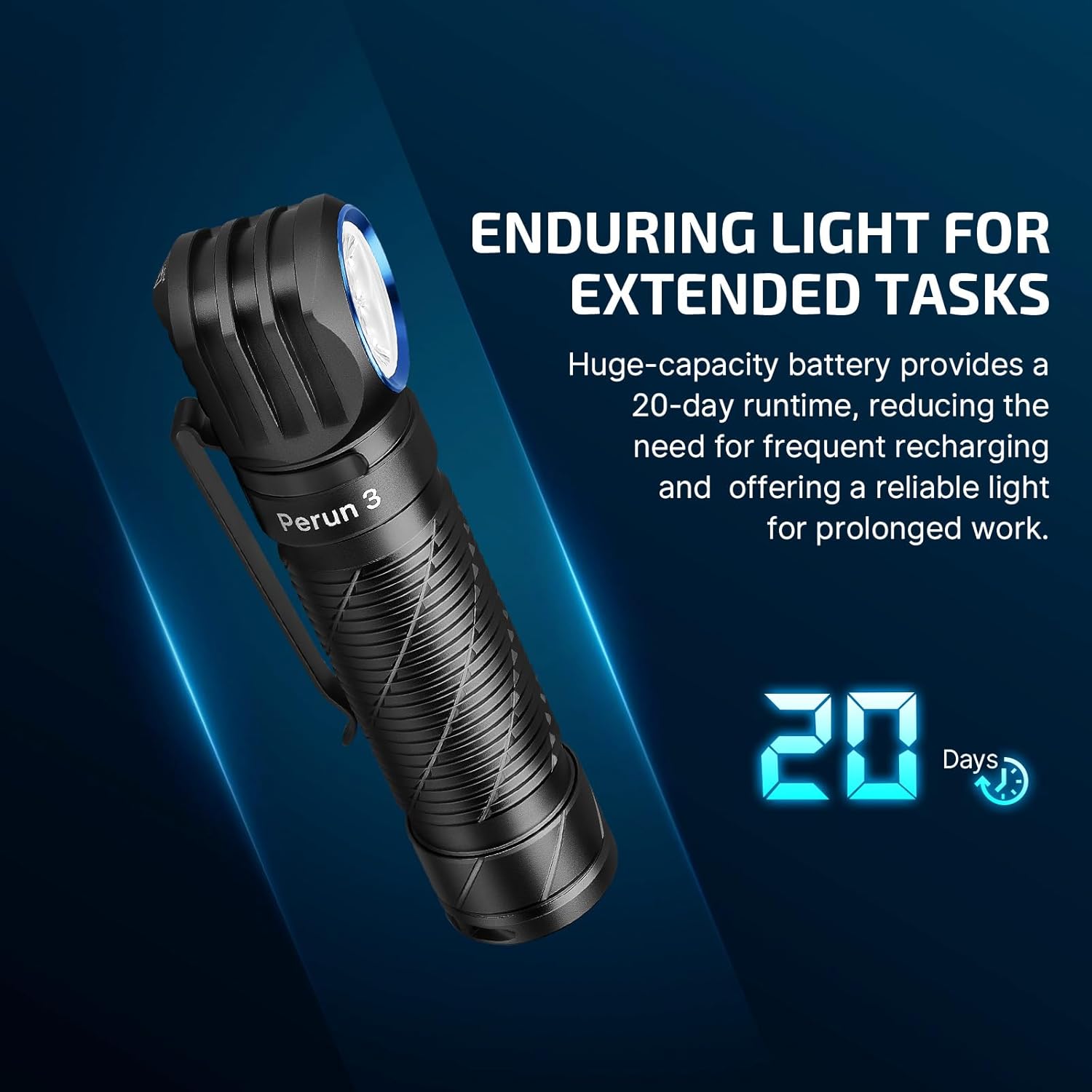
Figure 4.2: Ease in the dark with steady red light.

Figure 4.3: Enhanced reliability in use with the proximity sensor.
4.7 Runtime and Brightness Levels
| Mode | Brightness (White Light) | Runtime (White Light) | Brightness (Red Light) | Runtime (Кызыл жарык) |
|---|---|---|---|---|
| Турбо | 3000 lumens (drops to 800 lumens after 2 min, then to 200 lumens after 180 min) | 2 min + 180 min + 30 min | Жок | Жок |
| Жогорку | 600 lumens (drops to 200 lumens after 300 min) | 300 min + 30 min | 60 люмен | 14 саат |
| Орто | 120 люмен | 25 саат | 15 люмен | 70 саат |
| Төмөн | 30 люмен | 89 саат | Жок | Жок |
| Ай жарыгы | 5 люмен | 20 күн | Жок | Жок |
Table 4.1: Perun 3 White and Red Light Output and Runtime Specifications.
5. Заряддоо
The Perun 3 utilizes a magnetic charging system for convenience. Simply attach the MCC3 charging cable to the magnetic tail cap of the flashlight. The indicator on the charger will show red during charging and turn green when fully charged.
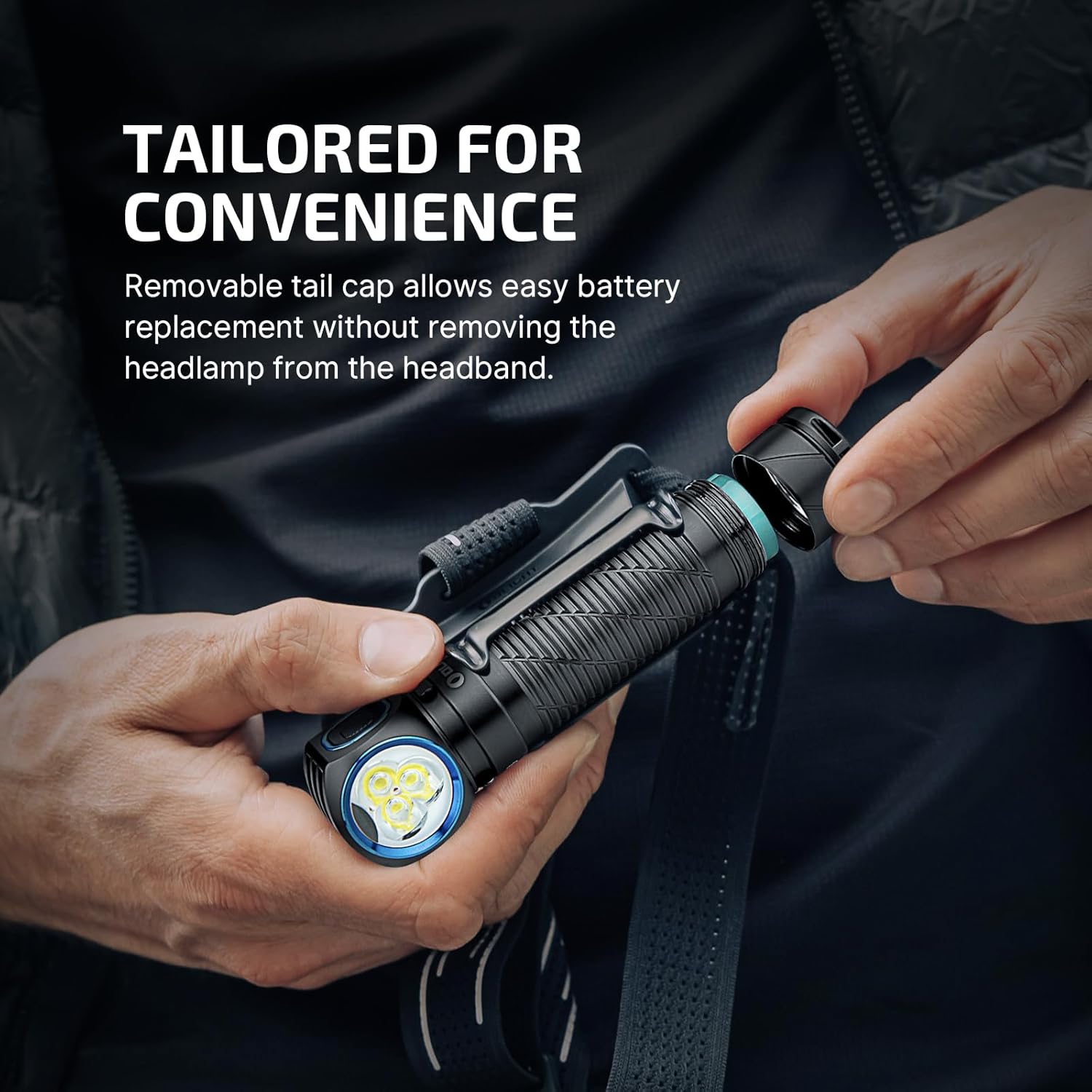
Figure 5.1: Magnetic tail cap for easy charging and attachment.
6. Техникалык тейлөө
6.1 Тазалоо
Regularly clean the lens and body of the Perun 3 with a soft, damp кездеме. Капталышына же ички компоненттерине зыян келтириши мүмкүн болгон абразивдүү тазалоочу каражаттарды же эриткичтерди колдонуудан алыс болуңуз.
6.2 Батареяга кам көрүү
To prolong battery life, avoid fully discharging the battery frequently. Recharge the device when the battery indicator shows low power. Store the Perun 3 in a cool, dry place when not in use for extended periods.
6.3 Суу жана чаңга туруктуулук
The Perun 3 has an IP68 rating, meaning it is protected against dust ingress and can withstand immersion in water up to 2 meters for 30 minutes. Ensure the tail cap is fully tightened before exposing the device to water.

Figure 6.1: The Perun 3 is built to withstand the elements with IP68 rating.
7. Кыйынчылыктарды
| Маселе | Чечим |
|---|---|
| Жарык күйбөйт | Ensure the battery is fully charged. Check if the tail cap is fully tightened. If the light is locked out, press and hold the side button for over 2 seconds to unlock. |
| Жарык начар чыгат же жымыңдайт | Recharge the battery. Clean the contact points on the tail cap and flashlight body. |
| Light gets hot quickly | This is normal for high-lumen output. The proximity sensor should reduce output if an object is too close. Ensure proper ventilation. |
| Magnetic charging not working | Ensure the MCC3 cable is properly connected to a working USB power source. Clean the magnetic contact points on both the cable and the flashlight. |
8. Техникалык шарттар
| Өзгөчөлүк | Деталь |
|---|---|
| Модел | O-PERUN3-BK-300000 |
| Жарык булагы түрү | LED (White & Red) |
| Max White Brightness | 3000 Lumens |
| Жарык жол аралык | 160 метр |
| Power Source | Батарея менен иштейт (1 литий-иондук батарейка камтылган) |
| Батарея сыйымдуулугу | 5000 mAh (21700 Lithium-Ion) |
| Max Runtime | 480 hours (20 days on Moonlight mode) |
| Материал | 6061-T6 алюминий эритмеси |
| Сууга туруктуулук деңгээли | IP68 (Суу өткөрбөйт) |
| Продукциянын өлчөмдөрү | 4.59"D x 1"W x 1.1"H |
| Элемент Салмагы | 5.28 унция |
| Өзгөчөлүктөр | Portable, With Red Light, Adjustable Light Modes, Adjustable Strap, Rechargeable |
9. Кепилдик жана колдоо
The OLIGHT Perun 3 comes with a Lifetime Warranty, ensuring peace of mind regarding its quality and durability. For any support inquiries, troubleshooting assistance, or warranty claims, please visit the official OLIGHT store or contact their customer service directly.
OLIGHT Store: https://www.amazon.com/stores/OLIGHT/page/098E844F-88E8-45DC-901F-203F35540649


