Introduction
Сатып алганыңыз үчүн рахматasing the Greadio GB-W18 Portable CD Player Boombox. This device offers multiple audio playback options including CD, cassette, FM radio, Bluetooth, USB, AUX, and TF/SD card. Please read this manual carefully before using the product to ensure proper operation and to maximize your listening experience. Keep this manual for future reference.
Коопсуздук маалыматы
- Өрт же электр тогуна урунуп калбаш үчүн аппаратты жамгырга же нымга тийгизбеңиз.
- в ачпагылаasinг. Бардык тейлөөлөрдү квалификациялуу кызматкерлерге тапшырыңыз.
- Аппаратты жылуулук булактарынын жанына же тике күн нуруна коюудан алыс болуңуз.
- Агрегаттын айланасын туура желдетүүнү камсыз кылыңыз.
- Use only the specified power adapter (if applicable) or charge with a compatible 5V/2A Type-C charger.
- Балдар жетпеген жерде сактаңыз.
Пакеттин мазмуну
Сураныч, бардык элементтер бар экенин текшериңиз:
- Greadio GB-W18 Portable CD Player Boombox
- Алыстан башкаруу (1)
- Колдонуучунун Колдонмосу (бул документ)
- USB заряддоо кабели (Type-C)
Продукт бүттүview
Familiarize yourself with the various parts and controls of your Greadio GB-W18 boombox.
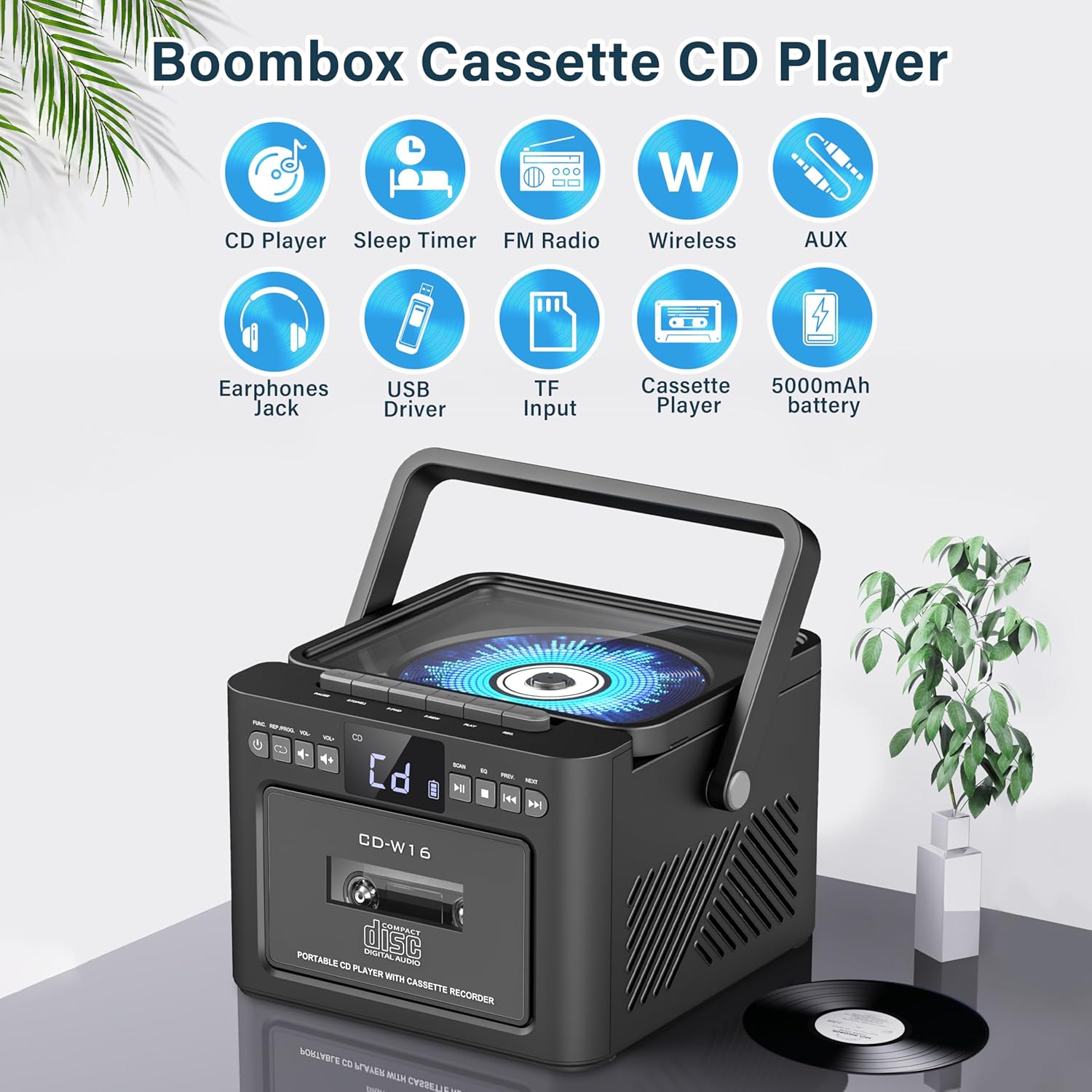
Сүрөт: Бүттүview of the Greadio GB-W18 Portable CD Player Boombox, highlighting its multi-functional capabilities including CD, cassette, FM radio, Bluetooth, USB, TF/SD card, AUX, and a built-in 5000mAh rechargeable battery.
Алдыңкы панелдин башкаруу элементтери
- LED дисплей: Учурдагы режимди, тректин номерин, жыштыгын ж.б. көрсөтөт.
- Кубат баскычы: Аппаратты күйгүзөт/өчүрөт.
- Режим баскычы: Switches between CD, Cassette, FM, Bluetooth, USB, AUX, TF/SD modes.
- Үндү көзөмөлдөө: Аудио чыгаруу деңгээлин тууралайт.
- Ойнотуу/тындыруу баскычы: Controls playback for CD, USB, TF/SD, Bluetooth.
- Токтотуу баскычы: Ойноону токтотот.
- Өткөрүп жиберүү/Издөө баскычтары: Skips tracks or searches radio frequencies.
- Жазуу баскычы: Initiates cassette recording.
Side/Rear Panel Ports
- CD бөлүмү: Үстү-үстүнө жүктөлүүчү CD ойноткуч.
- Кассеталык палуба: Алдыңкы жүктөлүүчү кассета ойноткуч/диктофон.
- USB порт: USB дискти ойнотуу үчүн.
- TF/SD карта уячасы: TF/SD карта ойнотуу үчүн.
- AUX киргизүү: тышкы аудио түзмөктөр үчүн 3.5 мм уячасы.
- Гарнитура уячасы: Жеке угуу үчүн 3.5 мм уяча.
- DC 5V Input (Type-C): Ички батареяны заряддоо үчүн.
- FM антеннасы: Радио кабыл алуу үчүн телескопиялык антенна.
Жайгашуу
Агрегатты кубаттандыруу
The Greadio GB-W18 can be powered by its built-in rechargeable battery or via a Type-C USB power source.
- Батареяны заряддоо: Connect the provided USB Type-C cable to the DC 5V input port on the unit and the other end to a compatible USB power adapter (e.g., car charger, power bank, computer USB port). The LED display will indicate charging status. A full charge provides extended portable use.

Сүрөт: The Greadio GB-W18 boombox with its USB and TF/SD card slots highlighted, along with illustrations of various 5V Type-C charging methods: car charger, power bank, and computer.
Баштапкы кубаттуулук
басыңыз Күч button to turn on the unit. The LED display will light up, and the unit will typically default to the last used mode or CD mode.
Иштөө нускамалары
колдонуу Mode button to switch between different playback sources.
CD ойнотуу
- басыңыз Mode button until 'CD' appears on the display.
- CD бөлүмүнүн капкагын ачыңыз.
- Place a CD (CD, CD-R, CD-RW) with the label side facing up onto the spindle.
- Close the CD compartment lid. The CD will begin to play automatically.
- колдонуу Ойнотуу/Тыныгуу, Токто, жана Өткөрүү/Издөө ойнотууну башкаруу үчүн баскычтар.

Сүрөт: A user operating the Greadio GB-W18 boombox, demonstrating CD playback and the use of the remote control for convenient operation.
Кассетаны ойнотуу жана жаздыруу
- басыңыз Mode button until 'TAPE' appears on the display.
- Кассета палубасынын эшигин ачыңыз.
- Ачык четин өйдө каратып кассетаны салыңыз.
- Кассета палубасынын эшигин жабыңыз.
- басыңыз Play button on the cassette deck controls to start playback.
- үчүн Жаздыруу: Ensure a blank or recordable cassette is inserted. Select your desired input source (e.g., FM radio, AUX, Bluetooth). Press the Жаздыруу button on the unit. Press Токто жазууну токтотуу.

Сүрөт: The Greadio GB-W18 boombox in a social setting, illustrating the cassette player function with a hand inserting a tape.
FM радиосунун иштеши
- Оптималдуу кабыл алуу үчүн телескопиялык FM антеннасын узартыңыз.
- басыңыз Mode баскычын дисплейде 'FM' пайда болгонго чейин басыңыз.
- басып, кармап туруңуз Өткөрүү/Издөө buttons to automatically scan for available stations. The unit can preset up to 30 stations.
- басыңыз Өткөрүү/Издөө buttons briefly to manually tune or cycle through preset stations.
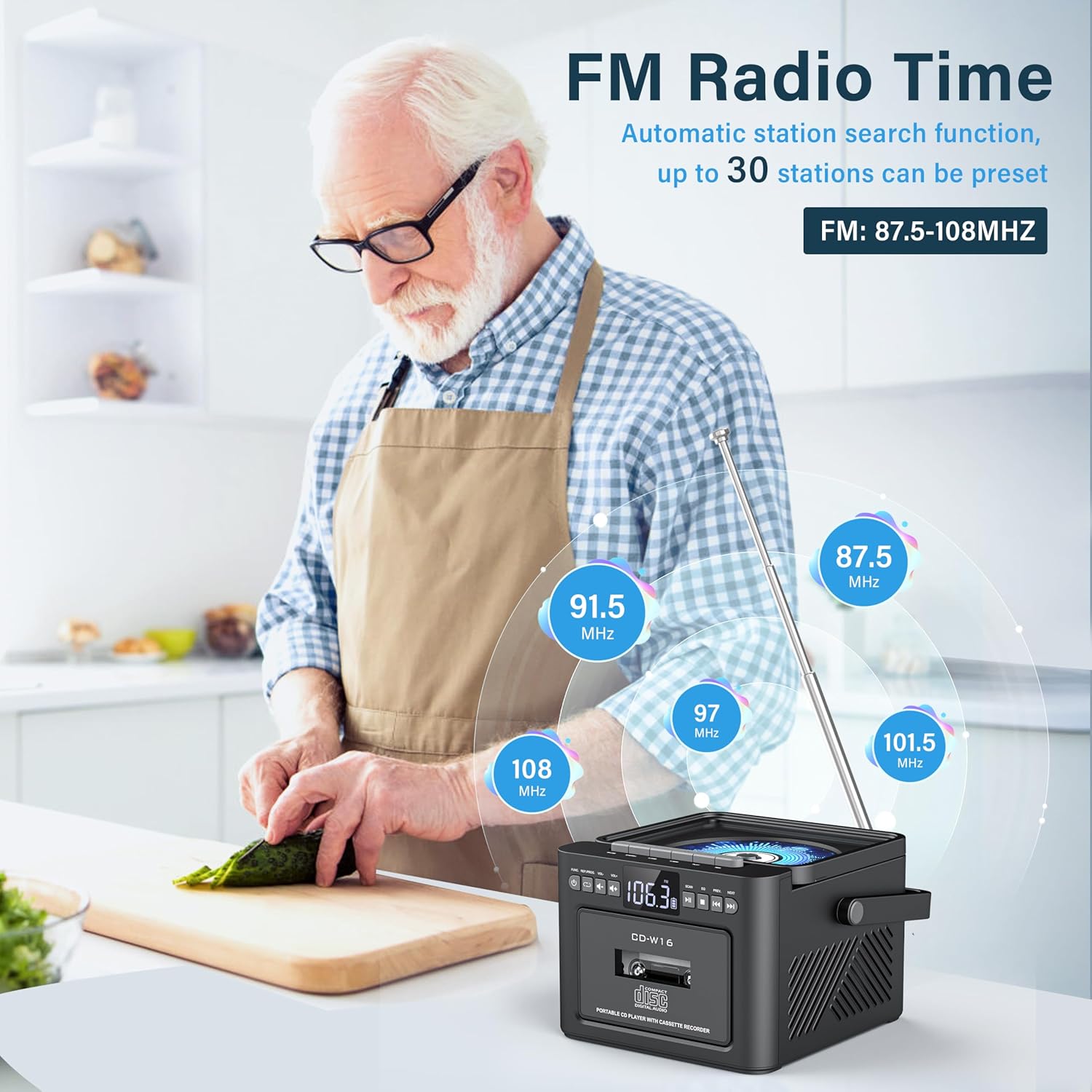
Сүрөт: A user in a kitchen setting with the Greadio GB-W18 boombox, demonstrating its FM radio capabilities and the range of frequencies it can receive.
Bluetooth (Wireless Receiver)
- басыңыз Mode button until 'BLUE' or 'BT' appears on the display. The unit will enter pairing mode, indicated by a flashing Bluetooth icon.
- Мобилдик түзмөгүңүздө (смартфон, планшет ж.б.) Bluetooth иштетип, жеткиликтүү түзмөктөрдү издеңиз.
- Select 'Greadio GB-W18' (or similar name) from the list to pair.
- Once paired, you can play audio from your device through the boombox.
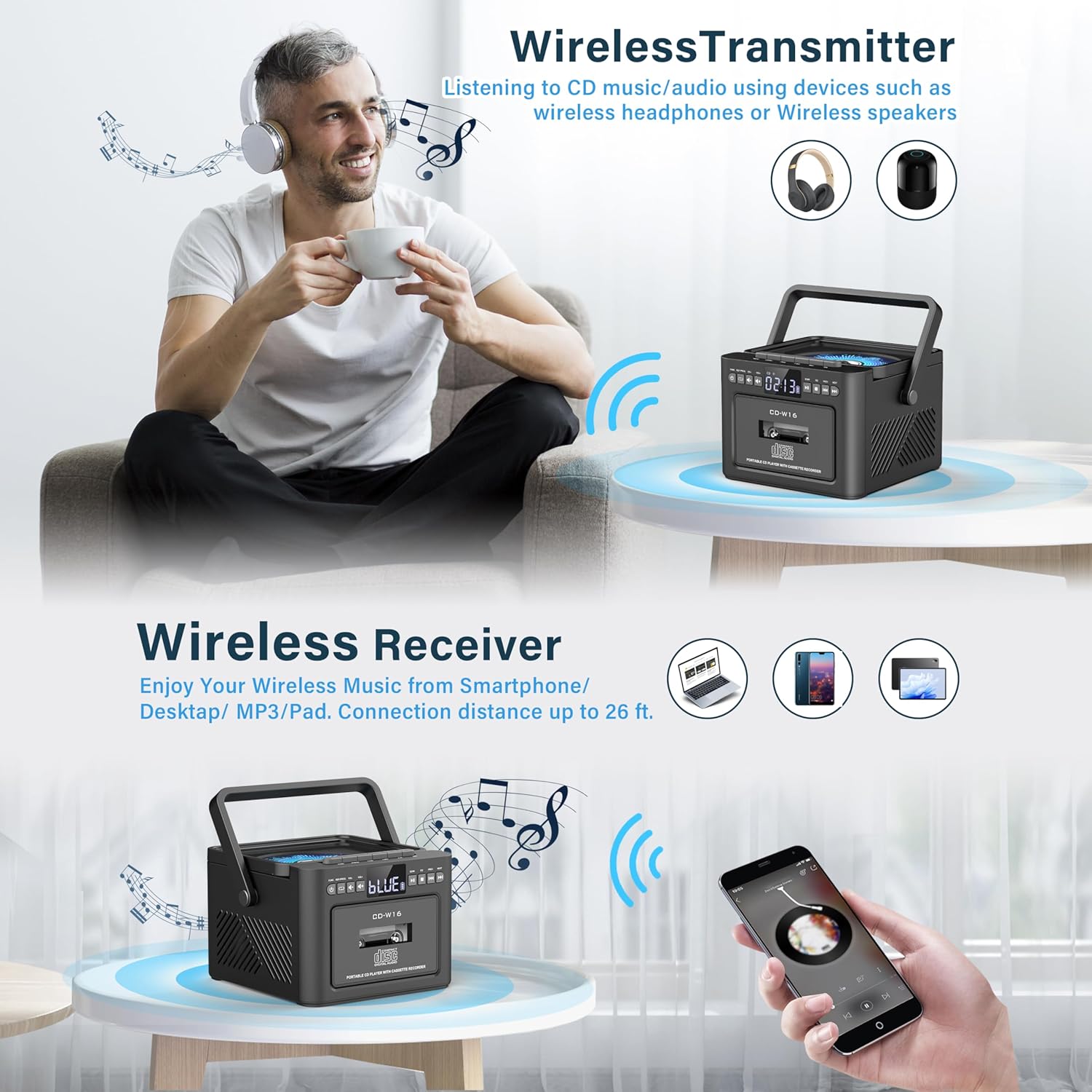
Сүрөт: The Greadio GB-W18 boombox demonstrating its wireless capabilities, functioning as both a wireless transmitter (for headphones/speakers) and a wireless receiver (for streaming from smartphones/tablets).
USB Drive & TF/SD Card Playback
- Insert a USB drive into the USB port or a TF/SD card into the TF/SD card slot.
- басыңыз Mode button until 'USB' or 'TF' appears on the display.
- түзмөк MP3ти автоматтык түрдө аныктап жана ойнотот fileс сактагыч түзүлүштөн.
- колдонуу Ойнотуу/Тыныгуу, Токто, жана Өткөрүү/Издөө ойнотууну башкаруу үчүн баскычтар.
AUX киргизүү
- Connect an external audio device (e.g., MP3 player, smartphone) to the AUX input jack using a 3.5mm audio cable (not included).
- басыңыз Mode баскычын дисплейде 'AUX' пайда болгонго чейин басыңыз.
- Тышкы түзмөгүңүздөн аудио ойнотуңуз. Үн бумбокс динамиктери аркылуу чыгарылат.
Алыстан башкаруу
The included remote control allows for convenient operation of most functions from a distance. Point the remote control directly at the front panel of the boombox. Functions include power on/off, mode selection, volume adjustment, playback controls (play, pause, stop, skip), and radio tuning.
Уйку таймери
The unit features a sleep timer function. Refer to the remote control or specific button on the unit (if available) to set a timer for automatic power-off. This feature is useful for falling asleep to music.
Техникалык тейлөө
- Тазалоо: Түзмөктүн сыртын тазалоо үчүн жумшак, кургак чүпүрөктү колдонуңуз. Абразивдүү тазалоочу каражаттарды же эриткичтерди колдонбоңуз.
- CD линзасына кам көрүү: Эгерде CD ойнотууда көйгөйлөр жаралса, CD линзасын тазалоочу атайын дискти колдонуңуз.
- Кассетанын башын тазалоо: Regularly clean the cassette heads with a cotton swab lightly dampОптималдуу үн сапатын камсыз кылуу жана тасманын бузулушун алдын алуу үчүн изопропил спирти менен эритилсин.
- Батареяга кам көрүү: For optimal battery life, avoid fully discharging the battery frequently. Charge the unit regularly, even if not in use for extended periods.
- Сактагыч: When not in use for a long time, store the unit in a cool, dry place away from direct sunlight and extreme temperatures.
Проблемаларды чечүү
| Көйгөй | Мүмкүн себеп | Чечим |
|---|---|---|
| Түзмөк күйбөйт. | Батарея түгөнүп калды. | Connect the unit to a power source using the Type-C USB cable and allow it to charge. |
| Динамиктерден үн жок. | Volume is too low or muted. Incorrect mode selected. Headphones connected. | Үндү катуулатыңыз. Басыңыз Mode button to select the correct source. Disconnect headphones. |
| CD өткөрүп жиберет же ойнобойт. | CD кир, чийилген же туура эмес салынган. CD линзасы кир. | Clean the CD. Reinsert the CD correctly. Use a CD lens cleaner. |
| FM радиосун кабыл алуу начар. | Антенна узартылган эмес. Сигнал алсыз. | FM антеннасын толугу менен узартыңыз. Жакшыраак кабыл алуу үчүн аппаратты кайра жайгаштырыңыз. |
| Bluetooth түзмөгү жупташа албайт. | Boombox not in pairing mode. Device too far. | Ensure boombox is in Bluetooth mode and flashing. Move device closer (within 26 ft). |
| Cassette playback distorted. | Cassette heads are dirty. Tape is old or damaged. | Clean cassette heads. Try a different tape. |
Техникалык шарттар
- Модель номери: GB-W18
- Продукциянын өлчөмдөрү: 7.56 x 7.56 x 5.16 дюйм
- Элемент Салмагы: 2.99 фунт
- Байланыш технологиясы: Bluetooth 5.0
- Динамик түрү: Кош стерео динамик
- Батарея: Built-in 5000mAh Rechargeable Lithium Ion Battery
- Кубат киргизүү: DC 5V (Type-C)
- Колдоого алынган медиа: CD, CD-R, CD-RW, Cassette Tape, USB Drive (MP3 format, up to 32GB), TF/SD Card (MP3 format, up to 32GB), AUX Input
- FM радио жыштыгы: 87.5-108 МГц
Кепилдик жана колдоо
Greadio products are designed for reliability and performance. For any questions, technical support, or warranty inquiries, please refer to the contact information provided with your purchase or visit the official Greadio webсайт. Кепилдик дооматтары үчүн сатып алганыңыздын далилин сактап коюңуз.