1. Киришүү
The Parsonver Smartwatch Z139 is designed to enhance your daily life with a variety of intelligent functions. This manual provides detailed instructions for setting up, operating, and maintaining your smartwatch to ensure optimal performance and user experience.
Key features include Bluetooth calling, comprehensive health monitoring (heart rate, blood oxygen, sleep), over 100 sports modes, and smart notifications.
2. Баштоо: Орнотуу
2.1 Пакеттин мазмуну
- Parsonver Smartwatch Z139
- Заряддоо кабели
- User Manual
2.2 Акылдуу саатты кубаттоо
Биринчи колдонуудан мурун, акылдуу саатыңызды толук заряддаңыз. Магниттик заряддоо кабелин сааттын артындагы заряддоо контакттарына туташтырыңыз жана USB учун кубат адаптерине (кошумча эмес) же компьютердин USB портуна сайыңыз.
2.3 Колдонмону орнотуу жана жупташтыруу
To unlock the full potential of your Parsonver Smartwatch, download the companion app on your smartphone. The app is compatible with iOS 9.0/Android 6.0 or above.
- Scan the QR code in the manual or search for "Parsonver" in your phone's app store (Google Play Store for Android, Apple App Store for iOS).
- Колдонмону орнотуп, ачыңыз.
- Follow the on-screen instructions in the app to create an account and pair your smartwatch via Bluetooth. Ensure Bluetooth is enabled on your smartphone.
- During pairing, grant necessary permissions for notifications, location, and health data synchronization.

Image: The Parsonver Smartwatch Z139, showcasing its main display with time, date, and step count.
3. Иштөө нускамалары
3.1 Bluetooth чалуулары жана акылдуу эскертмелер
Once connected via Bluetooth, you can manage calls directly from your smartwatch.
- Чалууларга жооп берүү/кабыл алуу: Use the watch's interface to answer incoming calls or dial numbers. The watch features high-quality speakers and a high-definition microphone for clear communication.
- Эскертмелер: Receive alerts for SMS, WhatsApp, Facebook, emails, and other app notifications directly on your watch. The watch will vibrate to inform you of new messages.
- Үн жардамчысы: Utilize the integrated voice assistant for hands-free control and information access.
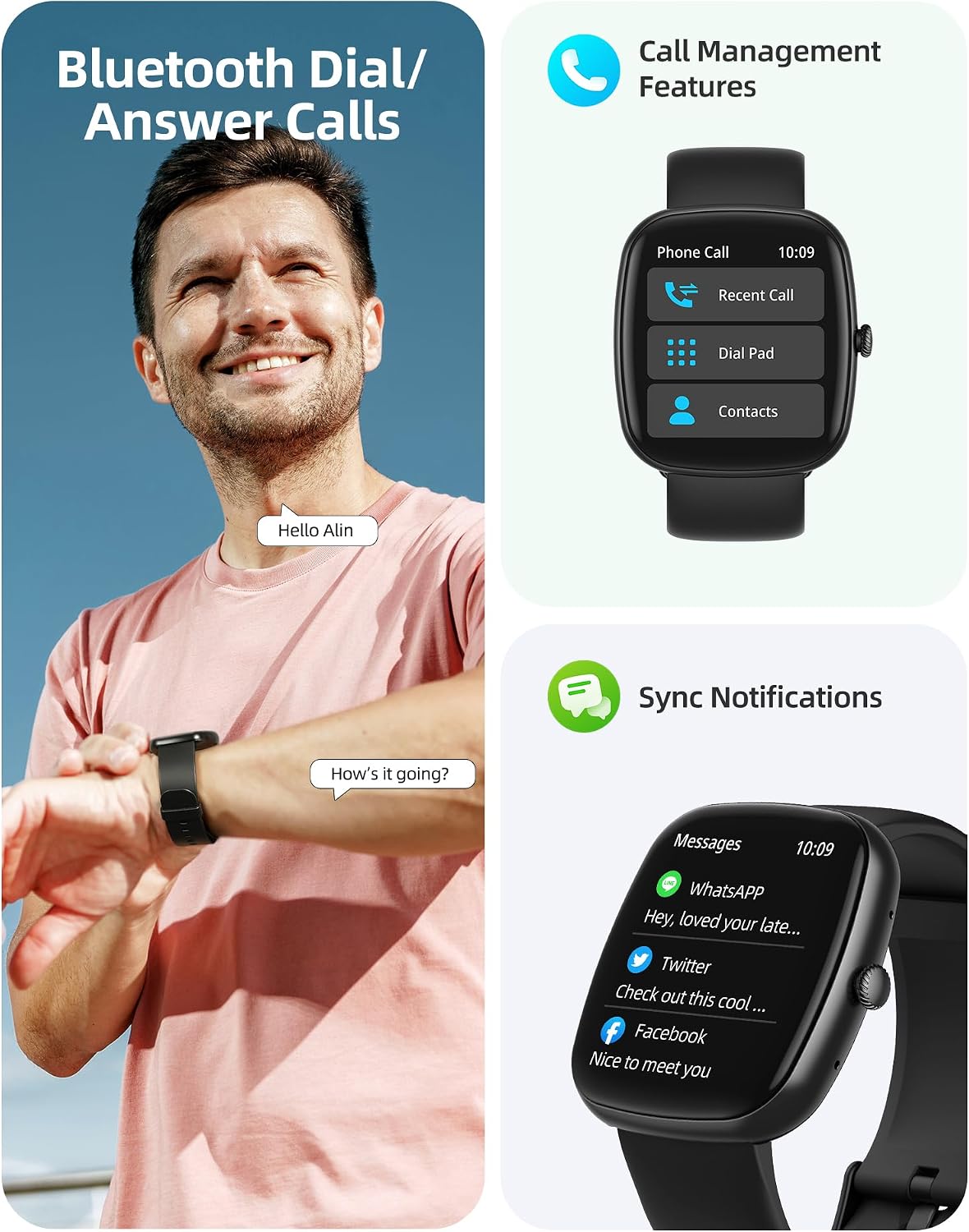
Image: A user interacting with the smartwatch for Bluetooth calls, demonstrating the call management interface.
3.2 Ден соолуктун мониторинги
The smartwatch features advanced sensors for continuous health tracking.
- Жүрөктүн кагышын көзөмөлдөө: Measures and records your heart rate throughout the day. The app displays trends and alerts for abnormal readings.
- Кандагы кычкылтектин (SpO2) мониторинги: Каныңыздын кычкылтек менен каныккандыгынын деңгээлин көзөмөлдөйт.
- Уйкунун мониторинги: Analyzes your sleep patterns, including deep sleep, light sleep, and awake times, to help optimize your sleep habits.
- Стресс мониторинги: Стресс деңгээлиңиз боюнча түшүнүктөрдү берет.
- Аялдардын ден соолугуна көз салуу: Records menstrual cycles and ovulation periods.

Image: Visual representation of the smartwatch's health monitoring capabilities, including heart rate, blood oxygen, and pressure readings.
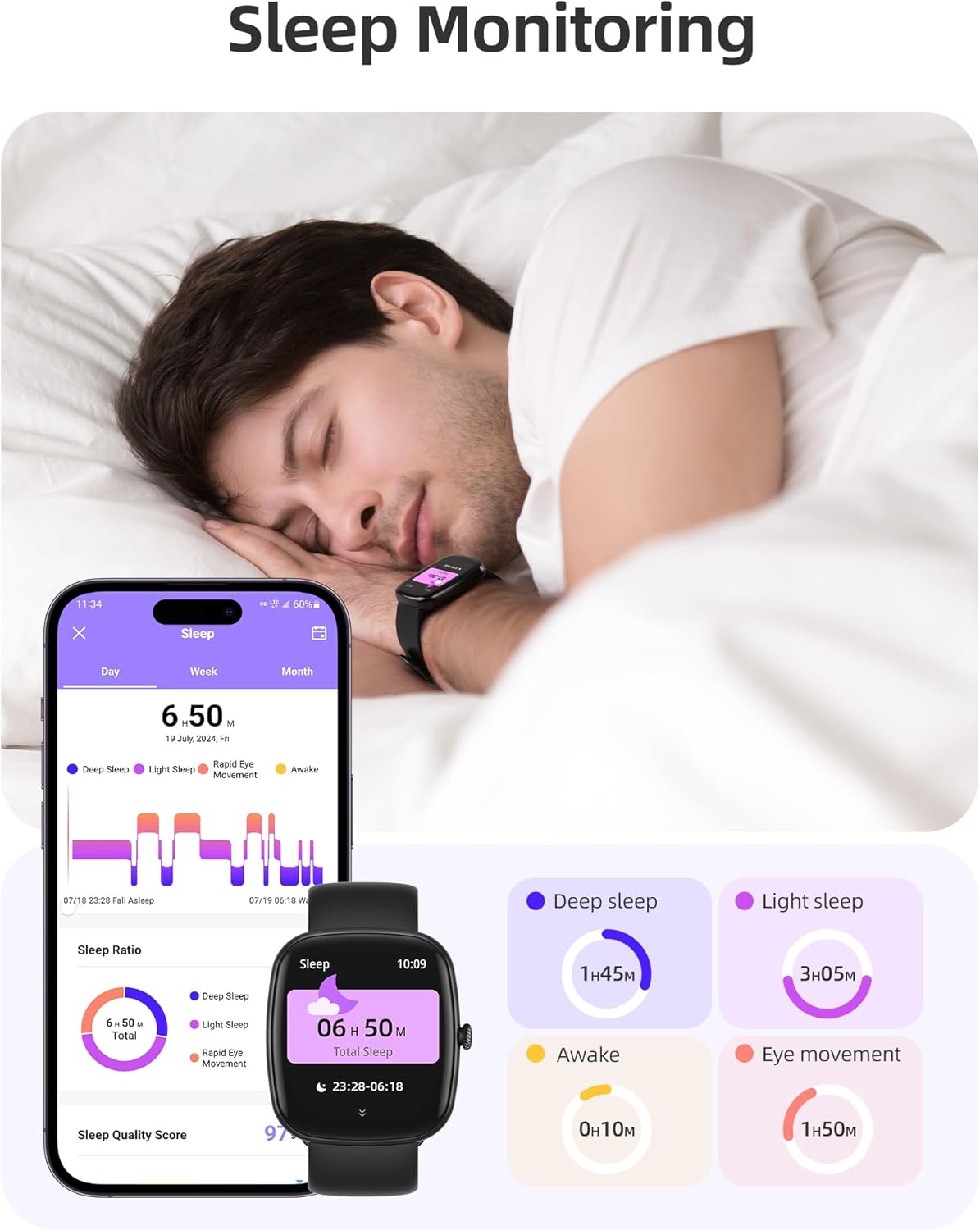
Image: The smartwatch monitoring sleep, with a detailed breakdown of sleep stages displayed on the companion app.
3.3 Спорт режимдери жана активдүүлүккө көз салуу
The activity tracker supports over 100 sports modes to monitor your workouts effectively.
- Жеткиликтүү режимдер: Includes yoga, running, jumping, cycling, badminton, football, rowing, and many more.
- Маалыматтарды көзөмөлдөө: Records steps, distance, calories burned, and real-time heart rate during exercise.
- Күнүмдүк даярдык көрсөткүчү: Provides a summary of your daily activity and recovery.

Image: The smartwatch tracking a user's activity during a run, displaying key metrics like calories, steps, heart rate, and distance.
3.4 App Experience and BMI Tracking
The companion app offers additional features for health management.
- Weight and BMI Tracking: Manually input your weight in the app to track changes and automatically calculate your Body Mass Index (BMI). View daily, weekly, monthly, and yearly weight trends.
- Training Courses: Access integrated training courses from beginner to advanced levels.
- Relaxation Features: Includes white noise, meditation exercises, and relaxation training.

Image: The companion app displaying weight and BMI tracking features, helping users monitor their body composition.
3.5 ыңгайлаштырылган саат жүздөрү
Personalize your smartwatch with over 200 different watch face designs available through the app.

Image: A selection of customizable watch faces, demonstrating the variety of styles and information layouts available.
3.6 Башка практикалык функциялар
The smartwatch includes several other useful features:
- Аба ырайы: View 7-day weather forecasts.
- Музыкалык башкаруу: Музыканы ойнотууну түздөн-түз билегиңизден башкарыңыз.
- Камераны башкаруу: Смартфонуңуздун камерасын алыстан башкарыңыз.
- Ойготкуч саат: Бир нече ойготкучтарды коюу.
- Секундомер жана таймер: Ар кандай иш-чаралар үчүн так убакыт.
- Отуруучу эстеткич: Кыймылсыздык мезгилинен кийин сизди жылдырууга чакырат.
- Дем алуу көнүгүүлөрү: Guided exercises to reduce stress.
- Телефонду табуу: Locate your paired smartphone with a tap on your watch.
- Жарыктыкты жөндөө: Continuously adjustable screen brightness for optimal visibility in any lighting condition.

Сүрөт: An overview of the various practical functions available on the Parsonver Smartwatch Z139.
4. Техникалык тейлөө
Proper care ensures the longevity and performance of your smartwatch.
- Тазалоо: Regularly clean the watch and strap with a soft, dry cloth. Avoid harsh chemicals.
- Суу каршылык: The smartwatch has an IP68 water resistance rating, meaning it can withstand hand washing, rain, and splashes. Do not use it for swimming, diving, or in saunas.
- Заряддоо: Use only the provided charging cable. Avoid exposing charging contacts to moisture.
- Сактагыч: Колдонулбаган убакта саатты салкын, кургак жерде сактаңыз.
5. Кыйынчылыктарды
If you encounter issues with your smartwatch, try the following steps:
- Күйгүзүлбөй жаткан саат: Саат толук заряддалганын текшериңиз.
- Телефон менен жупташтыруу мүмкүн эмес:
- Телефонуңузда жана саатыңызда Bluetooth иштетилгенин текшериңиз.
- Саат телефонуңуздун диапазонунда экенин текшериңиз.
- Саатты да, телефонуңузду да өчүрүп күйгүзүңүз.
- Try unpairing and re-pairing through the app.
- Билдирмелер алынган жок:
- Check app permissions on your phone to ensure notifications are allowed for the Parsonver app.
- Verify that notifications are enabled within the Parsonver app settings.
- Саат Bluetooth аркылуу туура туташып турганын текшериңиз.
- Туура эмес ден соолук маалыматтары:
- Саат өтө тар же өтө бош эмес, билегиңизге бекем тагылганын текшериңиз.
- Сааттын артындагы сенсорду тазалаңыз.
- Өлчөө учурунда ашыкча кыймылдан качыңыз.
- Экран жооп бербейт: Саатты өчүрүп-күйгүзүп көрүңүз. Эгер көйгөй чечилбесе, кардарларды колдоо кызматына кайрылыңыз.
6. Техникалык шарттар
| Өзгөчөлүк | Спецификация |
|---|---|
| Бренд | Парсонвер |
| Модель номери | Z139 |
| Screen Size | 1.83 дюйм |
| Операциялык системанын шайкештиги | iOS 9.0/Android 6.0 or above Smartphones |
| Байланыш технологиясы | Bluetooth |
| Өзгөчөлүктөр | Bluetooth Calls, 100+ Sports Modes, Heart Rate Monitoring, SpO2 Monitoring, Sleep Monitoring, IP68 Water Resistance, Music Control, Camera Control, Weather, Alarm, Timer, Stopwatch, Sedentary Reminder, Breathing Exercises, Find Phone, Brightness Adjustment, Women's Health Tracking |
| Батареянын курамы | Литий-полимер |
| Батарея сыйымдуулугу | 230 мАч |
| Сууга туруктуулук рейтинги | IP68 (Not for swimming/diving/sauna) |
| Эстутум сактоо сыйымдуулугу | 512 MB |
| GPS | Смартфон аркылуу |
7. Кепилдик жана колдоо
For warranty information and customer support, please refer to the documentation included with your purchase or visit the official Parsonver website. Typically, products are covered by a manufacturer's warranty against defects in materials and workmanship for a specified period from the date of purchase. Please retain your proof of purchase.
If you experience any issues not covered in this manual, or require further assistance, please contact Parsonver customer service.


