1. Киришүү
This manual provides essential information for setting up, operating, and maintaining your DOOGEE T40PRO 12-inch Android 14 Tablet. Please read it thoroughly to ensure proper usage and to maximize your device's capabilities.
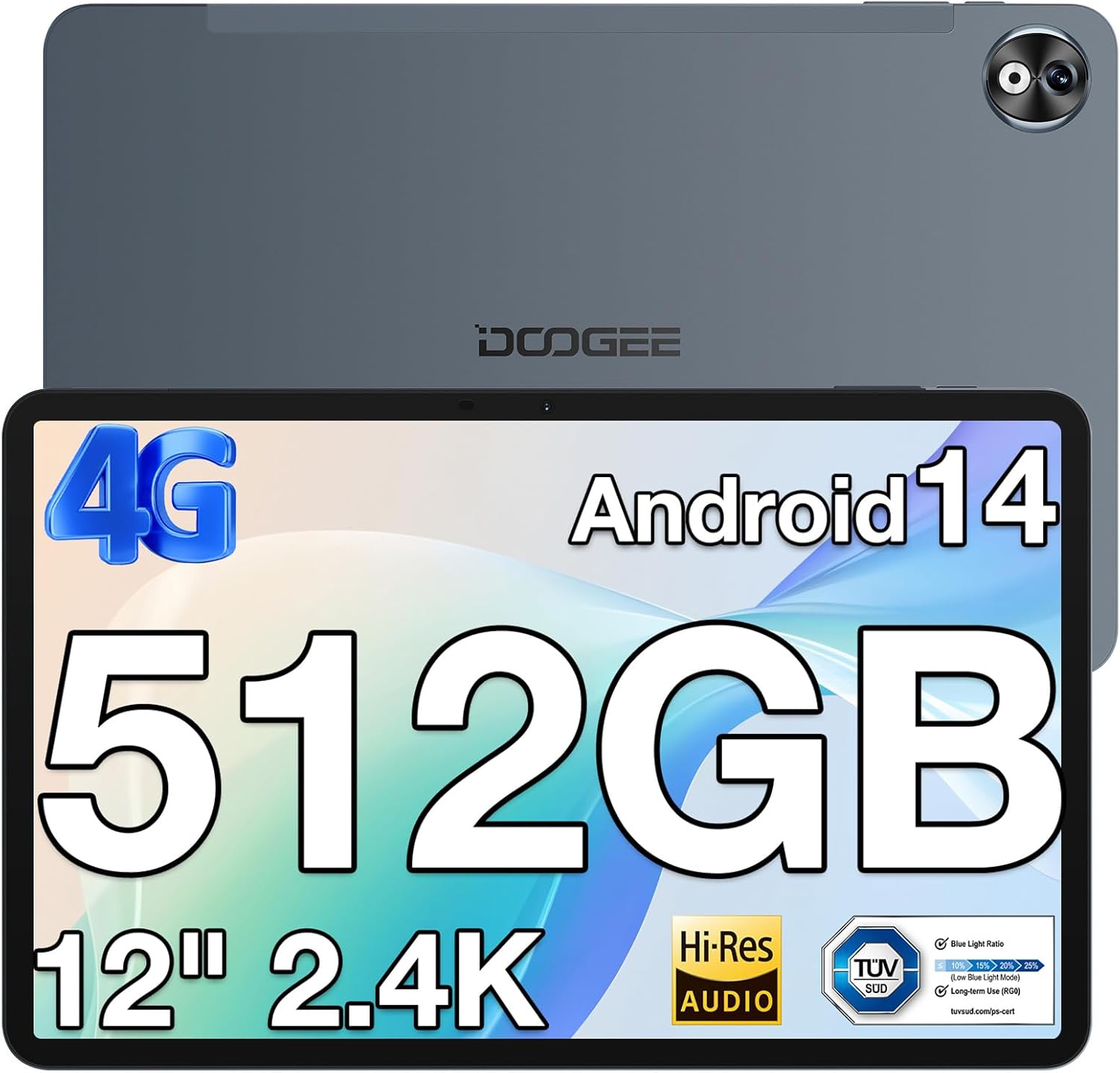
Сүрөт 1: Алдыңкы жана арткы view of the DOOGEE T40PRO Tablet.
2. Орнотуу
2.1 Пакеттин мазмуну
Бардык элементтер кутучада бар экенин текшериңиз:
- DOOGEE T40PRO Tablet Android 14 (x1)
- Заряддагыч (x1)
- Type-C USB Cable (x1)
- Tool for taking card (SIM ejector tool) (x1)
- Колдонуучунун колдонмосу (x1)
- Tempered Glass Protective Film (x1)

Image 2: Illustration of the DOOGEE T40PRO Tablet package contents.
2.2 Алгачкы заряддоо
Before first use, fully charge your tablet using the provided 18W Type-C fast charger and cable. The tablet features a 10,800mAh battery.
Video 1: Demonstrates the charging process of the DOOGEE T40PRO Tablet.
2.3 SIM картаны жана микро SD картаны орнотуу
The T40PRO Tablet supports dual SIM/Micro SD slots. Use the provided ejector tool to open the tray. Insert your SIM cards (GSM, WCDMA, FDD, TDD networks supported) and/or a Micro SD card (up to 2TB expandable storage) into the designated slots.

Image 3: Shows the dual SIM/Micro SD card slots and the tablet's navigation capabilities.
2.4 Күйгүзүү/өчүрүү
To power on, press and hold the power button until the DOOGEE logo appears. To power off, press and hold the power button, then select 'Power off' from the options.
3. Иштөө нускамалары
3.1 Дисплей жана визуалдык көрүнүштөр
The tablet features a 12-inch 2.4K FHD In-Cell Touchscreen with a 1200x2000 resolution and a 16:10 aspect ratio for clear and vibrant visuals.

Image 4: Comparison highlighting the 12-inch 2.4K Fullview Display of the T40PRO.
3.2 Аткаруу
Powered by the Helio G99 octa-core processor (2x ARM Cortex-A76 2.2GHz + 6x ARM Cortex-A55 2.0GHz) and 20GB RAM (8GB physical + 12GB virtual), the tablet offers smooth performance for gaming and applications.

Сүрөт 5: Детальдуу view of the Helio G99 Octa-core Processor specifications.
Video 2: Shows the tablet's performance during gaming, highlighting its capabilities.
3.3 Сактоо
The tablet comes with 512GB of internal storage, expandable up to 2TB via a TF card, providing ample space for media and applications.

Image 6: Visual representation of the tablet's massive storage capacity.
3.4 Байланыш
Enjoy fast and stable connections with 5G/2.4G dual-band Wi-Fi, Bluetooth 5.0, and 4G Dual SIM support. Integrated GPS, Galileo, Beidou, and Glonass systems ensure accurate navigation.
3.5 Камера
Capture moments with the 16MP rear camera and 8MP front camera.
3.6 аудио
Experience immersive sound with quad speakers. A 3.5mm headphone jack and FM radio are also included for your convenience.
Video 3: Demonstrates media playback and volume control on the tablet.
3.7 Software and Features
The tablet runs on the latest Android 14 operating system, offering enhanced privacy and multitasking capabilities. It is GMS certified, allowing access to Google Play Store apps. WPS Office is pre-installed for document editing.

Сүрөт 7: Бүттүview of the Android 14 system features on the tablet.

Image 8: Demonstrates the use of WPS Office for productivity on the tablet.
3.7.1 Multitasking and Split Screen
Utilize the split-screen feature for enhanced productivity, allowing two applications to run side-by-side.
Video 4: Shows the tablet's split-screen functionality, ideal for multitasking.
3.7.2 Жүзүнөн ачуу
Securely unlock your device using the face unlock feature for instant access.

Image 9: Demonstrates the Face Unlock feature for quick and secure access.
3.7.3 Окуу режимдери
The tablet offers various reading modes, including Dark Mode, Eye-protection Mode, and Power-saving Mode, to optimize your viewтажрыйбасы.

Image 10: Illustrates the different reading modes available on the tablet.
4. Техникалык тейлөө
4.1 Батареяга кам көрүү
To prolong battery life, avoid extreme temperatures and fully discharge and recharge the battery periodically. Use only the provided charger and cable.
4.2 Тазалоо
Планшеттин экранын жана корпусун тазалоо үчүн жумшак, мамыксыз чүпүрөктү колдонуңуз. Абразивдүү материалдарды же катуу химиялык заттарды колдонбоңуз.
4.3 Программалык камсыздоо жаңыртуулары
Regularly check for and install system updates to ensure optimal performance, security, and access to the latest features of Android 14.
4.4 Сактагычты башкаруу
Мезгил-мезгили менен кайраview and manage your stored files and applications to maintain sufficient free space for smooth operation. Utilize the expandable storage option for large files.
5. Кыйынчылыктарды
If you encounter issues with your DOOGEE T40PRO Tablet, consider the following common solutions:
- Түзмөктүн тоңуп калышы: If the tablet freezes, press and hold the power button for approximately 10-15 seconds to force a restart.
- кубаттоо маселелери: Ensure the Type-C cable and charger are securely connected and undamaged. Try a different power outlet.
- Туташуу көйгөйлөрү: For Wi-Fi, restart your router and the tablet. For 4G, ensure your SIM card is correctly inserted and your plan is active.
- Колдонмонун бузулушу: Орнотуулар > Колдонмолор бөлүмүнөн көйгөйлүү колдонмонун кэшин жана дайындарын тазалаңыз. Эгер маселе чечилбесе, колдонмону чыгарып салып, кайра орнотуңуз.
- Жай аткаруу: Close unnecessary background apps, clear cache, and ensure sufficient storage space.
For persistent issues, refer to the official DOOGEE support webсайтка же кардарларды тейлөөгө кайрылыңыз.
6. Техникалык шарттар
| Өзгөчөлүк | Спецификация |
|---|---|
| Модель аты | T40PRO |
| Операция системасы | Android 14 |
| Screen Size | 12 дюйм |
| Screen Resolution | 2000x1200 (2.4K) |
| Процессор | Helio G99 Octa-core (2.2 GHz) |
| RAM | 20 ГБ (8 ГБ физикалык + 12 ГБ виртуалдык) |
| Ички сактагыч | 512 ГБ |
| Кеңейтүүчү сактагыч | Up to 2TB (via TF card) |
| Батарея сыйымдуулугу | 10,800mAh |
| Заряддоо | 18W Type-C Fast Charging |
| Арткы камера | 16MP |
| Алдыңкы камера | 8MP |
| Зымсыз байланыш | 2.4G & 5G Wi-Fi, Bluetooth 5.0 |
| Уюлдук байланыш | 4G Dual SIM (GSM, WCDMA, FDD, TDD) |
| Навигация | GPS, Galileo, Beidou, Glonass |
| Өлчөмдөр | 10.9 x 6.8 x 0.29 inches (7.66mm thickness) |
| Салмагы | 2.64 фунт (578 г) |
7. Кепилдик жана колдоо
The DOOGEE T40PRO Tablet comes with a 1-year warranty. For any issues or support inquiries, please contact DOOGEE customer service. Contact details can typically be found on the official DOOGEE webсайт же продукт сатылып алынган сатуучу аркылуу.


