1. Продукт бүтүп калдыview
The eKids Disney Frozen Kids Camera is designed for young photographers to capture photos and videos with ease. It features a durable design, built-in digital stickers, and games for an engaging experience.
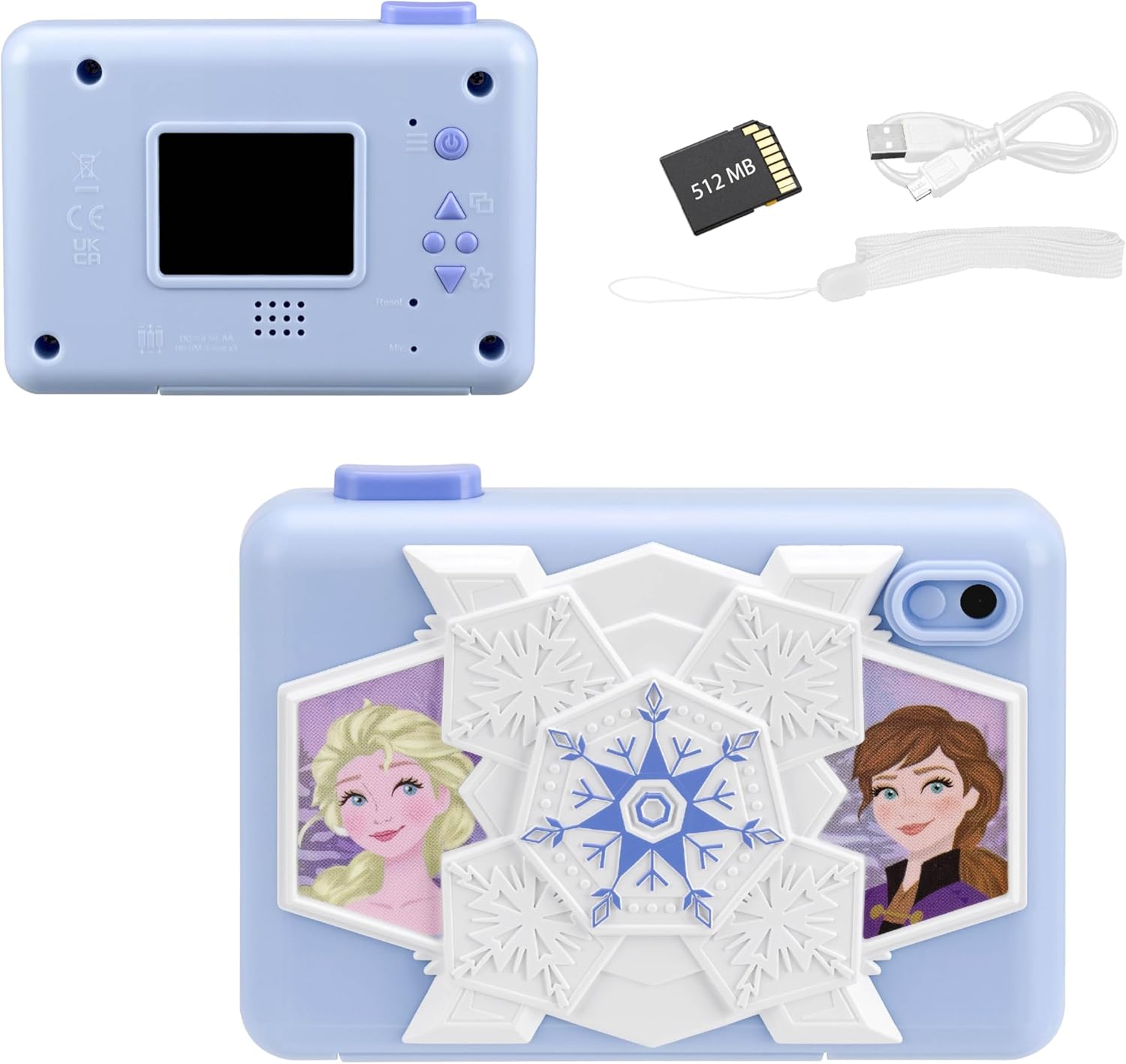
Фронт view of the eKids Disney Frozen Kids Camera, featuring Elsa and Anna characters.

Артка view of the camera showing the screen and controls, alongside the included 512MB SD card, micro USB cable, and wrist strap.
Негизги өзгөчөлүктөрү:
- Digital Camera Functionality: Capture photos and videos with user-friendly controls.
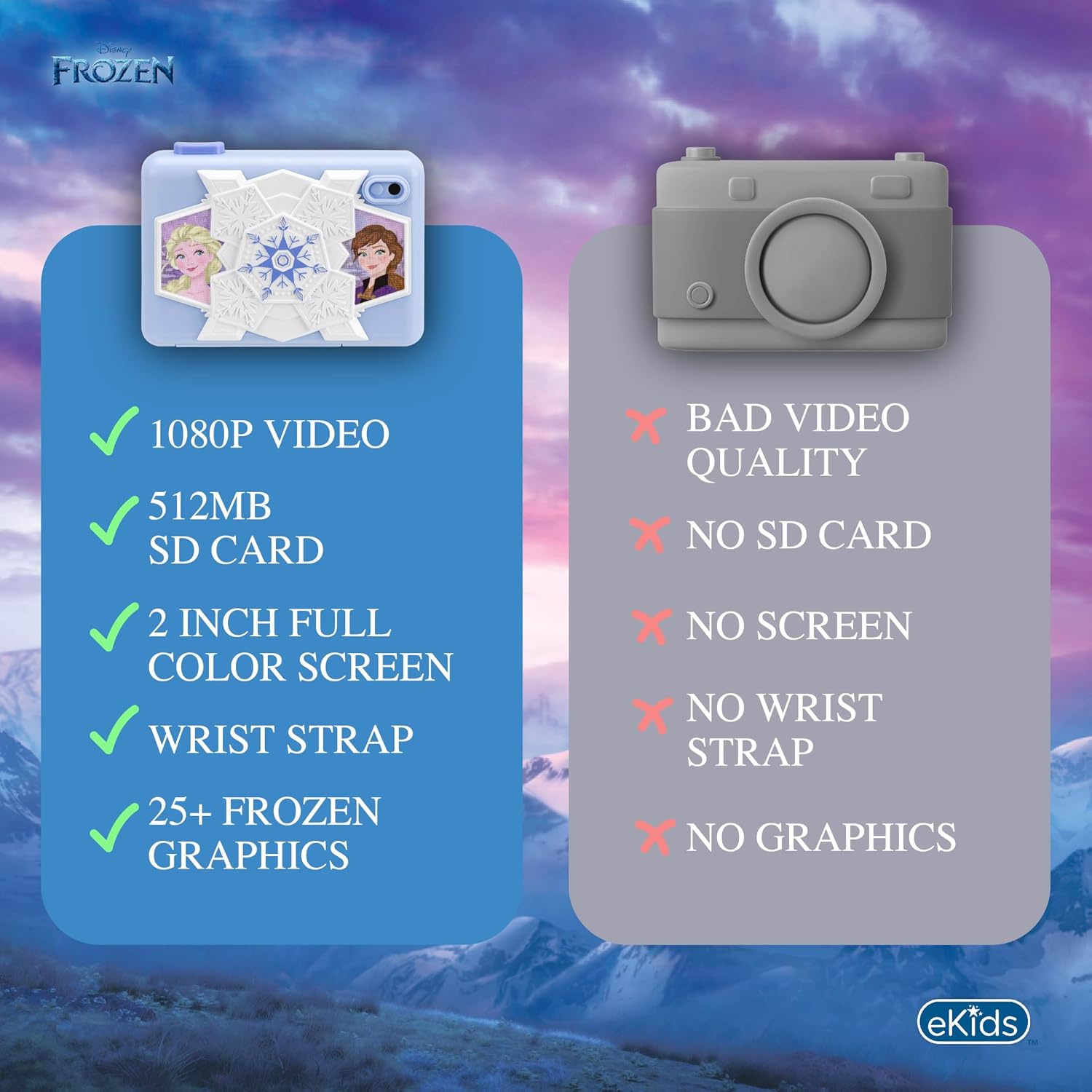
- Видео жаздыруу: Record and save videos, viewable on the 2-inch full-color screen.
- Кеңейтүүчү эстутум: Comes with a 512MB SD card for storage, which can be replaced with a larger SD memory card.
- Creative Decoration: Over 25 built-in photo frames and digital stickers inspired by Disney Frozen.
- Камтылган оюндар: Includes 5 pre-loaded games for entertainment.
- Байланыш: Micro USB port for connecting to a computer to transfer content.
- Көчүрүү мүмкүнчүлүгү: Lightweight design with an included wrist strap.
2. Орнотуу
2.1 Батареяны орнотуу
Камера 3 AA батарейкасын талап кылат (кошулмага кирбейт).
- Батарея бөлүмүн камеранын астыңкы жагына жайгаштырыңыз.
- Батарея уясынын капкагын ачыңыз.
- Туура полярдуулукту (+/-) камсыз кылуу менен 3 AA батарейкасын салыңыз.
- Батарея уясынын капкагын бекем жабыңыз.
2.2 SD картаны орнотуу
The camera comes with a 512MB SD card. You can use this card or replace it with another compatible SD card (up to 32GB max).
- Locate the SD card slot next to the battery compartment.
- SD картаны ордуна чыкылдаганча уячага салыңыз. Карта туура багытта салынганын текшериңиз.
- To remove the SD card, gently push it in until it clicks, then release to eject.

Diagram showing the SD card slot and Micro USB port on the camera.
2.3 Билек боону бекитүү
Attach the included wrist strap to the designated loop on the camera for secure handling and to prevent accidental drops.
3. Иштөө нускамалары
3.1 Күйгүзүү/өчүрүү
- Күйгүзүү үчүн, басып, кармап туруңуз Кубат баскычы (usually marked with a power symbol) located on the back of the camera.
- Өчүрүү үчүн, басып туруңуз Кубат баскычы экран өчкөнгө чейин кайра басыңыз.
The camera's screen displaying the main menu with various function icons.
3.2 Менюда навигация
Use the directional buttons (Up, Down, Forward/Photo Frames, Reverse/Mode Select) to navigate through the camera's menu options on the 2-inch full-color LCD screen. Press the Camera Shutter / OK Button опцияны тандоо үчүн.
Деталдаштырылган view of the camera's back panel, highlighting the display, speaker, microphone, and control buttons including Camera Shutter/OK, Indicator Light, Power, Up, Forward/Photo Frames, Reverse/Mode Select, Down, and Reset.
3.3 Сүрөт тартуу
- Негизги менюдан тандаңыз Сүрөт сүрөтчөсү.
- ЖК экранды колдонуп кадрыңызды тартыңыз.
- басыңыз Camera Shutter / OK Button сүрөткө тартуу.
3.4 Видеолорду жаздыруу
- Негизги менюдан тандаңыз Видео сүрөтчөсү.
- басыңыз Camera Shutter / OK Button жаздыруу үчүн.
- басыңыз Camera Shutter / OK Button жазууну токтотуу үчүн дагы.
Official product video demonstrating the eKids Disney Frozen Digital Camera for Kids, showcasing анын өзгөчөлүктөрү жана колдонуу жеңилдиги.
3.5 Applying Digital Stickers and Frames
The camera offers over 25 built-in Frozen-themed photo frames and digital stickers to decorate your images.
- After taking a photo, or when viewing a saved photo, use the Forward / Photo Frames button to browse available frames and stickers.
- басыңыз Camera Shutter / OK Button to apply the selected decoration.
An image illustrating how to add fun digital images and record videos using filters or slow motion, with examples of photos decorated with Frozen characters.
3.6 Оюндарды ойноо
The camera includes 5 built-in games for entertainment.
- Негизги менюдан тандаңыз Оюндар сүрөтчөсү.
- Use the directional buttons to choose a game.
- басыңыз Camera Shutter / OK Button ойноп баштоо үчүн.

Visual representation of the camera's multi-functional capabilities, including playing games, playing music, taking photos, and recording videos.
3.7 Transferring Content to a Computer
You can transfer your photos and videos to a computer using the included micro USB cable.
- Connect the micro USB cable to the camera's micro USB port and to an available USB port on your computer.
- The camera should appear as a removable storage device on your computer.
- Open the camera's folder to access and transfer your files.
4. Техникалык тейлөө
4.1 Камераны тазалоо
- Камеранын сыртын тазалоо үчүн жумшак, кургак чүпүрөктү колдонуңуз.
- For the screen, use a microfiber cloth specifically designed for electronics.
- Суюк тазалагычтарды же абразивдүү материалдарды колдонбоңуз, алар камерага зыян келтириши мүмкүн.
4.2 Батареяга кам көрүү
- Камера агып кетпеши үчүн узак убакыт бою колдонулбай турган болсо, батареяларды алып салыңыз.
- Эски жана жаңы батарейкаларды же ар кандай типтеги батареяларды аралаштырбаңыз.
- Колдонулган батарейкаларды жергиликтүү эрежелерге ылайык таштаңыз.
4.3 Сактоо
Камераны салкын, кургак жерде күндүн тике тийген нурунан жана экстремалдык температурадан алыс сактаңыз.
5. Кыйынчылыктарды
| Көйгөй | Мүмкүн себеп | Чечим |
|---|---|---|
| Камера күйбөйт. | Төмөн же өлүп калган батарейкалар; туура эмес батарея орнотуу. | Replace with fresh AA batteries; ensure batteries are inserted with correct polarity. |
| Сүрөткө/видео тартууга болбойт. | SD card full or not inserted correctly; camera mode not selected. | Check SD card storage and reinsert if necessary; ensure photo/video mode is active. |
| Сүрөт/видео сапаты начар. | Жетишсиз жарык; кир линза. | Ensure adequate lighting; gently clean the camera lens with a soft cloth. |
| Компьютерге туташуу мүмкүн эмес. | Faulty USB cable; incorrect USB port; driver issue. | Try a different USB cable or port; restart computer and camera. |
If problems persist, please refer to the Warranty and Support section for further assistance.
6. Техникалык шарттар
| Өзгөчөлүк | Деталь |
|---|---|
| Модель аты | FR-533 |
| Бренд | eKids |
| Screen Size | 2 дюйм |
| Дисплей түрү | LCD |
| Memory Storage | 512 MB SD Card (expandable up to 32GB) |
| Батарея түрү | 3 x AA щелочтуу батарейкалар (киргизилген эмес) |
| Байланыш | Микро USB |
| Сүрөт сенсорунун чечилиши | 2 депутат |
| Video Resolution | 1080p |
| Image Stabilization | Санарип |
| File Форматтар | JPEG (images), MP4 (video) |
| Өлчөмдөр (D x W x H) | 4.49"D x 1.38"W x 3.3"H |
| Материал | Пластик |
7. Кепилдик жана колдоо
7.1 Чектелген Кепилдик
This eKids Disney Frozen Kids Camera (Model: FR-533) comes with a 1 жылдык Чектелген Кепилдик from the manufacturer, KIDdesigns. This warranty covers defects in materials and workmanship under normal use.
For full warranty details and terms, please refer to the documentation included with your product or visit the eKids official webсайт.
7.2 Кардарларды колдоо
If you have any questions, require technical assistance, or need to make a warranty claim, please contact eKids customer support:
- Онлайн колдоо: зыярат кылыңыз Amazon'догу eKids бренд дүкөнү продукт маалымат жана колдоо булактары үчүн.
- Өндүрүүчү: KIDdesigns
Please have your product model number (FR-533) and proof of purchase ready when contacting support.


