1. Киришүү
This manual provides essential information for the proper setup, operation, and maintenance of your AOC 22B30HM2 21.5-inch Full HD Gaming Monitor. Please read this manual thoroughly before using the product to ensure optimal performance and safety.
The AOC 22B30HM2 monitor features a 21.5-inch Full HD (1920x1080) display, a 100Hz refresh rate, and a 1ms response time, designed for smooth visual performance. It includes Flicker-Free technology and a Low Blue Light mode for enhanced eye comfort during extended use. Connectivity options include HDMI and VGA ports, and it supports VESA mounting for flexible installation.

2. Коопсуздук маалыматы
Observe the following safety precautions to prevent damage to the monitor and ensure personal safety:
- Мониторду туруксуз арабага, стендге же столго койбоңуз.
- Желдетүүчү тешиктерди жаппаңыз.
- Do not use near water or in high-humidity environments.
- Монитор менен кошо берилген кубат адаптерин гана колдонуңуз.
- Чагылган бороондо же көпкө колдонулбаганда мониторду электр розеткасынан ажыратыңыз.
- Бардык тейлөөлөрдү квалификациялуу тейлөө кызматкерлерине тапшырыңыз.
3. Пакеттин мазмуну
Пакетте бардык буюмдар бар экенин текшериңиз:
- AOC 22B30HM2 Monitor
- Монитор стенд (негизги жана моюн)
- Электр кабели
- HDMI кабели
- VGA кабели
- Колдонуучунун Колдонмосу (бул документ)
4. Орнотуу
4.1 Стендди чогултуу
- Чийип кетпеши үчүн мониторду жумшак, таза бетке ылдый каратып кой.
- Монитор панелине стенд мойнуна бекитиңиз.
- Secure the stand base to the neck using the provided screw.
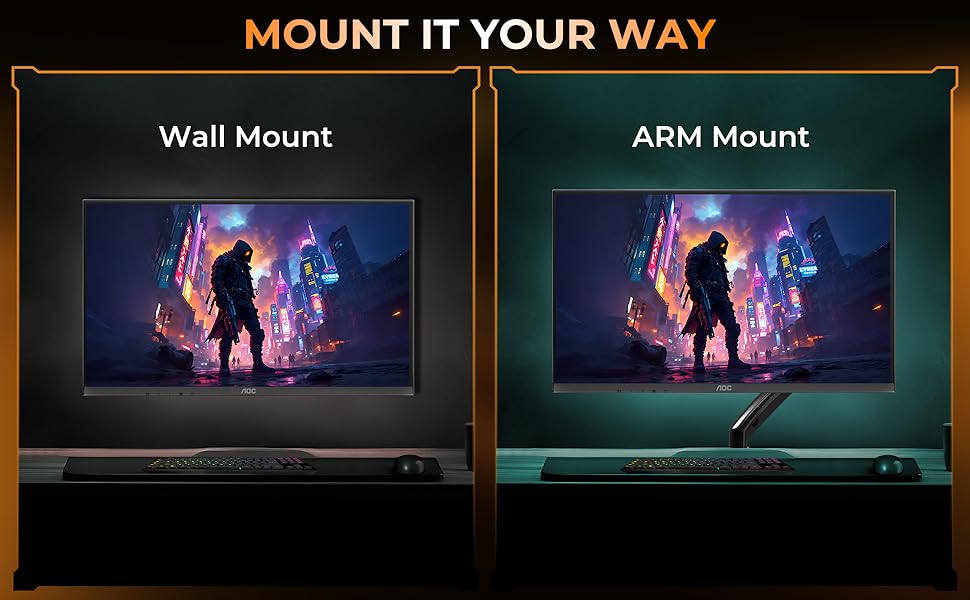
4.2 VESA Wall/Arm Mounting
The monitor supports VESA mount standard (100x100mm). To mount the monitor:
- Remove the stand assembly from the monitor.
- Attach the VESA-compatible wall mount or arm mount to the monitor using appropriate screws.
- Ensure the mount is securely fastened to the wall or arm.
4.3 Туташтыруучу кабельдер
Монитордун арткы портторуна керектүү кабелдерди туташтырыңыз:
- Кубат кабели: Бир учун монитордун кубат киресине, экинчи учун розеткага туташтырыңыз.
- HDMI кабели: Connect one end to the monitor's HDMI port and the other to your computer's HDMI output.
- VGA кабели: Connect one end to the monitor's VGA port and the other to your computer's VGA output.

5. Иштөө нускамалары
5.1 Күйгүзүү/өчүрүү
Press the power button located on the bottom bezel of the monitor to turn it on or off.
5.2 Экрандагы дисплей (OSD) менюсу
Use the control buttons on the monitor's bottom bezel to navigate the OSD menu. The OSD allows you to adjust various display settings.
Негизги экран орнотуулары:
- Жарыктык/Контраст: Жарык жана караңгы аймактардын жалпы жарыктыгын жана айырмасын тууралаңыз.
- Түс жөндөөлөрү: Түс температурасын, гамма жана жеке RGB деңгээлин өзгөртүү.
- Киргизүүнү тандоо: HDMI жана VGA кириштерин кол менен которуштуруу.
- Сүрөт режими: Select predefined display modes optimized for different content (e.g., Standard, Game, Text).
- Төмөн көк жарык режими: Көздүн чарчоосун азайтуу үчүн көк жарыктын чыгышын азайтыңыз.
- Flicker-Free технологиясы: This monitor features Flicker-Free technology to reduce screen flickering and enhance viewсооронуч.
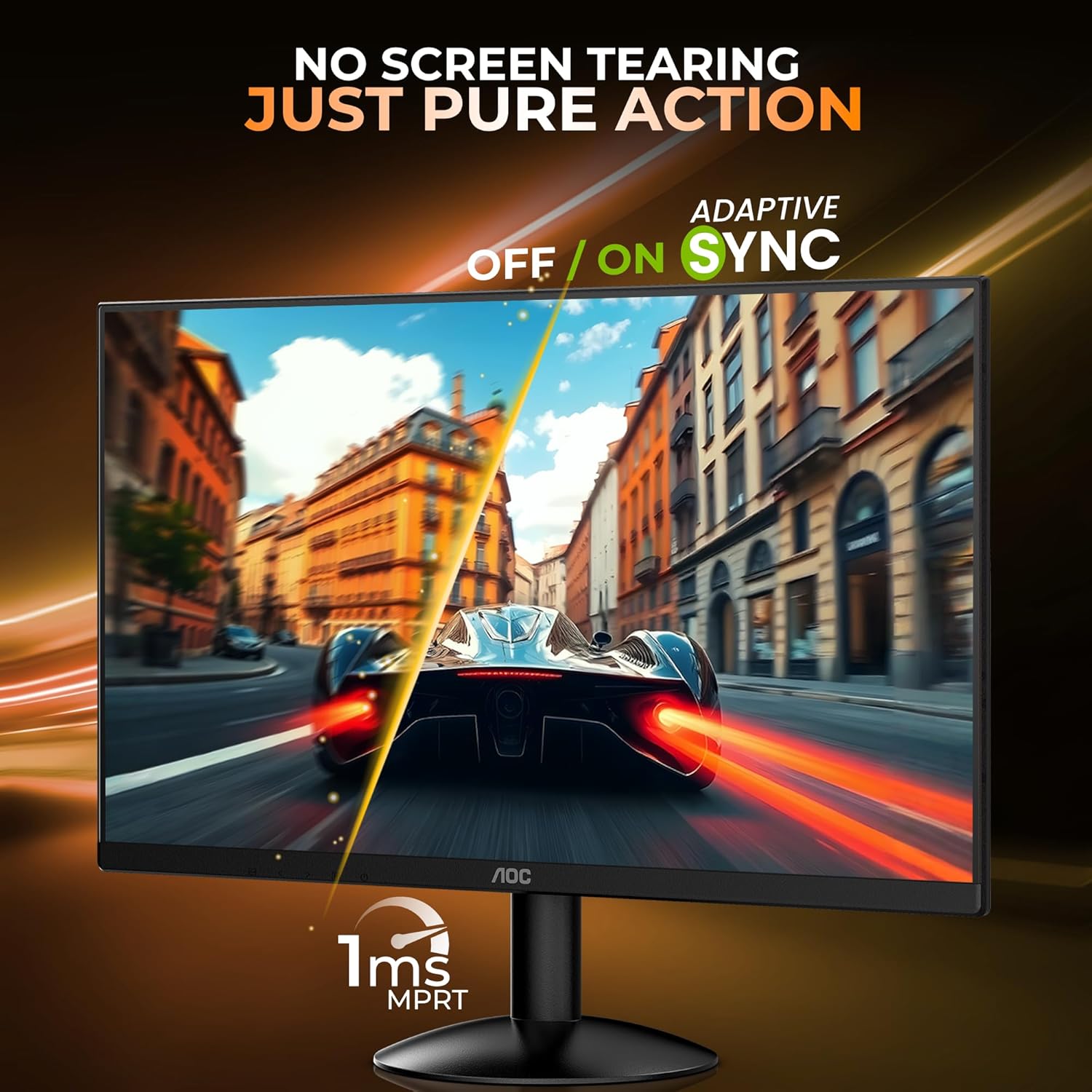
- Адаптивдүү синхрондоштуруу (FreeSync): Enable or disable Adaptive Sync for tear-free gaming experiences. Ensure your graphics card supports this feature.

5.3 Эргономика
The monitor stand allows for tilt adjustment to find your optimal viewing angle. The tilt range is approximately -5° to 23°.

6. Техникалык тейлөө
6.1 Мониторду тазалоо
- Тазалоодон мурун ар дайым мониторду сууруп коюңуз.
- Жумшак, түксүз кездемени жеңил колдонуңуз dampсуу же мониторлор үчүн атайын иштелип чыккан жумшак, абразивдүү эмес тазалоочу менен иштетилген.
- Тазалоочу каражатты түз экранга чачпаңыз.
- Avoid using benzene, thinner, ammonia, or abrasive cleaners.
6.2 Сактоо
When storing the monitor for an extended period, ensure it is powered off, unplugged, and stored in a cool, dry place away from direct sunlight and extreme temperatures.
7. Кыйынчылыктарды
Мониторуңузда көйгөйлөргө туш болсоңуз, төмөнкү жалпы көйгөйлөрдү жана чечимдерди караңыз:
| Көйгөй | Мүмкүн чечим |
|---|---|
| Экранда сүрөт жок | Ensure power cable is connected and monitor is turned on. Check video cable connection (HDMI/VGA) to both monitor and computer. Select correct input source via OSD. |
| Сүрөт бүдөмүк же бурмаланган | Adjust resolution and refresh rate settings on your computer. Check video cable for damage. |
| Түстөр туура эмес | Reset color settings in the OSD menu to factory defaults. Adjust color temperature or individual RGB values. |
| Экрандын бүлбүлдөөсү | Ensure refresh rate is set correctly. Check for external interference. |
8. Техникалык шарттар
Detailed technical specifications for the AOC 22B30HM2 monitor:
| Өзгөчөлүк | Спецификация |
|---|---|
| Бренд | AOC |
| Модель номери | 22B30HM2 |
| Screen Size | 21.45 дюйм (54.61 см) |
| Резолюция | Толук HD 1920 x 1080 пиксель |
| Жаңыртуу ылдамдыгы | 100Hz |
| Жооп убактысы | 1 мс (MPRT) |
| Панел түрү | VA панели |
| Аспект катышы | 16:9 |
| Байланыш | 1x HDMI 1.4, 1x VGA |
| Өзгөчөлүктөр | Flicker-Free, Low Blue Light, FreeSync, VESA Mount (100x100mm) |
| Тилтти тууралоо | -5°тан 23°ка чейин |
| Продукциянын өлчөмдөрү | 16.99 x 49.38 x 37.91 см (стенд менен) |
| Элемент Салмагы | 2.02 кг |
9. Кепилдик жана колдоо
9.1 Кепилдик маалыматы
This AOC monitor comes with a 3 жылдык кепилдик from the date of purchase. Please retain your proof of purchase for warranty claims. The warranty covers manufacturing defects under normal use. It does not cover damage caused by misuse, accidents, unauthorized modifications, or external factors.
9.2 Кардарларды колдоо
For technical assistance, warranty claims, or product inquiries, please contact AOC customer support. Refer to the official AOC website for the most current contact information and support resources in your region.
Өндүрүүчү: TPV Display Technology (Wuhan) Co. Ltd.
Импорттоочу: TPV TECHNOLOGY INDIA ЖЕКЕ ЧЕКТЕЛГЕН ЖЧКсы, 501-508, 5-КАБАТ, B ТЕХНИКАЛЫК ПАЛАТАЛАР, B БЛОК 27-СЕК, СУШАНТ ЛОК 1 ГУРУГРАМ – 122005


