Introduction
Thank you for choosing JOYWISE Bluetooth Headphones. These wireless earbuds are designed to provide a high-fidelity audio experience with seamless connectivity, comfort, and durability, making them ideal for sports and daily use. This manual will guide you through the setup, operation, and maintenance of your new headphones.

Image: JOYWISE Bluetooth Headphones, black, with ear hooks, connected by a neckband. A round, black zippered protective case with a carabiner is shown next to them.
Кутуда эмне бар
Сураныч, пакеттин мазмунун текшерип, бардык буюмдар бар экенин текшериңиз:
- Wireless Headphones (JOYWISE U18C)
- Коргоочу кап
- USB-C заряддоо кабели
- Eartips (3 pairs: S, M, L)
- User Manual
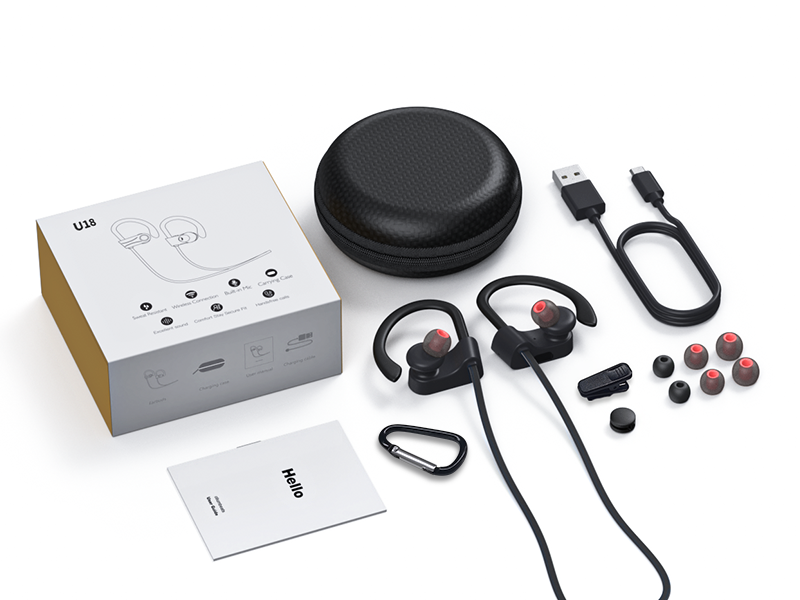
Image: The package contents laid out, including the headphones, charging cable, protective case, multiple eartips, and the user manual.
Продукт бүттүview
Familiarize yourself with the main components and controls of your JOYWISE Bluetooth Headphones.

Image: Close-up diagram of the right earbud showing the location of the MFB (Multi-Function Button), '+' button, and '-' button.
- Көп функциялуу баскыч (Көп функциялуу баскыч): Күйгүзүү/өчүрүү, ойнотуу/тындыруу, чалууларга жооп берүү/аяктоо, үн жардамчысын иштетүү.
- '+' баскычы: Volume Up, Next Track.
- '-' баскычы: Volume Down, Previous Track.
- Кулак илгичтери: Provide a secure and comfortable fit during physical activity.
- Наушниктер: Interchangeable for optimal comfort and sound isolation.
- USB-C заряддоо порту: Наушниктерди заряддоо үчүн.
Жайгашуу
1. Наушниктерди заряддоо
Before first use, fully charge your headphones. Use only the provided USB-C charging cable.
- Кубаттоочу кабелдин USB-C учун кулакчындардын кубаттоо портуна туташтырыңыз.
- Connect the USB-A end to a standard USB power adapter (not included) or a computer's USB port.
- The indicator light on the headphones will show charging status (refer to LED indicator section in manual for details).
- Once fully charged, disconnect the charging cable. A full charge provides up to 16 hours of playtime.

Image: A close-up of the earbud showing the USB-C charging port with a USB-C cable connected.
2. Күйгүзүү / Өчүрүү
- Күйгүзүү: Press and hold the MFB button for approximately 3 seconds until you hear a power-on prompt and the LED indicator flashes.
- Өчүрүү: Press and hold the MFB button for approximately 5 seconds until you hear a power-off prompt and the LED indicator turns off.
3. Bluetooth Жупташтыруу
The headphones utilize Bluetooth 5.3 technology for stable and efficient connection.
- Наушниктердин өчүрүлгөнүн текшериңиз.
- Press and hold the MFB button for approximately 5-7 seconds until the LED indicator flashes red and blue alternately, indicating pairing mode.
- Bluetooth иштетилген түзмөгүңүздө (смартфон, планшет, ноутбук) Bluetooth жөндөөлөрүнө өтүңүз.
- Издөө available devices and select "JOYWISE U18C" from the list.
- Once connected, the LED indicator will flash blue slowly, and you will hear a connection confirmation tone.
- If pairing fails, power off the headphones and repeat the steps.

Image: A close-up of the earbud highlighting the Bluetooth 5.3 chip, indicating seamless connectivity.

Image: A smartphone screen showing the Bluetooth settings with the headphones icon, indicating a successful connection.
4. Наушник тагынуу
For optimal sound quality and secure fit, choose the correct eartip size and adjust the ear hooks.
- Select the eartips that provide a snug seal in your ear canal.
- Place the earbuds into your ears.
- Gently adjust the flexible ear hooks over the top of your ears until they feel secure and comfortable.
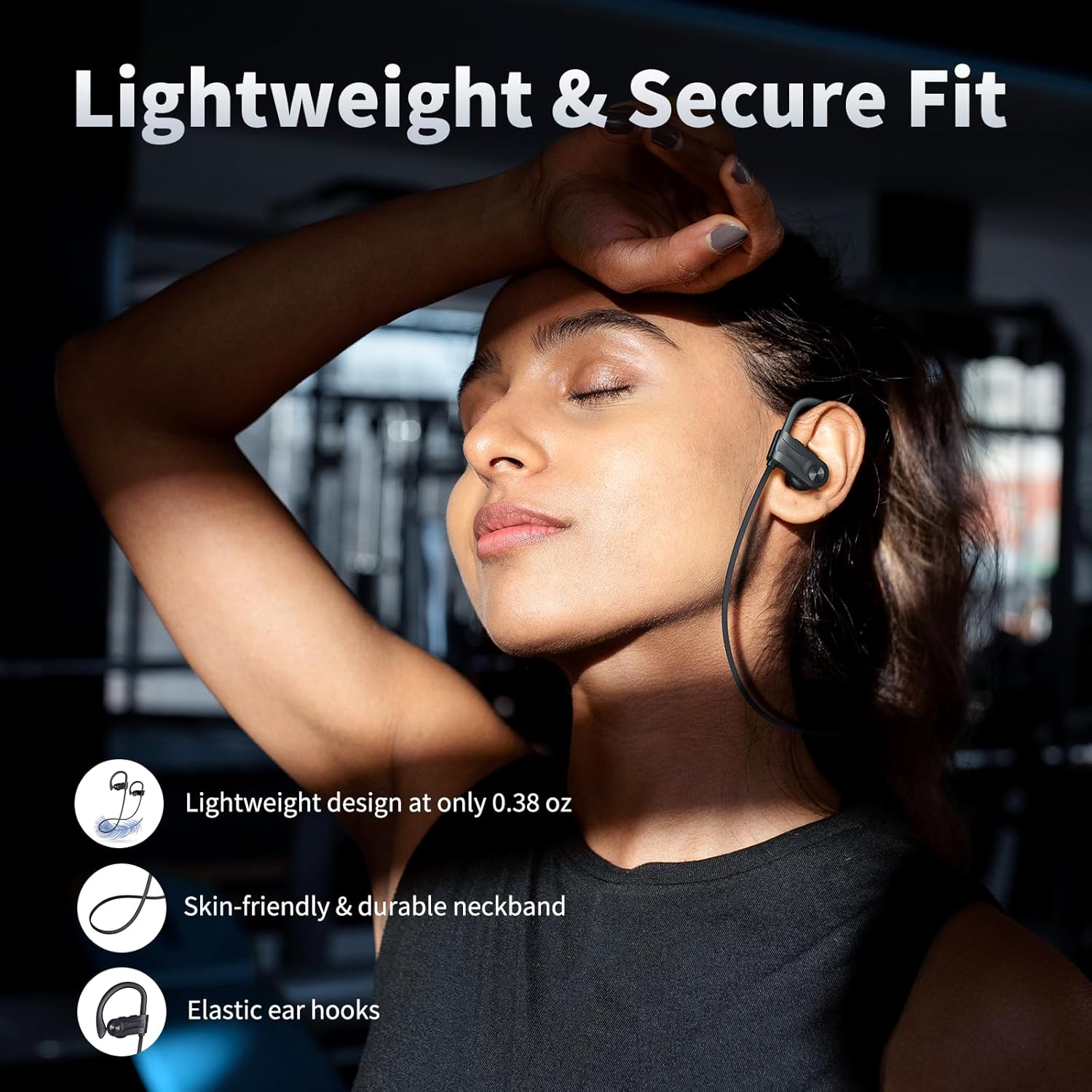
Image: A person wearing the JOYWISE Bluetooth Headphones, demonstrating the secure fit provided by the ear hooks during activity.
Иштөө нускамалары
Музыканы ойнотуу
- Ойнотуу/тындыруу: MFB баскычын бир жолу басыңыз.
- Кийинки трек: '+' баскычын 2 секунд басып туруңуз.
- Мурунку трек: '-' баскычын 2 секунд басып туруңуз.
- Көлөмү: '+' баскычын кыска басыңыз.
- Үнүн азайтуу: '-' баскычын кыска басыңыз.
Чалууларды башкаруу
- Чалууга жооп берүү/аяктоо: MFB баскычын бир жолу басыңыз.
- Чакырууну четке кагуу: MFB баскычын 2 секунд басып туруңуз.
- Акыркы номерди кайра терүү: Double-press the MFB button.
Үн жардамчысы
- Үн жардамчысын жандыруу (Siri, Google Assistant ж.б.): Triple-press the MFB button.
Техникалык тейлөө
Тазалоо
- Regularly clean the eartips and earbud surfaces with a soft, dry, lint-free cloth.
- Катуу химиялык заттарды, тазалоочу эриткичтерди же күчтүү жуучу каражаттарды колдонбоңуз.
- Заряддоо портунда чаң жана таштанды жок экенин текшериңиз.
Сактагыч
- Колдонулбай турган учурда, бузулуп калбашы үчүн, кулакчындарды берилген коргоочу кутучада сактаңыз.
- Салкын, кургак жерде, экстремалдык температурадан жана түз күндүн нурунан алыс сактаңыз.
Сууга туруктуулук (IPX7)
The JOYWISE U18C headphones feature an IPX7 waterproof rating, meaning they can withstand immersion in water up to 1 meter for 30 minutes. This makes them suitable for workouts, rain, and sweat.
- Жок use for swimming or prolonged water immersion.
- Ensure the charging port cover is securely closed before exposure to water.
- If the headphones get wet, wipe them dry completely before charging.

Image: A person with sweat on their face and neck, wearing the JOYWISE Bluetooth Headphones, demonstrating their suitability for intense workouts due to IPX7 waterproofing.
Проблемаларды чечүү
| Көйгөй | Мүмкүн себеп | Чечим |
|---|---|---|
| Кулакчындар күйбөйт. | Батарея аз. | Наушниктерди толук заряддаңыз. |
| Түзмөк менен жупташтыруу мүмкүн эмес. | Наушник жупташтыруу режиминде эмес; түзмөктө Bluetooth өчүк; аппарат өтө алыс. | Ensure headphones are in pairing mode (flashing red/blue). Turn on Bluetooth on your device. Move device closer to headphones. Forget previous connections and re-pair. |
| Үн жок же үнү төмөн. | Volume too low on headphones or device; improper fit; connection issue. | Increase volume on both headphones and device. Adjust eartips for a secure fit. Reconnect Bluetooth. |
| үзгүлтүктүү байланыш. | кийлигишүү; аппарат өтө алыс; аз батарея. | Move closer to the paired device. Avoid environments with strong Wi-Fi or other Bluetooth signals. Charge headphones. |
| Микрофон иштебей жатат. | Device settings; connection issue. | Ensure the headphones are selected as the audio input device in your phone's settings. Reconnect Bluetooth. |
Техникалык шарттар
| Өзгөчөлүк | Деталь |
|---|---|
| Модель аты | U18 |
| Байланыш технологиясы | Зымсыз (Bluetooth) |
| Bluetooth версиясы | 5.3 |
| Зымсыз байланыш технологиясы | Bluetooth |
| Батареянын иштөө мөөнөтү | 16 саатка чейин ойноо убактысы |
| Сууга туруктуулук деңгээли | IPX7 (Суу өткөрбөйт) |
| Аудио драйвер түрү | Динамикалык драйвер (13 мм) |
| Жыштык диапазону | 20 Гц - 20 000 Гц |
| Башкаруу ыкмасы | баскыч |
| Кулак жайгаштыруу | In Ear with Hook |
| Материал | Пластик |
| Түс | Кара |
| Элемент Салмагы | 3.2 унция |
| Өндүрүүчү | Shenzhen Jiechen Technology Co.LTD |
Кепилдик жана колдоо
Кепилдик маалымат
JOYWISE Bluetooth Headphones Model U18C come with a 1 жылдык Чектелген Кепилдик from the date of purchase. This warranty covers manufacturing defects in materials and workmanship. It does not cover damage caused by misuse, accidents, unauthorized modifications, or normal wear and tear.
Кепилдик дооматтары үчүн сатып алганыңыздын далилин сактап коюңуз.
Кардарларды колдоо
For technical assistance, warranty claims, or any questions regarding your JOYWISE Bluetooth Headphones, please contact our customer support team:
- Электрондук почта: [Эгер бар болсо, Кардарларды колдоо кызматынын электрондук почтасын бул жерге киргизиңиз]
- Webсайт: Visit the official JOYWISE webКөп берилүүчү суроолор жана колдоо булактары үчүн сайт.
When contacting support, please provide your product model (U18C) and a detailed description of the issue.
