1. Киришүү
Thank you for choosing the SHARP 55GL4060E 55-inch 4K Ultra HD Google TV. This manual provides essential information for setting up, operating, and maintaining your new television. Please read this manual thoroughly before using the product to ensure safe and optimal performance. This television features a 4K Ultra HD display, Google TV operating system, HDMI 2.1 with eARC, Dolby Vision HDR, Dolby Atmos immersive sound, integrated Google Assistant, and Chromecast built-in.
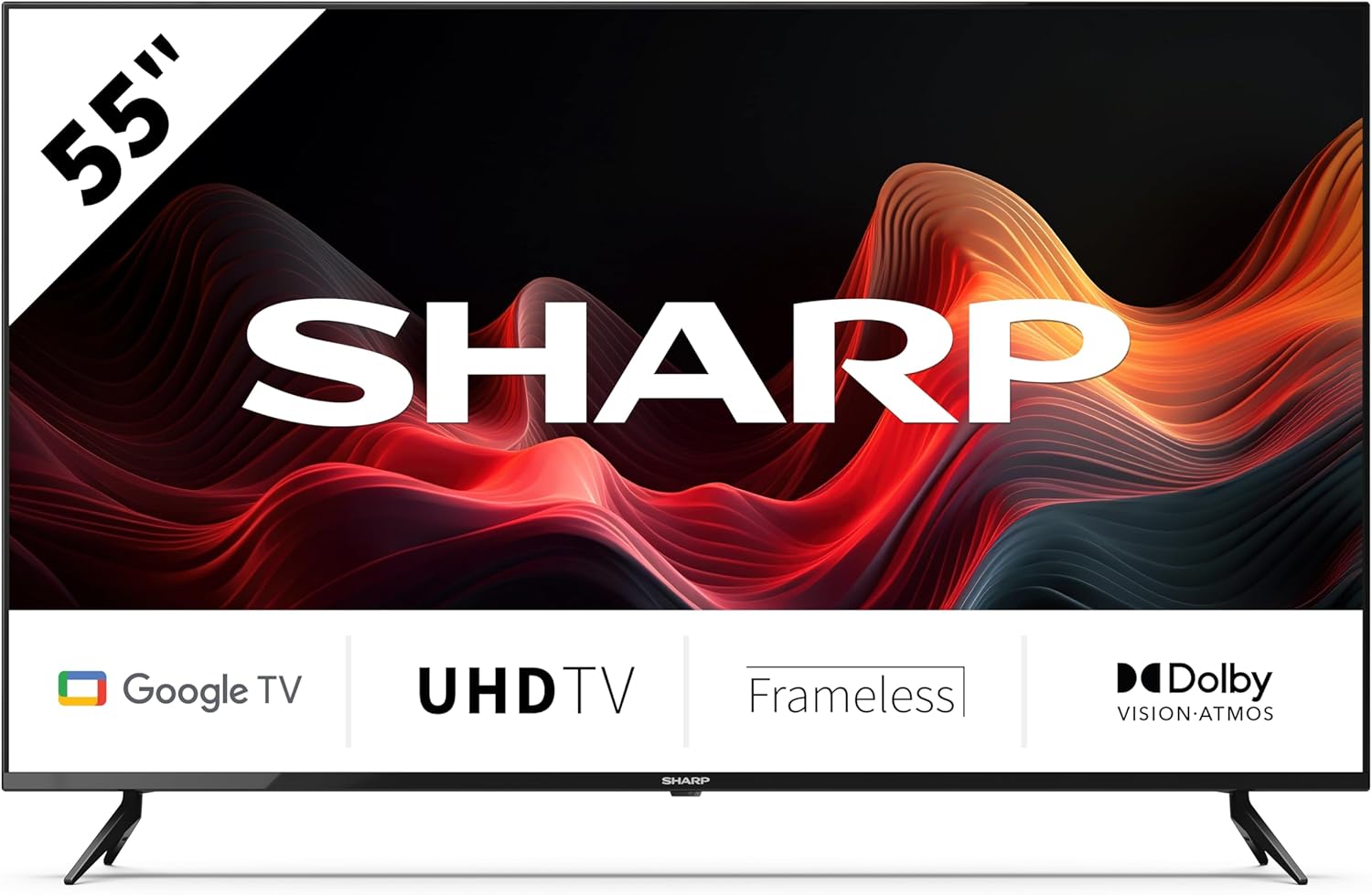
This image displays the SHARP 55GL4060E television from the front, showcasing its 55-inch frameless screen, the SHARP logo at the bottom center, and the two V-shaped stands. The screen shows a vibrant abstract red and orange waveform design. Below the screen, icons indicate 'Google TV', 'UHD TV', 'Frameless', and 'Dolby Vision Atmos'.
2. Коопсуздук маалыматы
Зыяндын алдын алуу жана коопсуз иштетүү үчүн төмөнкү коопсуздук чараларын сактаңыз:
- Электр камсыздоо: Телевизорду туура үн деңгээли бар AC розеткасына гана туташтырыңызtagд. Электр розеткаларын ашыкча жүктөөгө болбойт.
- Вентиляция: Ensure adequate ventilation around the TV. Do not block ventilation openings. Avoid placing the TV on soft surfaces or in enclosed spaces.
- Тазалоо: Тазалоодон мурун сыналгыдан ажыратыңыз. Жумшак, кургак чүпүрөктү колдонуңуз. Суюктук же аэрозолдук тазалоочу каражаттарды колдонбоңуз.
- Суу жана ным: Телевизорду жамгырга же нымга тийгизбеңиз. Сыналгыга ваза сыяктуу суюктуктар толтурулган нерселерди койбоңуз.
- Жайгашкан жери: Place the TV on a stable, level surface. If wall-mounting, use a VESA-compatible mount and ensure it is securely installed. Keep the TV away from direct sunlight, heat sources, and strong magnetic fields.
- Балдар: Балдардын сыналгыга же стендге чыгуусуна жол бербөө үчүн аларды көзөмөлдөңүз.
3. Пакеттин мазмуну
Таңгакта бардык буюмдар бар экенин текшериңиз:
- SHARP 55GL4060E 55-inch 4K Ultra HD Google TV
- Алыстан башкаруу
- AAA батареялары (x2)
- Quick Start Guide
- TV Stands (x2) and Screws
4. Орнотуу
4.1 Телевизордун стенддерин бекитүү
- Телевизордун экранын кылдаттык менен ылдый каратып жумшак, тегиз жерге коюңуз.
- Ар бир стендди телевизордун астындагы тиешелүү бурамалар тешиктери менен тууралаңыз.
- Берилген бурамалар менен стенддерди бекитиңиз. Алардын бекем кысылганын текшериңиз.
4.2 Дубалга орнотуу
If you choose to wall-mount your TV, ensure you use a VESA-compatible wall mount. The VESA mounting dimensions for this model are 400 x 300 mm. Consult a professional for wall mounting installation to ensure safety and proper attachment.
4.3 Тышкы түзмөктөрдү туташтыруу
- HDMI: Connect devices such as Blu-ray players, game consoles, or set-top boxes to the HDMI ports. This TV features 4 HDMI 2.1 ports with eARC support.
- USB: Connect USB storage devices for media playback or software updates to the 2 USB ports.
- Ethernet: Туруктуу интернет байланышы үчүн роутериңизден Ethernet кабелин сыналгынын LAN портуна туташтырыңыз.
- Wi-Fi: Интернетке кирүү жана акылдуу сыналгы функциялары үчүн зымсыз тармагыңызга туташыңыз.
- Bluetooth: Pair Bluetooth-enabled devices like headphones or soundbars.
4.4 Баштапкы орнотуу
- Электр шнурын электр розеткасына сайыңыз.
- Телевизорду күйгүзүү үчүн пульттун кубат баскычын басыңыз.
- Баштапкы орнотууну аяктоо үчүн экрандагы көрсөтмөлөрдү, анын ичинде тилди тандоону, тармакка туташууну жана Google аккаунтуна кирүүнү аткарыңыз.
5. Телевизорду иштетүү
5.1 Алыстан башкарууview
The remote control allows you to navigate the Google TV interface, adjust settings, and control playback. Insert the two AAA batteries into the remote control, ensuring correct polarity.
5.2 Негизги функциялар
- Күч: Телевизорду күйгүзүү же өчүрүү үчүн басыңыз.
- Көлөмү: Үн деңгээлин тууралоо үчүн үн баскычтарын колдонуңуз.
- Киргизүү: Select the desired input source (HDMI 1, HDMI 2, USB, etc.).
- Навигация: Use the directional pad and OK button to move through menus and make selections.
- Үй: Google TV башкы экранына кайтуу.
5.3 Google TV функциялары
- Google Жардамчысы: Мазмунду издөө, акылдуу үй түзмөктөрүн башкаруу же маалымат алуу үчүн пультуңуздагы Google Жардамчы баскычын басып, микрофонго сүйлөңүз.
- Chromecast камтылган: Мазмунду шайкеш смартфонуңуздан, планшетиңизден же компьютериңизден түздөн-түз сыналгыга чыгарыңыз.
- Колдонмолор: Access a wide range of streaming services and applications from the Google Play Store.
6. Техникалык тейлөө
6.1 Телевизорду тазалоо
- Экран: Экранды жумшак, түксүз чүпүрөк менен акырын сүртүңүз. өжөр белгилери үчүн, бир аз гampкездемени суу менен сүртүңүз (экранга түз чачпаңыз).
- Дене: Телевизордун алкагын сүртүп, жумшак, кургак чүпүрөк менен туруңуз.
- Абайлаңыз: Do not use abrasive cleaners, alcohol, benzene, or thinners, as these can damage the TV's surface.
6.2 Программалык камсыздоо жаңыртуулары
Your Google TV may receive automatic software updates. You can also manually check for updates through the TV's settings menu to ensure you have the latest features and security patches.
7. Кыйынчылыктарды
Телевизоруңузда көйгөйлөргө туш болсоңуз, төмөнкү жалпы көйгөйлөрдү жана аларды чечүү жолдорун караңыз:
- Кубат жок: Ensure the power cord is securely plugged into both the TV and the electrical outlet. Try a different outlet.
- Сүрөт/үн жок: Туура киргизүү булагы тандалганын текшериңиз. Бардык кабелдик байланыштарды текшериңиз (HDMI ж.б.). Туташкан түзмөктөрдү кайра күйгүзүңүз.
- Алыстан башкаруу иштебейт: Check the batteries and replace them if necessary. Ensure there are no obstructions between the remote and the TV's IR sensor.
- Тармакка туташуу маселелери: Restart your router and modem. Check Wi-Fi password. If using Ethernet, ensure the cable is connected properly.
- Сүрөттүн сапаты маселелери: Сүрөттүн жөндөөлөрүн тууралаңыз (жарыктык, контраст, түс). Мазмун булагынын жогорку сапатта экенин текшериңиз.
For persistent issues, consult the online support resources or contact customer service.
8. Техникалык шарттар
| Өзгөчөлүк | Спецификация |
|---|---|
| Бренд | Sharp |
| Модель номери | 55GL4060E |
| Screen Size | 55 дюйм |
| Дисплей технологиясы | LED |
| Резолюция | 4K Ultra HD |
| Жаңыртуу ылдамдыгы | 60 Гц |
| Операция системасы | Google TV |
| Өзгөчөлүктөр | Google Assistant and Chromecast built-in, Dolby Vision, Dolby Atmos |
| Байланыш технологиясы | Bluetooth, Ethernet, HDMI (4x HDMI 2.1 with eARC), USB (2x), Wi-Fi |
| Түс | Кара |
| Продукциянын өлчөмдөрү (стенд менен) | 1116.4 x 692.9 x 264.7 мм (W x H x D) |
| Продукциянын өлчөмдөрү (стендсиз) | 1116.4 x 651.3 x 91.5 мм (W x H x D) |
| Distance between stands | 1095 мм |
| Таза Салмак | 11 кг |
| VESA Wall Mount Support | 400 x 300 мм |
| Шайкеш түзмөктөр | Laptop, smartphone, tablet, game console |
| Батареянын курамы | Alkaline (2 AAA included) |
9. Кепилдик жана колдоо
For warranty information, please refer to the warranty card included with your product or visit the official Sharp website. For technical support, troubleshooting assistance, or service inquiries, please contact Sharp customer support through their official channels. Keep your purchase receipt as proof of purchase.


