Introduction
The Infiray One XH09 is a versatile thermal imaging device designed to transform your Android smartphone into a professional thermal camera and monocular. This manual provides detailed instructions for setting up, operating, and maintaining your XH09 to ensure optimal performance and longevity. It is suitable for various applications including wildlife observation, wilderness rescue, camping safety, home inspections, and general thermal analysis.
Коопсуздук маалыматы
- Do not point the thermal camera directly at extremely high-intensity heat sources (e.g., the sun, lasers) as this may damage the sensor.
- Keep the device away from water and moisture unless specifically stated for waterproof models. The XH09 has an IP65 rating, offering protection against dust and low-pressure water jets, but it is not designed for submersion.
- Аппаратты түшүрүүдөн же катуу таасирлерден сактаныңыз.
- Use only approved accessories and power sources.
- Аппаратты өз алдынча бөлүүгө же оңдоого аракет кылбаңыз. Квалификациялуу тейлөө кызматкерлерине кайрылыңыз.
- Аппаратты колдонбогондо салкын, кургак жерде сактаңыз.
Пакеттин мазмуну
Таңгактан чыгаргандан кийин, төмөндө көрсөтүлгөн нерселердин бардыгы бар экенин жана жакшы абалда экендигин текшериңиз:
- Infiray One XH09 Thermal Camera Unit
- Коргоочу куту
- Smartphone Holder/Grip
- USB Cable (for charging/connection)
- Боо/Таякча
- Колдонуучунун Колдонмосу (бул документ)
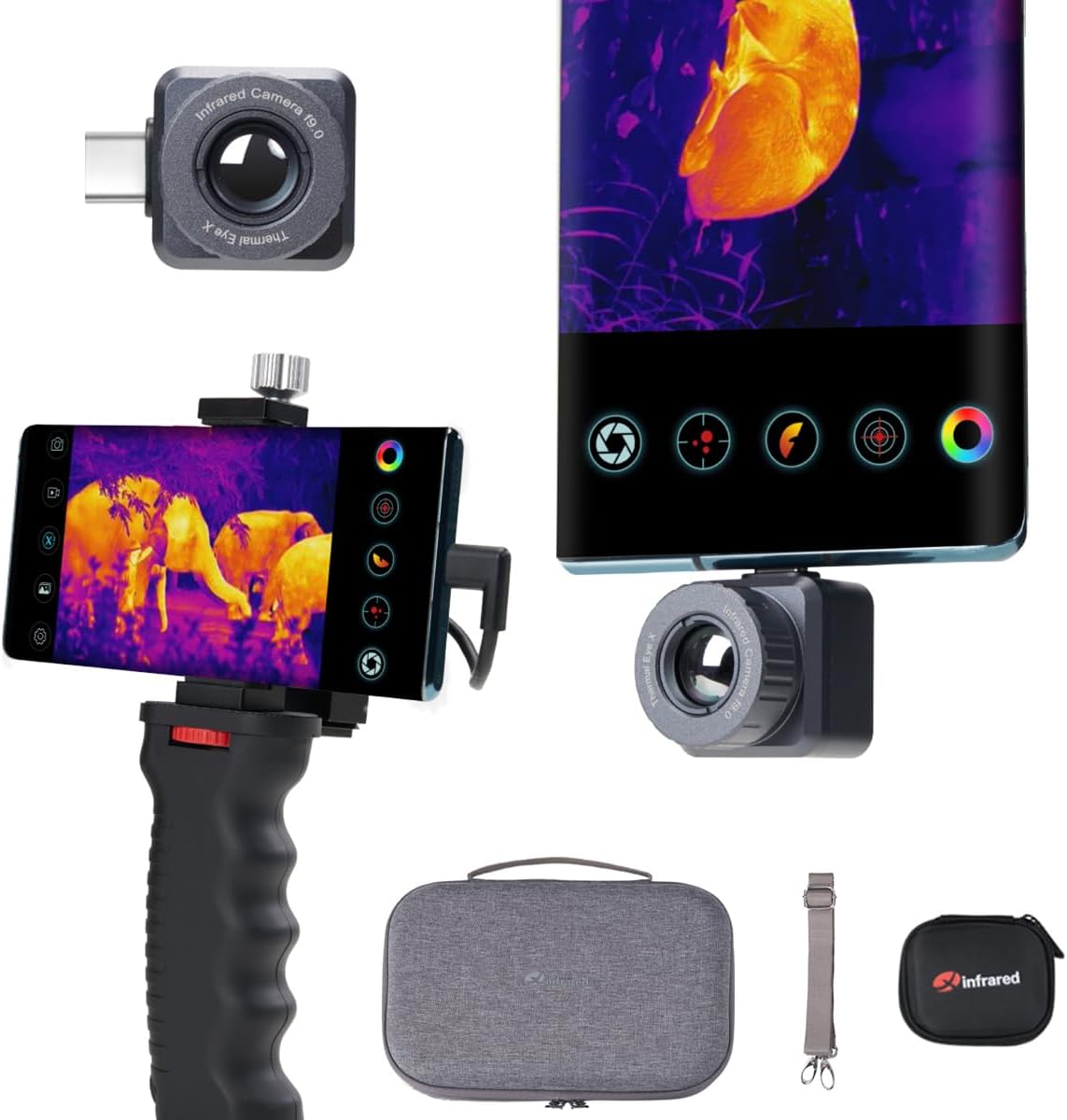
Image: The Infiray One XH09 thermal camera unit, smartphone grip, carrying case, and other included accessories.

Image: A visual representation of the items included in the Infiray One XH09 package, including the camera, cables, and cases.
Продукт бүттүview
The Infiray One XH09 is a compact thermal imaging module designed to connect directly to your Android smartphone via its USB-C port. It features a high-resolution thermal sensor and advanced image processing capabilities.
Негизги компоненттер:
- Термикалык линза: Captures infrared radiation.
- USB-C туташтыргычы: For direct connection to your Android smartphone.
- Smartphone Grip: An ergonomic grip with a mount to securely hold your smartphone and the XH09, often including a tripod mount.
Жайгашуу
1. Колдонмону орнотуу:
- Издөө the official "Xinfrared" or "Infiray" app on the Google Play Store.
- Download and install the application on your Android smartphone.
- Grant all necessary permissions requested by the app for proper functionality.
2. Connecting the XH09:
- Ensure your smartphone's USB-C port is clean and free of debris.
- Carefully plug the Infiray One XH09 thermal camera unit into your smartphone's USB-C port. Ensure it is fully seated.
- If prompted, allow the Xinfrared app to open automatically or manually launch it.
- For enhanced stability and comfort, attach your smartphone with the XH09 to the provided smartphone grip. This grip often includes a standard tripod thread for mounting on tripods.

Image: The Infiray One XH09 connected to various devices, including a smartphone with a grip and a tablet, demonstrating its compatibility and flexible setup options.
Иштөө нускамалары
Негизги операция:
- Once connected and the app is running, the thermal image will appear on your smartphone screen.
- Use the on-screen controls within the app to navigate menus, change settings, and activate features.
- The XH09 features a manual focus ring. Rotate the ring on the camera unit to achieve a sharp thermal image of your target.
Key Features and Modes:
All in One Functionality:
The XH09 serves as both a thermal night vision monocular and a thermal camera, making it suitable for a wide range of applications from outdoor observation to home inspections.

Image: Demonstrates the "All in One" capability of the XH09, showing its use for both outdoor observation (monocular) and general thermal imaging (camera).

Image: Illustrates various scenarios where the XH09's "All in One" functionality is beneficial, such as wildlife observation and home inspections.
X³ Super Algorithm:
This advanced algorithm enhances the IR resolution from 256×192 to 512×384, providing ultra-clear and sharp thermal images. This is particularly useful for detailed inspections and identification.

Image: A graphic representation highlighting the X³ Super Algorithm, indicating improved resolution and frame rate for clearer thermal imaging.

Image: Visualizing the impact of the X³ Super Algorithm on thermal image clarity and detail, showing enhanced resolution.
870m Observe Distance & 2-15x Digital Zoom:
The XH09 offers an impressive detection range of up to 870 meters (approximately 951 yards), allowing for long-distance observation. The 2-15x digital zoom enables closer inspection of distant targets.

Image: A smartphone screen displaying a thermal image with a 2.0x zoom, illustrating the observation distance capability of the XH09.

Image: Shows the XH09 in use for long-distance observation, highlighting its ability to detect objects up to 870 meters away.

Image: Demonstrates the 2-15x digital zoom feature, showing how users can magnify thermal images for closer inspection of distant subjects.
50Hz High Frame Rate:
With a 50Hz frame rate, the XH09 provides smooth and fluid thermal imaging, making it easier to track moving targets without lag or choppiness. This is crucial for dynamic observation scenarios.

Image: A user holding a smartphone with the XH09 attached, displaying a smooth thermal image, illustrating the benefit of the 50Hz high frame rate for capturing moving objects.
0.04℃ High Sensitivity:
The XH09 can detect temperature differences as small as 0.04℃, providing highly detailed thermal data. This high sensitivity is essential for identifying subtle heat anomalies in applications like building diagnostics or electrical inspections.
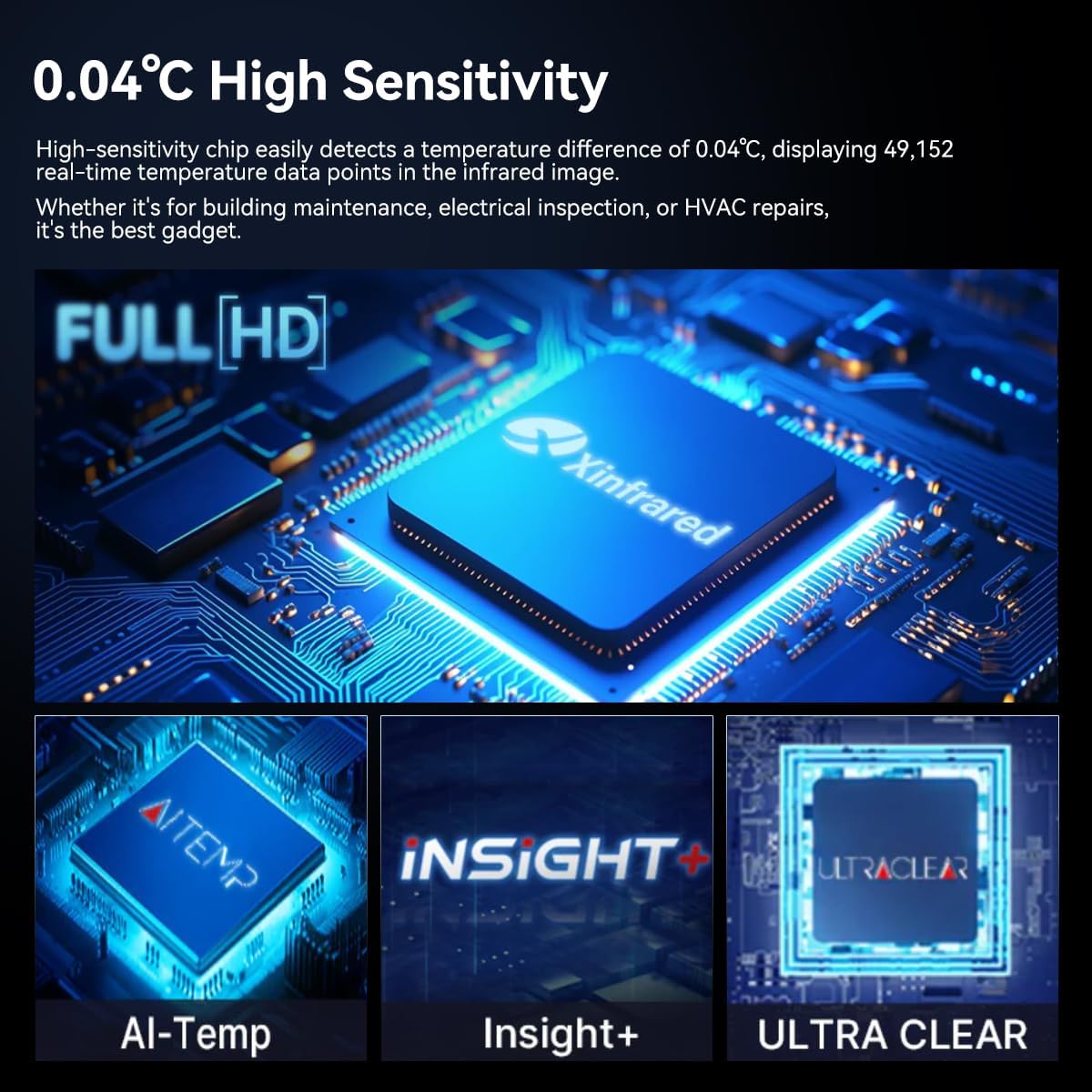
Image: A detailed graphic of the Xinfrared chip, emphasizing its 0.04℃ high sensitivity and advanced features like AI-Temp, Insight+, and Ultra Clear technology for precise thermal detection.

Image: A close-up of the thermal imaging chip, illustrating its capability to detect minute temperature variations (0.04℃) for accurate thermal analysis.
Compound Bow Mode:
This mode includes 8 professional hunting reticles, making the XH09 an ideal tool for scope enthusiasts and hunters. It assists in spotting targets from long distances during nighttime.

Image: A smartphone screen displaying the thermal view with a hunting reticle activated, demonstrating the Compound Bow Mode for target acquisition.

Image: Shows various reticle options available in Compound Bow Mode, along with color switching capabilities, designed for hunting and targeting.
HD & Highlight Mode:
The HD mode provides ultra-clear and sharp thermal images. The Highlight mode (red eye) specifically emphasizes targets, which is particularly useful when subjects are obscured by dense foliage or other environmental factors.

Image: A side-by-side comparison of HD mode (green eye) and Highlight mode (red eye), showing how the latter enhances target visibility, especially in challenging environments.

Image: Another comparison illustrating the clarity of Full HD mode versus the enhanced target visibility provided by Highlight mode.
Insight+ Super Birdwatching Mode:
This specialized mode is designed to minimize false targets and sky effects, providing clearer thermal views for observing wildlife, particularly birds.

Image: A visual demonstrating the 19.6° wide-angle view of the XH09, with thermal outlines of various animals, highlighting its utility for birdwatching and wildlife observation.

Image: The XH09 in use, emphasizing its role as an essential survival tool for wilderness rescue, camping safety, wildlife observation, and parenting activities.

Image: Illustrates the IP65 rating of the XH09, indicating its protection against heavy rain and ocean waves, ensuring durability in harsh weather conditions.
Техникалык тейлөө
- Линзаны тазалоо: Оптикалык линзалар үчүн атайын иштелип чыккан жумшак, түксүз чүпүрөктү колдонуңуз. Линзанын бетин акырын сүртүңүз. Абразивдүү материалдарды же катуу химиялык заттарды колдонбоңуз.
- Денени тазалоо: Түзмөктүн корпусун жумшак, d менен сүртүңүзamp cloth. Avoid getting moisture into the USB-C port.
- Сактагыч: When not in use, store the XH09 in its protective carrying case in a cool, dry place, away from direct sunlight and extreme temperatures.
- Battery Care (Smartphone): The XH09 draws power from your smartphone. Ensure your phone's battery is adequately charged before extended use. Consider carrying a portable power bank for prolonged operation.
Проблемаларды чечүү
| Көйгөй | Мүмкүн себеп | Чечим |
|---|---|---|
| Түзмөк телефон тарабынан таанылган жок. | Loose connection, app not installed, insufficient permissions, incompatible phone model. | Ensure the XH09 is firmly plugged in. Install the official app and grant all permissions. Verify phone compatibility (Android with USB-C OTG support). Restart phone. |
| Сүрөт бүдөмүк же фокуста эмес. | Incorrect manual focus adjustment. | Rotate the manual focus ring on the XH09 unit until the image becomes sharp. |
| Колдонмо бузулат же катып калат. | Software bug, insufficient phone resources, outdated app version. | Close and restart the app. Clear app cache. Ensure your phone has enough free RAM. Update the app to the latest version. |
| Poor image quality or unexpected readings. | Lens obstruction, environmental factors, incorrect mode selection. | Clean the thermal lens. Ensure no objects are blocking the view. Adjust settings or switch modes (e.g., HD, Highlight) as needed for the environment. |
| Rapid phone battery drain. | Thermal cameras consume significant power. | This is normal. Use a portable power bank for extended operation. Reduce screen brightness on your phone. |
Техникалык шарттар
| Өзгөчөлүк | Деталь |
|---|---|
| Модель аты | XH09 |
| Бренд | InfiRay |
| Байланыш технологиясы | USB-C (for Android) |
| IR Resolution (Enhanced) | 512×384 (from 256×192 with X³ Super Algorithm) |
| Frame Rate | 50Hz |
| Жылуулук сезгичтиги (NETD) | 0.04℃ |
| Observe Distance | 870 м чейин |
| Digital Zoom | 2-15x |
| Image Stabilization | Санарип |
| Колдоого алынган File Формат | MP4 (for video recording) |
| Элемент Салмагы | 1.92 фунт (болжол менен 0.87 кг) |
| IP рейтинги | IP65 (Protection against dust and low-pressure water jets) |
Кепилдик жана колдоо
Кепилдик жөнүндө маалымат жана техникалык колдоо алуу үчүн, расмий InfiRay сайтына кайрылыңыз website or contact their customer service directly. Details regarding warranty periods and service procedures are typically provided with your purchase documentation or on the manufacturer's official support pages.
Өндүрүүчү: Infiray
For the most up-to-date support resources, visit the Amazon'догу InfiRay дүкөнү же алардын кызмат адамы webсайт.
Тектеш документтер - XH09
 |
InfiRay AFFO Series Thermal Imaging Monocular Quick Start Guide A quick start guide for the InfiRay AFFO Series Thermal Imaging Monocular, covering package contents, components, getting started, button operations, charging, specifications, and safety information. |
 |
InfiRay AFFO сериясынын термикалык сүрөттөө монокулярдык колдонмосу Бул колдонуучу колдонмосу AP09, AP13, AL19 жана AL25 моделдери үчүн коопсуздук чараларын, спецификацияларды, операциялык процедураларды, функцияларды жана бузулууларды аныктоону толук камтыган InfiRay AFFO сериясынын термикалык сүрөттөөчү монокулярдык көрсөтмөлөрүн камтыйт. |
 |
iRay Eye Series E3w C2w Термикалык Монокулярдык Ыкчам баштоо колдонмосу iRay Eye Series E3w жана C2w термикалык монокулярдык аппараттар үчүн ыкчам баштоо колдонмосу, деталдары, иштеши, өзгөчөлүктөрү, техникалык мүнөздөмөлөрү жана маанилүү колдонуу нускамалары. |
 |
InfiRay IRIS термикалык сүрөттөө монокулярдык ыкчам баштоо колдонмосу InfiRay IRIS термикалык сүрөттөө монокуласы менен тез арада баштаңыз. Бул колдонмо IL19 жана IL35 моделдери үчүн негизги орнотуу жана колдонуу маалыматын берет. |
 |
InfiRay FINDER термикалык сүрөттөө монокулярдык операциялык колдонмо Бул колдонуу колдонмосу InfiRay FINDER сериясынын термикалык сүрөт монокулярлары, анын ичинде FL25, FL25R, FH25 жана FH25R моделдери үчүн кеңири нускамаларды камтыйт. Ал продукттун спецификацияларын, пакеттин мазмунун, өзгөчөлүктөрүн, деталдуу иштешин, баскычтардын функцияларын, менюнун навигациясын, калибрлөө жол-жоболорун, фото жана видеону жазууну, байланышты, тейлөөнү жана көйгөйлөрдү аныктоону камтыйт. |
 |
InfiRay Zoom сериясындагы монокулярдык термикалык сүрөткө тартуу боюнча колдонмо (ZL38/ZH38/ZH50) InfiRay Zoom сериясындагы термикалык сүрөткө тартуу монокулярынын (ZL38, ZH38, ZH50 моделдери) коопсуздук маалыматын, мүнөздөмөлөрүн, таңгактын мазмунун, сүрөттөмөсүн, функцияларын, компоненттерин, баскычтын иштешин, батареяны башкарууну, тышкы кубаттоону, күйгүзүүнү/орнотууларды, калибрлөөнү, санариптик масштабдоону, сүрөткө тартууну/видео жаздырууну, эс тутумга кирүү мүмкүнчүлүгүн, абал тилкесин, кыска жол менюсун, негизги менюну, PIP функциясын, стадиометриялык аралык өлчөгүчтү, ысык чекитти көзөмөлдөөнү, Wi-Fi функциясын, программалык камсыздоону жаңыртууларды, техникалык текшерүүнү, тейлөөнү, бузулууларды оңдоону жана юридикалык маалыматты камтыган кеңири колдонуу боюнча колдонмо. |