Introduction
This manual provides detailed instructions for the installation, operation, and maintenance of your Maxspect Jump Gyre DC 4000 gph Aquarium Wave Maker Pump, model MJ-GF316. This device is designed to create powerful, uniform water flow within your aquarium, eliminating dead spots and promoting a healthy aquatic environment. Please read this manual thoroughly before use to ensure proper function and longevity of the product.
Маанилүү коопсуздук нускамалары
- Always disconnect the power supply before performing any maintenance or handling the pump.
- Ensure your hands are dry when plugging or unplugging the power adapter.
- Электр шнур же сайгыч бузулуп калса, насосту иштетпеңиз.
- This product is designed for indoor use in aquariums only. Do not use it for any other purpose.
- Keep the controller and power supply away from water.
- Ensure the pump is fully submerged in water during operation. Running dry can cause damage.
- Балдар шайман менен ойнобошу үчүн аларды көзөмөлгө алуу керек.
Пакеттин мазмуну
Пакетте бардык компоненттер бар экенин текшериңиз:
- Maxspect Jump Gyre Flow Pump (MJ-GF316)
- Controller with LED Display
- Power Supply адаптер
- Магниттик орнотуу системасы
- Flow Guards / Eductors (2 pieces)
- Монтаждоо бурамалар жана аксессуарлар
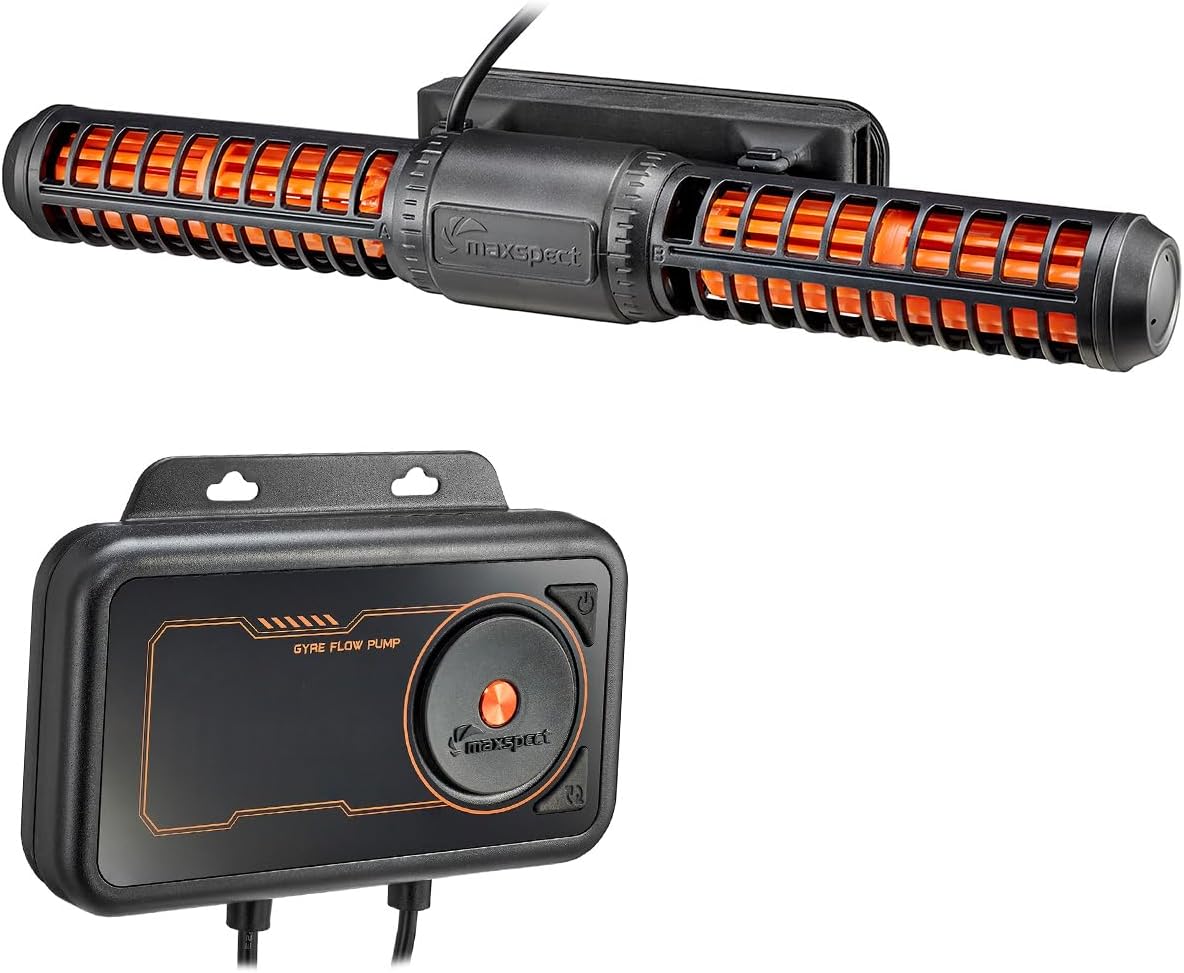
Image: Maxspect Jump Gyre Flow Pump MJ-GF316 and its dedicated controller.

Image: Various accessories included with the pump, such as flow guards, screws, and mounting strips.
Жайгашуу
1. Насосту орнотуу
The Maxspect Jump Gyre pump utilizes a magnetic mounting system for secure placement. It can be mounted vertically or horizontally on the aquarium glass.
- Identify the inner and outer magnetic mounts. The pump attaches to the inner mount.
- Place the pump (with the inner magnetic mount attached) inside the aquarium at your desired location.
- Align the outer magnetic mount on the exterior of the aquarium glass, directly opposite the inner mount. The magnets will secure the pump in place.
- Ensure the pump is positioned to create optimal water flow without disturbing substrate or corals excessively.
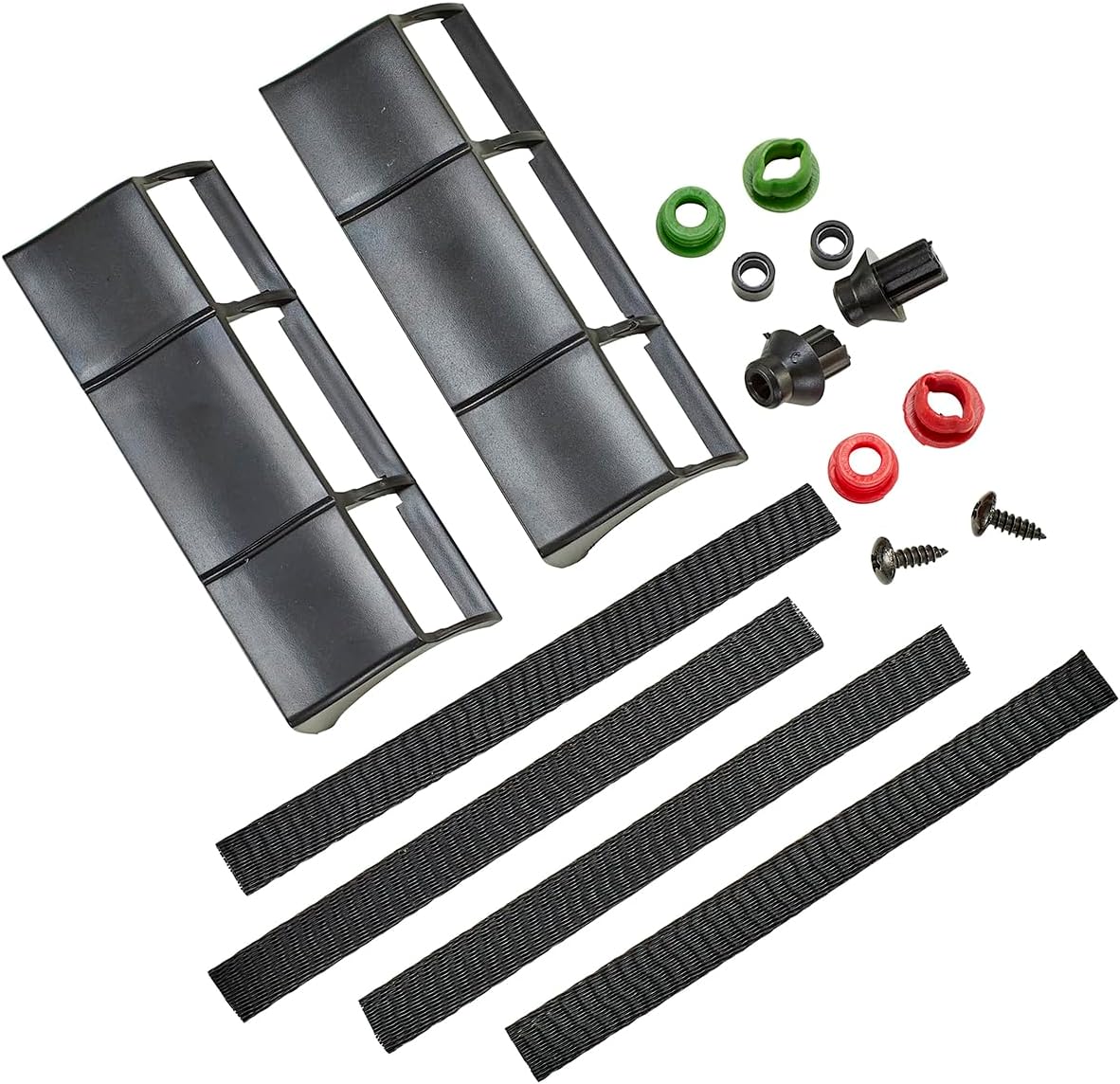
Image: The Maxspect Jump Gyre Flow Pump mounted horizontally on the inside of an aquarium glass.
2. Connecting the Controller and Power Supply
Connect the pump to the controller and then the controller to the power supply.
- Connect the pump's cable to the designated port on the controller. Ensure a secure connection.
- Connect the power supply adapter to the controller's power input port.
- Электр жабдыгын ылайыктуу электр розеткасына сайыңыз.
- The controller's LED display should illuminate, indicating power.

Image: The Maxspect Jump Gyre Flow Pump controller, showing its LED display and connection points for the pump and power supply.

Image: The power adapter used to supply electricity to the Maxspect Jump Gyre Flow Pump system.
Иштөө нускамалары
Controller Overview
The controller features an LED display and several buttons for adjusting pump settings.
- Кубат баскычы: Turns the pump on/off.
- Режим баскычы: Cycles through the available operating modes.
- Adjust Dial/Buttons: Used to increase or decrease flow intensity or adjust specific mode parameters.
Иштөө режимдери
The Maxspect Jump Gyre offers 5 distinct flow patterns to simulate natural aquatic environments:
- Кокус режим: Generates unpredictable flow patterns, mimicking natural ocean currents.
- Rapid Pulse Mode: Creates short, intense bursts of flow, ideal for dislodging detritus.
- Slow Pulse Mode: Produces gentle, rhythmic pulses for broad water movement.
- Gradual Pulse Mode: Features a smooth transition between high and low flow, simulating tidal changes.
- Туруктуу режим: Maintains a steady, continuous flow at a set intensity.
To select a mode, press the Mode button until the desired mode is displayed. Use the adjust dial/buttons to set the flow intensity for the chosen mode.
Техникалык тейлөө
Regular cleaning is essential to maintain optimal performance and extend the lifespan of your pump.
Насосту тазалоо
- Кубатты өчүрүү: Always unplug the power supply from the wall outlet before handling the pump.
- Remove from Aquarium: Carefully detach the pump from the magnetic mount and remove it from the aquarium.
- Бөлүп салуу: Gently twist and pull apart the pump components, including the impellers and protective cages. Refer to the diagram for proper disassembly.
- Таза компоненттери: Rinse all parts under fresh water to remove loose debris. For stubborn algae or calcium deposits, soak the components in a diluted vinegar solution or a commercially available aquarium pump cleaner for several hours. Use a soft brush to scrub away any remaining residue.
- Жакшылап жуу: After cleaning, rinse all components thoroughly with fresh water to remove any cleaning solution residue.
- Кайра чогултуу: Carefully reassemble the pump, ensuring all parts are correctly aligned and securely fitted.
- Кайра орнотуу: Place the cleaned pump back into the aquarium and reconnect the power.

Image: The Maxspect Jump Gyre Flow Pump, showing its main body and impeller sections, ready for disassembly and cleaning.
Проблемаларды чечүү
If you encounter issues with your Maxspect Jump Gyre pump, refer to the table below for common problems and solutions.
| Көйгөй | Мүмкүн себеп | Чечим |
|---|---|---|
| Насос иштебей жатат | No power to controller; loose connection; faulty power supply. | Check power outlet; ensure all cables are securely connected; test power supply if possible. |
| Суу агымынын начар же таптакыр жоктугу | Impeller obstructed; pump dirty; incorrect mode/setting. | Disconnect power and clean pump thoroughly; check controller settings. |
| Адаттан тыш ызы-чуу же титирөө | Debris in impeller; worn impeller; improper mounting. | Disconnect power and clean impeller; ensure pump is securely mounted and not touching tank walls. |
| Controller display not working | No power; controller malfunction. | Check power connection to controller; contact support if issue persists. |
Техникалык шарттар
| Өзгөчөлүк | Деталь |
|---|---|
| Модел | MJ-GF316 |
| Flow Rate | Up to 4227 gph (4000 gph nominal) |
| Энергияны керектөө | 45 Вт |
| Өлчөмдөрү (насос) | 12.25" L x 3.5" W x 1.75" H |
| Тtage | 12 вольт (ток) |
| Материал | Пластик |
| Элемент Салмагы | 3.96 фунт |
| Камтылган компоненттер | Controller, Power Supply, Pump |
Кепилдик жана колдоо
For warranty information, please refer to the documentation provided with your purchase or visit the official Maxspect website. If you require technical support or have questions not covered in this manual, please contact Maxspect customer service through their official channels.


