Introduction
This manual provides detailed instructions for the installation, operation, and maintenance of your Leadfan Android Car Stereo. This unit is designed specifically for Nissan Altima models from 2008 to 2012 with manual air conditioning. Please read this manual thoroughly before use to ensure proper functionality and to maximize your user experience.
Колдонулуучу моделдер
This double DIN car stereo is designed for the following vehicles:
- Nissan Altima: 2008, 2009, 2010, 2011, 2012
Маанилүү эскертүү: This unit is suitable for vehicles with manual A/C. It is not compatible with cars equipped with premium audio systems, OEM cameras, or factory large screens. If your car has automatic A/C, please refer to model B0DM22KHFF.
Before installation, verify your car's model, year, and the shape and size of the center console to ensure compatibility.
Пакеттин мазмуну
Төмөнкү нерселер сиздин пакетке камтылган:
- Унаа стерео блогу
- Камера
- GPS антеннасы
- Арткы View Кирүү кабели
- RCA кабели
- USB кабели (x2)
- Электр кабели
- User Manual
All necessary accessories for installation are provided, eliminating the need for additional purchases. The wiring harness is pre-adjusted for plug-and-play installation.

Figure 1: Package contents and dimensions of the Leadfan Android Car Stereo.
Орнотуу жана орнотуу
The installation process is designed to be plug-and-play. The included user manual provides detailed installation and usage instructions. Ensure all connections are secure before powering on the device.
- Даярдоо: Disconnect the car battery before starting installation.
- Эски бирдикти алып салуу: Carefully remove your existing car radio and trim.
- Зымдарды туташтыруу: Connect the provided power cable, RCA cable, USB cables, GPS antenna, and backup camera (if applicable) to the corresponding ports on the new stereo and your vehicle's wiring harness. The wiring harness is pre-adjusted for ease of connection.
- Монтаждоо: Secure the new car stereo unit into the dashboard opening.
- Сыноо функциясы: Reconnect the car battery and test all functions of the stereo, including audio, touch screen, GPS, Bluetooth, and camera.
- Жыйынтыктоочу жыйын: Алынып салынган ар кандай кесилген бөлүктөрүн кайра орнотуңуз.
For detailed wiring diagrams and specific steps, please refer to the user manual included in the package.
Иштөө нускамалары
Wireless Carplay & Android Auto
The car stereo supports wireless Apple CarPlay and Android Auto. This allows you to integrate your smartphone's functions directly onto the car's display.
- Байланыш: Connect your smartphone to the car stereo via Bluetooth and Wi-Fi.
- Access Functions: Once connected, you can access phone features such as music, video, GPS navigation, messaging, and more directly from the touch screen.
- Үн менен башкаруу: Utilize voice commands by saying "Hey Siri" for Apple CarPlay or "Hey Google" for Android Auto to control various functions hands-free.

Figure 2: Wireless Apple CarPlay, Android Auto, and Mirror Link connectivity.
GPS багыттоо & WiFi туташуу
The unit features a built-in GPS navigation system and supports Wi-Fi connectivity.
- GPS навигациясы: The system supports both offline and online maps. When connected to the internet, it can sync with the latest smartphone GPS navigation data for real-time navigation.
- Wi-Fi туташуусу: Connect the car stereo to a Wi-Fi network or a mobile hotspot to download applications, stream content, and access online services.

Figure 3: GPS Navigation and Wi-Fi connectivity features.
Bluetooth 5.1 & FM Radio
Enjoy hands-free communication and your favorite radio stations with Bluetooth 5.1 and FM radio functionality.
- Bluetooth 5.1: Pair your phone via Bluetooth to make and receive calls hands-free using the built-in microphone. You can also stream music from your personal playlist.
- FM радиосу: Tune into FM radio stations to listen to news, music, and other programs.

Figure 4: Bluetooth 5.1 and FM Radio interfaces.
Mirror Link, HD Touchscreen & Split Screen
The 9-inch IPS touch screen offers versatile display options.
- Mirror шилтемеси: Supports mirroring for both iOS (wireless) and Android (wireless/wired) phones, allowing you to display your phone's screen on the stereo.
- HD сенсордук экран: The 2.5D IPS touch screen provides a clear and responsive interface.
- Бөлүнгөн экран: The split-screen function allows two applications to run simultaneously on the display, with independent operation for each side.
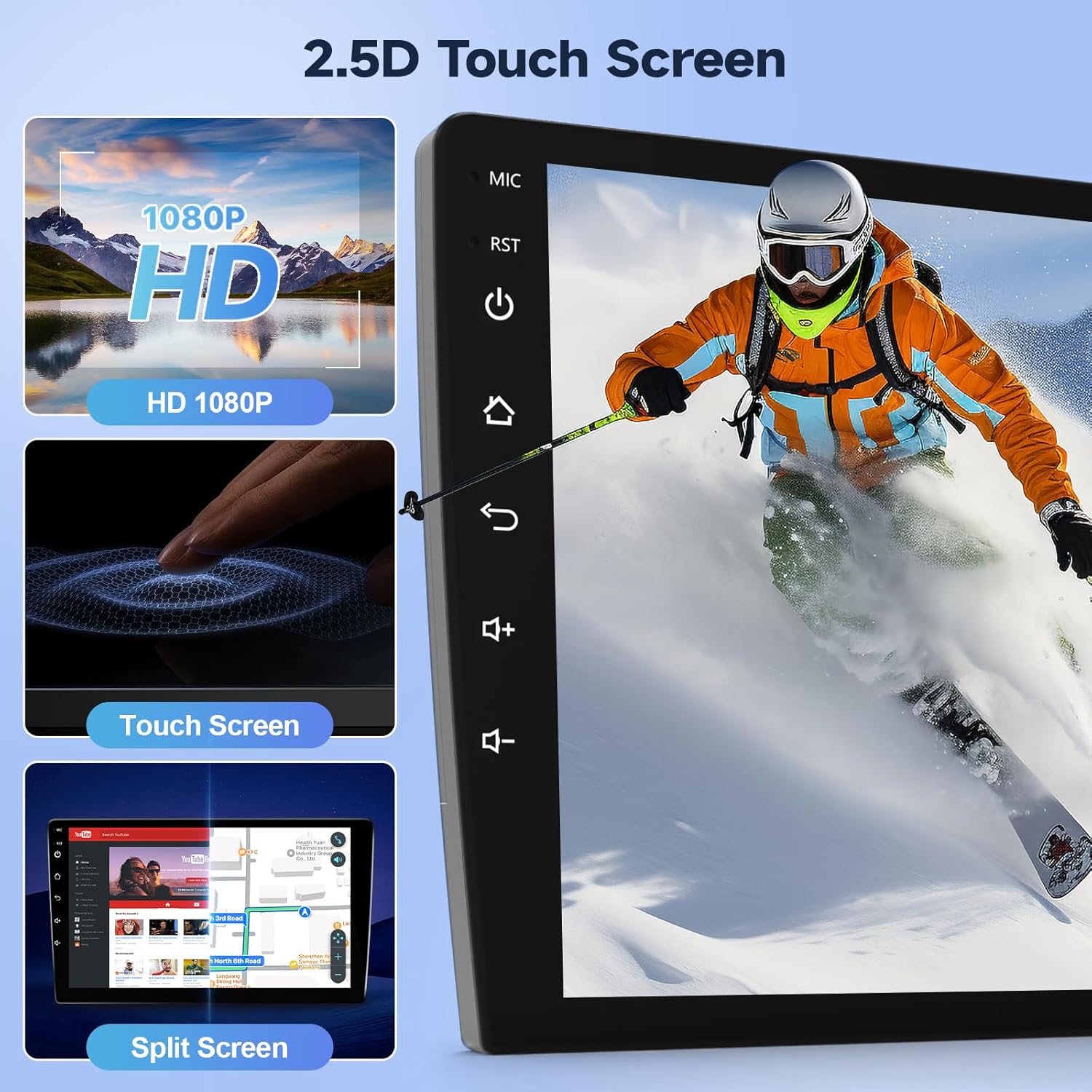
Figure 5: HD Touchscreen with Mirror Link and Split Screen features.
Backup Camera & Steering Wheel Controls (SWC)
Enhance safety and convenience with the backup camera input and steering wheel control compatibility.
- Камдык камера: The stereo supports rearview mirror image input when backing up. The included backup camera features a 170° wide-angle lens, IP68 waterproofing, and night vision for optimal visibility in various conditions.
- Рулду башкаруу элементтери (SWC): After correct wiring, you can program the steering wheel buttons to control the stereo functions, providing convenient access without taking your hands off the wheel.

Figure 6: Backup Camera features and display.

Figure 7: Steering Wheel Control (SWC) setup and functionality.
Техникалык шарттар
| Өзгөчөлүк | Деталь |
|---|---|
| Элемент Салмагы | 2.97 фунт |
| Пакеттин өлчөмдөрү | 11.81 x 11.06 x 3.82 дюйм |
| Дисплей өлчөмү | 9 дюйм |
| Үн буйругу | Touchscreen (via Carplay/Android Auto) |
| Операция системасы | Android |
| Унаа кызматынын түрү | Машина |
| Өзгөчөлүктөр | Android Auto, Bluetooth, Carplay, Touchscreen |
| Байланыш технологиясы | Bluetooth, USB, Wi-Fi |
| Карта түрү | Street (Online/Offline) |
| Аудио чыгаруу режими | Стерео |
| Монтаж түрү | Куралдар тактасы |
Техникалык тейлөө
Унаа стереоңуздун узак иштөөсүн жана оптималдуу иштешин камсыз кылуу үчүн, төмөнкү тейлөө көрсөтмөлөрүн аткарыңыз:
- Тазалоо: Экранды жана сыртын тазалоо үчүн жумшак, кургак чүпүрөктү колдонуңуз. Абразивдүү тазалагычтардан же эриткичтерден качыңыз.
- Программалык камсыздоо жаңыртуулары: Periodically check for and install software updates to ensure the system runs efficiently and securely.
- Экологиялык шарттар: Аппаратты экстремалдык температурага, түз күн нуруна узак убакытка же ашыкча нымдуулукка дуушар кылуудан алыс болуңуз.
- Кабелдик байланыштар: Бардык кабелдер бекем туташтырылган жана бузулбаганын текшериңиз.
Проблемаларды чечүү
If you encounter issues with your Leadfan Android Car Stereo, refer to the following common troubleshooting steps:
Кубат жок / Түзмөк күйбөйт
- Check the power cable connection to the unit and the car's power source.
- Verify the car's fuse related to the stereo is not blown.
- Унаа аккумулятору туура туташтырылганын жана заряддалганын текшериңиз.
Үн жок
- Динамиктин зым байланыштарын текшериңиз.
- Үндүн үнү өчүп же минималдуу деп коюлбагандыгын текшериңиз.
- Verify audio settings in the system menu.
Touchscreen Unresponsive or Lagging
- Бөлүктү өчүрүп-күйгүзүңүз.
- Экран таза жана таштандыдан таза экенин текшериңиз.
- If persistent, a factory reset might be necessary (note: this will erase personal data and settings).
GPS иштебейт / так эмес
- GPS антеннасынын туура орнотулганын жана ачык экенин текшериңиз view асмандын.
- Check GPS settings within the system.
- Verify internet connection for online maps.
Bluetooth / Wi-Fi Connectivity Issues
- Bluetooth/Wi-Fi стерео системаңызда да, түзмөгүңүздө да күйгүзүлгөнүн текшериңиз.
- Учурдагы жупташтырууларды жок кылып, түзмөктөрдү кайра жупташтырыңыз.
- Башка электрондук шаймандардын кийлигишүүсүн текшериңиз.
Камдык камера көрүнбөйт
- Камеранын киргизүү кабелинин туташуусун текшериңиз.
- Камера кубат алып жатканын текшериңиз.
- Verify camera settings in the system menu.
Татаал маселелер үчүн кардарларды колдоо бөлүмүнө кайрылыңыз.
Кепилдик жана колдоо
Your Leadfan Android Car Stereo comes with comprehensive support and warranty options:
- 30 күндүк акысыз кайтаруу: Eligible for free returns within 30 days of purchase.
- 12 айлык алмаштыруу: A 12-month replacement is offered for quality-related issues.
- Өмүр бою техникалык колдоо: Receive lifetime technical support for any questions regarding installation or use. Support inquiries will be answered within 24 hours.
- Кесипкөй кардарларды тейлөө: Dedicated professional customer service is available to assist you.
Техникалык колдоону кантип алса болот:
- Amazonдагы продукт бетине өтүңүз.
- Click on the seller's name, "Nideo".
- On the seller's storefront, click "Ask a question".
- Provide details of your issue, including photos or videos if relevant, and the support team will respond promptly.

Figure 8: Steps to contact technical support.


