1. Киришүү
Thank you for choosing the BETOWEY TK-X4SC Motorcycle Intercom System. This device is engineered to provide clear and reliable communication for motorcyclists, enhancing safety and enjoyment during rides. It supports group intercom, music sharing, and seamless integration with your mobile devices. Please read this manual thoroughly before use to ensure proper operation and to maximize your experience.

This image displays two BETOWEY TK-X4SC intercom units, highlighting their sleek design, LCD screens, and prominent control knobs. Each unit is compact and designed for helmet mounting.
2. Кутуда эмне бар
Сиздин пакетте бардык компоненттер бар экенин текшериңиз:
- 2x Main Intercom Units
- 2x Earphone Speakers
- 2x Mounting Kits (includes clips and adhesive mounts)
- 2x USB заряддоо кабелдери
- 1x Колдонуучунун колдонмосу
3. Продукт бүтүп калдыview
3.1. Негизги өзгөчөлүктөрү
- Group Intercom for up to 6 riders (optimal for 4 riders)
- Maximum intercom range of 2000 meters (800 meters for two-way)
- Bluetooth 5.1 for stable and clear audio
- Advanced Noise-Cancellation (DSP, CVC)
- Integrated LCD Screen for status display
- Үн жардамчысын колдоо
- Automatic Call Answering (can be disabled)
- Камтылган FM радиосу
- Music Sharing capability
- IP67 Суу өткөрбөйт
- 800mAh Battery: 40 hours working time, 500 hours standby
3.2. Компоненттер жана башкаруу элементтери

This diagram illustrates the multi-functional control knob located on the intercom unit. By rotating or pressing this knob, users can manage mobile control, activate the voice assistant, control the radio, and manage music playback.

The LED screen provides clear visibility of the device's status, including battery level, Bluetooth search status, pairing status, intercom modes (Bluetooth, Group, Music Sharing, Universal Pairing), and FM radio channel.
4. Орнотуу жана орнотуу
4.1. Аппаратты заряддоо
Before first use, fully charge the intercom unit. Connect the provided USB charging cable to the charging port on the unit and to a standard USB power adapter (not included). The LED indicator will show charging status. A full charge takes approximately 3 hours.
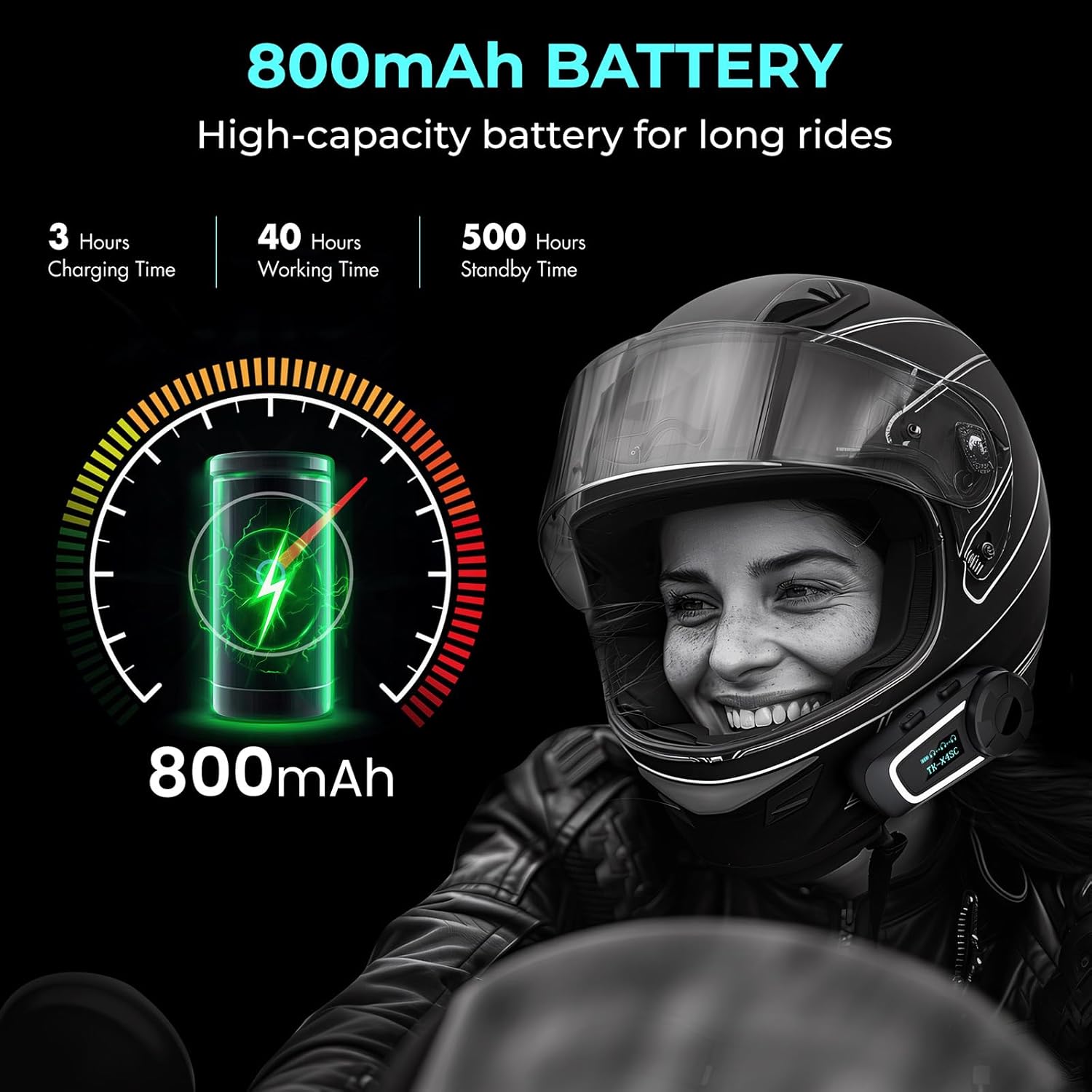
This image highlights the impressive battery life of the TK-X4SC, detailing its charging time, working time, and standby duration, powered by an 800mAh high-capacity battery.
4.2. Installing on Helmet
- Монтаждоо ыкмасын тандоо: Use either the clip mount or the adhesive mount. The clip mount is generally preferred for easy removal, while the adhesive mount offers a more permanent solution.
- Позициялоо: Attach the mounting bracket to the left side of your helmet, near the bottom edge. Ensure it does not obstruct your vision or helmet functionality.
- Динамиктерди орнотуу: Place the earphone speakers inside the helmet's ear pockets. Ensure they are positioned directly over your ears for optimal sound quality. Use the provided hook-and-loop fasteners if necessary.
- Микрофонду орнотуу: For full-face helmets, attach the soft microphone to the inside of the chin bar. For open-face helmets, use the boom microphone and position it near your mouth.
- Кабелдерди туташтыруу: Plug the speaker and microphone cables into the corresponding ports on the intercom unit.
- Коопсуздук бирдиги: Slide the intercom unit onto the mounted bracket until it clicks securely into place.
4.3. Күйгүзүү/өчүрүү
- Күйгүзүү: Press and hold the Power button for approximately 3 seconds until you hear a voice prompt and the LED indicator lights up.
- Өчүрүү: Press and hold the Power button for approximately 3 seconds until you hear a voice prompt and the LED indicator turns off.
5. Иштөө нускамалары
5.1. Мобилдик түзмөк менен Bluetooth жупташтыруу
- Ensure the TK-X4SC is powered off.
- Press and hold the Power button for about 5-7 seconds until the LED indicator flashes red and blue alternately, indicating pairing mode. The LCD screen will show "BT PAIRING".
- Мобилдик телефонуңузда Bluetooth иштетип, жаңы түзмөктөрдү издеңиз.
- Select "BETOWEY TK-X4SC" from the list of available devices.
- Once paired, the LED indicator will flash blue slowly, and the LCD screen will show "Mobile connecting".
5.2. Домофон байланышы
The TK-X4SC supports various intercom modes:

This image demonstrates the extensive range of the TK-X4SC intercom system, supporting up to 6 riders with a maximum group distance of 2000 meters and a two-rider range of 800 meters.
- Эки тараптуу интерком: Pair two TK-X4SC units directly. Press the Intercom button on one unit to initiate communication.
- Group Intercom (up to 6 riders): The TK-X4SC features a one-touch connection for up to 4 people, simplifying group communication setup. Follow the specific pairing instructions in the full manual for multi-unit connections.
5.3. Музыка ойнотуу жана бөлүшүү
Once paired with your mobile device, you can play music. Use the control knob to adjust volume, skip tracks, or pause/play.

This image visually represents the music sharing feature, allowing two riders to enjoy the same playlist simultaneously through their connected intercom units.
To share music with another TK-X4SC unit, ensure both units are connected via intercom, then activate the music sharing function (refer to the full manual for specific button presses).
5.4. Voice Assistant and FM Radio
- Үн жардамчысы: Briefly press the Voice Assistant button (or specific control knob action) to activate your phone's voice assistant (Siri, Google Assistant).
- FM радиосу: Press the FM button to turn on the built-in FM radio. Use the control knob to scan for stations.
5.5. Шуудан баш тартуу
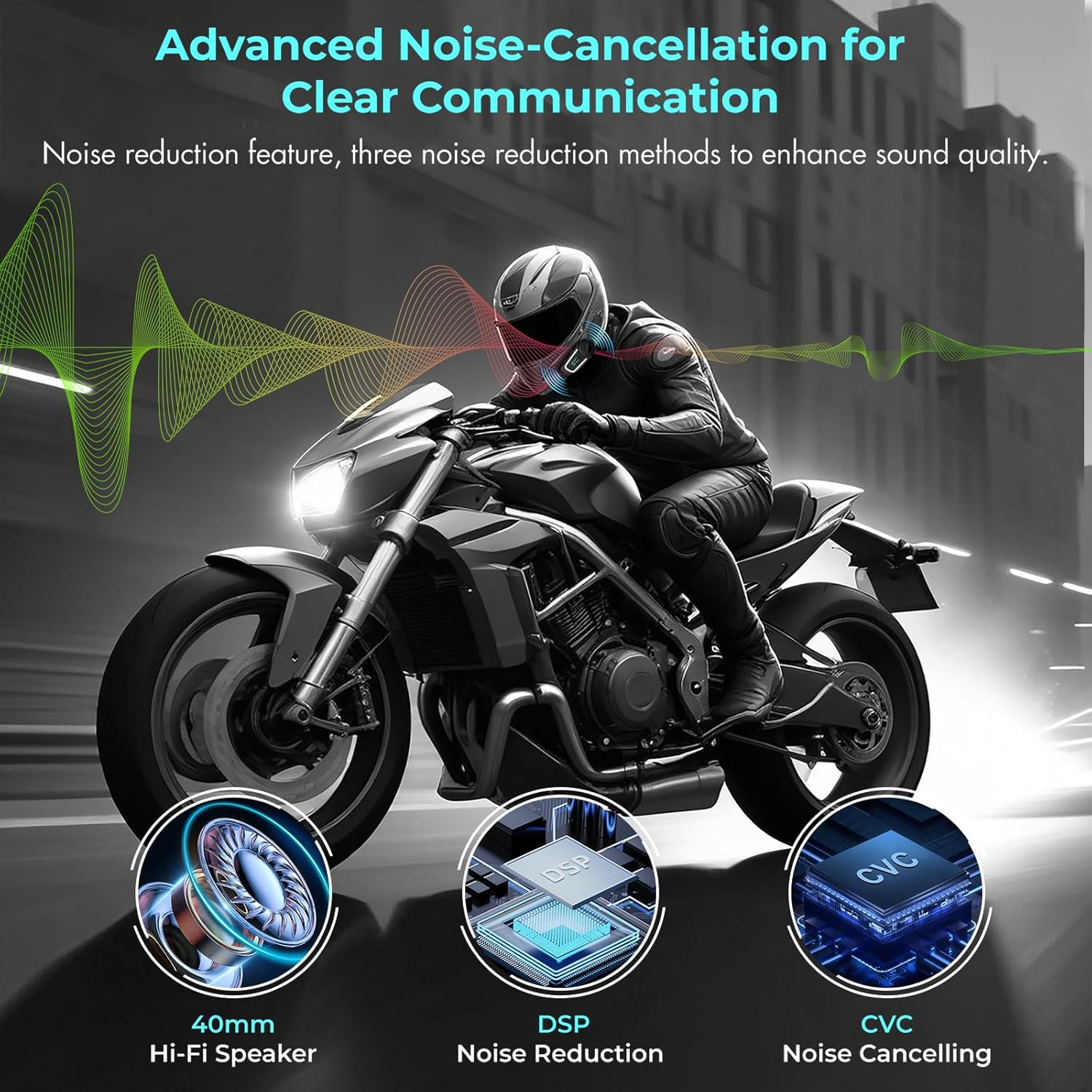
This image highlights the TK-X4SC's advanced audio technology, including 40mm Hi-Fi speakers, Digital Signal Processing (DSP) for noise reduction, and Clear Voice Capture (CVC) for noise cancelling, ensuring clear communication even at high speeds.
The TK-X4SC incorporates advanced noise reduction technologies (DSP and CVC) to minimize wind and road noise, ensuring clear communication and audio quality even at high speeds.
6. Техникалык тейлөө
- Тазалоо: Аппаратты жумшак менен сүртүңүз, гamp кездеме. Катуу химиялык заттарды же абразивдүү тазалагычтарды колдонбоңуз.
- Суу каршылык: The TK-X4SC is IP67 waterproof. While it can withstand rain and splashes, avoid submerging it in water for extended periods.
- Батареяга кам көрүү: To prolong battery life, avoid fully discharging the battery frequently. Charge the device regularly, especially if it will be stored for a long time.
- Сактагыч: Аппаратты колдонбогондо салкын, кургак жерде сактаңыз.
7. Кыйынчылыктарды
| Көйгөй | Мүмкүн себеп | Чечим |
|---|---|---|
| Түзмөк күйбөйт | Батарея аз; Кубат баскычы жетиштүү убакытка чейин басылган жок | Charge the device fully; Press and hold Power button for 3 seconds |
| Динамиктерден аудио жок | Speakers not connected; Volume too low; Speakers damaged | Check speaker connection; Increase volume; Test with another speaker set if possible |
| Телефон менен жупташтыруу мүмкүн эмес | Device not in pairing mode; Phone Bluetooth off; Interference | Ensure device is flashing red/blue; Turn phone Bluetooth on/off; Move away from other electronic devices |
| Домофон байланышы туруксуз | Out of range; Obstructions; Interference | Move closer to other units; Ensure clear line of sight; Avoid areas with strong electromagnetic interference |
| Үн сапаты начар / Ызы-чуу | Microphone position; Wind noise; Speaker placement | Adjust microphone closer to mouth; Ensure helmet is properly sealed; Reposition speakers for better fit |
8. Техникалык шарттар
| Өзгөчөлүк | Деталь |
|---|---|
| Модел | TK-X4SC |
| Bluetooth версиясы | 5.1 |
| Домофон тобунун өлчөмү | Up to 6 riders (optimal for 4) |
| Max Intercom Range | 2000 meters (group), 800 meters (two-way) |
| Батарея сыйымдуулугу | 800 мАч литий полимери |
| Жумуш убактысы | 40 саатка чейин |
| Күтүү убактысы | 500 саатка чейин |
| Заряддоо убактысы | Болжол менен 3 саат |
| Суу каршылык | IP67 |
| Frequency Spectrum | 20 Гц - 20 000 Гц |
| Өлчөмдөр | 79.8 x 37.6 x 26.5 см |
| Салмагы | 480 грамм |
| Шайкеш түзмөктөр | Motorcycles, Mobile Phones |
| Кошумча функциялар | Noise Reduction, LCD Screen, Group Intercom |
9. Кепилдик жана колдоо
BETOWEY products are designed for reliability and performance. For warranty information and technical support, please refer to the warranty card included in your product packaging or visit the official BETOWEY webсайт. Сатып алуу квитанциясын кепилдик дооматтары үчүн сатып алуунун далили катары сактаңыз.
For further assistance, please contact BETOWEY customer service through the contact information provided on their official webсайт же сатуучу аркылуу.


