Маанилүү коопсуздук маалыматы
Ensure the desk is stable and properly assembled before use. Avoid placing heavy items on the top surface unless the desk is securely anchored to the wall. Follow the assembly instructions carefully to prevent tipping or instability.
1. Продукт бүтүп калдыview
The Tribesigns Computer Desk Model XK00747 is designed for home office and study environments, offering a compact yet functional workspace. It features a robust industrial style with a black metal frame and engineered wood surfaces. The desk includes a total of 5 drawers: two integrated into the main desk surface and a three-drawer file cabinet that can be configured on either the left or right side to suit your preference. This design maximizes storage and workspace efficiency, making it ideal for small spaces.
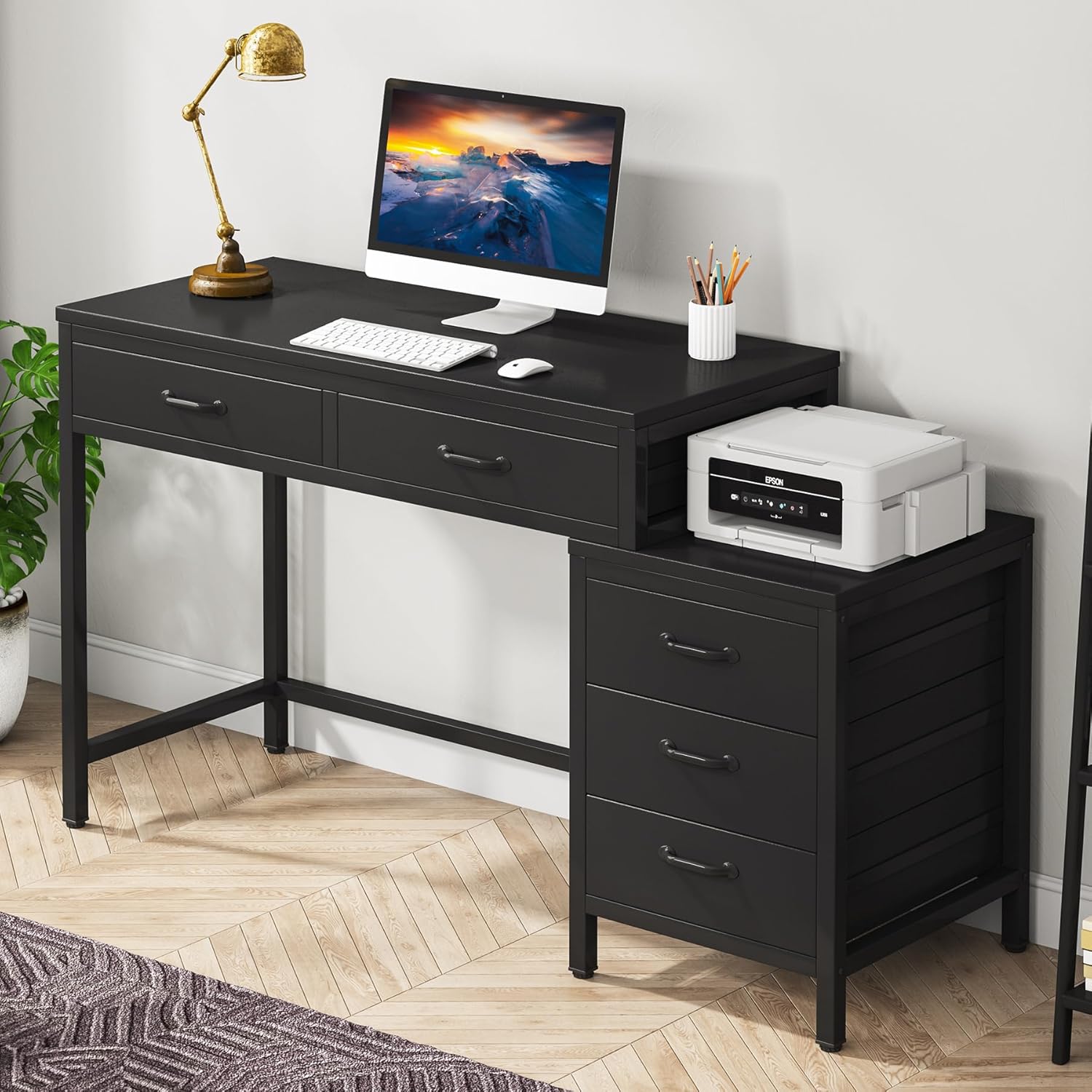
Image 1.1: The Tribesigns Computer Desk Model XK00747, showcasing its compact design with integrated drawers and a side file кабинет.
Негизги өзгөчөлүктөрү:
- Компакт дизайн: Maximizes workspace and storage in small areas.
- 5 тартма: Two desk drawers and a three-drawer file cabinet for ample сактагыч.
- Reversible File Кабинет: Can be assembled on the left or right side.
- Мыкты курулуш: Made from high-quality E1 particleboard, MDF board, and a thick metal tube frame.
- Жөнгө салынуучу бут жаздыкчалары: Ensures stability on uneven surfaces and protects floors.
- Өнөр жай стили: Rustic brown and black finish for a modern aesthetic.
2. Пакеттин мазмуну
Монтаждоону баштоодон мурун, төмөндө келтирилген компоненттердин бардыгы бар экенин жана бузулбаганын текшериңиз. Эгерде кандайдыр бир бөлүктөрү жок же бузулуп калса, кардарларды колдоо менен байланышыңыз.
Видео 2.1: кутудан чыгаруу жана андан ашыкview of all desk components, including wooden panels, metal frames, and hardware. This video provides a visual guide to ensure all parts are present before assembly.
Компоненттердин тизмеси:
- Үстөл панели (инженердик жыгачтан жасалган)
- Drawer Panels (E1 Particleboard/MDF) - 5 sets
- Metal Frame Components (Legs, Support Bars)
- тартма туткалары
- Жөнгө салынуучу буттар
- Assembly Hardware Kit (Screws, bolts, Allen wrench, screwdriver)
Each part is typically labeled with a number or letter for easy identification during assembly. Refer to the included diagram for specific part identification.
3. Монтаждоо боюнча нускамалар
Assembly is recommended for 2 people. All necessary tools are included in the hardware kit. Follow the step-by-step diagrams in the provided instruction booklet. Pay close attention to the orientation of parts, especially when assembling the reversible file кабинет.

Image 3.1: Detailed dimensions of the desk and its components, crucial for planning your space and assembly.
Жалпы кадамдар:
- Пакеттен чыгаруу жана аныктоо: Lay out all components and hardware. Match them with the parts list and diagrams.
- Негизги кадрды чогултуу: Connect the metal frame components using the provided screws and Allen wrench. Ensure all connections are secure.
- Иш тактасын тиркөө: Secure the main desktop panel to the assembled frame.
- Тарткычтарды чогултуу: Construct the two desk drawers and the three file cabinet drawers according to the diagrams.
- Тартпаларды орнотуу: Slide the desk drawers into their designated slots. For the file cabinet, decide on the left or right configuration before attaching it to the main desk structure.
- Attach Handles and Leg Pads: Secure all drawer handles and screw in the adjustable leg pads to the bottom of the desk legs.
Video 3.2: A quick tour of the assembled desk, demonstrating its features and providing insights into the assembly process.
Reversible File Кабинет:
The file cabinet can be installed on either the left or right side of the main desk. The instruction manual provides separate diagrams for each configuration. Ensure you follow the correct steps for your desired setup.

Image 3.3: Visual representation of the reversible file cabinet, illustrating how it can be positioned on either side of the main desk.
4. Иштөө нускамалары
тартма колдонуу:
The desk features two main drawers and three file cabinet drawers. These drawers are designed for smooth operation and include stoppers to prevent them from being pulled out completely. They provide ample space for office supplies, documents, and personal items.
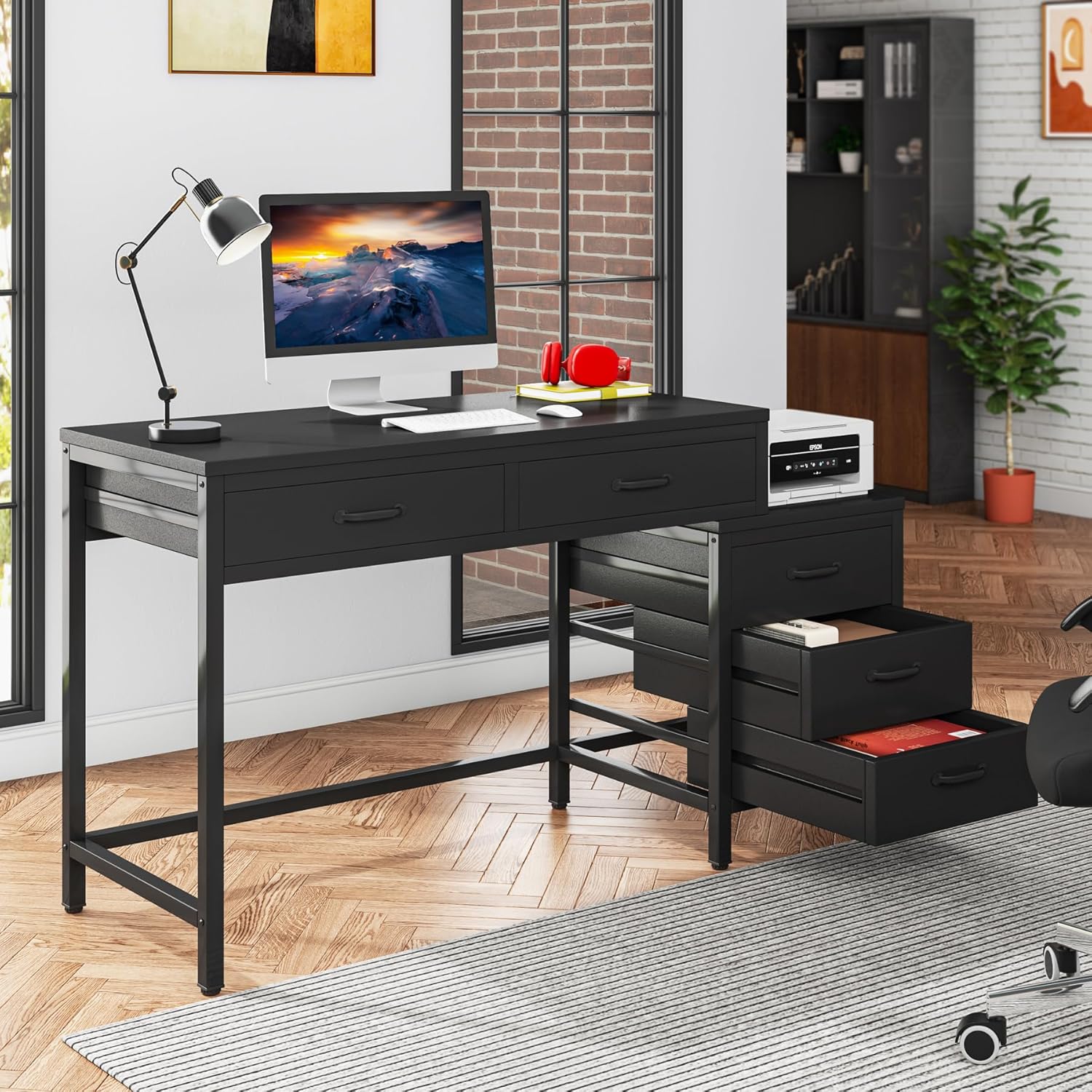
Image 4.1: The two main desk drawers are shown open, highlighting their depth and storage capacity.

Image 4.2: The three file cabinet drawers are displayed open, illustrating their utility for organizing documents and other items.
Жөнгө салынуучу бут жаздыкчалары:
The desk is equipped with adjustable leg pads. To level the desk on uneven floors, simply rotate the pads at the bottom of each leg until the desk is stable and does not wobble.

Сүрөт 4.3: Жакын план view of the adjustable leg pads, demonstrating their function for leveling the desk and protecting floors.
5. Техникалык тейлөө жана кам көрүү
- Тазалоо: Беттерди жумшак менен сүртүңүз, гamp кездеме. Финишке зыян келтирүүчү катаал химиялык заттардан же абразивдүү тазалагычтардан алыс болуңуз.
- Төгүлүүлөр: Инженердик жыгачка боёп же зыян келтирбөө үчүн төгүлгөн жерлерди дароо тазалаңыз.
- Туруктуулукту текшерүү: Бардык бурамалардын жана болттордун бекем бекитилгенин мезгил-мезгили менен текшерип туруңуз. Туруктуулукту сактоо үчүн зарыл болсо, кайра бекитиңиз.
- Салмагын бөлүштүрүү: Distribute weight evenly across the desktop and within drawers to prevent stress on the structure.
- Түздөн-түз күндүн нурунан качуу: Түз тийген күн нурунун узакка созулушу өңү өчүп же өңүнүн өзгөрүшүнө алып келиши мүмкүн.
6. Кыйынчылыктарды
Жалпы маселелер:
- Тербелүүчү стол: Check that all leg pads are properly adjusted and making contact with the floor. Ensure all frame bolts are securely tightened.
- Тарткычтар жылмакай жылбайт: Verify that the drawer panels are correctly assembled and aligned within their guides. Ensure no obstructions are present.
- Жетишпеген бөлүктөр: If any parts were missing upon unboxing, refer to the package contents list and contact Tribesigns customer service for assistance.
- Жыйын учурундагы кыйынчылыктар: Review the instruction manual carefully, paying attention to diagrams and part orientations. If issues persist, consider seeking assistance from another person.
7. Техникалык шарттар
| Өзгөчөлүк | Деталь |
|---|---|
| Бренд | Tribesigns |
| Модель номери | XK00747 |
| Продукциянын өлчөмдөрү | 17.72"D x 39.37"W x 32.28"H |
| Түс | Кара |
| Стиль | өнөр жай |
| Негизги материал | Металл |
| Жогорку Материал түрү | Инженердик жыгач |
| Тартмалардын саны | 5 |
| Элемент Салмагы | 36 килограмм |
| Керектүү Ассамблея | Ооба |
| Ассамблеяга сунушталган адамдардын саны | 2 |
8. Кепилдик жана колдоо
Кепилдик маалыматы:
This Tribesigns product comes with a Limited Warranty. For specific terms and conditions, please refer to the warranty documentation included with your purchase or contact Tribesigns customer service.
Кардарларды колдоо:
For any questions, concerns, or assistance with your Tribesigns Computer Desk, please contact Tribesigns customer service. They provide 24-hour support for any problems you may encounter.


