Introduction
This manual provides detailed instructions for the setup, operation, and maintenance of your Douk Audio M1FM HiFi Bluetooth 5.1 Digital Amplifier with FM Receiver. Please read this manual thoroughly before using the product to ensure proper function and to maximize your listening experience. Keep this manual for future reference.
Коопсуздук нускамалары
- электр менен жабдууну камсыз кылуу voltage аппаратта көрсөтүлгөн талаптарга дал келет.
- Аппаратты жамгырга, нымдуулукка же экстремалдык температурага дуушар кылбаңыз.
- Аппаратты жылуулук булактарынын жанына же тике күн нуруна коюудан алыс болуңуз.
- в ачпагылаasinг. Бардык тейлөөлөрдү квалификациялуу кызматкерлерге тапшырыңыз.
- Агрегатты күчтүү магнит талаасынан алыс кармаңыз.
- Чагылган түшкөн учурда же көпкө чейин колдонулбаган учурда кубат адаптерин сууруп коюңуз.
- Ашыкча ысып кетүүнүн алдын алуу үчүн аппараттын айланасында туура желдетүүнү камсыз кылыңыз.
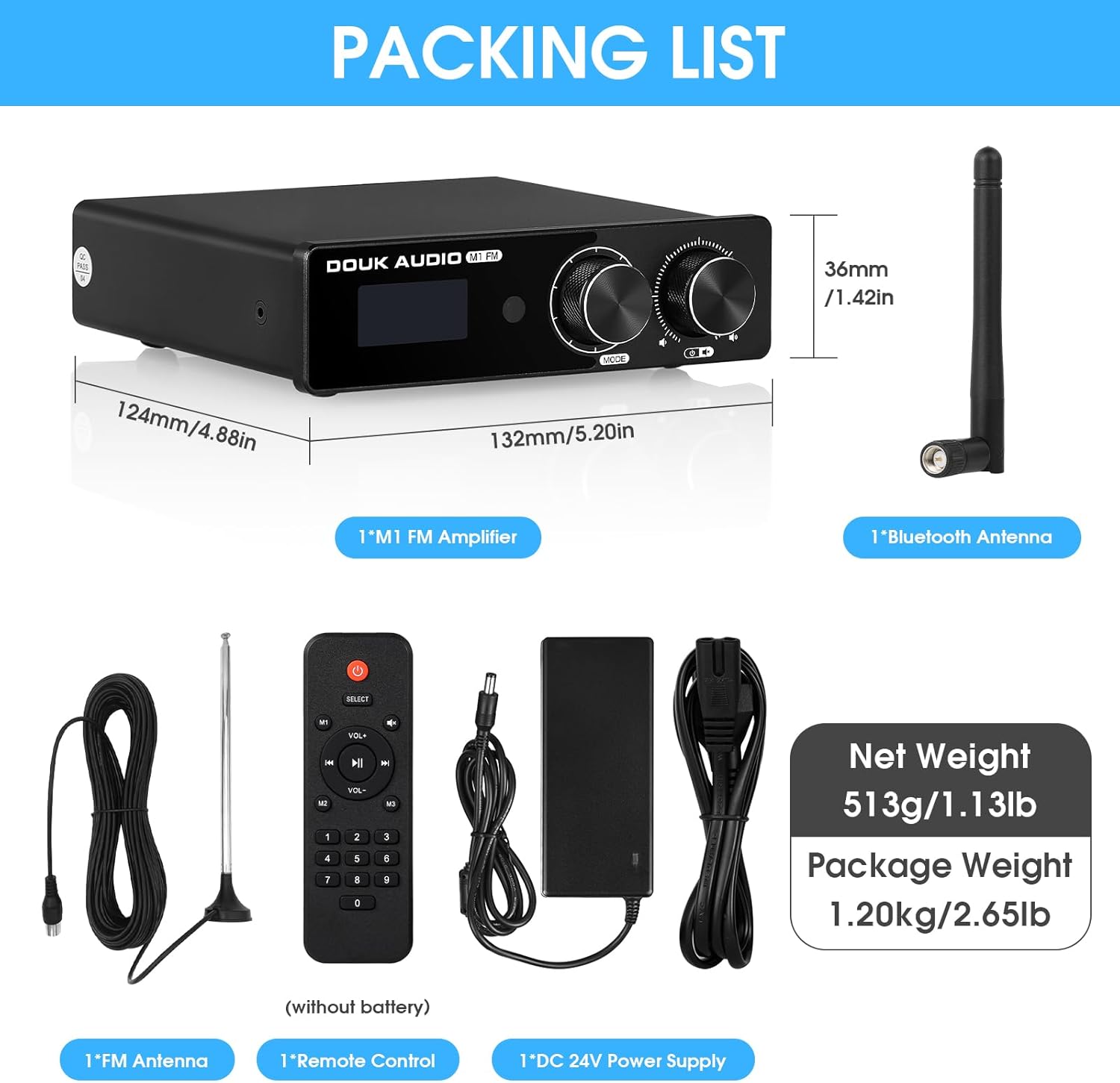
Пакеттин мазмуну
Пакетте бардык буюмдар бар экенин текшериңиз:
- 1x Douk Audio M1FM Ampөмүрлүү
- 1x 24V/4A электр булагы
- 1x Bluetooth антеннасы
- 1x FM антенна
- 1x Remote Control (batteries not included)
Продукт бүттүview
Familiarize yourself with the front and rear panels of the M1FM ampөмүрлүү.

Алдыңкы панелдин башкаруу элементтери:
- Дисплей экраны: Shows current input mode, FM frequency, and volume level.
- Көп функциялуу баскыч: Менюда навигация жана тандоо үчүн колдонулат.
- Power / Volume / Mute Knob: Press to power on/off or mute, rotate to adjust volume.
- Инфракызыл кабылдагыч: Алыстан башкаруу сигналдары үчүн.
Арткы панелдин туташуулары:
- FM ANT: FM антеннасын туташтырыңыз.
- RCA IN (сол/оң): Analog audio input for devices like CD players.
- AUX IN (3.5 мм): Көчмө түзмөктөр үчүн аналогдук аудио киргизүү.
- AUX OUT (3.5mm): Audio output to connect to another amplifier or active speaker/subwoofer.
- Динамиктин чыгышы (сол/оң): Connect passive speakers using banana plugs or bare wire.
- Туруктуу ток 15-24V: Кубат киргизүү.
Жайгашуу
- Динамиктерди туташтыруу:
Connect your passive speakers to the "SPK OUT L" and "SPK OUT R" terminals on the rear panel. Ensure correct polarity (red to red, black to black). The ampкөтөргүч 3-8Ω пассивдүү динамиктерди колдойт.
- Аудио булактарын туташтыруу:
- RCA киргизүү: Connect devices such as CD players or DACs to the "RCA IN" ports using an RCA cable.
- AUX киргизүү: Connect portable devices (e.g., smartphones, tablets) to the "AUX IN" (3.5mm) port using a 3.5mm audio cable.
- FM антеннасын туташтыруу:
Attach the provided FM antenna to the "FM ANT" connector on the rear panel. Extend the antenna for optimal reception.

Figure 3: FM Antenna Setup. This image shows the Douk Audio M1FM amplifier connected to speakers and an FM antenna, illustrating the setup for radio reception. - Connect Bluetooth Antenna:
Screw the provided Bluetooth antenna into the dedicated connector on the rear panel for stable wireless connectivity.
Video 1: Douk Audio M1FM Ampкөтөргүч орнотуу. This video demonstrates the physical connections for the Douk Audio M1FM amplifier, including speaker wires, RCA cables, AUX cables, and antenna connections, showcasing the rear panel setup. - Кубат туташуу:
Connect the 24V/4A power supply to the DC input on the rear panel, then plug the power supply into a wall outlet.
Операция
Күйгүзүү/өчүрүү жана үндү башкаруу:
- Press the Power/Volume/Mute knob on the front panel to turn the unit on or off.
- Rotate the Power/Volume/Mute knob to adjust the volume level.
- Press the knob briefly to mute or unmute the audio.
Киргизүүнү тандоо:
Press the Multi-function knob on the front panel to cycle through available input modes: Bluetooth, FM, RCA, AUX.
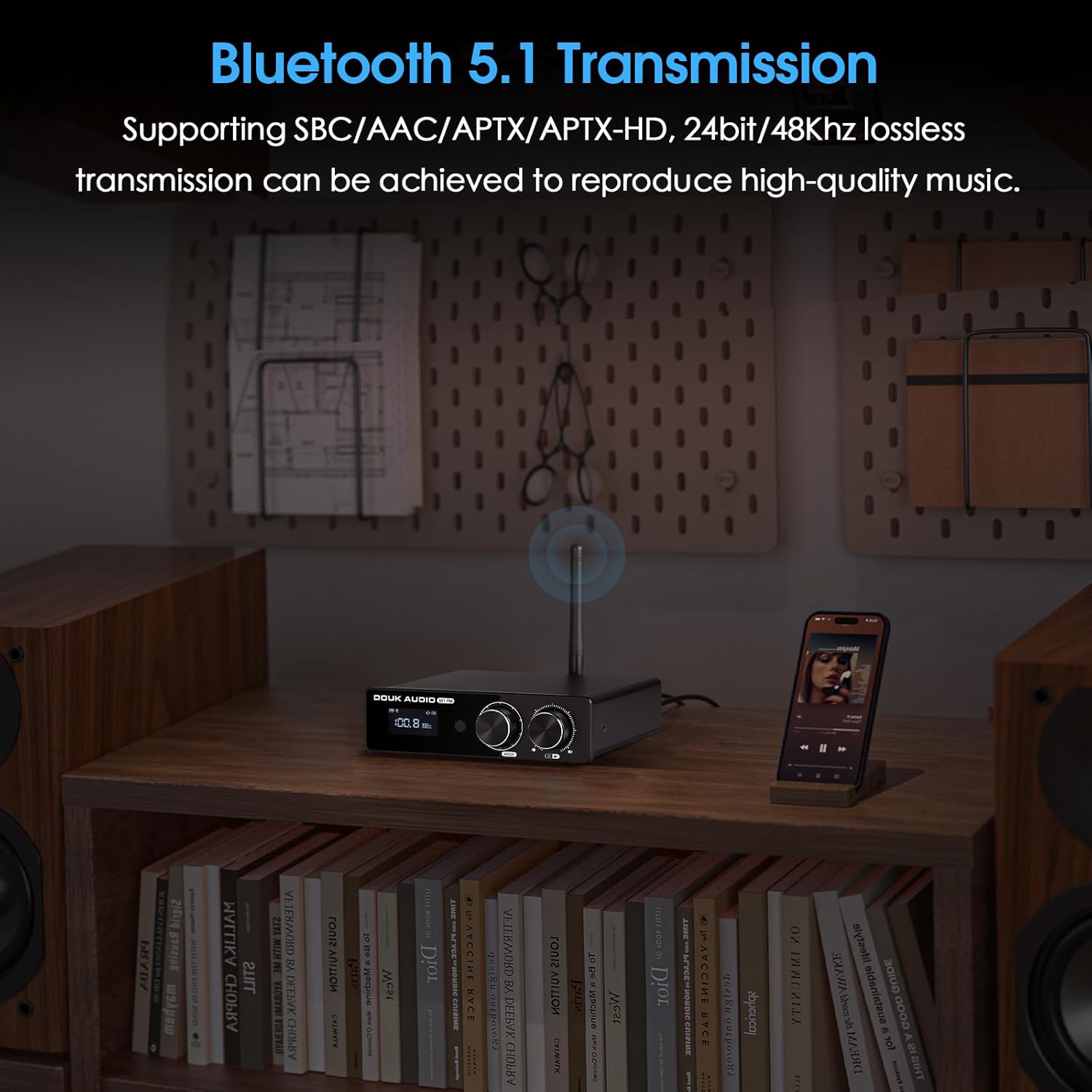
Bluetooth операциясы:
- Select "Bluetooth" input mode on the amplifier. The display will show "BT".
- On your mobile device, enable Bluetooth and search for "Douk Audio M1FM".
- тандаңыз amplifier to pair. Once connected, the display will indicate a successful connection.
- To clear paired devices, use the Bluetooth reset function via the remote control.
FM радиосу:
- Select "FM" input mode.
- Use the Multi-function knob or remote control to perform automatic or manual station searches.
- The display will show the current FM frequency (76-108MHz).
Алыстан башкарууну колдонуу:
The full-function remote control allows for convenient operation from a distance. Insert 2x AAA batteries (not included) into the remote. Functions include power, input selection, volume adjustment, mute, FM tuning, and Bluetooth reset.

Техникалык шарттар
| Параметр | Нарк |
|---|---|
| Аудио киргизүү | Bluetooth 5.1 / FM / RCA / AUX |
| Аудио чыгаруу | AUX / Banana speaker jacks |
| Ampкөтөргүч IC | TPA3116D2 |
| Bluetooth чип | QCC303X (supports AAC/SBC/APTX/APTX-HD, 48kHz/24bit) |
| Оп-amp | 4PCS NE5532 (pluggable sockets) |
| FM жыштыгы | 76-108 МГц |
| Frequency Response | 20Гц-20кГц (±1дБ) |
| Чыгуучу кубаттуулук | 50W*2 @ 4Ω |
| Киргизүү сезгичтиги | 0.775V |
| AUX номиналдык чыгаруу деңгээли | 1.3V |
| THD+N | 0.03% |
| SNR | ≥102дБ |
| Working Voltage | DC 15-24V |
| Өлчөмдөрү (W*D*H) | 132*124*36mm / 5.20*4.88*1.42in |
| Таза Салмак | 513г / 1.13лб |

Проблемаларды чечүү
| Көйгөй | Мүмкүн себеп | Чечим |
|---|---|---|
| Күч жок | Power cable not connected; Power outlet faulty; Power adapter damaged. | Электр кабелинин туташуусун текшериңиз; Башка розетканы колдонуп көрүңүз; Адаптерди алмаштыруу үчүн колдоо кызматына кайрылыңыз. |
| Үн жок | Incorrect input selected; Volume too low; Speaker cables loose; Mute function active. | Select correct input; Increase volume; Check speaker connections; Deactivate mute. |
| Bluetooth байланышы көйгөйлөрү | Түзмөк жупташтыруу режиминде эмес; Amplifier too far from device; Interference; Previously paired device. | камсыз кылуу amplifier is in BT mode; Move device closer; Clear Bluetooth history on amplifier and device; Try pairing again. |
| FM кабыл алуу начар | FM antenna not connected or poorly positioned; Weak signal in area. | Ensure FM antenna is securely connected and fully extended; Reposition antenna for better signal; Consider an external FM antenna if needed. |
| Бурмаланган үн | Volume too high; Input signal too strong; Speaker impedance mismatch. | Reduce volume; Check source device output level; Ensure speakers are 3-8Ω. |
Техникалык тейлөө
- Агрегатты жумшак, кургак чүпүрөк менен тазалаңыз. Суюк тазалагычтарды же аэрозолдорду колдонбоңуз.
- Желдетүүчү тешиктерди чаңдан жана таштандылардан тазалаңыз.
- сактаңыз amplifier in a cool, dry place when not in use for extended periods.
Кепилдик жана колдоо
Douk Audio products are designed for reliability and performance. For warranty information, please refer to the warranty card included with your purchase or visit the official Douk Audio website. For technical support or service inquiries, please contact Douk Audio customer service through their official channels.
Көбүрөөк маалыматты жана байланыш маалыматтарын төмөнкү даректен таба аласыз Amazon'догу Douk аудио дүкөнү.


