1. Киришүү
The ANCEL HD431 is a versatile 2-in-1 diagnostic scan tool designed for both heavy-duty diesel trucks and standard OBD2 compliant vehicles. It offers comprehensive system diagnostics, including specialized DPF (Diesel Particulate Filter) functions for Detroit and Paccar engines. Equipped with a 4.3-inch HD screen and Wi-Fi connectivity for lifetime free updates, the HD431 provides an efficient solution for vehicle maintenance and troubleshooting.
Key capabilities include reading and clearing trouble codes, viewing live data streams, performing DPF regeneration, and accessing vehicle information. Its wide compatibility with various truck connectors makes it a valuable tool for truck owners and mechanics.
2. Кутуда эмне бар
Upon unboxing your ANCEL HD431, please verify that all components listed below are present and in good condition:
- 1 x ANCEL HD431 Diagnostic Device
- 1 x 1.5M OBD-II Diagnostic Cable
- 1 x Diesel 6 & 9 Pin Connector
- 1 x Instruction Manual
- 1 x Packaging Box

Image: ANCEL HD431 Kit Packing List. This image displays the main diagnostic device, the OBD-II diagnostic cable, the diesel 6 & 9 pin connector, the instruction manual, and the product packaging box.
3. Продукциянын өзгөчөлүктөрү
The ANCEL HD431 offers a robust set of features designed for comprehensive vehicle diagnostics:
3.1 DPF Regeneration for Detroit & Paccar
The HD431 supports forced regeneration, replacement, and reset functions specifically for Detroit and Paccar truck engines. Regular DPF regeneration is crucial for extending engine service life and reducing maintenance costs, preventing costly emergency shutdowns.
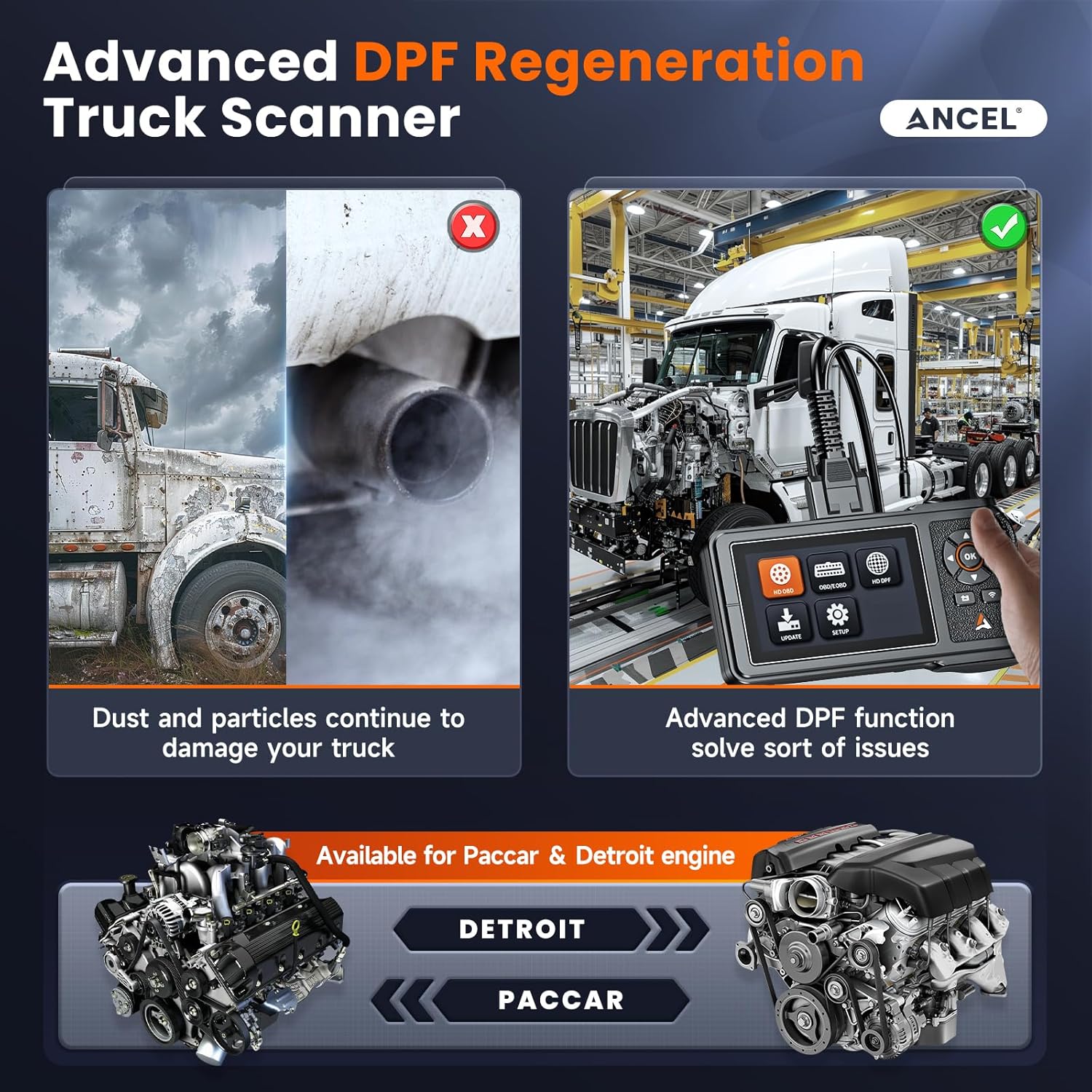
Image: Advanced DPF Regeneration Truck Scanner. This visual highlights the contrast between a truck with accumulated dust and particles in its exhaust system (left) and a clean truck after DPF regeneration using the HD431 (right), emphasizing the benefits for Paccar and Detroit engines.
3.2 Өмүр бою акысыз жаңыртуулар
Benefit from lifelong free software and version updates, ensuring your device remains current with the latest vehicle diagnostic capabilities and new functions without incurring additional subscription fees.
3.3 All HDOBD/OBD2 Diagnosis
This device supports all 12V and 24V trucks equipped with Cummins, Caterpillar, Paccar, and Detroit engines, as well as standard OBD2 vehicles. It can read and erase trouble codes, determine MIL (Malfunction Indicator Lamp) status, I/M Readiness, Live Data, Oxygen Sensor Test, and On-Board Monitor data. A built-in DTC lookup library assists in understanding relevant codes.
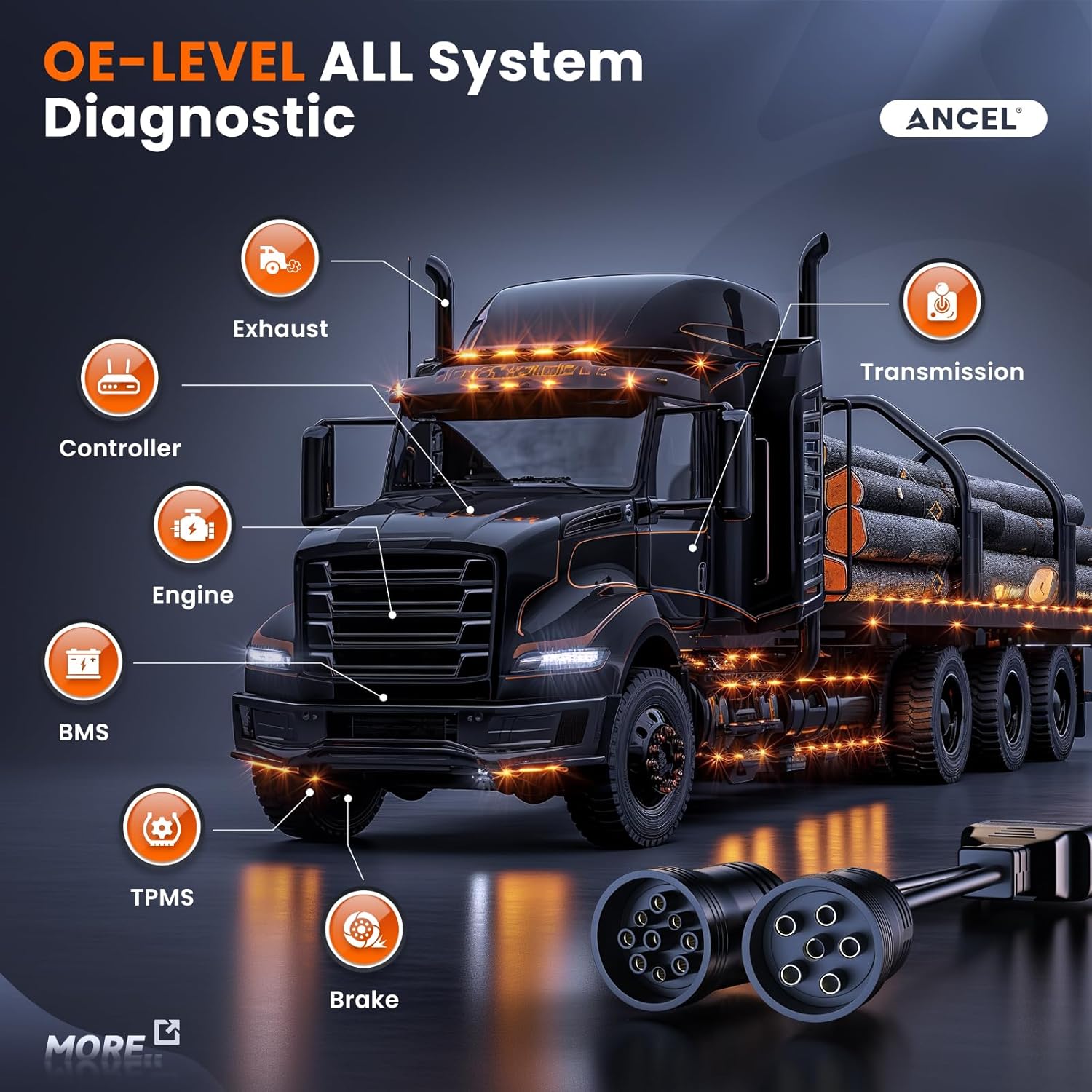
Image: Professional HDOBD OBDII Functions. This graphic details the comprehensive diagnostic capabilities of the HD431, including standard OBDII functions like reading and erasing codes, live data stream, freeze frame, I/M readiness, on-board monitoring test, O2 monitor test, and HDOBD functions such as reading and erasing codes and live data stream.
3.4 Кең шайкештик
Equipped with 6 & 9 pin truck connectors and 16 pin OBD standard connectors, the HD431 is compatible with a wide range of U.S. trucks and vehicles. It supports protocols including SAE J1939, SAE J1708, SAE J1850 PWM, SAE J1850 VPW, ISO 14230-4, ISO 9141-2, ISO 15765-4, and ISO 27145-4.

Image: 2024 Wide Trucks Compatibility. This image illustrates the broad range of vehicles compatible with the HD431, including heavy-duty trucks, medium-duty trucks, garbage trucks, tow trucks, dump trucks, and vans, highlighting its versatility.
3.5 OE-Level All System Diagnostic
The HD431 provides OE-level diagnostics for all major systems in heavy-duty trucks, including Engine, Transmission, ABS, TPMS, Brake, BMS, Exhaust, Fuel, SAS, and Controller systems.

Image: OE-LEVEL All System Diagnostic. This visual demonstrates the comprehensive system diagnostic capabilities of the HD431, pointing out various components like exhaust, transmission, controller, engine, BMS, TPMS, and brake systems on a truck chassis.
3.6 Продукт бүттүview Video
Тез бүтүрүү үчүнview of the ANCEL HD431's features and benefits, please watch the official product video below:
Video: Why choose HD431? This short video provides a concise summary of the key advantages and features of the ANCEL HD431 diagnostic scanner.
4. Орнотуу
Setting up your ANCEL HD431 is a straightforward three-step process:
- Plug into the Truck/OBDII Port: Locate the diagnostic port in your vehicle (typically under the dashboard on the driver's side). Connect the appropriate diagnostic cable (either the 16-pin OBDII connector for cars or the 6 & 9 pin diesel connector for trucks) to the HD431 device and then to your vehicle's diagnostic port.
- Унааны күйгүзүү: Turn the vehicle's ignition to the 'ON' position (engine off) or start the engine, depending on the diagnostic procedure required. The HD431 device will power on automatically once connected and the vehicle is powered.
- Select the Menu and Start Diagnosis: Once the device powers on and initializes, navigate the menu using the directional buttons. Select the appropriate diagnostic mode (e.g., HD OBD for heavy-duty, OBD/EOBD for standard vehicles) and proceed with your desired diagnostic function.
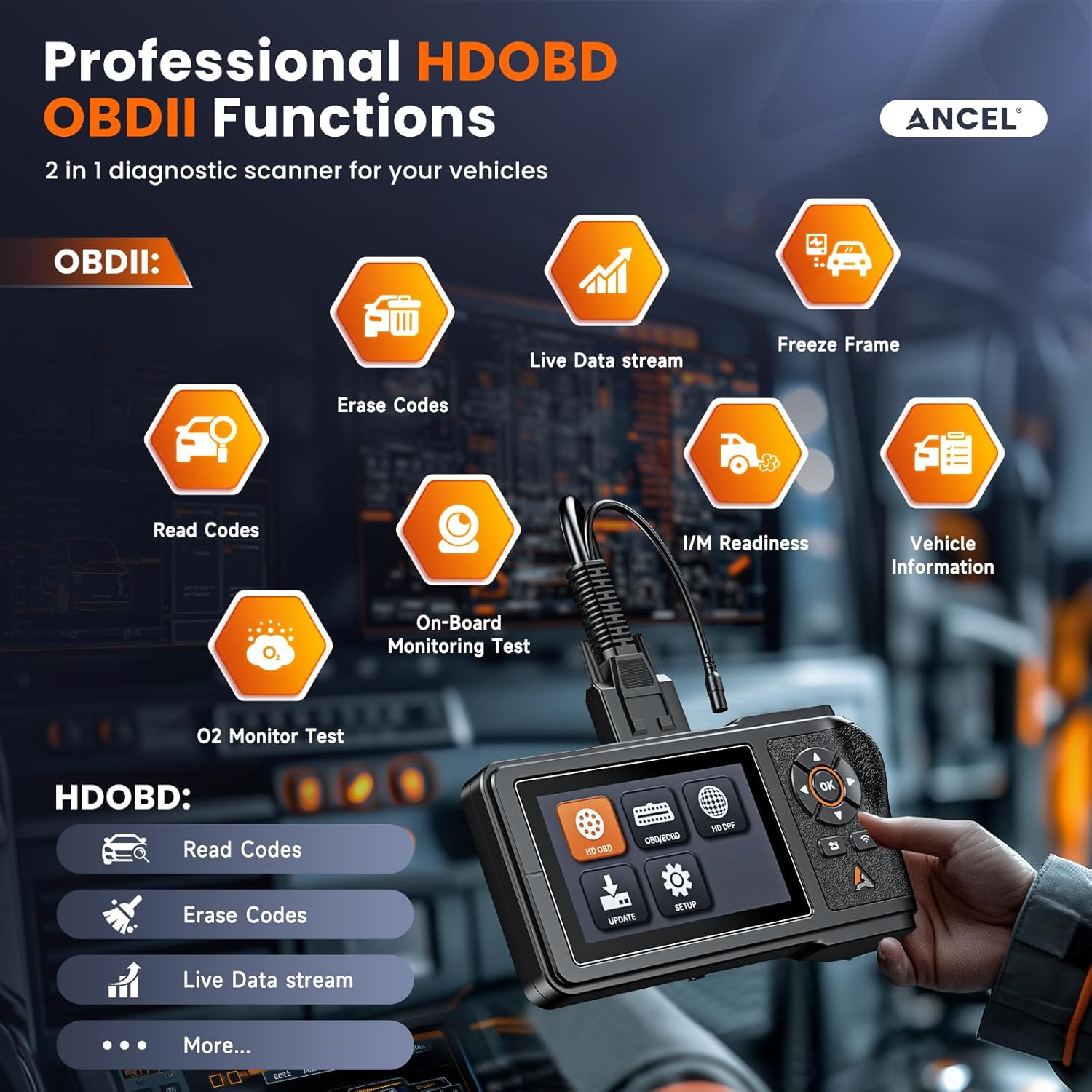
Image: Plug and Play. This visual guide demonstrates the simple three-step process for connecting and initiating diagnosis with the ANCEL HD431 scanner.
5. Иштөө нускамалары
The ANCEL HD431 provides intuitive navigation for various diagnostic operations:
5.1 Меню Навигациясы
Use the directional buttons (up, down, left, right) to navigate through the menu options on the 4.3-inch HD screen. The 'OK' button confirms selections, and the 'Return' button goes back to the previous screen.
5.2 Кыйынчылык коддорун окуу жана тазалоо
From the main menu, select either 'HD OBD' or 'OBD/EOBD' based on your vehicle type. Choose 'Read Codes' to display current, pending, and history Diagnostic Trouble Codes (DTCs). To clear codes, select 'Erase Codes' and follow the on-screen prompts. Ensure the ignition is on and the engine is off when clearing codes.
5.3 Live Data Stream
Access real-time sensor data by selecting 'Live Data Stream' from the diagnostic menu. This function allows you to monitor various parameters such as engine RPM, coolant temperature, oxygen sensor readings, and fuel system status, which is vital for pinpointing intermittent issues.
5.4 DPF Regeneration
For Detroit and Paccar engines, select 'HD DPF' from the main menu. Follow the specific instructions for forced regeneration, replacement, or reset. Ensure the engine meets the necessary conditions (e.g., correct temperature) before attempting DPF functions.
6. Техникалык тейлөө
To ensure optimal performance and access to the latest vehicle data, regular maintenance of your ANCEL HD431 is recommended:
6.1 Программалык камсыздоо жаңыртуулары
The device supports lifetime free updates via Wi-Fi. Connect the device to a stable Wi-Fi network and navigate to the 'Update' section in the main menu. Follow the on-screen instructions to download and install the latest software versions. This ensures compatibility with new vehicle models and improved diagnostic capabilities.
6.2 Физикалык кам көрүү
Keep the device clean and free from dust and debris. Store it in a dry, cool place away from direct sunlight and extreme temperatures. Avoid dropping the device or exposing it to excessive moisture.
7. Кыйынчылыктарды
If you encounter issues while using your ANCEL HD431, consider the following common troubleshooting steps:
7.1 Түзмөк күйбөй жатат
Ensure the diagnostic cable is securely connected to both the HD431 and the vehicle's diagnostic port. Verify that the vehicle's ignition is in the 'ON' position or the engine is running. Check the vehicle's battery voltage; insufficient power can prevent the device from turning on.
7.2 Байланыш катасы
If the device fails to communicate with the vehicle, ensure the correct connector (OBDII, 6-pin, or 9-pin) is being used for your specific vehicle. Verify that the vehicle's ignition is on. Try connecting to a different vehicle to rule out a device issue. Consult your vehicle's manual for the exact location and type of diagnostic port.
7.3 DPF Regeneration Failure
DPF regeneration may fail due to various factors, including existing engine trouble codes, incorrect engine temperature, or specific vehicle conditions not being met. Ensure all prerequisites outlined in the DPF function menu are satisfied before attempting regeneration. Address any active engine trouble codes first.
7.4 Программалык камсыздоону жаңыртуу маселелери
If updates fail, ensure a stable Wi-Fi connection. Restart the device and attempt the update again. If the issue persists, contact ANCEL technical support for assistance.
8. Техникалык шарттар
| Атрибут | Нарк |
|---|---|
| Бренд | ANCEL |
| Модел | HD431 |
| Элемент Салмагы | 2.55 фунт |
| Пакеттин өлчөмдөрү | 9.61 x 5.35 x 5.04 дюйм |
| Келип чыккан өлкө | Кытай |
| Операция системасы | Android 5.0 |
| Display Resolution | 480x272 |
| Байланыш | Wi-Fi, OBD-II, 6-pin, 9-pin |
9. Кепилдик жана колдоо
ANCEL is committed to providing excellent customer service and support for the HD431 diagnostic scan tool:
9.1 Техникалык колдоо
Experience unparalleled assistance from ANCEL's expert team. The 'Feedback' function on the device streamlines the process of sending diagnostic reports or encountered issues for professional consultation. ANCEL offers round-the-clock services 24/7/365.
9.2 Кепилдик маалыматы
The ANCEL HD431 comes with a 1-year brand warranty, ensuring peace of mind regarding product quality and performance. For detailed warranty terms and conditions, please refer to the official ANCEL webсайтка же кардарларды тейлөөгө кайрылыңыз.


