1. Киришүү
This user manual provides detailed instructions for the installation, operation, and maintenance of your Ease Life 1080P Security Camera (Model: Y108). This camera is designed for outdoor home security, offering a 360° view with pan/tilt capabilities, color night vision, motion detection, and two-way audio communication. Please read this manual thoroughly before using the product to ensure proper functionality and safety.

Image: The Ease Life 1080P Security Camera shown alongside a smartphone displaying its live view interface. The camera is white with two antennas and a prominent lens array. The app shows a live feed of a child and an adult playing with a ball.
2. Коопсуздук маалыматы
- Ensure the power adapter used is compatible with the camera's specifications and local electrical standards.
- Камераны өтө жогорку температурага, нымдуулукка же коррозиялуу чөйрөлөргө дуушар кылбаңыз.
- Камераны күчтүү магниттик талаалардын же тоскоолдук булактарынын жанына койбоңуз.
- Камераны ажыратууга же өзгөртүүгө аракет кылбаңыз. Бардык тейлөөлөрдү квалификациялуу кызматкерлерге тапшырыңыз.
- Камераны жана анын аксессуарларын балдар жана үй жаныбарлары жетпеген жерде сактаңыз.
- Камераны жумшак, кургак чүпүрөк менен тазалаңыз. Катуу химиялык заттарды же абразивдүү тазалоочу каражаттарды колдонбоңуз.
- Ensure the camera is securely mounted to prevent accidental falls.
3. Пакеттин мазмуну
Пакеттин мазмунун ачканда текшериңиз. Эгерде кандайдыр бир нерселер жок болсо же бузулса, кардарларды колдоо менен байланышыңыз.
- Ease Life 1080P Security Camera (Y108)
- Кубаттуу адаптер
- Монтаждоо бурамалар жана дубал сайгычтар
- Колдонуучунун Колдонмосу (бул документ)
- Mounting Template (may be included)
4. Продукт бүтүп калдыview
Familiarize yourself with the main components of your security camera.

Сүрөт: деталдуу view of the camera's front, highlighting the lens, infrared LEDs, and visible light LEDs for color night vision.
4.1 Камера өлчөмдөрү
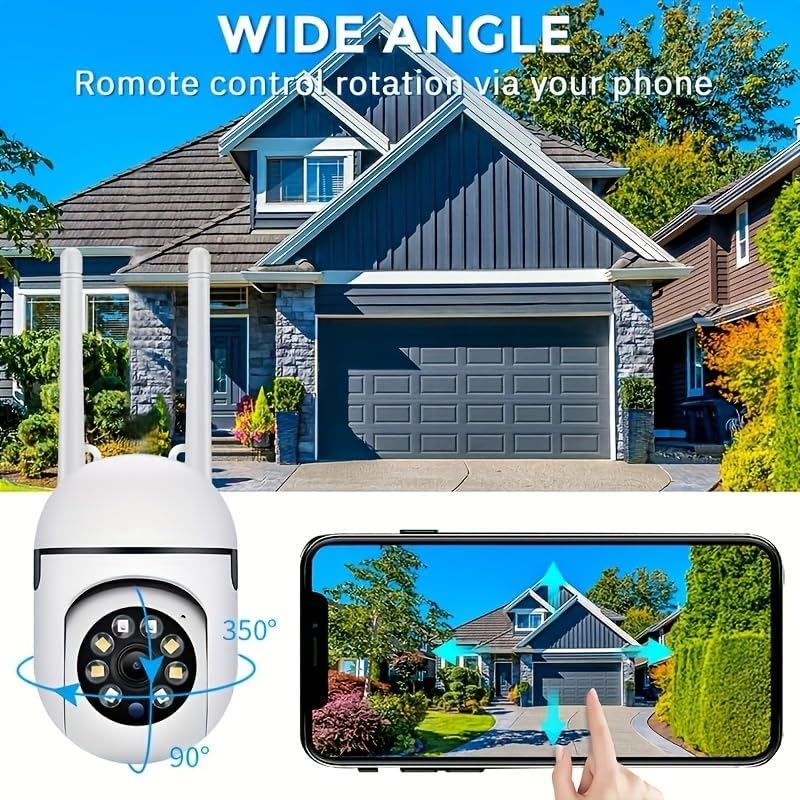
Image: Technical drawing showing the camera's dimensions: approximately 18cm (7.08 inches) in height, 7cm (2.76 inches) in width, and 8.8cm (3.46 inches) in depth from the wall mount.
4.2 Негизги компоненттер
- Объектив: 1080P Full HD видео тартат.
- Инфракызыл диоддор: Кара жана ак түнкү көрүү үчүн.
- Ак жарык диоддору: For color night vision and alarm illumination.
- Микрофон: эки тараптуу аудио байланыш үчүн.
- Баяндамачы: For two-way audio communication and alarm sounds.
- Антенналар: 2.4 ГГц Wi-Fi байланышы үчүн.
- Микро SD карта слоту: Жергиликтүү видео сактоо үчүн (карта кошулган эмес).
- Калыбына келтирүү баскычы: Заводдук жөндөөлөргө кайтаруу үчүн колдонулат.
- Электр порту: Кубат адаптерин туташтыруу үчүн.

Image: The camera is shown with labels pointing to the microphone and speaker, illustrating its two-way audio capability. A delivery person is shown interacting with the camera.
5. Орнотуу
5.1 Колдонмону орнотуу
- Издөө "EaseLife" in your smartphone's app store (App Store for iOS, Google Play Store for Android).
- Download and install the EaseLife app.
- Колдонмону ачып, жаңы аккаунт каттоо же эгер сизде мурунтан эле бар болсо, кирүү үчүн экрандагы көрсөтмөлөрдү аткарыңыз.
5.2 Camera Connection (Wi-Fi)
- Power on the camera by connecting the power adapter. The camera will perform a self-test and then enter pairing mode (indicated by a specific LED status or voice prompt).
- Open the EaseLife app, tap the "+" icon to add a new device.
- Камераңыздын моделин тандаңыз же камерадагы QR кодун сканерлеңиз (эгер бар болсо).
- Follow the in-app instructions to connect the camera to your 2.4GHz Wi-Fi network. Ensure your phone is connected to the same 2.4GHz Wi-Fi network during setup.
- Туташкандан кийин, камераңызга ат коюп, түз эфирди баштасаңыз болот viewing.
5.3 Камераны орнотуу
так камсыз кылуу, монтаждоо үчүн ылайыктуу жерди тандоо view and access to a power outlet. The camera supports wall mounting.
- Use the provided mounting template (if included) or mark the drill holes on the desired surface.
- Ташка же гипсокартонго монтаждасаңыз, тешиктерди буруңуз жана дубалдын тыгындарын салыңыз.
- Берилген бурамалар менен камеранын бекитүүчү негизин бетке бекитиңиз.
- Adjust the camera's angle as needed after mounting.

Image: The camera is depicted with arrows indicating its 360-degree horizontal pan and 90-degree vertical tilt rotation, demonstrating its wide coverage capabilities.
6. Иштөө нускамалары
6.1 Live View жана панорамалоо/кыйшайтуу башкаруусу
Open the EaseLife app and select your camera to access the live view. You can control the camera's pan (horizontal) and tilt (vertical) movements directly from the app interface to adjust the viewбурч.

Image: The camera is shown with a wide-angle view of a house, illustrating its ability to cover a large area. A smartphone screen demonstrates remote control of the camera's rotation.
6.2 Эки тараптуу аудио
Tap the microphone icon in the app to speak through the camera's speaker. Tap the speaker icon to listen to audio from the camera's microphone. This feature allows for real-time communication with visitors or deterrence of intruders.
6.3 Кыймылды аныктоо жана эскертүүлөр
Enable motion detection in the app settings. When motion is detected, the camera will record video and send push notifications to your smartphone. You can adjust sensitivity levels and set detection zones.
6.4 Түнкү көрүү режимдери
The camera supports multiple night vision modes:
- Инфракызыл түнкү көрүнүш: Provides clear black and white images in low light or complete darkness using infrared LEDs.
- Толук түстүү түнкү көрүнүш: Activates the camera's white light LEDs to provide full-color video even in dark conditions.
- Sound and Light Alarm Night Vision: Combines full-color night vision with an audible alarm and flashing lights upon motion detection to deter unwanted activity.

Image: Illustrations of the three night vision modes: Infrared (black and white), Full Color (illuminated by white light), and Sound and Light Alarm (with a red outline indicating an alarm trigger).
6.5 Жазуу жана ойнотуу
Recordings can be stored on a Micro SD card (up to 128GB, not included) or via cloud service (subscription required). Access recorded footage through the "Playback" or "Gallery" section in the EaseLife app.
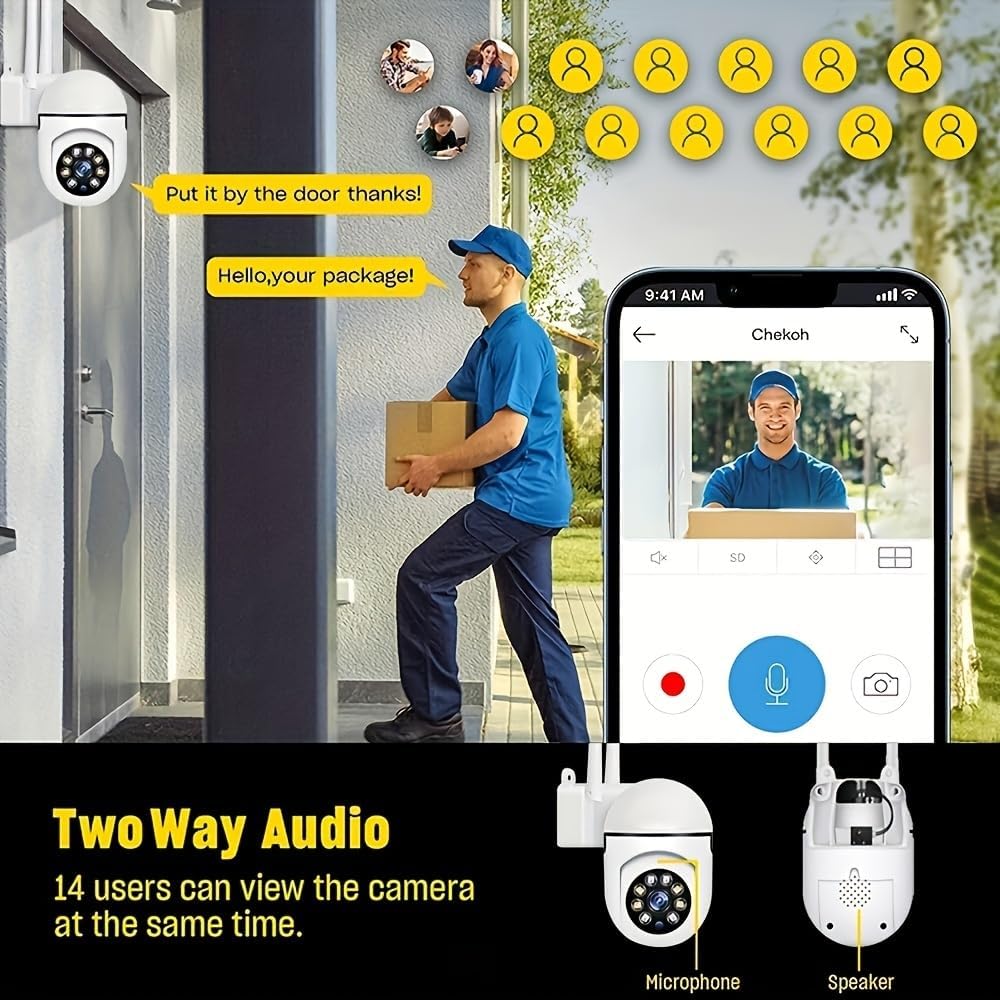
Image: A smartphone screen showing the replay function of the camera, with multiple thumbnail views of recorded events. Below, the camera is shown with its "Double light night vision" capability highlighted, indicating both infrared and white light LEDs.
7. Техникалык тейлөө
- Тазалоо: Regularly wipe the camera lens and body with a soft, dry cloth to remove dust and dirt. Do not use liquid cleaners or sprays directly on the camera.
- Программалык камсыздоонун жаңыртуулары: Check the EaseLife app periodically for firmware updates. Keeping your camera's firmware updated ensures optimal performance and access to new features.
- Power Cycle: Эгерде камерада көйгөйлөр жаралса, аны кубат булагынан 10 секундга сууруп, андан кийин кайра сайып көрүңүз.
8. Кыйынчылыктарды
| Көйгөй | Мүмкүн себеп | Чечим |
|---|---|---|
| Колдонмодо камера оффлайн режиминде | Электр энергиясы жок; Wi-Fi өчүрүлгөн; роутер көйгөйлөрү. | Check power connection. Restart camera and router. Reconnect camera to Wi-Fi via app. |
| Wi-Fi'га туташпай жатат | Incorrect Wi-Fi password; 5GHz Wi-Fi network; Weak signal. | Туура 2.4 ГГц Wi-Fi сырсөзүн камсыз кылуу. Камераны роутерге жакыныраак жылдырыңыз. Камераны баштапкы абалга келтирип, кайра жупташтырып көрүңүз. |
| Кыймылды аныктоо иштебей жатат | Функция өчүрүлгөн; Сезгичтик өтө төмөн; Туура эмес аныктоо зонасы. | Enable motion detection in app. Adjust sensitivity. Define detection zones correctly. |
| Камерадан аудио жок | Колдонмодо микрофон/динамик өчүрүлгөн; Үнү өтө төмөн. | Check audio settings in app. Increase volume. |
| Түнкүсүн сүрөттүн сапаты начар | Night vision mode not optimal; Obstruction in front of lens. | Switch night vision modes. Clean lens. Ensure no obstructions. |
9. Техникалык шарттар
| Өзгөчөлүк | Деталь |
|---|---|
| Видео тартуунун резолюциясы | 1080p толук HD |
| Байланыш технологиясы | Зымсыз (Wi-Fi) |
| Wi-Fi жыштыгы | 2.4 ГГц |
| Өзгөчөлүктөр | Night Vision (Infrared, Full Color, Sound & Light Alarm), Pan/Tilt (360° horizontal, 90° vertical), Motion Detection, Two-Way Talk |
| Шайкеш түзмөктөр | Tablet, Smartphone (iPhone, Android) |
| Power Source | Электр зымдары |
| Монтаж түрү | Дубалга орнотуу |
| Форма фактору | Купол |
| Элемент Салмагы | 250 г |
| Өндүрүүчү | BoyKeep |
10. Кепилдик жана колдоо
Your Ease Life 1080P Security Camera comes with a standard manufacturer's warranty. Please refer to the product packaging or the official BoyKeep webатайын кепилдик шарттары жана шарттары үчүн сайт.
For technical support, troubleshooting assistance, or warranty claims, please contact BoyKeep customer service through the contact information provided on their official webсайт же сатып алуу платформасы аркылуу.
Онлайн ресурстар: For the latest FAQs, video tutorials, and software updates, please visit the official EaseLife or BoyKeep support page.


