1. Киришүү
This manual provides detailed instructions for the installation, operation, and maintenance of your GeekTale Smart Keypad Door Lock, Model K07-01. Please read this manual thoroughly before installation and use to ensure proper function and safety. This electronic digital door lock offers keyless access via a keypad, mechanical key override, and various security features designed for convenience and protection in residential and office environments.
2. Коопсуздук маалыматы
- Do not attempt to disassemble or repair the lock yourself. Refer to qualified personnel for service.
- Use only specified batteries (4 x AA alkaline batteries). Do not mix old and new batteries or different types of batteries.
- Keep mechanical keys in a safe place outside the property.
- Avoid exposing the lock to direct sunlight, rain, or corrosive substances.
- Ensure the door is properly aligned and the latch operates smoothly before installing the lock.
3. Продукт бүтүп калдыview
The GeekTale Smart Keypad Door Lock K07-01 is designed for easy integration into most standard US doors, providing secure and convenient access. It features a backlit keypad, auto-lock functionality, and emergency power options.

Сүрөт: алдыңкы view of the GeekTale Smart Keypad Door Lock K07-01, showcasing the illuminated numeric keypad.
Пакеттин мазмуну:
- Exterior Keypad Knob
- Ички баскыч
- Лач механизми
- Strike Plate
- Монтаждоо бурамалар
- Механикалык ачкычтар (2)
- User Manual

Сүрөт: жарылды view of the lock components and key dimensions for installation, indicating the need for 4 AAA alkaline batteries.
4. Орнотуу боюнча колдонмо
Follow these steps to install your GeekTale Smart Keypad Door Lock. Ensure your door meets the specified dimensions (35mm to 54mm thickness) for proper fit.
- эшикти даярдоо: Ensure the door has a standard bore hole and backset. If replacing an existing knob, remove the old hardware.
- Latch орнотуу: Insert the latch mechanism into the edge of the door. Secure it with screws. Ensure the latch bolt faces the correct direction for your door swing.
- Install Exterior Keypad Knob: Place the exterior keypad knob through the door, aligning the spindle with the latch mechanism.
- Ички тутканы орнотуу: Attach the interior knob to the exterior knob, ensuring the connecting wires are properly routed and connected. Secure with mounting screws.
- Батареяны орнотуу: Open the battery cover on the interior knob. Insert 4 new AA alkaline batteries, observing polarity. Close the battery cover.
- Сыноо операциясы: After installation, test the mechanical key and the default passcode (if any) to ensure the lock operates smoothly.

Image: The keypad door lock shown installed on different types of doors, illustrating its versatility for various US door standards.
5. Иштөө нускамалары
5.1. Programming Passcodes
The lock supports up to 20 unique 4-8 digit passcodes. Refer to the detailed programming instructions in the included quick start guide or the GeekTale app for specific steps to add, modify, or delete user codes.

Image: The keypad smart lock highlighting its soft-touch buttons and the capacity for up to 20 different PIN codes.
5.2. Эшикти ачуу
- Сырсөздү колдонуу: Enter your 4-8 digit passcode on the keypad, then press the '#' key. The lock will unlock.
- Using a Mechanical Key: Insert the mechanical key into the keyhole on the exterior knob and turn to unlock.
5.3. Эшикти кулпулоо
- Автоматтык кулпу: The lock features an auto-lock function that re-locks the door after a set period (configurable via the app or programming instructions).
- Кол менен кулпулоо: From the interior, turn the knob to the locked position. From the exterior, press the '#' key to manually lock the door.

Image: A person closing a door with the smart keypad lock, illustrating the auto-lock feature engaging automatically.
5.4. Anti-Peep Technology
To prevent others from guessing your passcode, you can enter random digits before or after your actual code. The lock will still recognize the correct sequence within the longer string of numbers.

Сүрөт: мурункуample of using the anti-peep code feature, where random digits are added before and after the correct password to obscure it.
5.5. Passage Mode & Security Mode
The lock can be set to different modes:
- Өтүү режими: The door remains unlocked for continuous access, ideal for high-traffic periods.
- Коопсуздук режими: The door automatically locks after each entry, ensuring maximum security.
These modes can typically be configured through the lock's programming settings or a connected app, if applicable.

Image: A collage showing the interior knob with a privacy button and a family enjoying their home, representing the flexibility of privacy and passage modes.
6. Техникалык тейлөө
6.1. Батареяны алмаштыруу
When the battery is low, the lock will provide an audible alert (buzzer beeps twice) and visual indication (indicator flashes green then red) after unlocking. Replace all four AA alkaline batteries promptly to avoid being locked out.
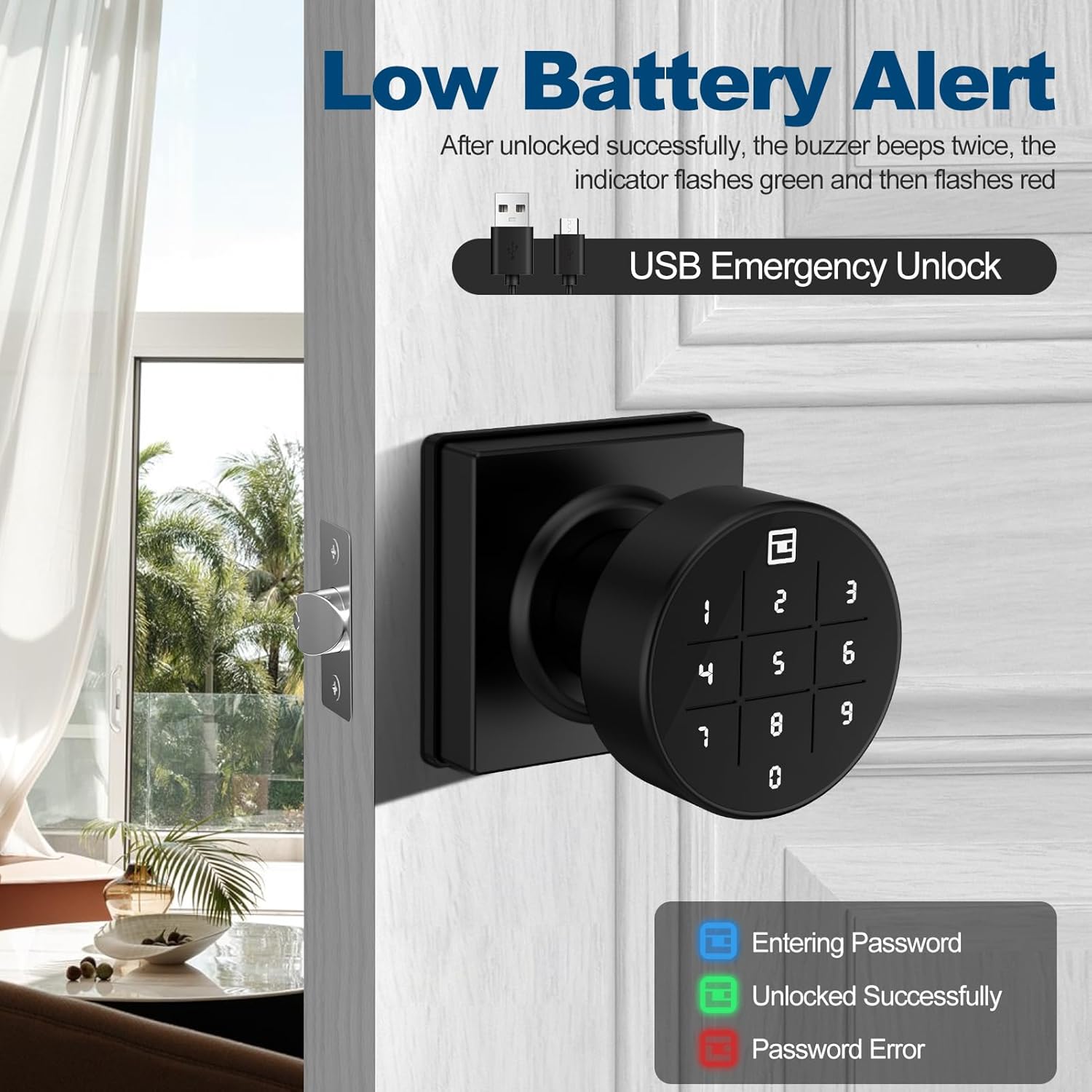
Image: The keypad lock displaying a low battery alert, with visual cues for password entry (blue), successful unlock (green), and password error (red). It also highlights the USB-C port for emergency power.
6.2. Авариялык кубат
In case batteries completely drain, a Type-C USB port is available on the exterior knob for emergency power. Connect a portable power bank to this port to temporarily power the lock and gain access.
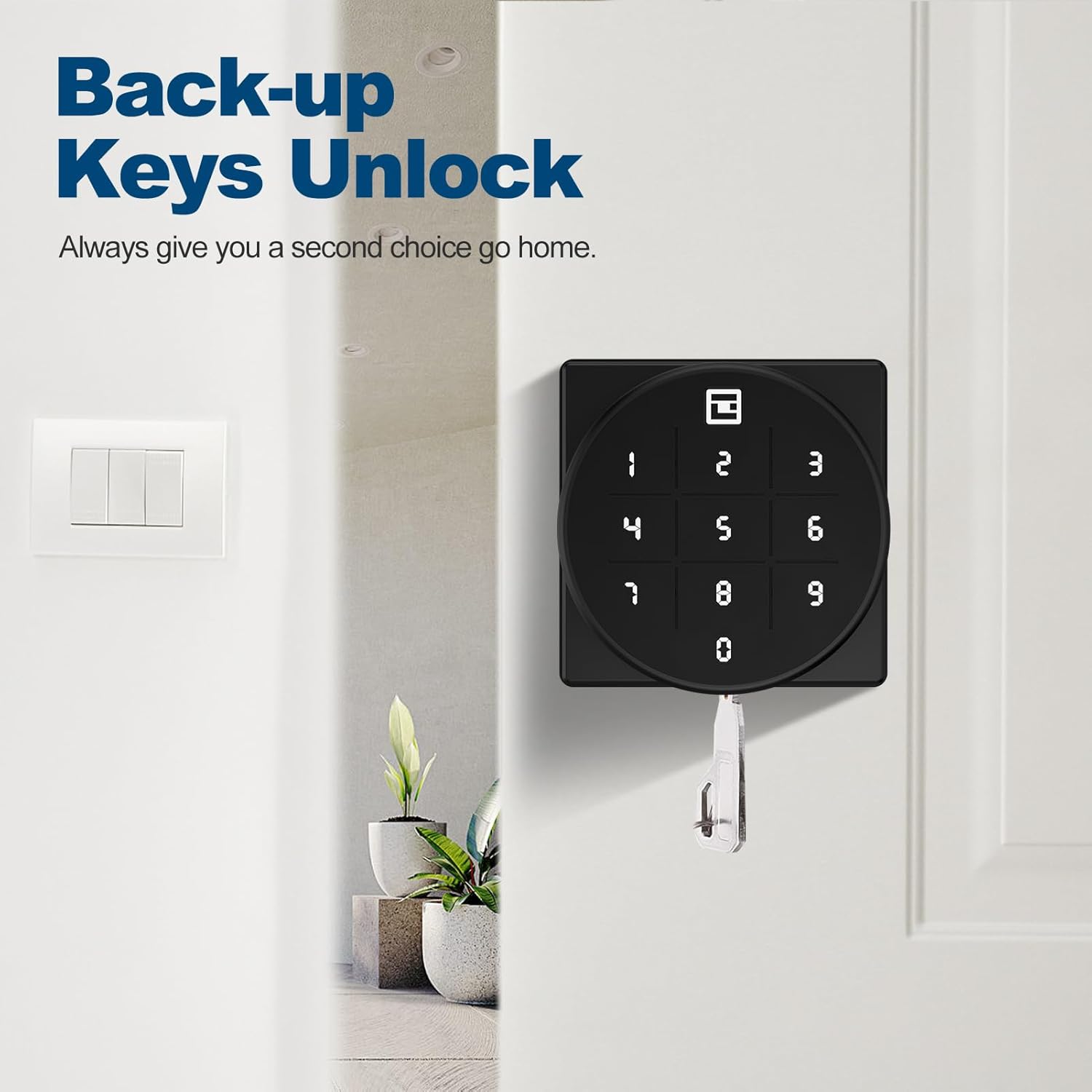
Image: The smart keypad lock with a mechanical key inserted, demonstrating the backup key unlock feature for emergency access.
6.3. Тазалоо
Кулпунун бетин жумшак, d менен тазалаңызamp кездеме. Абразивдүү тазалагычтарды же эриткичтерди колдонуудан алыс болуңуз, бул финишке же электрондук компоненттерге зыян келтирет.
7. Кыйынчылыктарды
- Кулпу жооп бербей жатат: Check battery levels. Use the USB-C emergency power port or mechanical key if batteries are dead.
- Өткөрүүчү код иштебей жатат: Ensure the correct passcode is entered. Try using the anti-peep feature. Re-program the passcode if necessary.
- Door not locking/unlocking smoothly: Check for any obstructions around the latch or strike plate. Ensure the lock is installed correctly and the door frame is aligned.
- Клавиатура күйбөйт: This may indicate very low battery levels or a fault. Replace batteries or use emergency power.
8. Техникалык шарттар
| Өзгөчөлүк | Деталь |
|---|---|
| Бренд | GeekTale |
| Модель аты | K07-01 |
| Кулпу түрү | Баскычтоп |
| Материал | Кошумча болот, жез |
| Түс | Кара |
| Сунушталган Колдонуулар | Home, Apartment, Office |
| Өзгөчөлүктөр | Keypad door knob, store 20 passcodes, anti-peep code, passage mode & security mode, two mechanical keys, easy to install |
| Power Source | 4 x AA батарейкалар (киргизилген эмес) |
| Өзгөчө кырдаалдардын күчү | Type-C USB порту |
| Элемент Салмагы | 1.74 фунт (0.79 килограмм) |
| Connectivity Protocol | Wi-Fi (Note: Product description mentions Wi-Fi, but features focus on keypad. App control is mentioned in reviews, implying Bluetooth or Wi-Fi bridge. For this manual, focus on direct lock features.) |
9. Кепилдик жана Кардарларды колдоо
GeekTale offers localized After-Sales Customer Service. For any product-related issues, please contact our customer support team through the official after-sales channels. We are committed to resolving your questions and ensuring your satisfaction. Please retain your proof of purchase for warranty claims.
For further assistance, visit the official GeekTale webсайтына кириңиз же продукт сатып алынган сатуучуга кайрылыңыз.


