1. Киришүү
Thank you for choosing the Claiks Electric Standing Desk. This manual provides essential information for the safe and efficient assembly, operation, and maintenance of your new adjustable height desk. Please read these instructions carefully before use and retain them for future reference.
2. Коопсуздук нускамалары
- Монтаждоодон мурун бардык компоненттер бар экенин жана бузулбаганын текшериңиз.
- Балдарды жана үй жаныбарларын жаракаттарды болтурбоо үчүн иш учурунда столдон алыс кармаңыз.
- Үстөлдү ашыкча жүктөбөңүз. Максималдуу салмак сыйымдуулугу үчүн спецификациялар бөлүмүн караңыз.
- Суюктуктарды түздөн-түз башкаруу панелине же электрдик тетиктердин жанына коюудан алыс болуңуз.
- Электр шнурунун кыпчылып же бузулуп калбагандыгын текшериңиз.
- If any unusual noise, smell, or malfunction occurs, immediately unplug the desk and contact customer support.
- Assembly may require two people due to the weight of some components.
3. Пакеттин мазмуну
Please verify that all the following parts are included in your package:
- Desk tabletop (black, 120cm x 60cm)
- Desk frame (black)
- Lifting columns (2 units)
- Эстутум алдын ала орнотуулары бар башкаруу панели
- Кубат адаптери жана кабели
- Монтаждоо жабдыктары (буроолор, болттар, аллен ачкычы)
- Колдонмо
Note: A screwdriver (not included) is recommended for assembly, although pre-drilled holes may allow for use with a regular screwdriver.
4. Орнотуу жана чогултуу
Follow these steps for assembling your Claiks Electric Standing Desk. Clear instructions are provided in the included manual.

Image: A screwdriver and the instruction manual, illustrating the assembly process.
- Компоненттерди таңгактан чыгаруу: Таңгактан кылдаттык менен бардык бөлүктөрүн алып салыңыз жана чийилип калбаш үчүн таза, жумшак бетке жаткызыңыз.
- Рамканы чогултуу: Attach the lifting columns to the desk feet using the provided hardware.
- Attach Crossbar: Connect the crossbar between the two lifting columns.
- Башкаруу кутучасын орнотуу: Secure the control box to the designated area on the frame.
- Столдун үстүн тиркөө: Carefully place the tabletop onto the assembled frame. Align the pre-drilled holes and secure the tabletop with the screws.
- Башкаруу панелин туташтыруу: Attach the control panel to the underside of the desk and connect its cable to the control box.
- Туташуу кубаты: Кубат адаптерин башкаруу кутусуна, андан кийин розеткага сайыңыз.

Image: A visual guide depicting the step-by-step assembly process of the desk frame and tabletop.
5. Иштөө нускамалары
Your Claiks Electric Standing Desk offers smooth and quiet height adjustment with memory presets.

Сүрөт: жакын план view of the desk's control panel, showing the digital height display and buttons for up, down, and memory presets (1, 2, 3).
5.1. Бийиктикти тууралоо
- колдонуу Өйдө (▲) жана Төмөн (▼) buttons on the control panel to manually adjust the desk height. The current height will be displayed on the digital screen.
- The desk can be adjusted between 72cm and 118cm.
5.2. Memory Presets
The desk allows you to save up to three preferred heights for quick adjustment.
- Өйдө/Төмөн баскычтары менен үстөлдү каалаган бийиктикке тууралаңыз.
- басыңыз "М" button (or similar memory button) followed by one of the numbered preset buttons (1, 2 же 3). The display will confirm the height has been saved.
- To recall a saved height, simply press the corresponding numbered preset button (1, 2 же 3). Үстөл автоматтык түрдө ошол бийиктикке жылат.

Image: A person's hand interacting with the desk's control panel, adjusting the height. The digital display shows '072'.
5.3. Тынч иштөө
The Claiks Electric Standing Desk is designed for quiet operation, ensuring minimal disturbance in your workspace.
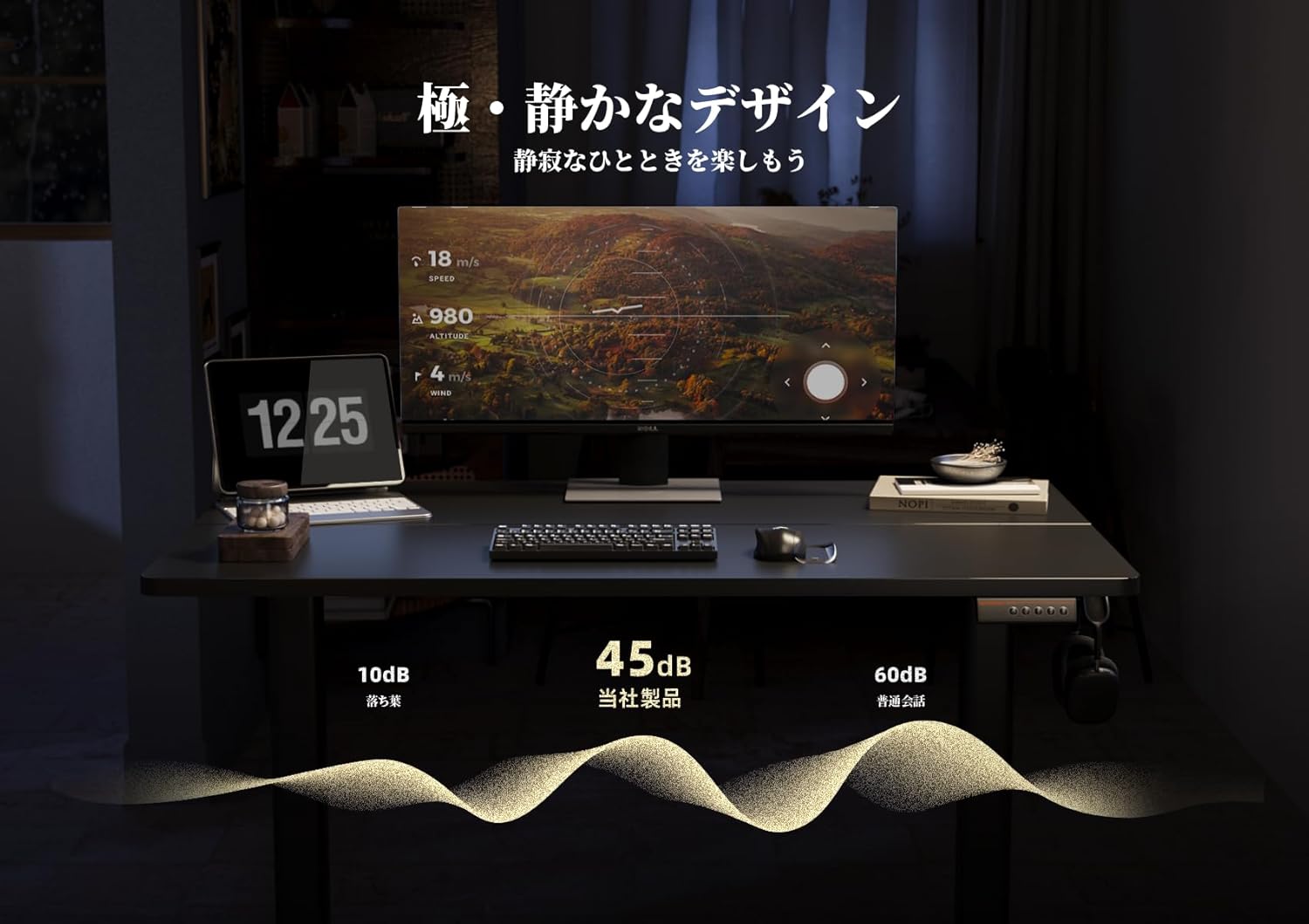
Image: A graphic representation showing the desk's noise level at approximately 45dB, significantly lower than typical office noise (60dB).
6. Техникалык тейлөө
Proper maintenance ensures the longevity and optimal performance of your desk.
- Үстөлдү тазалоо: The tabletop is made with melamine resin, which is resistant to water, heat, and dirt. Clean with a soft, damp кездеме жана жумшак жуугуч. Абразивдүү тазалагычтардан алыс болуңуз.
- Рамканы тейлөө: Мезгил-мезгили менен бардык бурамалар менен болттордун бекемдигин текшерип туруңуз. Керек болсо кайра тартыңыз.
- Электр компоненттери: Keep the control panel and power adapter dry and free from dust. Do not attempt to open or repair electrical components yourself.
7. Кыйынчылыктарды
If you encounter any issues with your Claiks Electric Standing Desk, please refer to the following common solutions:
- Үстөл кыймылдабайт: Ensure the power cable is securely plugged into both the desk and the wall outlet. Check if the outlet is functional.
- Тегиз эмес кыймыл: Unplug the desk for 30 seconds, then plug it back in. This may reset the system. If the issue persists, ensure the desk is on a level surface and that no objects are obstructing the lifting columns.
- Дисплейдеги ката коду: Note down any error codes displayed and refer to the full troubleshooting guide (if available) or contact customer support.
- Иш учурундагы ызы-чуу: A slight hum is normal. If you hear loud or unusual noises, stop operation and inspect the desk for any loose parts or obstructions.
If these steps do not resolve the issue, please contact Claiks customer support for further assistance.
8. Техникалык шарттар
| Өзгөчөлүк | Деталь |
|---|---|
| Бренд | Claiks |
| Модел | Туруктуу электр столу |
| Өлчөмдөрү (W x D x H) | 120 см х 60 см х 72-118 см |
| Бийиктигин тууралоо диапазону | 72 смден 118 смге чейин |
| Көтөрүү ылдамдыгы | 20 мм/с |
| Түс | Black (Frame and Tabletop) |
| Үстөлдүн материалы | Меламин чайыры |
| Memory Presets | 3 programmable heights |
| Ассамблея талап кылынат | Ооба |
| Пакеттин өлчөмдөрү | 125 x 33 x 16 см |
| Пакет Салмагы | 20 кг |

Image: A diagram illustrating the dimensions of the Claiks Electric Standing Desk, including its width (120cm), depth (60.9cm), and adjustable height range (72cm to 118cm).
9. Кепилдик жана колдоо
Claiks is committed to providing high-quality products and excellent customer service.
- Өндүрүүчүнүн Кепилдиги: All Claiks products come with a 1 жылдык өндүрүүчүнүн кепилдиги. During this period, free repair or replacement services are provided for any manufacturing defects.
- Кардарларды колдоо: Our customer support team is available to assist you with any questions or issues. We offer support in multiple languages, including English and Japanese. Please feel free to contact us at any time.
For warranty claims or support inquiries, please refer to the contact information provided on your purchase receipt or the official Claiks webсайт.


