1. Киришүү
The ABUS Yardo 7807F/110 is an advanced fingerprint chain lock designed for securing bicycles and other valuable items. It features a capacitive fingerprint sensor for quick and convenient unlocking, eliminating the need for traditional keys. The robust 7mm round chain and coated zinc die-cast lock body provide strong anti-theft protection. This manual provides essential information for the proper setup, operation, and maintenance of your ABUS Yardo lock.

Figure 1: ABUS Yardo 7807F/110 Fingerprint Chain Lock
2. Пакеттин мазмуну
Пакетте бардык буюмдар бар экенин текшериңиз:
- ABUS Yardo 7807F/110 Fingerprint Chain Lock (with integrated chain)
- CR2 Батареясы (алдын ала орнотулган же өзүнчө камтылган)
- Колдонуучунун Колдонмосу (бул документ)
3. Баштоо: Баштапкы орнотуу
3.1 Батареяны орнотуу
The ABUS Yardo lock requires one CR2 battery for operation. Ensure the battery is correctly installed before first use.
- Locate the battery compartment cover on the lock body.
- Use a small screwdriver or coin to open the cover.
- Insert the CR2 battery, observing the correct polarity (+/-).
- Батарея бөлүгүнүн капкагын бекем жабыңыз.
3.2 Initial Fingerprint Registration (Administrator)
The first fingerprint registered will be the administrator fingerprint, which is required to add or delete other user fingerprints.
- With the lock unlocked (if applicable) or in its initial state, press and hold the fingerprint sensor until a specific indicator light (e.g., blue or green) flashes rapidly.
- Place your finger firmly on the sensor. Lift and place your finger repeatedly (typically 5-10 times) from different angles to ensure a comprehensive scan.
- The indicator light will change (e.g., solid green) to confirm successful registration.
- Test the registered fingerprint immediately to ensure it unlocks the device.
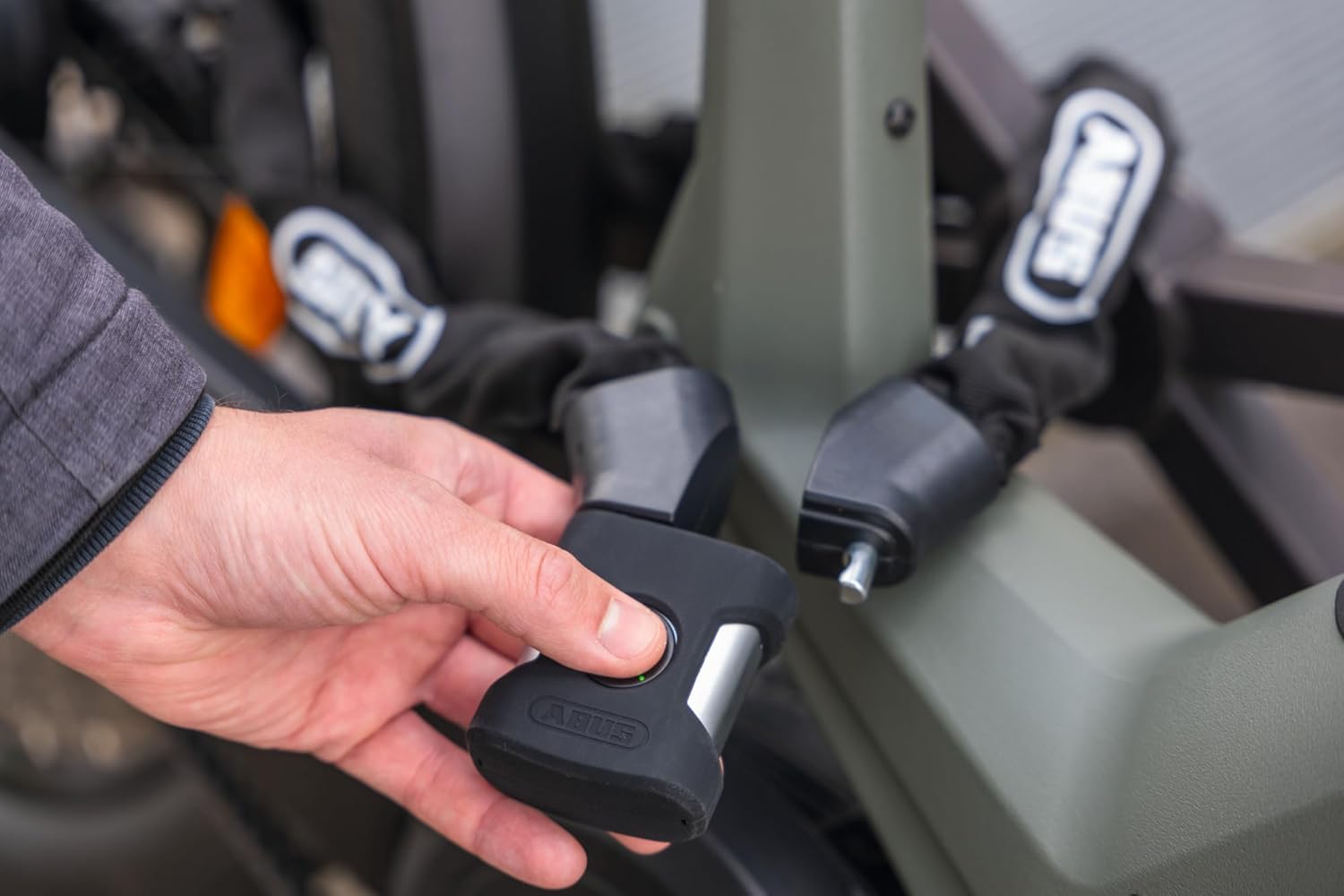
Figure 2: Placing a finger on the sensor for registration or unlocking.
4. Манжа изин башкаруу
The ABUS Yardo lock can store up to 20 unique fingerprints.
4.1 Adding User Fingerprints
Only the administrator fingerprint can add new user fingerprints.
- Place the administrator finger on the sensor until the indicator light signals readiness for adding (e.g., slow blue flash).
- Have the new user place their finger on the sensor, lifting and placing it repeatedly as done during initial registration.
- The indicator light will confirm successful registration of the new fingerprint.
4.2 Deleting All Fingerprints (Factory Reset)
This action will delete all registered fingerprints, including the administrator. The lock will revert to its factory default state, requiring re-registration of an administrator fingerprint.
- With the lock unlocked, press and hold the fingerprint sensor for an extended period (e.g., 10-15 seconds) until a specific indicator light pattern (e.g., red flash followed by green) confirms deletion.
- Release the sensor. All fingerprints are now erased.
5. Операция
5.1 Locking the ABUS Yardo
To lock the device, simply insert the ends of the chain into the lock body. The lock features an automatic locking mechanism, securing itself once the chain ends are properly seated.
5.2 Unlocking the ABUS Yardo
To unlock, place a registered fingerprint firmly on the capacitive sensor. The lock will open instantly upon successful recognition.

Figure 3: The ABUS Yardo lock in use, securing a bicycle.

Figure 4: The fingerprint sensor illuminated, indicating recognition or readiness.
6. Кароо жана тейлөө
6.1 Тазалоо
Wipe the lock body and chain with a soft, damp cloth. Avoid using abrasive cleaners or solvents, which can damage the finish or electronic components. Ensure the fingerprint sensor is clean and free of debris for optimal performance.
6.2 Батареяны алмаштыруу
When the battery is low, the lock may indicate this with a specific light pattern or reduced responsiveness. Replace the CR2 battery as described in Section 3.1. Always use a fresh, high-quality CR2 battery.
6.3 Аба ырайын коргоо
The Yardo lock is designed to be dustproof and weatherproof with IP66/IP68 certification. While it can withstand exposure to the elements, prolonged submersion or extreme conditions should be avoided to ensure longevity.
7. Кыйынчылыктарды
- Манжа изи таанылбайт:
- Манжаңыздын таза жана кургак экенине ынаныңыз.
- Place your finger firmly and cover the entire sensor area.
- Бир нече катталган болсо, ар кандай бурчтарды же манжаларды байкап көрүңүз.
- If issues persist, re-register the fingerprint (refer to Section 4.1).
- Кулпу жооп бербейт:
- Check the battery level. Replace the CR2 battery if it is low or depleted.
- Ensure the battery is installed with correct polarity.
- Lock Not Closing Automatically:
- Ensure the chain ends are fully inserted into the lock body.
- Check for any obstructions in the locking mechanism.
8. Техникалык шарттар
| Өзгөчөлүк | Деталь |
|---|---|
| Модель номери | 7807F/110 (40599) |
| Кулпу түрү | Biometric Fingerprint Chain Lock |
| Chain Thickness | 7mm round chain |
| Жеткиликтүү узундуктар | 85 cm, 110 cm (This model is 110cm) |
| Манжа изинин сыйымдуулугу | 20 манжа изине чейин |
| Power Source | 1 x CR2 Батарея |
| Аба ырайына каршылык | IP66/IP68 Certified (Dustproof and Weatherproof) |
| Бөгөттөө механизми | Double ball bearing lock, Automatic locking |
| Advertised Weight | 1246г (2.74 фунт) |
| Элемент Салмагы | 1480г (3.26 фунт) |
| Өлчөмдөрү (L x W x Y) | 1 x 1 x 1 inches (lock body) |
9. Коопсуздук маалыматы
- Кулпуну бөлүктөргө ажыратууга же өзгөртүүгө аракет кылбаңыз. Бул кепилдикти жокко чыгарып, бузулууга алып келиши мүмкүн.
- Keep the lock and its components out of reach of small children.
- Ensure the lock is properly secured before leaving your bicycle unattended.
- Колдонулган батарейкаларды жергиликтүү эрежелерге ылайык жок кылыңыз.
- Avoid exposing the lock to extreme temperatures or corrosive substances.

Figure 5: The ABUS Yardo lock securely attached to a bicycle.
10. Кепилдик жана колдоо
Specific warranty details for your ABUS Yardo 7807F/110 lock are typically provided with your purchase documentation. Please refer to the warranty card or information included in your product packaging for terms and conditions.
For technical support, service, or inquiries regarding your ABUS product, please contact ABUS customer service directly through their official website or the contact information provided with your purchase. Always provide your product model number (7807F/110 or 40599) and purchase date when seeking support.


