1. Киришүү
Сатып алганыңыз үчүн рахматasing the Samsung WW11T Digital Inverter 11kg Washing Machine. This manual provides essential information for the safe and efficient operation, installation, and maintenance of your appliance. Please read it thoroughly before use and keep it for future reference.
This washing machine features Digital Inverter technology for enhanced performance and energy efficiency, a 15-minute quick wash cycle for small loads, and steam hygiene for deep cleaning, eliminating 99.9% of bacteria. The Diamond Drum design ensures gentle care for your fabrics.
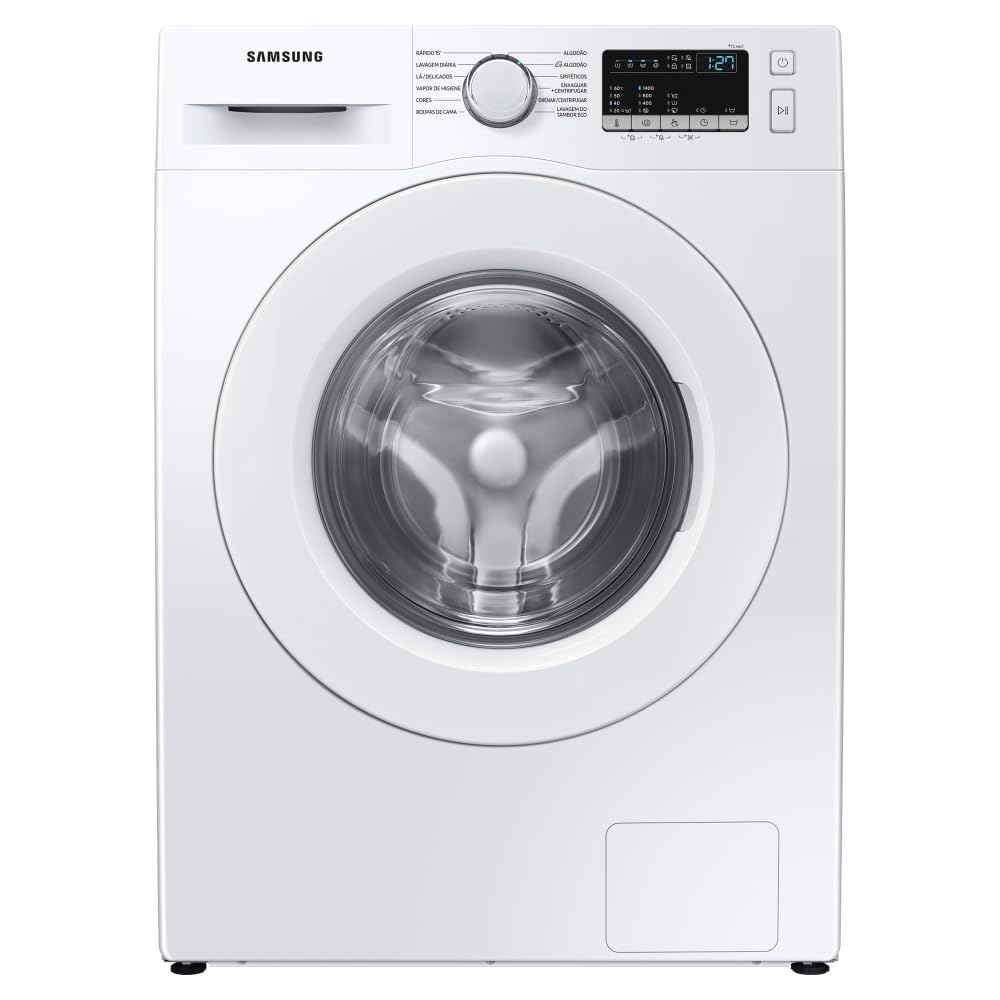
Сүрөт 1: Алдыңкы view of the Samsung WW11T 11kg Washing Machine. Note the label indicating it is a washing machine only, not a washer-dryer combination.
2. Коопсуздук маалыматы
Шайманыңызды колдонууда өрт, электр шок же жаракат алуу коркунучун азайтуу үчүн төмөнкү негизги сактык чараларын аткарыңыз:
- Шайманды колдонуудан мурун бардык нускамаларды окуп чыгыңыз.
- Do not wash articles that have been previously cleaned, washed, soaked, or spotted with gasoline, dry-cleaning solvents, or other flammable or explosive substances, as they emit vapors that could ignite or explode.
- Балдардын шаймандын үстүндө же ичинде ойношуна жол бербеңиз. Шайман балдардын жанында колдонулганда балдарды тыкыр көзөмөлгө алуу зарыл.
- Ванна же аралаштыргыч кыймылдаса, шаймандын ичине колун тийгизбеңиз.
- Бул шайманды аба ырайына же үшүккө учураган жерге орнотуп же сактабаңыз.
- кылбаampбашкаруу элементтери менен.
- Бул колдонмодо же сиз түшүнгөн жана аткарууга көндүмдөрүңүзгө ээ болгон колдонуучунун оңдоо нускамаларында атайын сунуш кылынбаса, шаймандын эч бир бөлүгүн оңдобоңуз же алмаштырбаңыз же тейлөөгө аракет кылбаңыз.
- Ар кандай тейлөөгө аракет кылуудан мурун шайманды кубаттан ажыратыңыз.
3. Орнотуу жана орнотуу
3.1 Пакеттен чыгаруу
Carefully remove all packaging materials. Check for any damage during transit. Ensure all accessories are present.
3.2 Жайгашкан жерге талаптар
Install the washing machine on a firm, level surface. Ensure there is adequate space for water inlet and drain hoses, and power connection. Avoid direct sunlight or areas prone to freezing.

2-сүрөт: Кир жуугуч машинанын туура жайгаштырылышы үчүн өлчөмдөрү.
3.3 Removing Shipping Bolts
Before operating the washing machine, you must remove the shipping bolts located at the rear of the appliance. Failure to do so will cause severe vibration and damage.
3.4 Суу жана дренаж түтүктөрүн туташтыруу
Connect the water inlet hose to the cold water tap and the corresponding inlet on the machine. Securely attach the drain hose to a standpipe or laundry tub, ensuring it is properly routed to prevent kinks.

3-сүрөт: Арткы view illustrating water and drain hose connections.
3.5 Станокту тегиздөө
Adjust the leveling feet at the bottom of the washing machine to ensure it is perfectly level. Use a spirit level to verify. A level machine reduces noise and vibration during operation.
4. Иштөө нускамалары
4.1 Башкаруу панелинин үстүнөview
The control panel allows you to select wash cycles, adjust settings, and start/pause the machine. Familiarize yourself with the buttons and display.

4-сүрөт: Детальдуу view башкаруу панелинин.
4.2 Кирди жүктөө
Open the door and load laundry into the drum. Do not overload the machine. Ensure items are evenly distributed.

Figure 5: Inside the Diamond Drum, designed for gentle washing.
4.3 Жуучу каражатты жана жумшарткычты кошуу
Кир жуугучтар суурмасын сууруп чыгып, негизги жуучу бөлүккө жуугуч каражаттын тиешелүү көлөмүн кошуңуз. Кааласаңыз, анын белгиленген бөлүгүнө кездеме жумшарткычты кошуңуз.

Figure 6: Detergent and water mixing during a wash cycle.
4.4 Жуу циклин тандоо
Turn the cycle selector knob or press the cycle buttons to choose the desired wash program. Common cycles include:
- Пахта: For cotton garments, bed linens, and towels.
- Синтетика: For synthetic fabrics like polyester and nylon.
- Тез жуу 15': For lightly soiled items or small loads requiring a fast wash.
- Буу гигиенасы: For deep cleaning and sanitization, eliminating 99.9% of bacteria.
- Накикаттар: Жумшак кам көрүүнү талап кылган сезимтал буюмдар үчүн.
4.5 Adjusting Options and Starting the Cycle
After selecting a cycle, you can adjust options such as temperature, spin speed, and rinse count using the corresponding buttons on the control panel. Press the Баштоо/Пауза кир жуу циклин баштоо үчүн баскычты басыңыз.
5. Техникалык тейлөө
5.1 Сырты тазалоо
Кир жуугуч машинанын сыртын жумшак, г менен сүртүңүзamp кездеме. Абразивдүү тазалагычтарды же эриткичтерди колдонбоңуз.
5.2 Жуучу каражат тартмасын тазалоо
Жуугуч каражаттын калдыктарын кетирүү үчүн мезгил-мезгили менен жуучу каражаттын кутучасын алып чыгып, агын суу менен чайкап туруңуз. Зарыл болсо, щетканы колдонуңуз.
5.3 Барабанды тазалоо
Run an 'Eco Drum Clean' cycle (if available) regularly to clean the drum and remove bacteria. If not available, run a hot wash cycle with no laundry and a cup of white vinegar or a specialized washing machine cleaner.

Figure 7: Water circulating to clean the drum and door seal.
5.4 Дренаж чыпкасын тазалоо
Locate the drain filter at the bottom front of the machine. Open the cover, drain any residual water, and unscrew the filter. Clean any lint or debris and rinse thoroughly before reinserting.
6. Кыйынчылыктарды
If you encounter issues with your washing machine, refer to the following common problems and solutions. For more complex issues or error codes not listed, please consult the full user manual or contact customer support.
| Көйгөй | Мүмкүн себеп | Чечим |
|---|---|---|
| Машина иштебейт | Power cord unplugged, door not closed, Start/Pause button not pressed. | Check power connection, ensure door is securely latched, press Start/Pause. |
| Суу толбой жатат | Суу түтүгү жабылган, кирүүчү шланг ийилген, суунун басымы өтө төмөн. | Суу кранын ачыңыз, түтүктү түздөңүз, үйдөгү суунун басымын текшериңиз. |
| Ашыкча титирөө/ызы -чуу | Shipping bolts not removed, machine not level, uneven load. | Remove shipping bolts, level the machine, redistribute laundry. |
| Суу агып кетпейт | Drain hose kinked, drain filter clogged. | Straighten drain hose, clean the drain filter. |
7. Техникалык шарттар
- Модел: WW11T4040EE/AZ
- Сыйымдуулугу: 11 килограмм
- Тtage: 127 вольт
- Өлчөмдөрү (D x W x Y): 55 см х 60 см х 85 см
- Өзгөчөлүктөр: Digital Inverter, Steam Hygiene
- Орнотуу түрү: бурун
- Башкаруу панели: тийүү
- Кирүү түрү: Front Load
- Түсү: Ак
8. Кепилдик маалыматы
Your Samsung WW11T washing machine comes with a comprehensive warranty. Specifically, the Digital Inverter Compressor is covered by a 20 жылдык кепилдик, reflecting its durability and advanced technology.

Figure 8: Digital Inverter Compressor with 20-year warranty.
For detailed terms and conditions regarding the full product warranty, please refer to the warranty card included with your appliance or visit the official Samsung webсайт.
9. Колдоо
If you require further assistance, technical support, or service, please contact Samsung customer service:
- Онлайн: Расмий Samsung компаниясына барыңыз website for support resources, FAQs, and service requests.
- Телефон: Refer to your product documentation for local customer service contact numbers.