1. Киришүү
Thank you for choosing the Intenso Buds Plus TWS T313AE Wireless Earbuds. These earbuds are designed to provide a superior audio experience with advanced features such as Active Noise Cancellation (ANC), Environmental Noise Cancellation (ENC), and Bluetooth 5.4 connectivity. This manual provides essential information for setting up, operating, and maintaining your earbuds.
2. Пакеттин мазмуну
Сураныч, пакетте төмөнкү нерселерди текшериңиз:
- Intenso Buds Plus TWS Earbuds (Left and Right)
- Заряддоо кутусу
- USB заряддоо кабели
- Кулак учтарынын бир нече өлчөмү
- User Manual
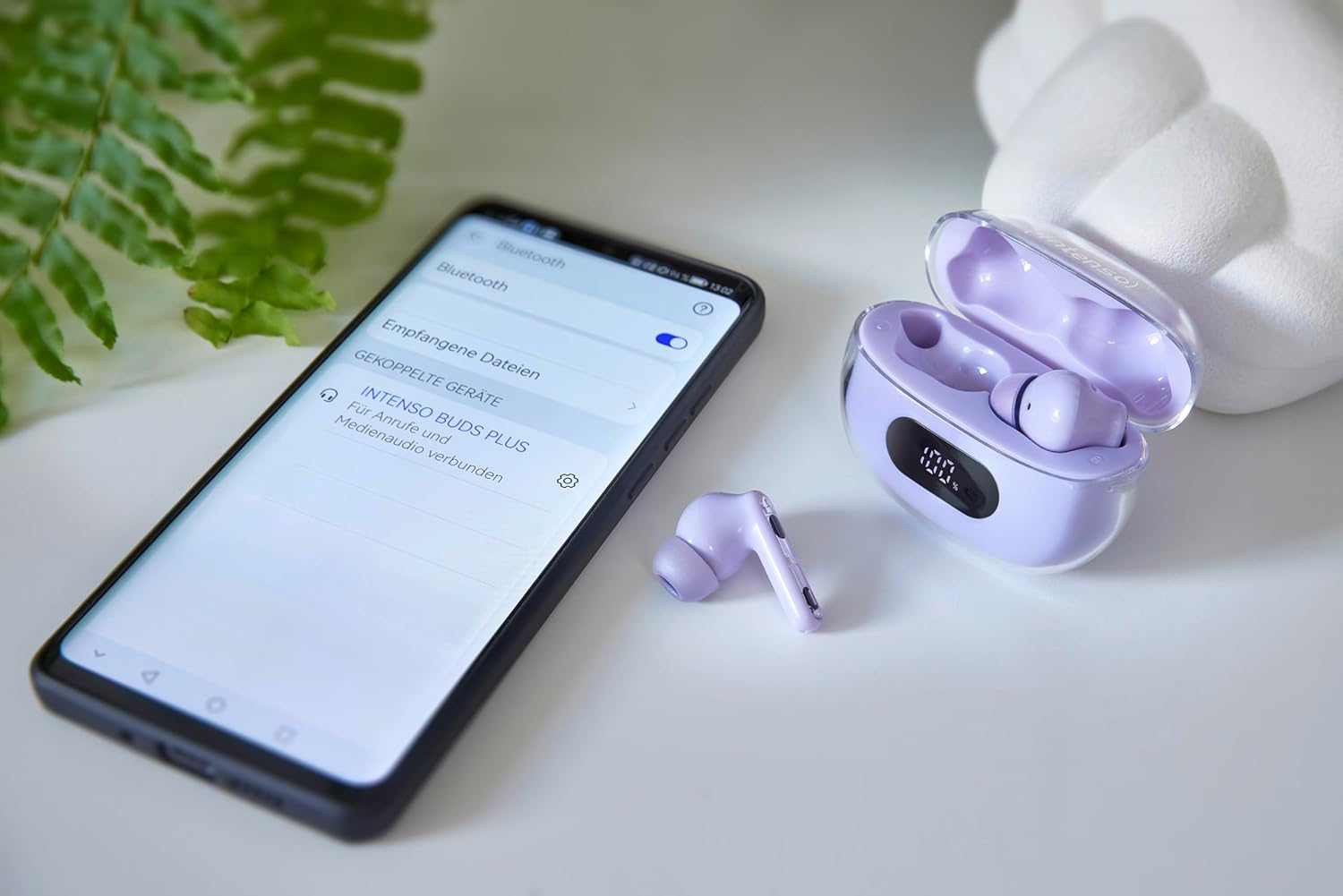
Image: Intenso Buds Plus TWS earbuds, charging case, and a smartphone displaying Bluetooth pairing settings.
3. Продукт бүтүп калдыview
The Intenso Buds Plus TWS earbuds feature a compact design with a transparent charging case. The earbuds are equipped with touch controls and integrated microphones for clear communication.

Image: Earbuds in open charging case with digital display.

Image: Features highlighted: ANC, ENC, and LED display.

Image: Charging case with 100% battery display.

Image: Close-up of individual earbuds.
4. Орнотуу
4.1 Кулакчындарды жана кутучаны заряддоо
Before first use, fully charge the earbuds and the charging case. The charging case features an LED display to indicate the battery level.
- Кулакчындарды заряддоо кутусуна салыңыз.
- Заряддоо кутусун берилген USB кабелин колдонуп USB кубат булагына туташтырыңыз.
- The LED display on the case will show the charging status.
- A full charge typically takes approximately 1.5 to 2 hours for the case and earbuds.

Image: LED status display on the charging case.
4.2 Bluetooth жупташтыруу
The Intenso Buds Plus earbuds utilize Bluetooth 5.4 for a stable and fast connection.
- Кулакчындардын кубатталганын жана кубаттоочу кутучанын ичинде экенин текшериңиз.
- Заряддоо кутучасын ачыңыз. Кулакчындар жупташтыруу режимине автоматтык түрдө кирет.
- Түзмөгүңүздө (смартфон, планшет, ноутбук) Bluetooth жөндөөлөрүнө өтүңүз.
- Издөө available devices and select "Intenso Buds Plus" from the list.
- Туташкандан кийин, сиз ырастоо үнүн угасыз жана кулакчындар колдонууга даяр болот.

Image: Earbuds and case next to a smartphone.
5. Иштөө нускамалары
5.1 Сенсордук башкаруу
The earbuds feature intuitive touch controls for managing audio playback, calls, and noise cancellation modes.
- Ойнотуу/тындыруу: Кулакчындарды бир жолу таптаңыз.
- Кийинки трек: Оң кулакчынды эки жолу таптаңыз.
- Мурунку трек: Сол кулакчынды эки жолу таптаңыз.
- Чалууга жооп берүү/аяктоо: Кулакчындарды бир жолу таптаңыз.
- Чакырууну четке кагуу: Кулакчындардын бирин 2 секунд басып туруңуз.
- Көлөмү: Оң кулакчынды үч жолу таптаңыз.
- Үнүн азайтуу: Сол кулакчынды үч жолу таптаңыз.
- Үн Жардамчысын жандыруу: Чалуу учурунда эмес болсоңуз, кулакчындын бирин 3 секунд басып туруңуз.
5.2 Noise Cancellation Modes (ANC, ENC, Transparency)
The earbuds offer various modes to control your listening environment:
- Активдүү ызы-чууну жокко чыгаруу (ANC): Reduces ambient noise, allowing you to focus on your audio.
- Экологиялык чууну жокко чыгаруу (ENC): Enhances voice clarity during calls by filtering out background noise.
- Ачыктык режими: Айлана-чөйрөңүздү угууга мүмкүндүк берет, ошол эле учурда үнүңүздөн ырахат алыңыз, бул бош эмес чөйрөдө көңүл буруу үчүн пайдалуу.
To switch between ANC, Transparency, and Normal modes, press and hold the touch area on the left earbud for 2 seconds. ENC is automatically active during calls.
5.3 Батареянын иштөө мөөнөтү
The earbuds provide up to 7 hours of playback on a single charge. The charging case extends the total playtime to approximately 25 hours, allowing for multiple recharges on the go.

Image: Illustration of battery life with and without charging case.
6. Техникалык тейлөө
To ensure the longevity and optimal performance of your Intenso Buds Plus earbuds, follow these maintenance guidelines:
- Тазалоо: Кулакчындарды жана заряддоо кутусун жумшак, кургак, түксүз чүпүрөк менен дайыма тазалап туруңуз. Абразивдүү тазалагычтарды же эриткичтерди колдонбоңуз.
- Кулак кеңештери: Кулак учтарын мезгил-мезгили менен алып, аларды суу жана жумшак самын менен тазалаңыз. Кайра жабыштыруудан мурун алар толугу менен кургатылганын текшериңиз.
- Заряддоо байланыштары: Keep the charging contacts on both the earbuds and inside the case clean and free of debris to ensure proper charging.
- Сактагыч: Колдонулбаганда, кулакчындарды чаңдан жана бузулуудан коргоо үчүн кубаттоочу кутуга салып сактаңыз.
- Суу каршылык: The earbuds are water-resistant. Avoid submerging them in water or exposing them to excessive moisture. Dry them thoroughly if they get wet.
7. Кыйынчылыктарды
Эгерде кулакчындарыңыз менен кандайдыр бир көйгөйгө туш болсоңуз, төмөнкү кеңири таралган чечимдерди караңыз:
| Көйгөй | Мүмкүн себеп | Чечим |
|---|---|---|
| Кулакчындар жупташкан жок | Low battery; Bluetooth off; Earbuds not in pairing mode; Device already connected to another Bluetooth device. | Charge earbuds and case; Ensure Bluetooth is enabled on your device; Place earbuds in case, close, then open to re-enter pairing mode; Disconnect from other devices. |
| Үн жок | Volume too low; Earbuds not connected; Audio source paused. | Increase volume on earbuds and device; Reconnect earbuds; Check audio playback on your device. |
| Үн сапаты начар | Ear tips not properly sealed; Earbuds dirty; Interference. | Try different size ear tips for a better fit; Clean earbuds and ear tips; Move closer to your device or away from sources of interference. |
| Кулакчындар заряддалбай жатат | Charging cable faulty; Charging contacts dirty; Power source issue. | Try a different USB cable; Clean charging contacts; Use a different USB port or power adapter. |
8. Техникалык шарттар
| Модель аты | Buds Plus |
| Модель номери | 3720313 |
| Бренд | Intenso |
| Байланыш технологиясы | Зымсыз (Bluetooth 5.4) |
| Кулак жайгаштыруу | Кулак ичинде |
| Форма фактору | In-Ear |
| Noise Cancellation | Активдүү ызы-чууну жокко чыгаруу (ANC), Айлана-чөйрөнүн ызы-чуусун жокко чыгаруу (ENC) |
| Башкаруу түрү | Touch Control |
| Өзгөчөлүктөр | Noise Cancellation, Volume Control, Touch Control, Noise Isolation, Lightweight |
| Батареянын курамы | Литий-полимер |
| Заряддалуучу батарея | Ооба |
| Ойнотуу убактысы (наушник) | 7 саатка чейин |
| Жалпы ойноо убактысы (Кеп менен) | 25 саатка чейин |
| Сууга туруктуулук деңгээли | Сууга чыдамдуу |
| Материал | Пластик |
| Шайкеш түзмөктөр | Mobile phone, Tablet, Laptop, Game console, Car audio system |
9. Кепилдик жана колдоо
Intenso products are designed for reliability and performance. For warranty information, technical support, or customer service inquiries, please refer to the contact details provided on the Intenso official webсайт же сатып алуу документтери.
Сураныч, кепилдик дооматтар үчүн сатып алуу далилиңизди сактап коюңуз.


