1. Киришүү
This manual provides detailed instructions for the setup, operation, and maintenance of your Mvgges ZJ-9250 Bluetooth Thermal Label Printer. Please read this manual thoroughly before using the printer to ensure proper function and longevity.
The Mvgges ZJ-9250 is a versatile thermal label printer designed for efficient label printing. It supports both Bluetooth and USB connectivity, making it compatible with a range of devices including smartphones, tablets, and computers running Windows, Mac, iOS, and Android operating systems. This printer utilizes thermal printing technology, eliminating the need for ink or toner cartridges.
2. Пакеттин мазмуну
Төмөндө тизмеленген нерселердин баары пакетиңизге камтылганын текшериңиз:
- 1 x Mvgges Thermal Label Printer
- 1 х кубат адаптери
- 1 x Кубат кабели
- 1 x USB кабели
- 1 x USB Drive (includes drivers, installation videos, user manual, and FAQs)
- 1 x USB Type-C адаптери
- 1 x User Manual
- 30 x Test Labels (4x6 inches)
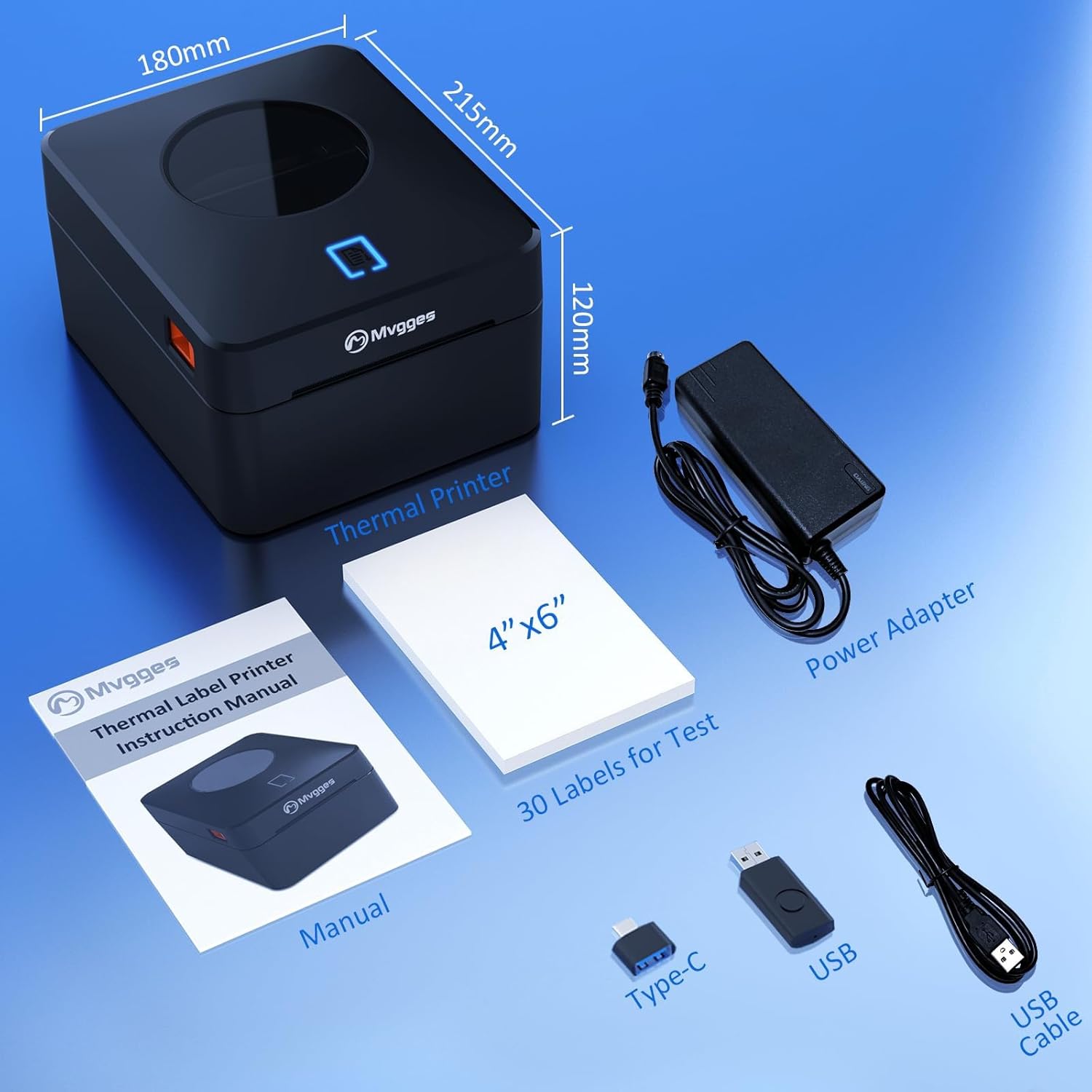
2.1-сүрөт: Contents of the Mvgges ZJ-9250 Thermal Label Printer package, including the printer, power adapter, USB cable, USB drive, and test labels.
3. Продукт бүтүп калдыview
The Mvgges ZJ-9250 printer is designed for high-speed, clear thermal label printing. Key features include:
- Кош байланыш: Supports both Bluetooth and USB connections.
- Жогорку чечим: 203 DPI for clear and professional label output.
- Fast басып чыгаруу ылдамдыгы: Up to 160 mm/s (approximately 6.3 inches/s).
- Кең энбелгилердин шайкештиги: Supports thermal label widths from 20 mm to 104 mm (0.8 to 4.1 inches).
- Орнотулган этикетка кутусу: Accommodates both roll and fan-fold labels without requiring an external holder.
- Сыясыз иштөө: Uses direct thermal technology, eliminating the need for ink or toner.
- Кеңири платформа шайкештиги: Works with major shipping and e-commerce platforms.
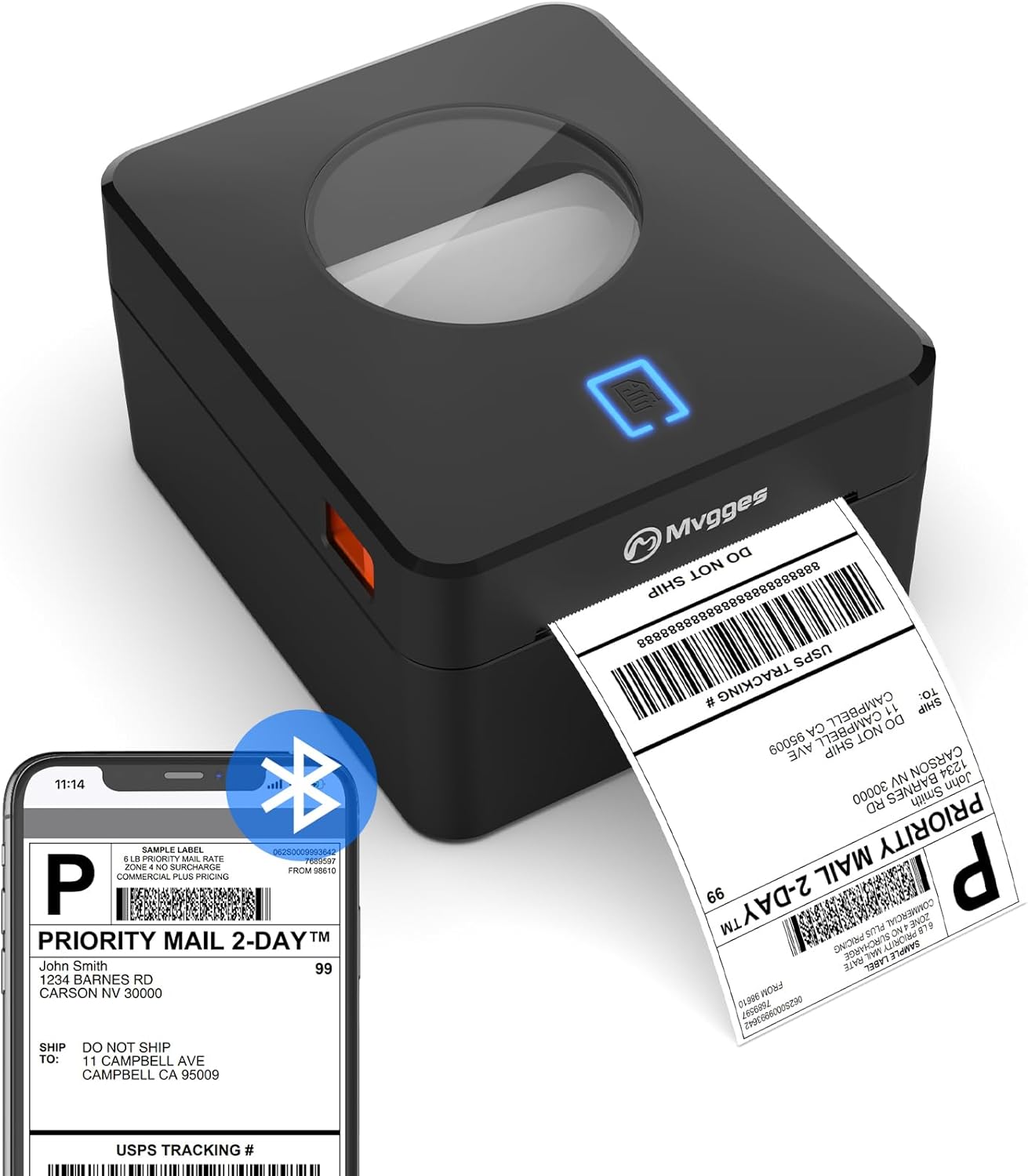
3.1-сүрөт: The Mvgges ZJ-9250 printer actively printing a shipping label, demonstrating its compact design and label output.
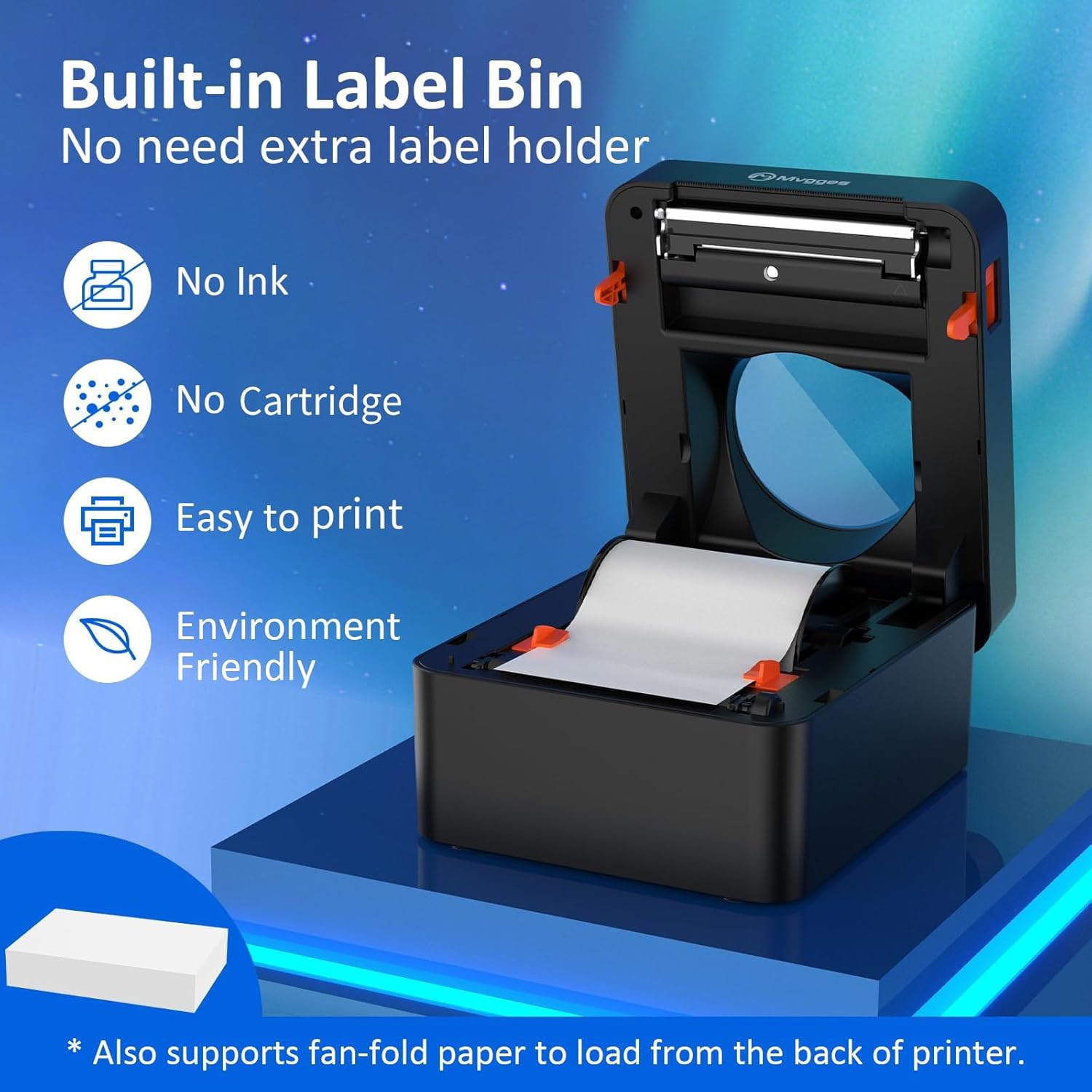
3.2-сүрөт: Ички view of the printer with the lid open, highlighting the built-in label bin that supports both roll and fan-fold labels, and emphasizing its inkless operation.
4. Орнотуу нускамалары
4.1. Физикалык байланыш
- Connect the power adapter to the printer's power port and then plug the power cable into an electrical outlet.
- Кубат индикаторунун жарыгы күйөт.
4.2. Энбелгилер жүктөлүүдө
The printer supports both roll labels and fan-fold labels.
For Roll Labels:
- Принтердин үстүнкү капкагын ачыңыз.
- Place the roll of thermal labels into the built-in label bin, ensuring the printing side faces upwards.
- Feed the leading edge of the label paper through the paper guide until it is aligned with the print head.
- Close the top cover. The printer will automatically detect and calibrate the label size, feeding out one blank label.
For Fan-Fold Labels:
- Ensure the fan-fold labels are placed behind the printer.
- Feed the leading edge of the fan-fold labels into the rear paper slot, guiding them through to the front.
- Adjust the paper guides to fit the label width.
- The printer will automatically detect and calibrate the label size.
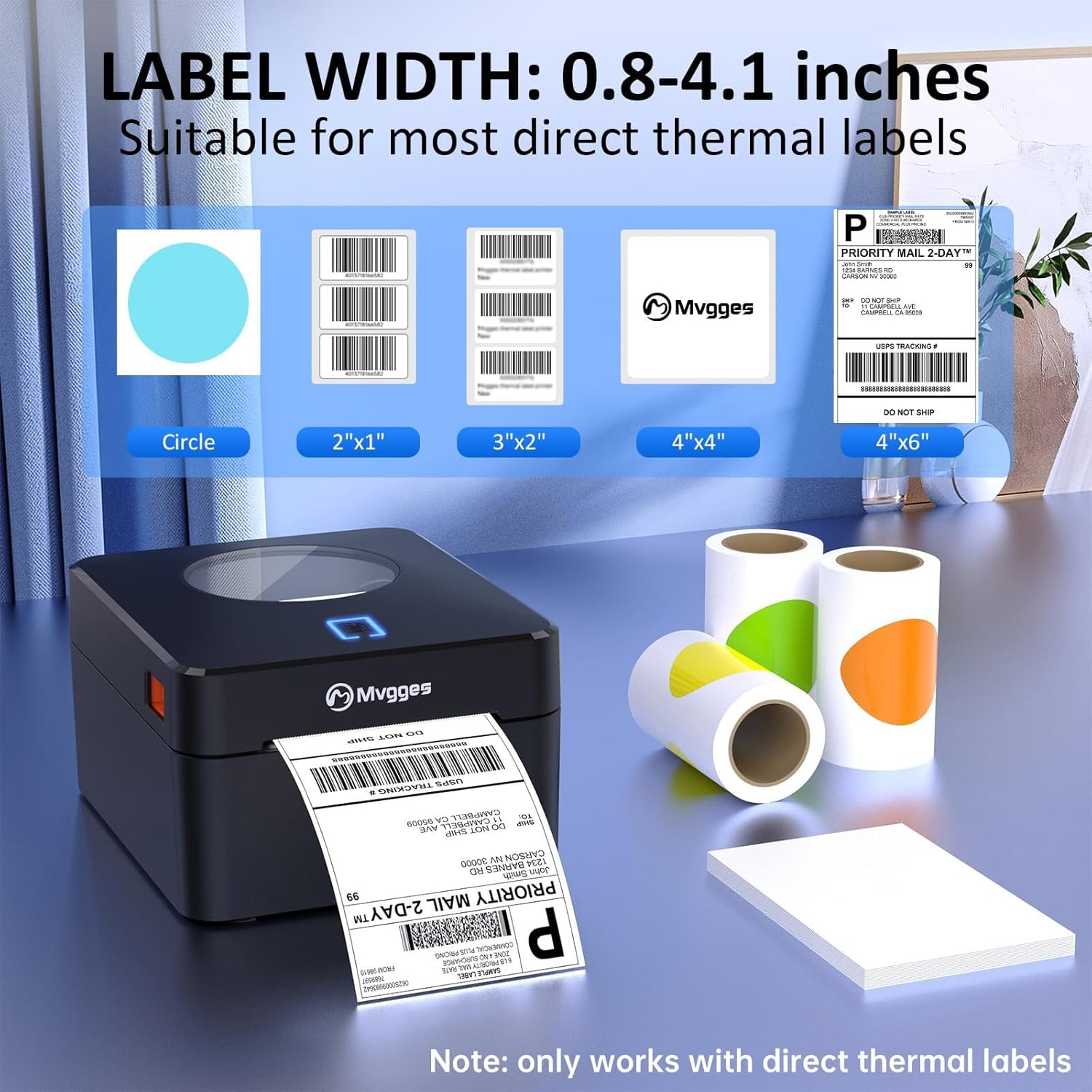
4.1-сүрөт: Illustration of the printer's compatibility with various direct thermal label widths, ranging from 0.8 to 4.1 inches, and different label shapes.
4.3. Driver Installation and Connectivity
The Mvgges ZJ-9250 offers both USB and Bluetooth connectivity. Please refer to the USB drive included in your package for detailed driver installation guides and videos for your specific operating system.
USB Connection (Windows/Mac/Linux/Chrome OS):
- Берилген USB дискти компьютериңизге салыңыз.
- Install the appropriate printer driver for your operating system (Windows, Mac, Linux, Chrome OS).
- Берилген USB кабелин колдонуп, принтерди компьютериңизге туташтырыңыз.
- Орнотууну аяктоо үчүн экрандагы нускамаларды аткарыңыз.
Bluetooth Connection (Android/iOS):
Bluetooth connectivity is supported for Android and iOS devices only. USB connection is required for Windows and Mac computers.
- Download the dedicated printing application:
- Android үчүн: Издөө "Print Label" in the Google Play Store.
- iOS үчүн: Издөө "Zlabel" in the Apple App Store.
- Мобилдик түзмөгүңүздө Bluetooth иштетилгенин текшериңиз.
- Open the downloaded application and follow the in-app instructions to pair with your Mvgges printer.
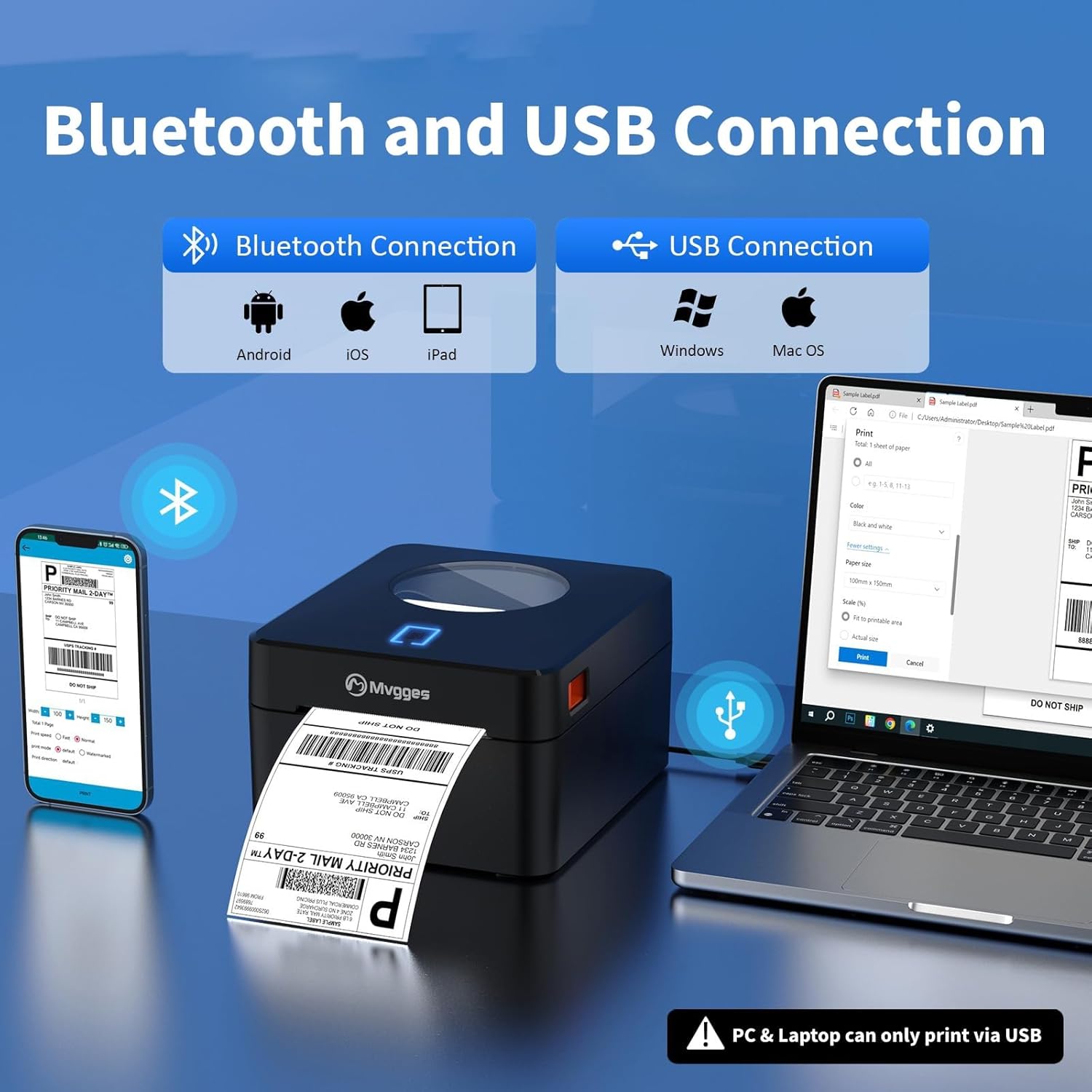
4.2-сүрөт: The printer supports Bluetooth for Android, iOS, and iPad, and USB for Windows and Mac OS. Note that PC/Laptop connections are USB only.
5. Иштөө нускамалары
5.1. Этикетканы басып чыгаруу
- Ensure the printer is powered on and correctly connected to your device (via USB or Bluetooth).
- Load the appropriate thermal labels into the printer.
- Open the document or application from which you wish to print (e.g., a shipping platform, a PDF viewer, or the dedicated mobile app).
- Select the Mvgges ZJ-9250 printer from your device's print dialogue.
- Adjust print settings such as label size, orientation, and number of copies as needed. The printer supports a maximum print width of 104mm.
- Initiate the print command. The printer will begin printing at a speed of up to 160 mm/s with 203 DPI resolution.
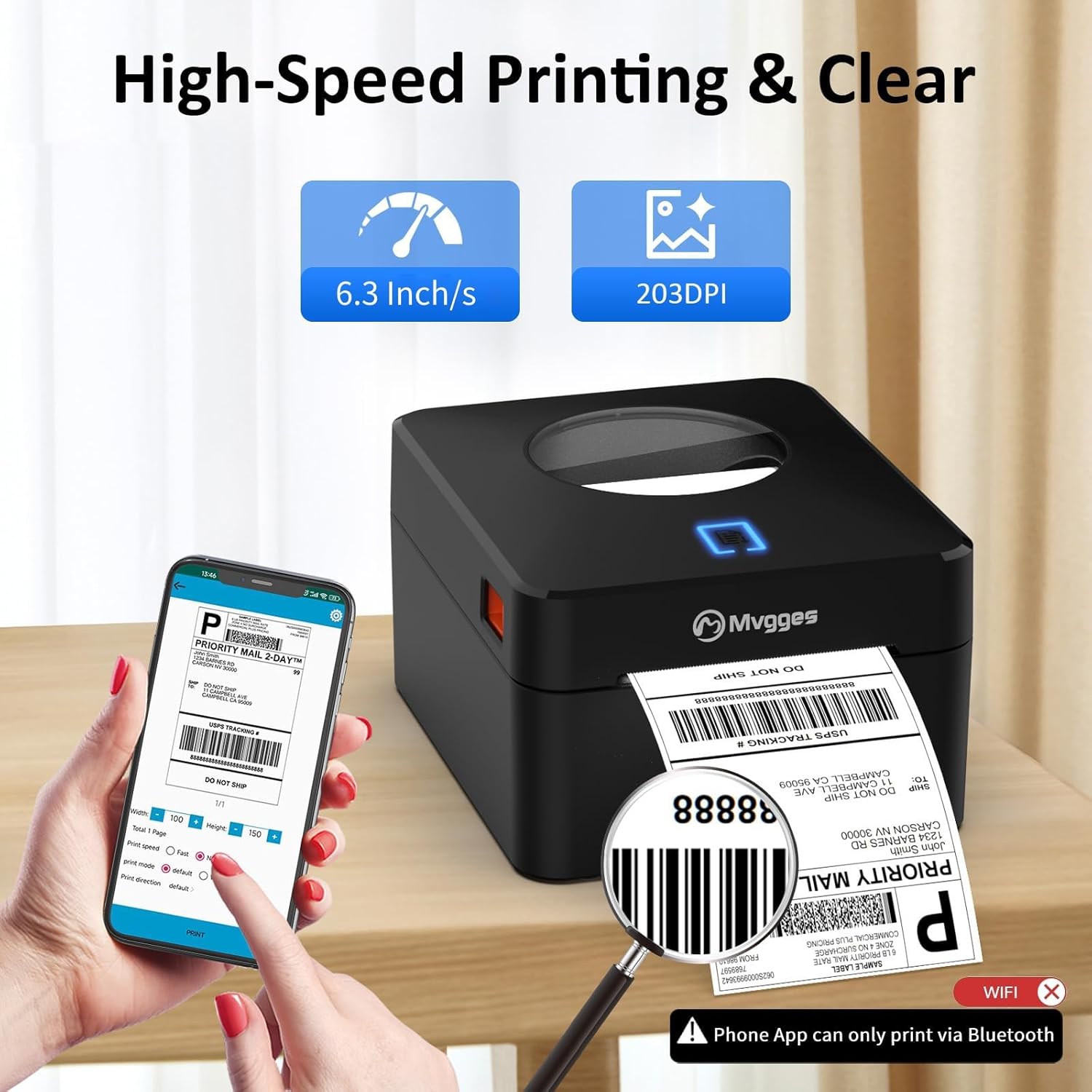
5.1-сүрөт: The printer's high-speed (6.3 inches/s) and clear (203 DPI) printing capabilities are shown, with a mobile phone interface for print settings. Note: Phone app prints via Bluetooth only.
5.2. Колдоого алынган платформалар
The Mvgges ZJ-9250 printer is compatible with most major shipping and e-commerce platforms, including but not limited to:
- Amazon
- Etsy
- eBay
- Shopify
- UPS
- USPS
- PayPal
- ShipStation
- Shippo
- XPS кемеси
- Endicia
- DHL
- EasyPost
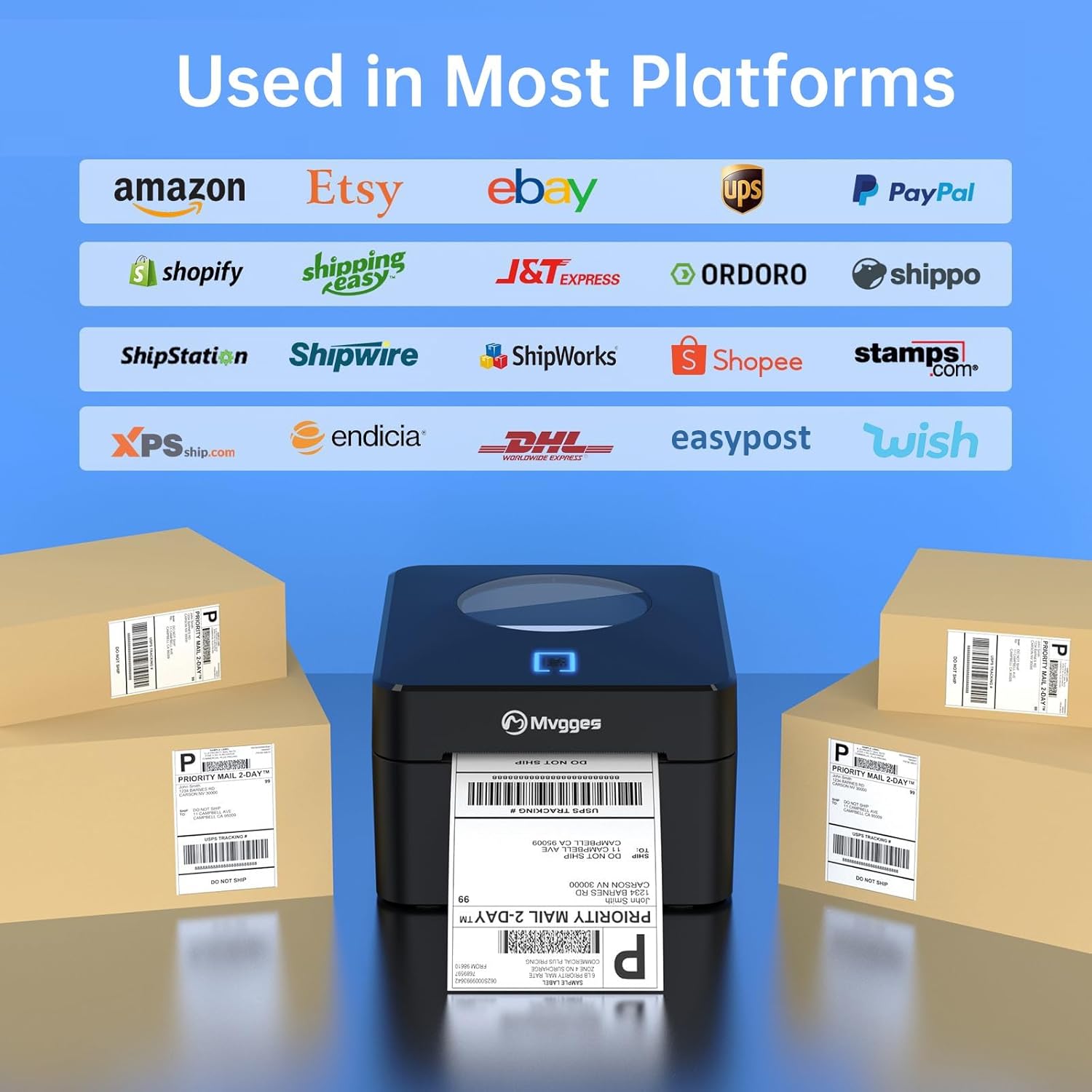
5.2-сүрөт: The Mvgges ZJ-9250 printer is shown integrated into a workflow with multiple shipping and e-commerce platforms, demonstrating its broad compatibility.
6. Техникалык тейлөө
Үзгүлтүксүз техникалык тейлөө оптималдуу иштөөнү камсыз кылат жана термикалык этикетка принтериңиздин иштөө мөөнөтүн узартат.
6.1. Басып чыгаруу башын тазалоо
The print head is a critical component and should be cleaned periodically, especially if print quality degrades.
- Принтерди өчүрүп, электр кабелин сууруп алыңыз.
- Басып чыгаруу башына жетүү үчүн үстүнкү капкакты ачыңыз.
- Басып чыгаруучу башты кебез таякча менен акырын сүртүңүзampened with isopropyl alcohol (70% or higher). Allow it to dry completely before closing the cover and powering on the printer.
6.2. Жалпы тазалоо
Принтердин сыртын жумшак, кургак чүпүрөк менен сүртүңүз. Абразивдүү тазалоочу каражаттарды же эриткичтерди колдонуудан алыс болуңуз.
6.3. Энбелгилерди сактоо
Термикалык каптаманын эрте өңү өзгөрүп же бузулуп калышына жол бербөө үчүн, термикалык этикеткаларды салкын, кургак жерде, күндүн нуру түз тийбеген жана ысык тийбеген жерде сактаңыз.
7. Кыйынчылыктарды
If you encounter issues with your Mvgges ZJ-9250 printer, please refer to the following common solutions. For more detailed troubleshooting, consult the FAQs document on the provided USB drive.
7.1. Printer Not Powering On
- Ensure the power adapter and cable are securely connected to both the printer and a working electrical outlet.
- Розетканын кубат бар экенин текшерүү үчүн башка түзмөк менен текшериңиз.
7.2. No Print Output or Blank Labels
- Verify that thermal labels are loaded correctly with the printing side facing up.
- Check if the printer is properly connected to your device (USB or Bluetooth).
- Ensure the correct printer driver is installed and selected in your print settings.
- Басып чыгаруучу башты "Техникалык тейлөө" бөлүмүндө сүрөттөлгөндөй тазалаңыз.
7.3. Басып чыгаруунун сапатынын начардыгы
- Басып чыгаруу башын тазалаңыз.
- Жогорку сапаттагы түз термикалык этикеткаларды колдонуп жатканыңызды текшериңиз.
- Adjust print density settings in your printer preferences if available.
7.4. Байланыш маселелери
USB туташуу:
- Компьютериңиздеги башка USB портун колдонуп көрүңүз.
- USB кабели бузулбагандыгын текшериңиз.
- Reinstall the printer driver.
Bluetooth Connection (Android/iOS):
- Ensure Bluetooth is enabled on your mobile device and the printer.
- Confirm you are using the correct mobile application ("Print Label" for Android, "Zlabel" for iOS).
- Unpair and re-pair the printer in your device's Bluetooth settings.
- Мобилдик түзмөгүңүздү да, принтериңизди да өчүрүп-күйгүзүңүз.
8. Техникалык шарттар
| Өзгөчөлүк | Спецификация |
|---|---|
| Бренд | Mvgges |
| Модель аты | ZJ-9250 (PL925U-black) |
| Басма технологиясы | Термикалык |
| Байланыш технологиясы | Bluetooth, USB |
| Максималдуу медиа өлчөмү | 4 x 6 дюйм |
| Колдоого алынган энбелгилердин туурасы | 0.8 - 4.1 дюйм (20 - 104 мм) |
| Print Resolution | 203 DPI |
| Максималдуу басып чыгаруу ылдамдыгы | 160 mm/s (72 pages per minute equivalent) |
| Шайкеш түзмөктөр | Laptop, Computers, Smartphones, Tablets |
| Колдоого алынган операциялык системалар | Windows, Mac OS, iOS, Android, Chrome OS, Linux |
| Түс | Кара |
| Элемент Салмагы | 3 фунт |
| Продукциянын өлчөмдөрү | 17.8D x 21.3W x 11.9H сантиметр |
| Өзгөчөлүктөр | Bluetooth and USB Connection, Built-in Label Bin |
9. Кепилдик жана колдоо
Mvgges offers a 1-year warranty for the thermal label printer. For any questions or assistance regarding your Mvgges Bluetooth Label Printer, please refer to the USB drive for additional resources including installation videos, user manual, and frequently asked questions. If further support is needed, please contact Mvgges customer service.


