Introduction
This manual provides detailed instructions for the setup, operation, and maintenance of your Tribit Soundbar Speaker S1 with a wired subwoofer. Please read this manual thoroughly before using the product to ensure proper functionality and to maximize your audio experience. Keep this manual for future reference.
Коопсуздук маалыматы
- Кубат булагы: Берилген кубат адаптерин гана колдонуңуз. Voltage сиздин жергиликтүү электр камсыздооңузга дал келет.
- Жайгашкан жери: Place the soundbar and subwoofer on a stable, flat surface. Avoid placing near heat sources, direct sunlight, or in humid environments. Ensure adequate ventilation.
- Суу таасири: Do not expose the unit to water or moisture. If liquid enters the unit, disconnect power immediately and contact customer support.
- Тазалоо: Агрегатты жумшак, кургак чүпүрөк менен тазалаңыз. Суюк тазалагычтарды же аэрозолдорду колдонбоңуз.
- Тейлөө: Агрегатты өзүңүз оңдоого аракет кылбаңыз. Бардык тейлөөлөрдү квалификациялуу кызматкерлерге тапшырыңыз.
- Балдар: Балдар жетпеген жерде сактаңыз. Майда бөлүктөрү муунтуу коркунучун жаратышы мүмкүн.
Пакеттин мазмуну
Төмөндө тизмеленген нерселердин баары пакетиңизге камтылганын текшериңиз:
- Tribit Soundbar Speaker S1
- Зымдуу сабвуфер
- Алыстан башкаруу (2 AAA батарейкасы менен)
- AC Power Cord (for Soundbar)
- AUX кабели
- Орнотуу комплекти (x2)
- User Manual
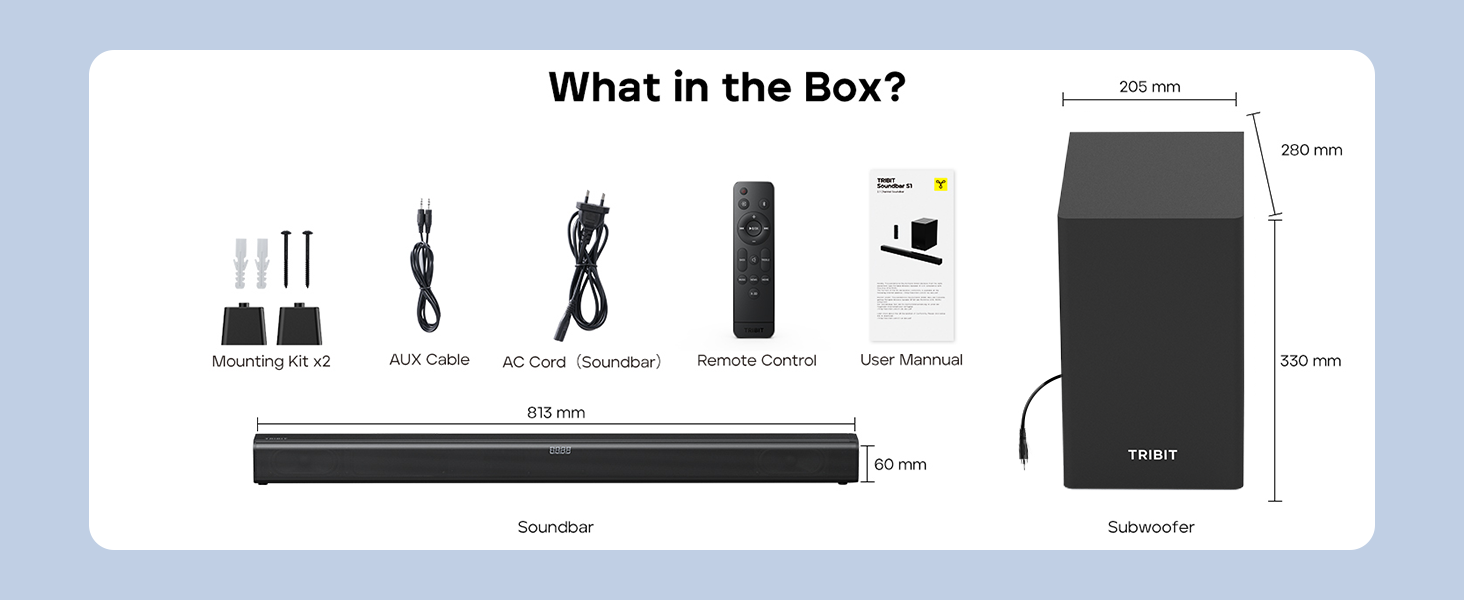
Image: Contents of the Tribit Soundbar S1 package, including the soundbar, subwoofer, remote control, power cord, AUX cable, mounting kit, and user manual. Dimensions for the soundbar and subwoofer are also shown.
Продукт бүттүview
Soundbar and Subwoofer Components

Image: The Tribit Soundbar S1, its accompanying wired subwoofer, and the remote control, displayed together.

Сүрөт: жарылган view diagram illustrating the 100W soundbar and 100W subwoofer with its bass reflex port, highlighting the 200W peak power output.
Soundbar Controls

Сүрөт: деталдуу view of the soundbar's top-mounted controls, including the On/Off button, Source button, Volume + button, and Volume - button. The remote control receiver is also indicated.
- Кубат баскычы: Press to turn the soundbar On or Off.
- Булак баскычы: Press to cycle through input modes (Bluetooth, AUX, HDMI, USB).
- Көлөм + баскычы: Үнүн жогорулатуу.
- Үндүн көлөмү - баскычы: Үнүн азайтуу.
- LED дисплей: Shows current status, volume level, and EQ mode.
Арткы панелдик байланыштар

Image: A diagram illustrating the rear connection panel of the soundbar, featuring ports for HDMI (ARC), USB Disk Input, AUX Input, SUB Output (for the wired subwoofer), and AC Input. Bluetooth 5.3 connectivity is also noted.
- HDMI (ARC): Connect to your TV's HDMI ARC port for audio output.
- AUX IN: Connect external audio devices via a 3.5mm AUX cable.
- USB: Аудио ойнотуу үчүн fileUSB дисктен.
- ЧЫГУУ: Connects to the wired subwoofer.
- AC IN: Электр шнурын туташтырыңыз.
Алыстан башкаруу

Сүрөт: деталдуу view of the remote control for the Tribit Soundbar S1, showing buttons for Power On/Off, Source Switching, Bluetooth Mode, Volume +/-, Previous/Next Song, Play/Pause, Mute, Bass/Treble +/- adjustments, and dedicated EQ Mode buttons (Music, News, Movie, X-3D).
The remote control allows full functionality from a distance. Ensure batteries are correctly inserted.
Жайгашуу
Жайгаштыруу
Position the soundbar centrally below your television. The subwoofer can be placed on the floor near the soundbar, ideally in a corner for enhanced bass response, but ensure it is not obstructed.

Image: The Tribit Soundbar S1 positioned below a television on a media console, with the wired subwoofer placed to the side, demonstrating a typical home theater setup.
Сабвуферди туташтыруу
Connect the wired subwoofer to the "SUB OUT" port on the rear of the soundbar using the provided cable.
Power Connection
Connect the AC power cord to the "AC IN" port on the soundbar, then plug the other end into a wall outlet.
Аудио байланыштар
Аудио булагын туташтыруу үчүн төмөнкү ыкмалардын бирин тандаңыз:
- HDMI (ARC): For optimal audio quality and control, connect an HDMI cable from the soundbar's HDMI (ARC) port to your TV's HDMI ARC port. Ensure your TV's HDMI ARC function is enabled in its settings.
- AUX: Connect the provided 3.5mm AUX cable from the soundbar's AUX IN port to the audio output (headphone jack or AUX out) of your device (TV, smartphone, tablet).
- USB: Аудио камтыган USB дискти салыңыз files into the USB port. The soundbar will automatically switch to USB mode.
- Bluetooth: Зымсыз туташуу үчүн, Иштетүү нускамаларынын астындагы "Bluetooth жупташтыруу" бөлүмүнө кайрылыңыз.
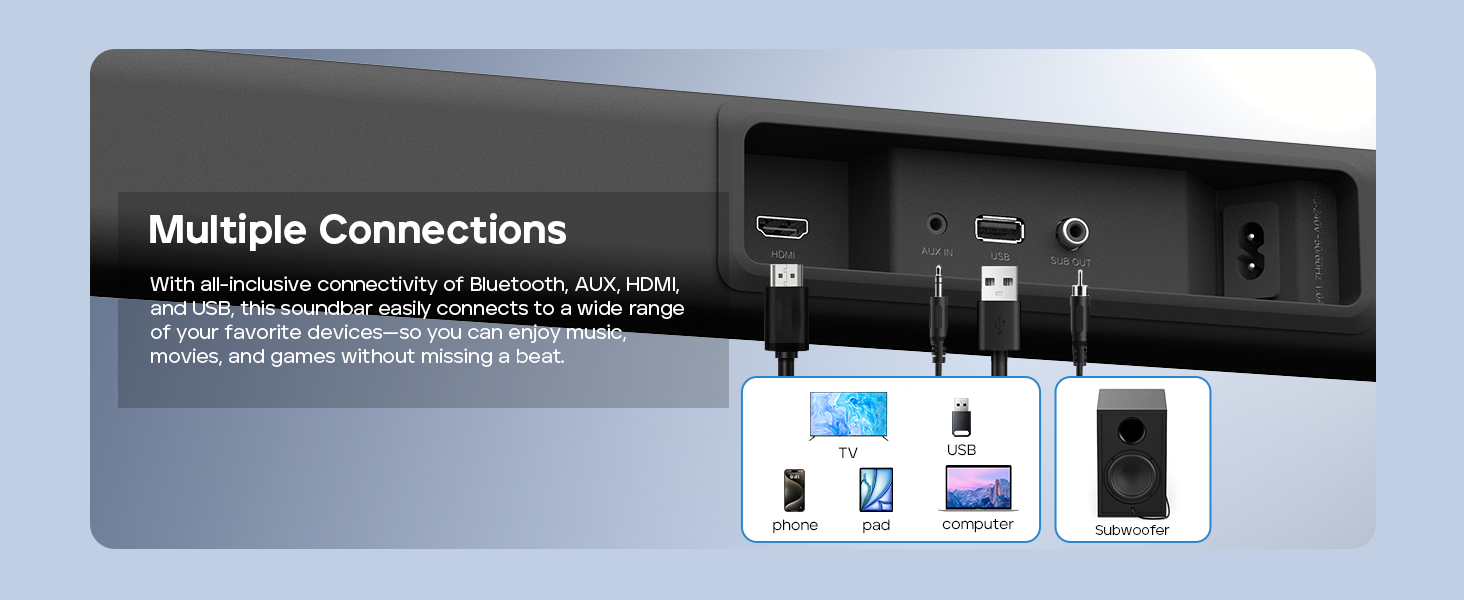
Image: A visual guide demonstrating the multiple connection options for the soundbar, including HDMI, AUX, USB, and Bluetooth, with examples of compatible devices like TVs, phones, tablets, and computers.
Дубалга орнотуу (кошумча)
If you choose to wall-mount your soundbar, follow these steps:
- Measure 668.70mm between two points on the wall and drill two parallel holes (4x45mm).
- Firmly insert a dowel into each hole. Dowels are only required for solid walls.
- Attach the soundbar to the screws on the wall. Press and slide the soundbar to secure it in the correct position.
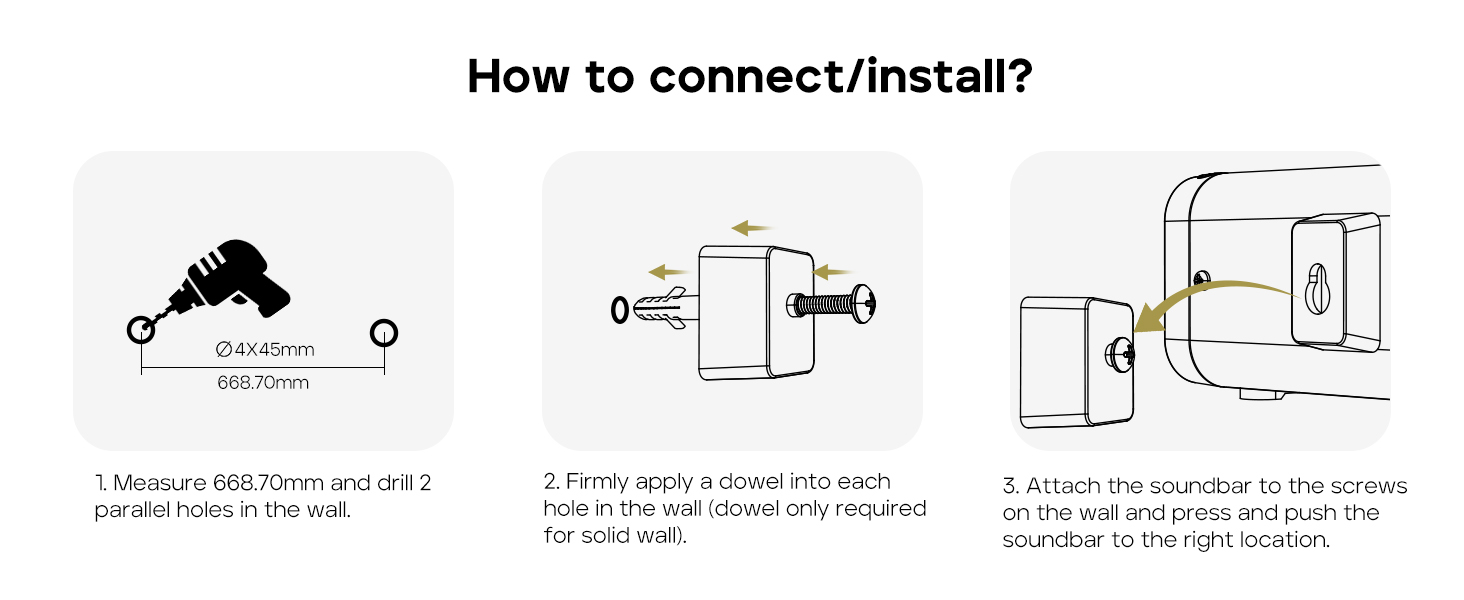
Image: A three-step instructional diagram for wall mounting the soundbar, showing measuring and drilling holes, inserting dowels, and finally attaching the soundbar to the wall.
Иштөө нускамалары
Күйгүзүү/өчүрүү
басыңыз Күч түзмөктү күйгүзүү же өчүрүү үчүн үн тактасындагы же алыстан башкаруу пультундагы баскычты басыңыз.
Киргизүү булагын тандоо
басыңыз Булак button on the soundbar or remote control repeatedly to cycle through available input modes: Bluetooth, AUX, HDMI, USB. The LED display will indicate the current mode.
Үндү көзөмөлдөө
колдонуу Көлөм + or Көлөмү - үн деңгээлин жөндөө үчүн саундбардагы же алыстан башкаруу пультундагы баскычтарды басыңыз.
басыңыз Үнсүз button on the remote control to mute or unmute the audio.
Bluetooth Жупташтыруу
- Turn on the soundbar and select Bluetooth mode using the Source button. The LED display will show "BT" and flash, indicating it's in pairing mode.
- Enable Bluetooth on your device (smartphone, tablet, etc.) and search for "Tribit S1".
- Select "Tribit S1" from the list of available devices to connect. Once connected, the LED display will stop flashing and show "BT" steadily.
EQ режимдери
The soundbar features four equalizer (EQ) modes to optimize audio for different content types. Use the dedicated buttons on the remote control to switch between modes:
- Музыка режими: Provides balanced sound for general music listening.
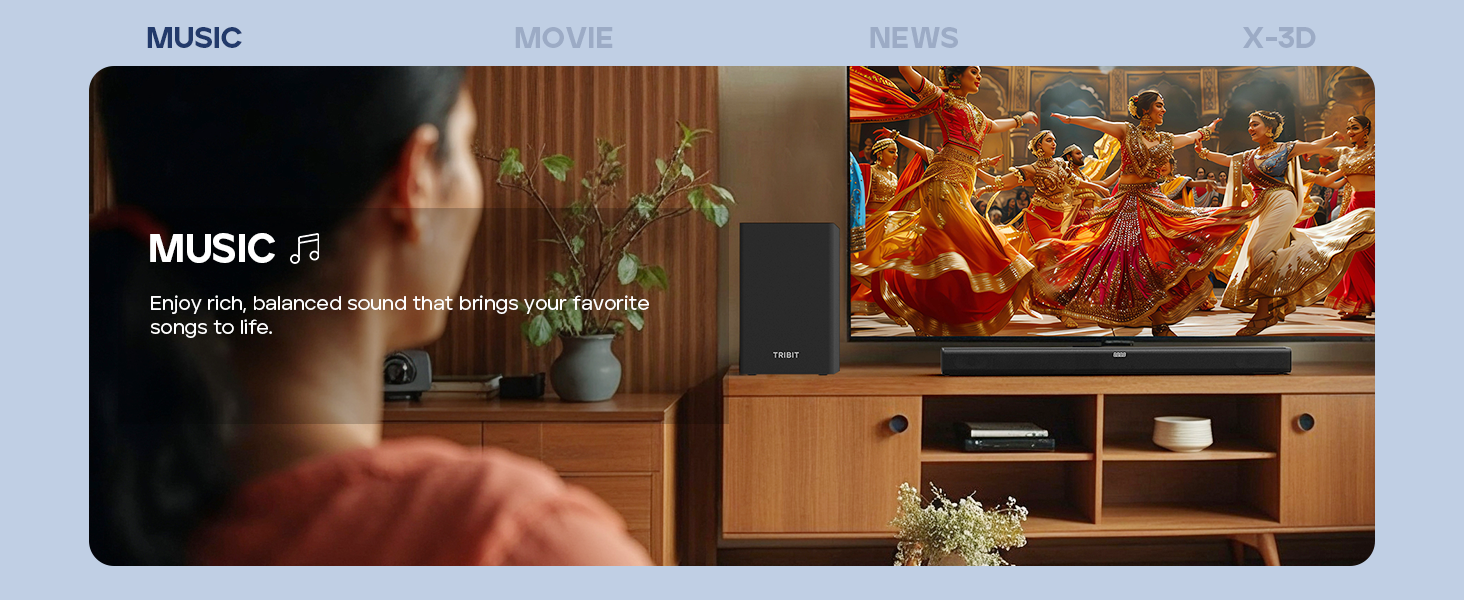
Image: A person enjoying music with the soundbar, illustrating the Music EQ mode for balanced audio.
- Кино режими: Enhances dialogue and sound effects for a cinematic experience.
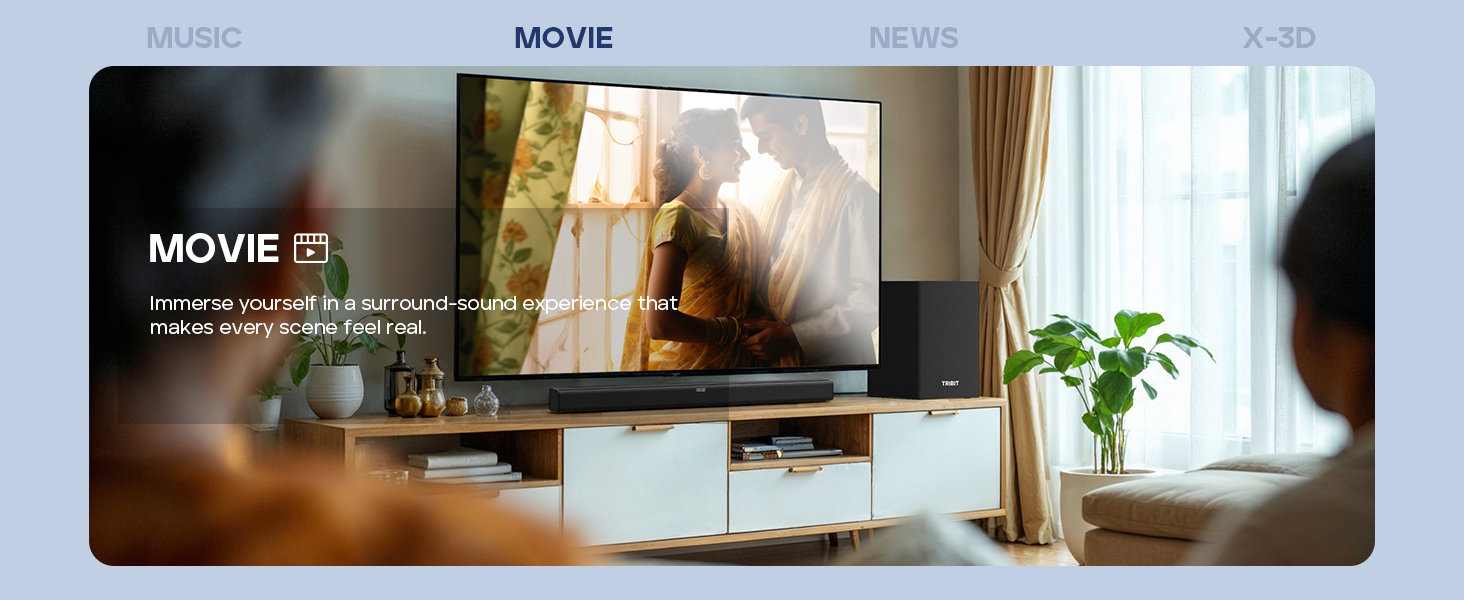
Image: A couple watching a movie with the soundbar, illustrating the Movie EQ mode for an immersive surround-sound experience.
- Жаңылыктар режими: Optimizes for clear dialogue, making news broadcasts and speech easier to understand.
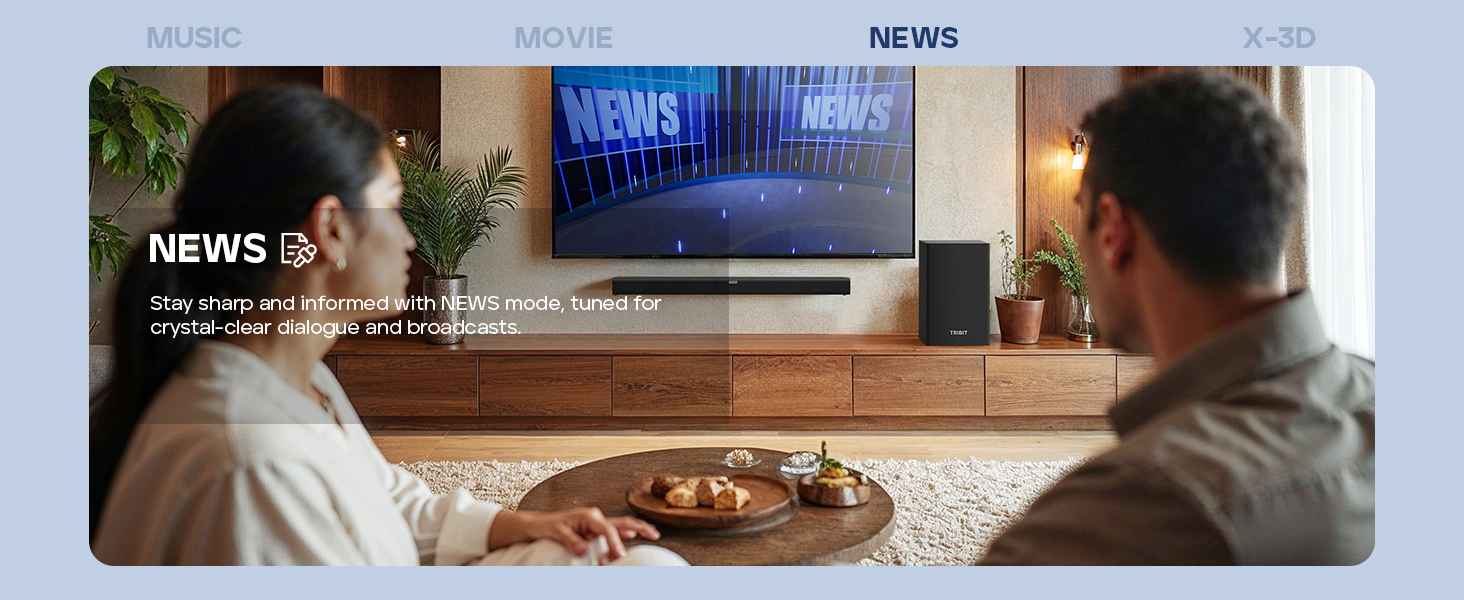
Image: A couple watching news with the soundbar, illustrating the News EQ mode for crystal-clear dialogue.
- X-3D Mode: Creates an expanded stereo effect for an immersive virtual surround sound experience.
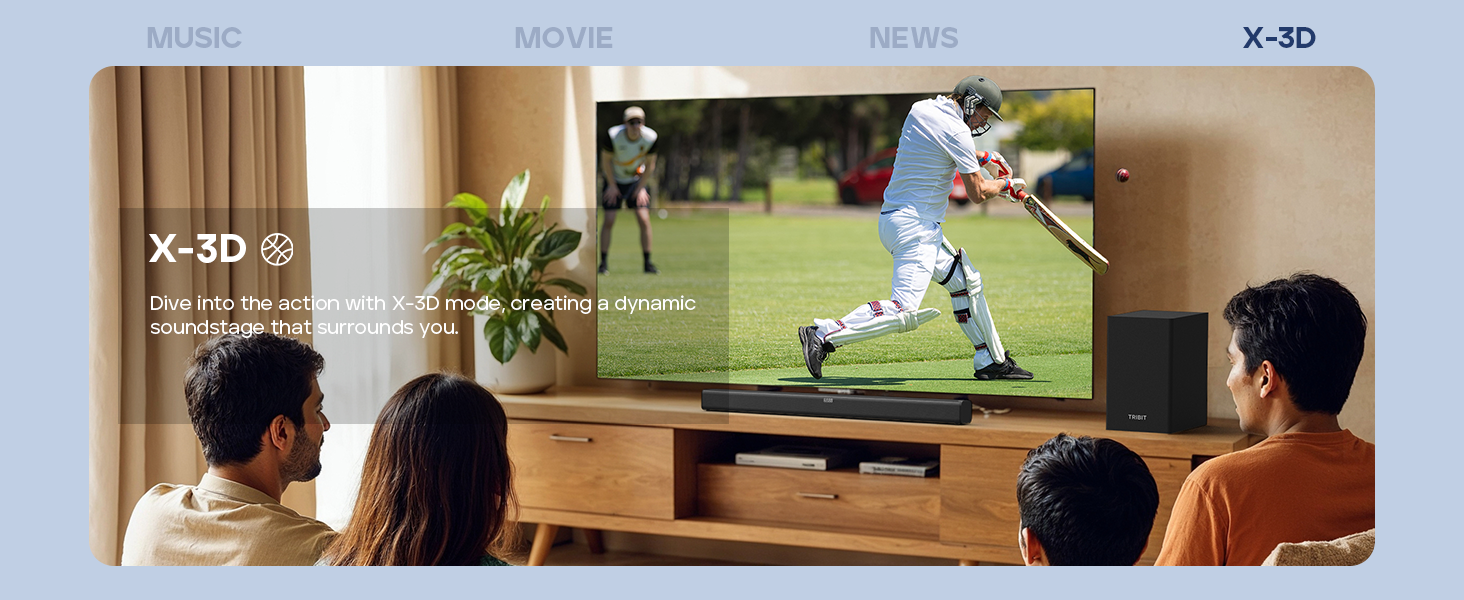
Image: People watching sports with the soundbar, illustrating the X-3D mode for a dynamic, surrounding soundstage.

Image: A visual representation of the four available EQ modes (Music, Movie, News, X-3D) and their corresponding icons, indicating how to adjust them with the remote for an immersive virtual surround sound experience.
Басс жана жогорку баскычтарды көзөмөлдөө
колдонуу BASS +/- жана ҮЧКӨ +/- төмөнкү жана жогорку жыштыктарды өз каалооңузга ылайыкташтыруу үчүн алыстан башкаруу пультундагы баскычтарды басыңыз.
Проблемаларды чечүү
| Көйгөй | Мүмкүн себеп | Чечим |
|---|---|---|
| Күч жок | Электр зымы туташкан эмес; Электр розеткалары активдүү эмес. | Электр шнурунун саундбарга жана иштеген электр розеткасына бекем туташтырылганын текшериңиз. |
| Үн жок | Incorrect input source selected; Volume too low; Cables not connected properly; Mute function active. | Select the correct input source. Increase volume. Check all audio cables. Deactivate mute. |
| Bluetooth жупташтыруу ишке ашпай калды | Soundbar жупташтыруу режиминде эмес; Аппарат өтө алыс; Интерференция. | Ensure soundbar is in Bluetooth pairing mode (flashing "BT"). Move device closer. Avoid strong interference sources. Try re-pairing. |
| Пульт иштебей жатат | Batteries depleted; Obstruction between remote and soundbar; Remote not pointed correctly. | Replace batteries (2 AAA). Remove any obstructions. Point the remote directly at the soundbar's receiver. |
| Үн сапаты начар | Incorrect EQ mode; Loose cable connection; Low-quality audio source. | Switch EQ modes to find the best setting. Check cable connections. Use a higher quality audio source if possible. |
Техникалык шарттар
- Модел: BTS61
- Динамик түрү: Саундбар, сабвуфер
- Көлөмдүү үн каналынын конфигурациясы: 2.1
- Динамиктин максималдуу чыгаруу күчү: 200 Watts (100W Soundbar, 100W Subwoofer)
- Сабвуфердин диаметри: 6.5 дюйм
- Байланыш технологиясы: Bluetooth 5.3, Auxiliary, HDMI (ARC), USB
- Аудио чыгаруу режими: Стерео, айлана
- Башкаруу ыкмасы: Алыстан башкаруу, блоктун баскычтары
- Өзгөчө өзгөчөлүгү: LED Display, 4 EQ Modes (Music, Movie, News, X-3D), Bass & Treble Control
- Кубат булагы: AC иштейт
- Түсү: Кара
- Элемент Салмагы: 8.76 kg (Soundbar + Subwoofer)
- Пакеттин өлчөмдөрү: 90.8 x 44.8 x 27.8 см
- Батареялар: 2 AAA batteries (for remote, included)
Техникалык тейлөө
- Тазалоо: Wipe the surfaces of the soundbar and subwoofer with a soft, dry, lint-free cloth. Do not use abrasive cleaners, waxes, or solvents.
- Вентиляция: Саундбардагы жана сабвуфердеги желдетүү тешиктери бүтөлүп калбагандыгын текшериңиз.
- Сактагыч: Эгер аппаратты узак убакытка сактасаңыз, аны розеткадан ажыратып, салкын, кургак жерде сактаңыз.
Кепилдик жана колдоо
Tribit products are designed for reliability and performance. For warranty information and customer support, please refer to the warranty card included in your package or visit the official Tribit webсайт.
Байланыш маалыматы:
- Өндүрүүчү: Tribit
- Онлайн колдоо: Visit the Tribit Store on Amazon
Please have your model number (BTS61) and purchase details ready when contacting support.


