1. Продукт бүтүп калдыview
The SelfieShow Q01 is a versatile and portable device designed to enhance your mobile photography and videography experience. It functions as both an extendable selfie stick and a stable tripod, offering flexibility for various shooting scenarios.
Key features include a 7-section telescopic rod that extends up to 106 cm, a 360° rotatable phone holder, and a detachable wireless remote control for convenient remote shooting. Its lightweight and foldable design makes it an ideal companion for travel and everyday use.

Image: The SelfieShow Q01 in selfie stick mode, tripod mode, and folded for portability.
2. Компоненттер
Пакет төмөнкү компоненттерди камтыйт:
- Selfie Stick Tripod (main unit)
- User Manual
- CR1632 Battery (pre-installed in remote control)
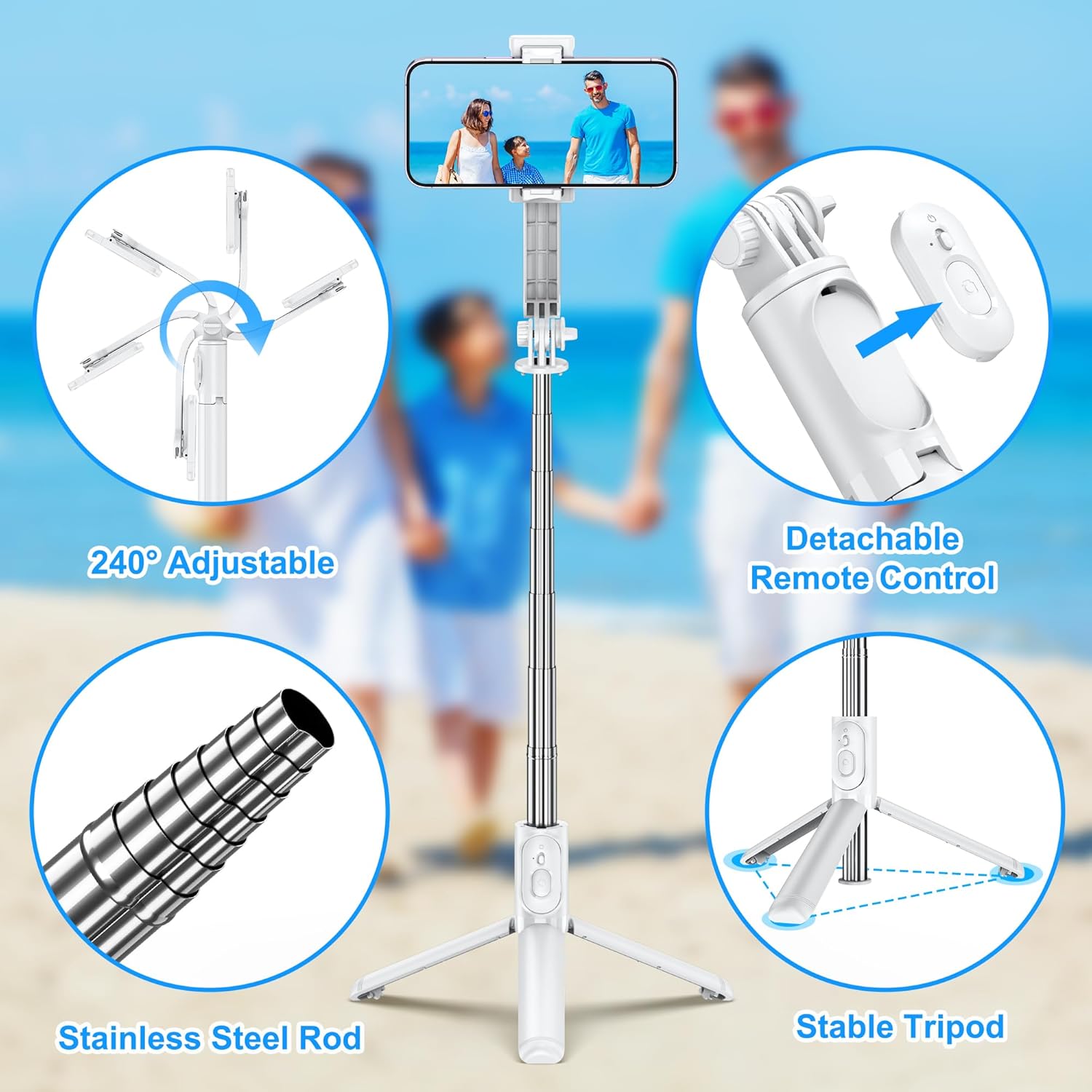
Image: Visual representation of the product's main features including the adjustable head, remote, rod, and tripod.
3. Орнотуу жана орнотуу
Follow these steps to set up your SelfieShow Q01:
- Stretch the Selfie Stick: Gently pull the top section of the selfie stick upwards to extend the telescopic rod.
- Штативди ачуу: If using as a tripod, spread the three legs at the base of the stick outwards until they form a stable triangular base.
- Телефонуңузду орнотуңуз: Open the phone holder clip and carefully place your smartphone inside, ensuring it is securely gripped. The holder supports phones between 6.5 cm and 9.5 cm (2.5 to 3.7 inches) in width.
- Take Out the Remote Control: The remote control is integrated into the handle. Slide it out from its slot.
- Connect Your Phone (Bluetooth Pairing):
- Turn on the remote control by pressing and holding the button until the indicator light flashes.
- Смартфонуңуздан Bluetooth жөндөөлөрүнө өтүп, жаңы түзмөктөрдү издеңиз.
- Select "SelfieShow" (or similar name) from the list of available devices to pair. The indicator light on the remote will stop flashing once connected.
- Сүрөткө/Видео тартууга: Once paired, open your phone's camera app. Press the button on the remote control to capture photos or start/stop video recording.

Image: Detailed steps for setting up and using the selfie stick, from extending to Bluetooth pairing.
4. Иштөө нускамалары
4.1 Селфи таякчасын узартуу
The telescopic rod can be extended up to 106 cm (41.7 inches) by pulling the sections outwards. Ensure all sections are fully extended and locked into place for maximum stability, especially when using it as a selfie stick for group photos or wider shots.
4.2 Adjusting Phone Holder Angle
The phone holder features a 360° rotation capability, allowing you to switch between horizontal and vertical orientations. Additionally, the holder can be tilted up to 225°, providing flexibility for various shooting angles, including overhead or low-angle shots.

Image: Demonstrates the 360° rotation and 240° tilt functionality of the phone holder for versatile shooting.
4.3 Ажыратылуучу пультту колдонуу
The wireless remote control allows you to capture photos or videos from a distance of up to 10 meters (33 feet). This is ideal for group photos, long-exposure shots, or when you want to avoid camera shake.
- Күйгүзүү/өчүрүү: Press and hold the button on the remote to turn it on or off.
- Жупташтыруу: Bluetooth жупташтыруу боюнча нускамаларды 3.5-бөлүмдөн караңыз.
- Тартуу: Once paired, a single press of the button will trigger the camera shutter or start/stop video recording in your phone's camera app.
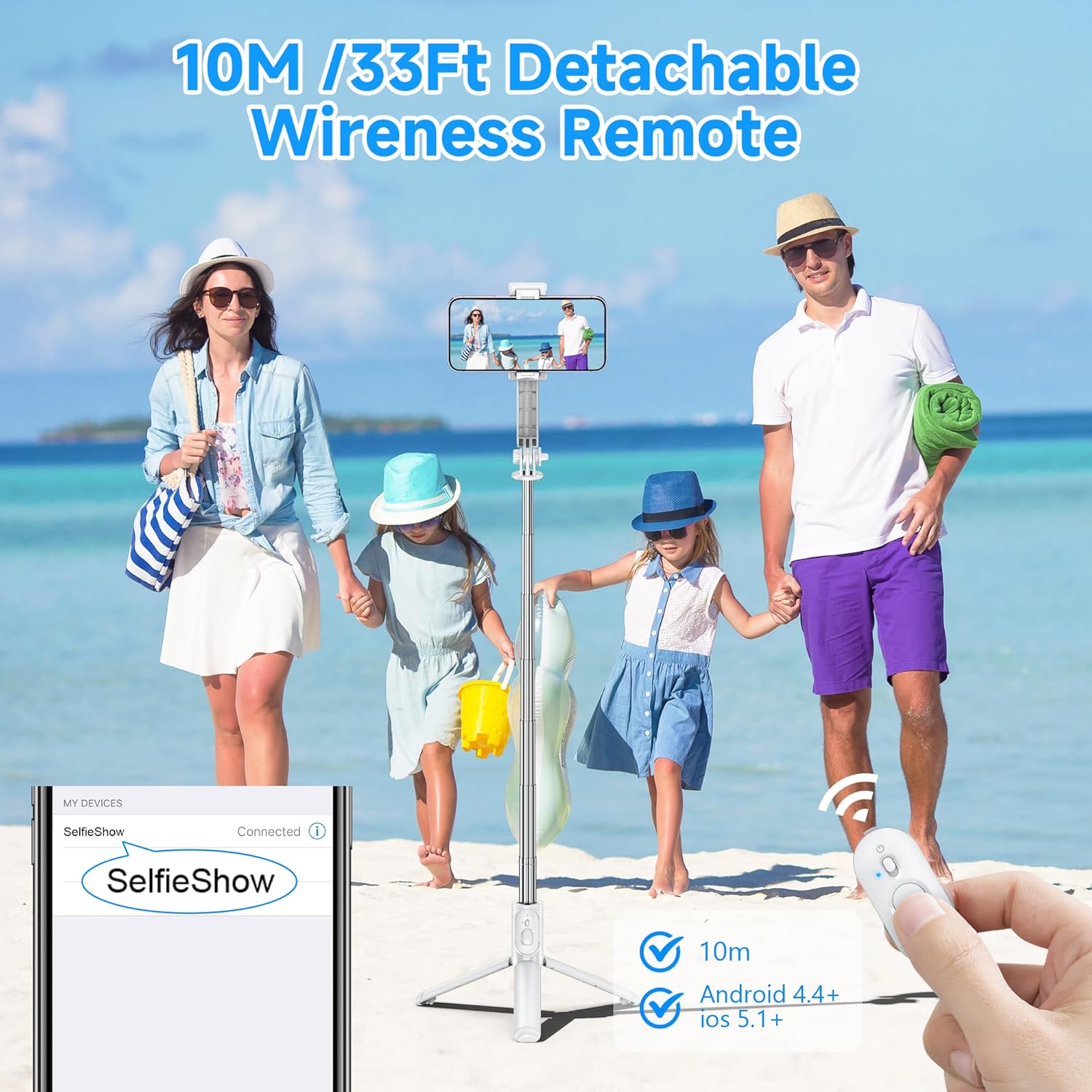
Image: The remote control and its effective range, highlighting its Bluetooth connectivity.
4.4 Алынуучу телефон кармагычынын функциялары
The phone clip can be detached from the selfie stick and used independently as a compact phone stand. This is useful for watching videos, video calls, or simply propping up your phone on a flat surface.
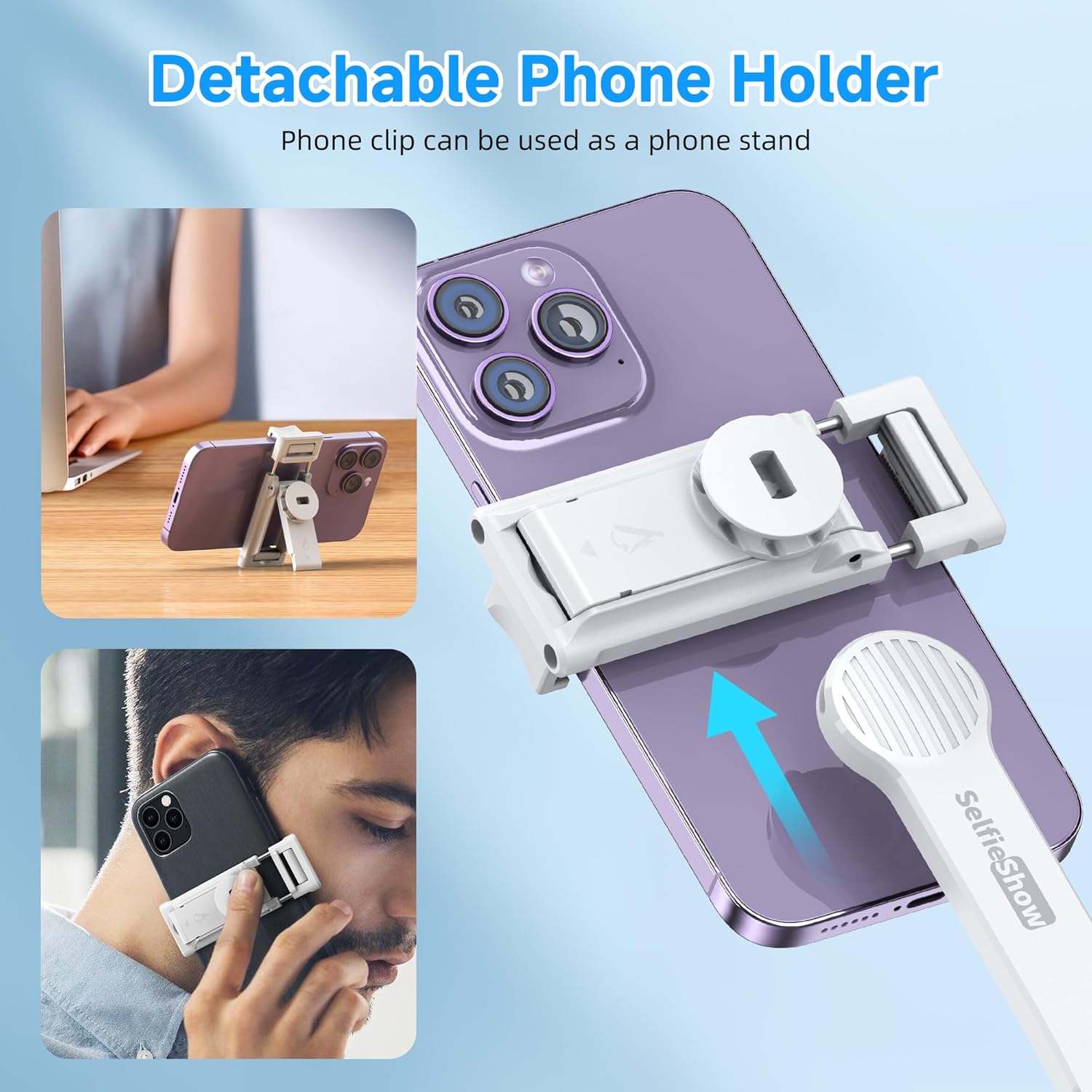
Image: The phone holder can be removed and used as a separate phone stand.
5. Техникалык тейлөө
To ensure the longevity and optimal performance of your SelfieShow Q01, please follow these maintenance guidelines:
- Тазалоо: Түзмөктү жумшак, кургак чүпүрөк менен сүртүңүз. Бетине зыян келтириши мүмкүн болгон абразивдүү тазалоочу каражаттарды же эриткичтерди колдонуудан алыс болуңуз.
- Сактагыч: Store the selfie stick in a cool, dry place away from direct sunlight and extreme temperatures. Ensure it is folded to its compact size when not in use.
- Батарея: The remote control uses a CR1632 button cell battery. If the remote's response becomes slow or it fails to connect, replace the battery.
- Ашыкча жүктөөдөн качыңыз: Do not attempt to attach devices heavier than the recommended maximum weight (165 grams) to prevent damage to the phone holder or the stick.
6. Кыйынчылыктарды
If you encounter issues with your SelfieShow Q01, refer to the following common problems and solutions:
- Алыстан башкаруу пульту туташпай жатат:
- Ensure the remote control is powered on and fully charged (or has a fresh battery).
- Смартфонуңузда Bluetooth иштетилгенин текшериңиз.
- Телефонуңуздун Bluetooth жөндөөлөрүнөн түзмөктү ажыратып, кайра жупташтырыңыз.
- Пульттун иштөө диапазону 10 метр экенин текшериңиз.
- Phone Not Stable in Holder:
- Verify that your phone's width is within the supported range (6.5 cm to 9.5 cm).
- Ensure the phone is centered and securely clamped by the holder.
- Selfie Stick Wobbles When Extended:
- Ensure all telescopic sections are fully extended and locked into place.
- Avoid excessive force or sudden movements when extended.
7. Техникалык шарттар
| Өзгөчөлүк | Спецификация |
|---|---|
| Бренд | SelfieShow |
| Модель номери | Q01 |
| Түс | Ак |
| Элемент Салмагы | 160 грамм |
| Сунушталган максималдуу салмак | 165 грамм |
| Катталган өлчөмү | 5.2 x 3.7 x 19.8 см (2.05 x 1.46 x 7.8 дюйм) |
| Максималдуу узартылган узундук | 106 см (41.7 дюйм) |
| Телефон кармагычтын туурасы | 6.5 - 9.5 см (2.5 - 3.7 дюйм) |
| Шайкеш түзмөктөр | Mobile Phone (iOS and Android) |
| Алыстан башкаруунун батареясы | CR1632 Литий Металл (кошулган) |
| Зымсыз диапазон | 10 метрге чейин (33 фут) |
| UPC | 614162255873 |

Image: Compatibility details for various smartphone models and the phone holder's adjustable width.
8. Кепилдик маалыматы
The SelfieShow Q01 comes with a 1 жылдык өндүрүүчүнүн кепилдиги сатып алынган күндөн тартып. Бул кепилдик нормалдуу колдонуудагы материалдардагы жана жасалгадагы кемчиликтерди камтыйт. Бул туура эмес колдонуудан, кырсыктардан, уруксатсыз өзгөртүүлөрдөн же кадимки эскирүүдөн келип чыккан зыянды камтыбайт.
Кепилдик дооматтары үчүн сатып алганыңыздын далилин сактап коюңуз.
9. Колдоо
For further assistance, technical support, or warranty inquiries, please refer to the contact information provided on the product packaging or the official SelfieShow webсайт.
We recommend visiting the official product support page for the most up-to-date information, FAQs, and potential software updates (if applicable).


