Introduction
Thank you for choosing the Quntis Under Cabinet Motion Sensor Light. This rechargeable, dimmable LED light is designed to provide convenient and efficient illumination for various indoor spaces such as kitchens, closets, hallways, and stairs. Featuring an advanced motion sensor, adjustable brightness, and multiple operating modes, this light offers a versatile lighting solution. Please read this manual thoroughly before installation and use to ensure proper operation and longevity of your product.

1-сүрөт: The Quntis Under Cabinet Motion Sensor Light is suitable for diverse indoor environments including kitchens, bedrooms, wardrobes, and more, providing illumination where needed.
1. Орнотуу жана орнотуу
1.1 Пакеттин мазмуну
- Quntis Under Cabinet Motion Sensor Light (2 units)
- USB-C заряддоо кабели
- Adhesive Metal Plates (for non-magnetic surfaces)
- User Manual
1.2 Аппаратты заряддоо
Before first use, fully charge the light. Connect the provided USB-C cable to the charging port on the light and to a standard USB power adapter (not included). The indicator light will show charging status and turn off when fully charged. A full charge typically takes approximately 3 hours.
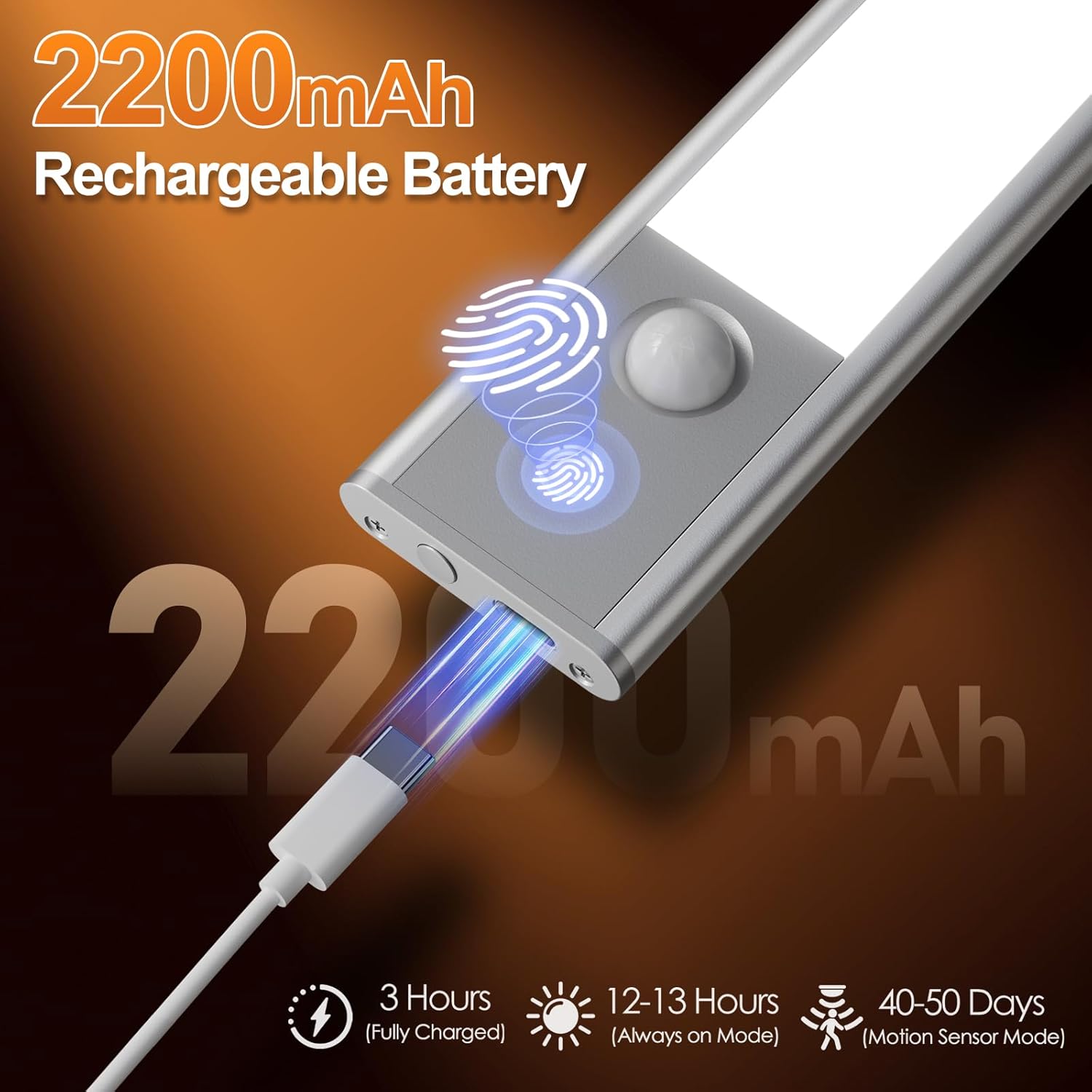
2-сүрөт: Connect the USB-C cable to the charging port for convenient recharging. A full charge provides extended operation.
1.3 Орнотуу ыкмалары
The Quntis light offers two flexible installation options:
- Магниттик тиркеме: The light has built-in magnets. Simply attach it directly to any metallic surface.
- Жабышкак металл плиталар: For non-metallic surfaces (e.g., wood, plastic), use the included adhesive metal plates. Clean the desired surface, peel off the protective film from the adhesive plate, firmly press the plate onto the surface, and then magnetically attach the light to the plate. Ensure the surface is clean and dry for optimal adhesion.

3-сүрөт: Choose between direct magnetic attachment or using adhesive metal plates for versatile placement.
2. Иштөө нускамалары
The light features a multi-functional button and a motion sensor for various operating modes.
2.1 Режимди тандоо
Press the control button to cycle through the following modes:
- Бир чыкылдатуу: Constant Light Mode (Always-On) - The light remains continuously on.
- Эки жолу таптоо: Night Sensing Mode - The light activates only in dark environments when motion is detected.
- Three Clicks: All-Day Sensing Mode - The light activates whenever motion is detected, regardless of ambient light conditions.
- Four Taps: Off - Turns the light off.

4-сүрөт: Easily switch between constant light, night sensing, and all-day sensing modes with simple button presses.
2.2 Кыймыл сенсорунун функциясы
The integrated PIR motion sensor detects human movement within a 120° angle and a range of 10-16 feet (approximately 3-5 meters). In sensing modes, the light will automatically turn on when motion is detected and turn off after approximately 20 seconds of no motion.

5-сүрөт: The motion sensor provides a wide detection range for automatic illumination.
2.3 Жарыктыкты жөндөө (кадамсыз күңүртөтүү)
When the light is on, press and hold the control button to activate stepless dimming. The brightness will gradually increase or decrease. Release the button at your desired brightness level.

6-сүрөт: Adjust the brightness seamlessly to suit your needs, from gentle night light to full illumination.
2.4 Түс температурасын жөндөө
When the light is on, short press the control button (do not hold) to cycle through the available color temperatures: Warm Light (3000K), Neutral Light (4500K), and White Light (6000K).

7-сүрөт: Select from Warm, Neutral, or White light to match your preference or environment.
3. Техникалык тейлөө
3.1 Тазалоо
To clean the light, gently wipe the surface with a soft, dry cloth. Do not use abrasive cleaners, solvents, or immerse the device in water, as this may damage the electronics.
3.2 Батареяга кам көрүү
To prolong battery life, avoid fully discharging the light frequently. Recharge the light when the brightness noticeably diminishes. Store the light in a cool, dry place if not in use for an extended period, and recharge it every 3-6 months to maintain battery health.
4. Кыйынчылыктарды
| Көйгөй | Мүмкүн себеп | Чечим |
|---|---|---|
| Жарык күйбөйт. | Батарея түгөнүп калды. | Жарыкты толук заряддаңыз. |
| Туура эмес режим тандалган. | Ensure the light is not in 'Off' mode. Cycle through modes to 'Constant Light' or a sensing mode. | |
| Кыймыл сенсор иштебейт. | Not in a sensing mode. | Switch to 'Night Sensing Mode' or 'All-Day Sensing Mode'. |
| Ambient light is too bright (for Night Sensing Mode). | Test in a darker environment or switch to 'All-Day Sensing Mode'. | |
| Тоскоолдукту бөгөттөөчү сенсор. | Сенсордун эч кандай тоскоолдуктардан тазаланганын текшериңиз. | |
| Жарык бүлбүлдөп же күңүрт. | Батарея аз. | Жарыкты кайра заряддаңыз. |
| Жарыктык өтө төмөн коюлду. | Adjust brightness using stepless dimming. |
5. Техникалык шарттар
| Өзгөчөлүк | Деталь |
|---|---|
| Модель номери | SVR-H4015-PIR20 |
| Өлчөмдөр | 20L x 4W x 1H см (7.9L x 1.6W x 0.4H дюйм) |
| Салмагы | Болжол менен 300 г |
| Батарея сыйымдуулугу | 2200mAh |
| Заряддоо порту | USB-C |
| Заряддоо убактысы | Болжол менен 3 саат (толук заряддалган) |
| Operating Time (Always-On) | 12-13 саат |
| Operating Time (Motion Sensor Mode) | 40-50 days (based on average use) |
| Motion Sensor Angle | 120° |
| Кыймыл сенсорунун диапазону | 10-16 фут (3-5 метр) |
| Светодиоддор | 40 энергия үнөмдөөчү LED |
| Түс температурасы | 3000K (Warm White), 4500K (Neutral White), 6000K (Cold White) |
| Материал | Алюминий эритмеси, пластик |

8-сүрөт: Key dimensions and battery performance details of the Quntis Under Cabinet Light.
6. Кепилдик маалыматы
Quntis products are manufactured to high-quality standards. This product comes with a standard manufacturer's warranty against defects in materials and workmanship. Please refer to the product packaging or contact Quntis customer support for specific warranty terms and conditions applicable to your region.
7. Кардарларды колдоо кызматы
If you encounter any issues or have questions regarding your Quntis Under Cabinet Motion Sensor Light, please do not hesitate to contact our customer support team. For the most up-to-date contact information, please visit the official Quntis webсайтка же продуктунун таңгагында көрсөтүлгөн байланыш маалыматына кайрылыңыз.
Webсайт: Quntis Official Store on Amazon


