1. Киришүү
This manual provides detailed instructions for the E-YOOSO X-45 Ergonomic Vertical Mouse. Designed for comfort and versatility, this mouse offers multiple connectivity options and adjustable sensitivity to enhance your computing experience. Please read this manual thoroughly before using the product to ensure proper operation and longevity.
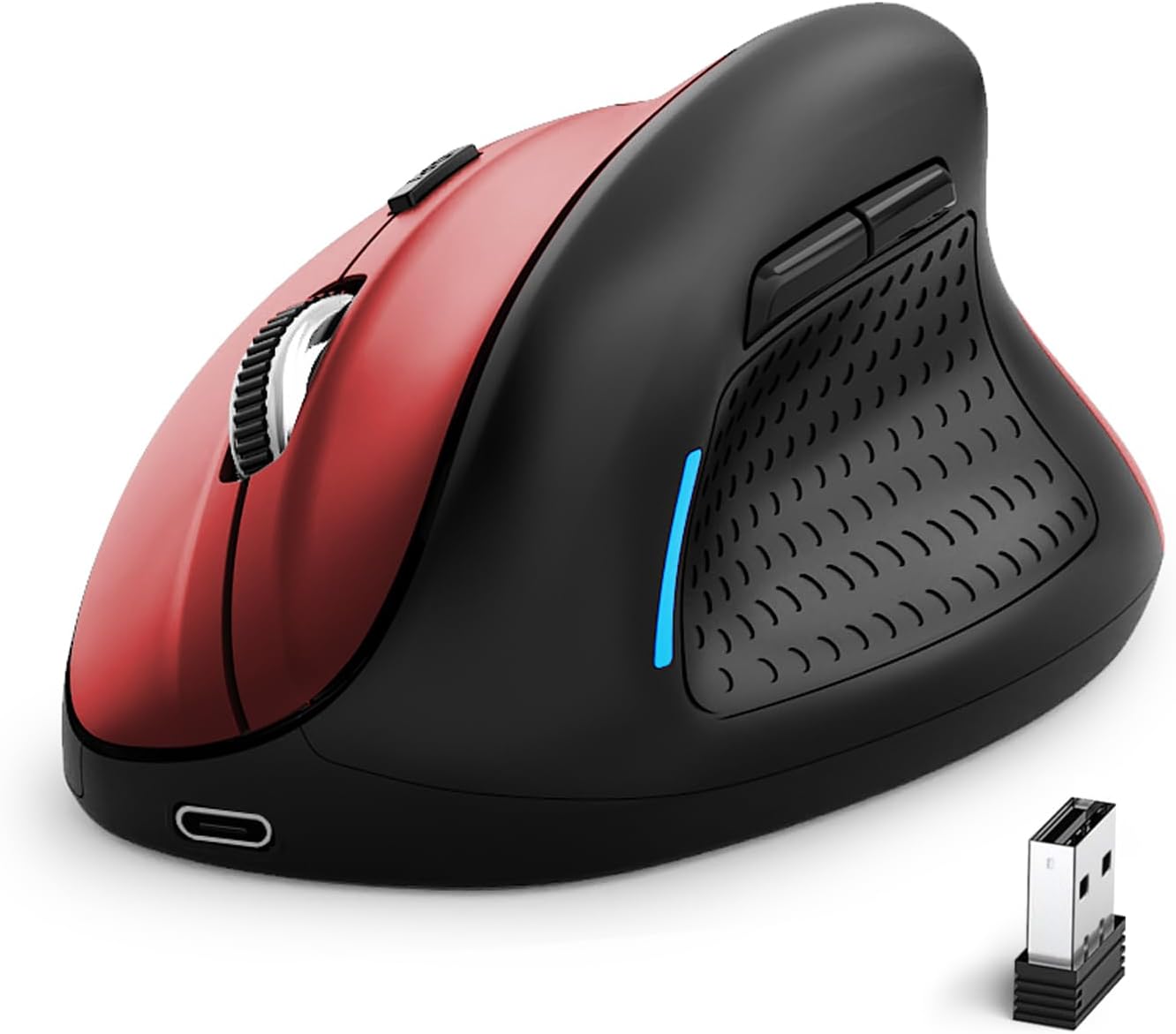
Image 1: E-YOOSO X-45 Ergonomic Vertical Mouse (Red Black)
2. Пакеттин мазмуну
Пакетиңизде бардык буюмдар бар экенин текшериңиз:
- 1 x E-YOOSO X-45 Ergonomic Vertical Mouse
- 1 x USB Receiver (2.4G)
- 1 х USB-C кубаттоо кабели
- 1 х Колдонуучунун колдонмосу (бул документ)
3. Продукт бүтүп калдыview
Familiarize yourself with the various components of your E-YOOSO X-45 mouse:

Image 2: Labeled components of the E-YOOSO X-45 Vertical Mouse
- Сол баскыч: Стандарттык сол чыкылдатуу функциясы.
- DPI которуу баскычы: Adjusts cursor sensitivity (DPI levels).
- Жылдыруу дөңгөлөгү: Вертикалдуу сыдыруу жана ортону басуу үчүн.
- Оң баскыч: Стандарттык оң баскычты чыкылдатуу функциясы.
- USB кабыл алгыч: Stores the 2.4G wireless dongle (located on the bottom of the mouse).
- Алга баскычы: Алга карай жылдырат web браузерлер же file изилдөөчүлөр.
- Артка баскычы: Артка карай багыт алат web браузерлер же file изилдөөчүлөр.
- Power/Mode Switch Button: Turns the mouse on/off and switches between connection modes.
- Жупташтыруу баскычы: Bluetooth жупташтыруу режимин баштайт.
4. Орнотуу
4.1 Чычканды заряддоо
The E-YOOSO X-45 mouse features a rechargeable battery. Use the provided USB-C cable to charge the mouse. A full charge typically takes 2-3 hours and can provide power for 2-3 months of usage, depending on usage patterns.
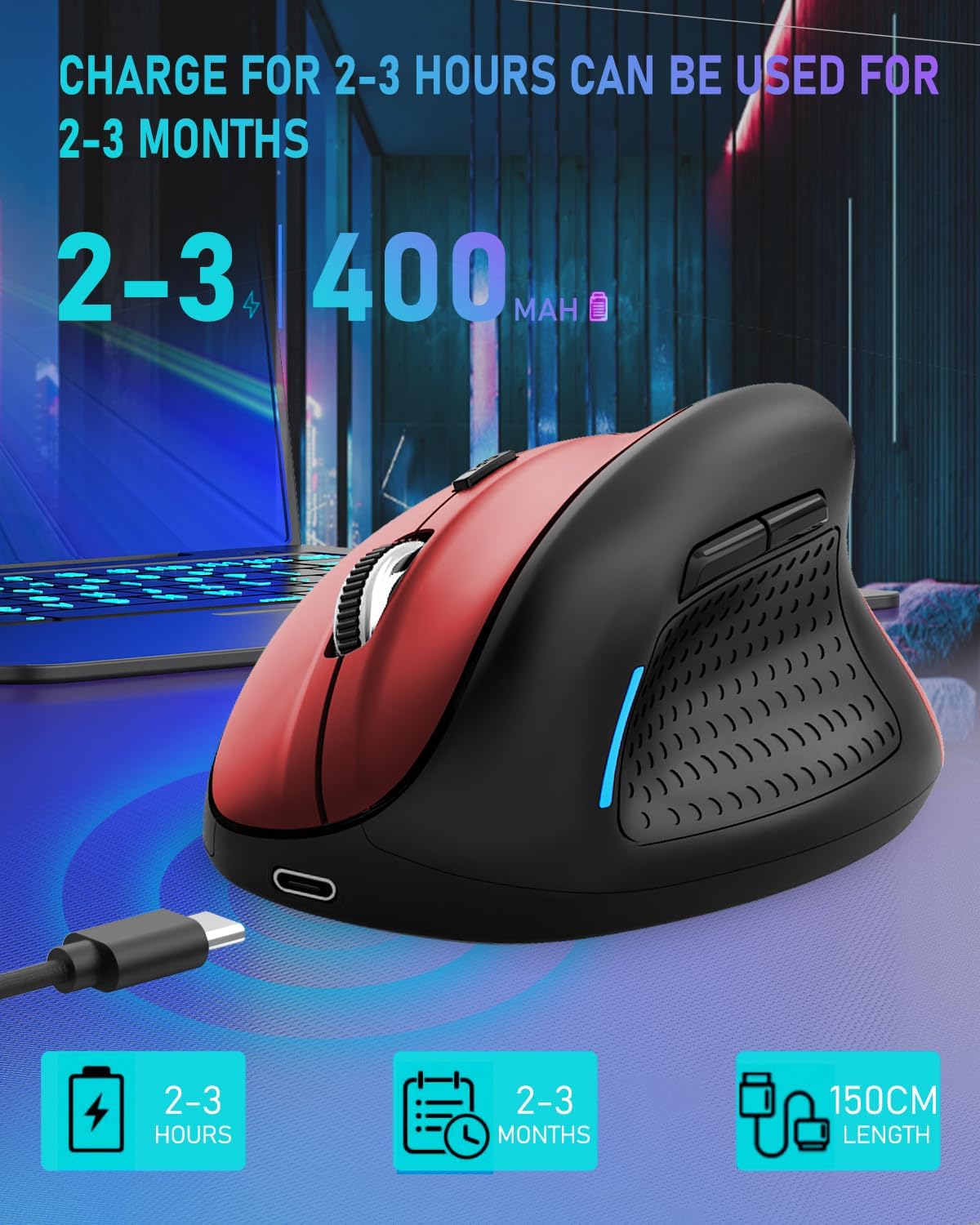
Image 3: Charging the E-YOOSO X-45 mouse
4.2 Байланыш режимдери
The mouse supports three connection modes: 2.4G Wireless, Bluetooth, and Wired.

Image 4: Tri-Mode Connection Options
4.2.1 2.4G зымсыз байланыш
- Чычкандын астыңкы жагындагы бөлүмдө сакталган USB кабыл алгычты табыңыз.
- USB ресиверди компьютериңиздеги жеткиликтүү USB портуна сайыңыз.
- Turn on the mouse using the Power/Mode Switch button on the bottom. Select the 2.4G mode.
- Чычкан автоматтык түрдө туташышы керек.
4.2.2 Bluetooth байланышы
- Turn on the mouse using the Power/Mode Switch button on the bottom. Select one of the Bluetooth modes (BT1 or BT2).
- Press and hold the Pairing Button (9) on the bottom of the mouse until the indicator light flashes, indicating it is in pairing mode.
- Түзмөгүңүздө (компьютер, планшет, смартфон) Bluetooth жөндөөлөрүнө өтүп, жаңы түзмөктөрдү издеңиз.
- Select "E-YOOSO X-45" (or similar name) from the list of available devices to pair.
- Жупташтырылгандан кийин, индикатор жарыгы күйүп-өчүүнү токтотот.
4.2.3 Зымдуу туташуу
- Кубаттоочу кабелдин USB-C учун чычканга, ал эми USB-A учун компьютериңизге туташтырыңыз.
- The mouse will automatically switch to wired mode and function without needing a battery or wireless connection.
5. Иштөө нускамалары
5.1 DPI жөндөө
The mouse features 5 adjustable DPI (Dots Per Inch) levels, allowing you to customize cursor sensitivity. Press the DPI Switch Button (2) to cycle through the following settings:
- 800 DPI
- 1200 DPI
- 1600 DPI
- 2000 DPI
- 4800 DPI
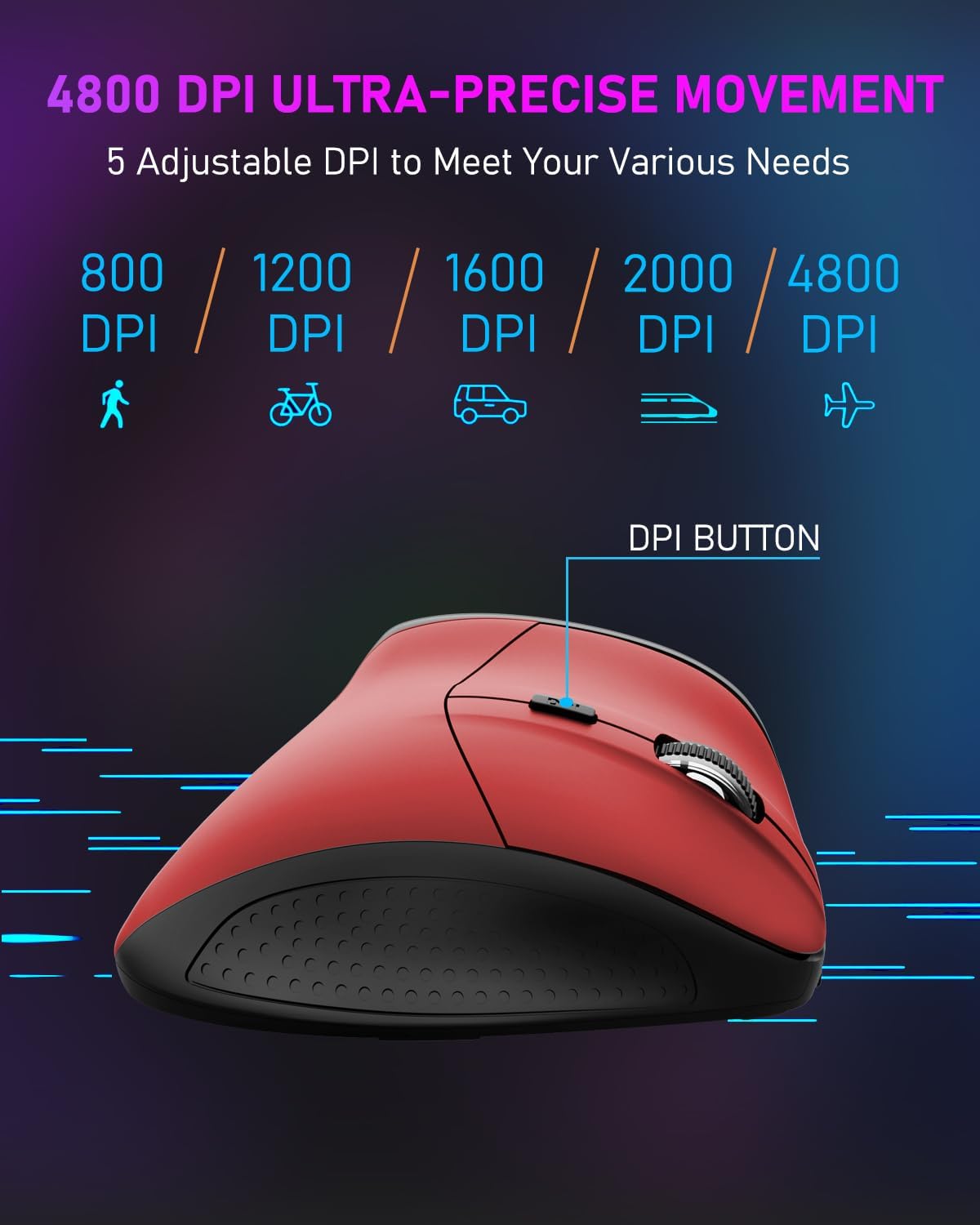
Image 5: DPI Adjustment Levels
5.2 Баскыч функциялары
In addition to standard left and right clicks, the mouse includes:
- Айлантуу дөңгөлөгү (3): For smooth vertical scrolling. Pressing it acts as a middle-click button.
- Forward Button (6): Алдыга багыттоо үчүн колдонулат web браузерлер же file изилдөөчүлөр.
- Backward Button (7): Used for navigating backward in web браузерлер же file изилдөөчүлөр.
5.3 Эргономикалык дизайндын артыкчылыктары
The vertical design of the E-YOOSO X-45 mouse promotes a natural 'handshake' wrist and arm posture, which can help reduce wrist strain and discomfort during prolonged use compared to traditional horizontal mice.
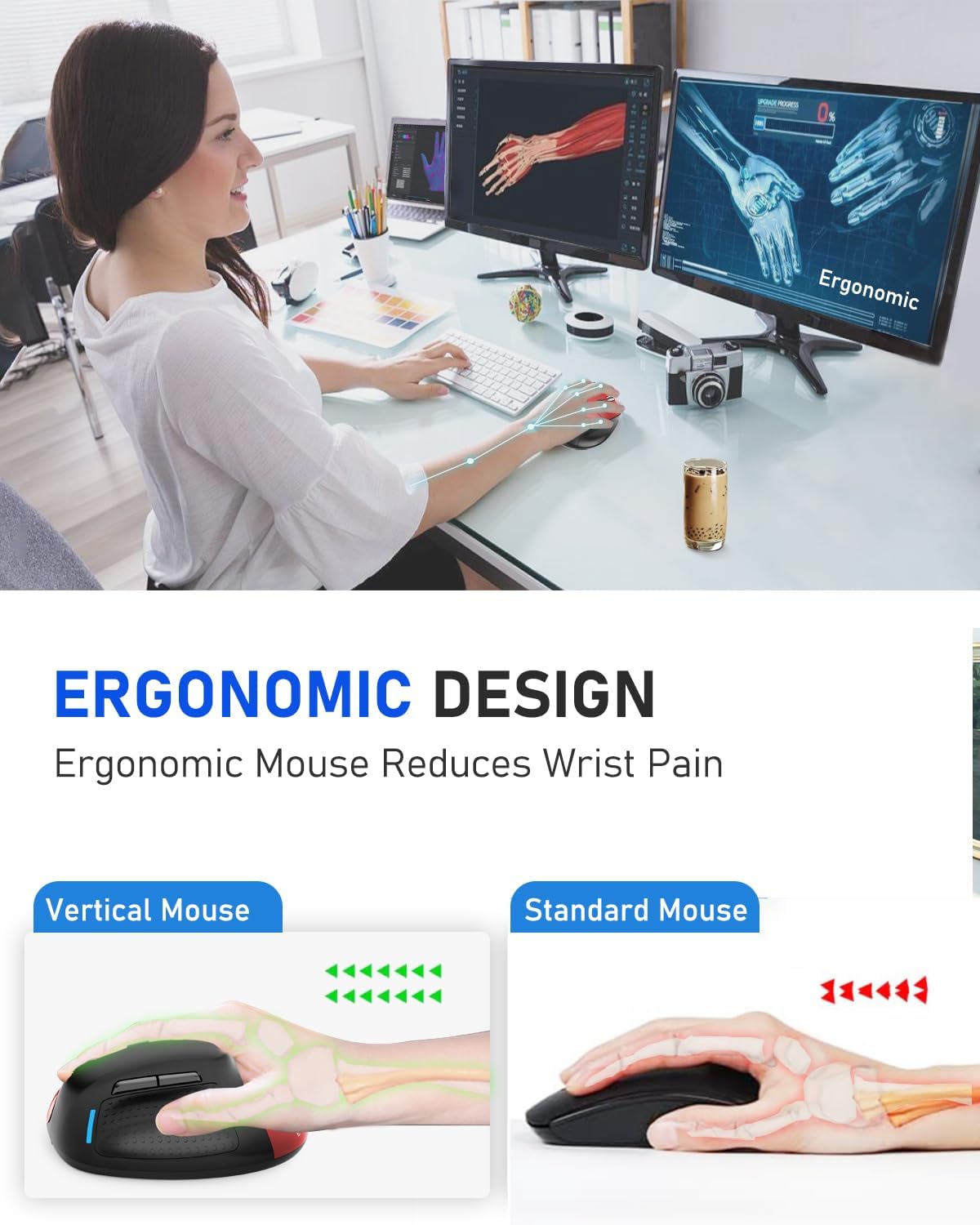
Image 6: Ergonomic Design Reduces Wrist Pain
6. Техникалык тейлөө
To ensure optimal performance and longevity of your E-YOOSO X-45 mouse:
- Тазалоо: Чычканды тазалоо үчүн жумшак, кургак чүпүрөктү колдонуңуз. Катуу химиялык заттарды же абразивдүү материалдарды колдонуудан алыс болуңуз.
- Сактагыч: Чычканды көпкө чейин колдонбогондо, батареянын кубатын үнөмдөө үчүн өчүрүңүз. Салкын, кургак жерде сактаңыз.
- Батареяга кам көрүү: Батареянын тез-тез толук зарядын жоготуп алуудан алыс болуңуз. Батареянын индикатору аз болгондо чычканды кубаттаңыз.
7. Кыйынчылыктарды
If you encounter issues with your E-YOOSO X-45 mouse, refer to the following common solutions:
| Көйгөй | Мүмкүн себеп | Чечим |
|---|---|---|
| Чычкан жооп бербей жатат (2.4G) | Low battery; USB receiver not properly connected; Incorrect mode selected. | Charge the mouse; Re-insert the USB receiver; Ensure the mouse is in 2.4G mode. |
| Чычкан жооп бербей жатат (Bluetooth) | Low battery; Not paired; Incorrect mode selected; Device Bluetooth off. | Charge the mouse; Re-pair the mouse; Ensure the mouse is in BT mode; Enable Bluetooth on your device. |
| Курсор туура эмес же жооп бербей жатат | Кир оптикалык сенсор; Ылайыксыз бет; Батареянын заряды аз. | Clean the optical sensor; Use on a mouse pad or smooth, opaque surface; Charge the mouse. |
| Баскычтар иштебейт | Software conflict; Low battery. | Restart your computer; Charge the mouse. |
8. Техникалык шарттар
Key technical specifications for the E-YOOSO X-45 Ergonomic Vertical Mouse:
- Модел: X-45
- Байланыш: 2.4G Wireless, Bluetooth (BT 5.1), Wired (USB)
- DPI деңгээли: 800 / 1200 / 1600 / 2000 / 4800 (Adjustable)
- Баскычтар: 6 (Сол, Оң, Айдоо дөңгөлөгү, DPI которуу, Алга, Артка)
- Кыймылды аныктоо: Оптикалык
- Өзгөчө өзгөчөлүгү: Soundless clicks
- Продукциянын өлчөмдөрү: 4.63 x 3.22 x 0.1 inches (Note: The provided dimension 0.1 inches for height seems incorrect for a vertical mouse, typically it would be larger. Please refer to actual product for accurate height.)
- Элемент Салмагы: 6.4 унция
- Өндүрүүчү: E-YOOSO
- Шайкештик: Windows, Mac OS, Linux, Android, Chromebook, Laptops, Desktops
9. Кепилдик жана колдоо
E-YOOSO products are designed for reliability and performance. For warranty information, technical support, or customer service inquiries, please refer to the contact details provided on the product packaging or the official E-YOOSO webсайт. Сатып алуу квитанциясын кепилдик дооматтары үчүн сатып алуунун далили катары сактаңыз.


