1. Киришүү
Thank you for choosing the Holyton Drone Strobe Light. This anti-collision lamp is designed to enhance the visibility of your drone during night flights and in various other scenarios. It features multiple colors and modes, ensuring compliance with aviation regulations and improving safety. Please read this manual thoroughly before use to ensure proper operation and maintenance.
2. Коопсуздук маалыматы
- Always ensure the strobe light is securely attached to your drone or other object before operation.
- Adhere to all local aviation authority regulations regarding drone lighting, especially for night flying. This light meets FAA requirements for anti-collision lighting.
- Do not expose the device to extreme temperatures, direct sunlight for prolonged periods, or moisture.
- Балдар жетпеген жерде сактаңыз.
- Жарыкты бөлүктөргө бөлүүгө же өзгөртүүгө аракет кылбаңыз, анткени бул кепилдикти жокко чыгарат жана зыян келтириши мүмкүн.
3. Пакеттин мазмуну
- Holyton Drone Strobe Light (1 unit)
- USB заряддоо кабели
- Mounting Accessories (e.g., adhesive pads, rubber bands)
- User Manual
4. Продукциянын өзгөчөлүктөрү
- Жогорку көрүнүү: 120 lumens brightness with 360° coverage.
- Multiple Colors & Modes: 7 switchable colors and 7 adjustable flashing modes.
- Кайра заряддалуучу батарея: Provides extended use time after a quick charge.
- Жеңил жана компакт: Weighs only 6.5g, ideal for various drones and other applications.
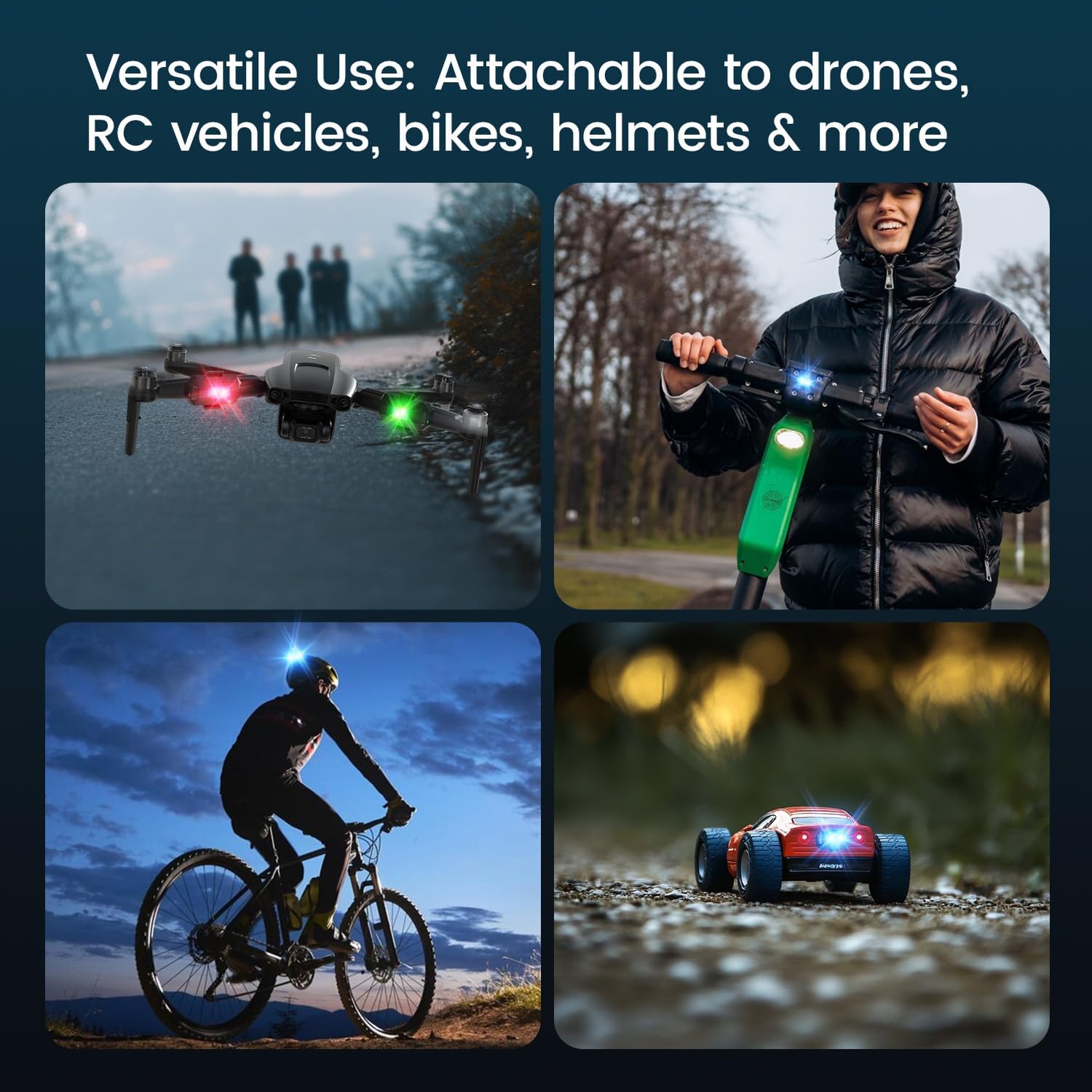
- Ар тараптуу колдонмо: Suitable for drones, RC vehicles, bicycles, motorcycles, helmets, and more.
- FAA Compliant: Meets requirements for anti-collision lighting during night flights.
5. Орнотуу жана орнотуу
5.1 Баштапкы төлөм
Before first use, fully charge the strobe light. Refer to Section 6 for charging instructions.
5.2 Mounting the Strobe Light
The Holyton Drone Strobe Light can be attached to various objects using the provided mounting accessories. For drones, ensure the light does not interfere with propellers, sensors, or flight stability.
- Таза бети: Ensure the mounting surface on your drone or object is clean and dry.
- Желимди колдонуу: Peel the backing from an adhesive pad and firmly press it onto the designated area on the strobe light.
- Attach to Drone: Peel the remaining backing from the adhesive pad and attach the strobe light to your drone. Apply firm pressure for a few seconds to ensure a secure bond. Alternatively, use rubber bands or other suitable fasteners for temporary attachment.

6. Иштөө нускамалары
6.1 Күйгүзүү/өчүрүү
- Күйгүзүү: Press and hold the power button for approximately 2 seconds until the light illuminates.
- Өчүрүү: Жарык өчкөнгө чейин кубат баскычын болжол менен 2 секунд басып туруңуз.
6.2 Changing Colors and Modes
The strobe light offers 7 different colors and 7 distinct flashing modes.
- Түсү өзгөртүү: While the light is on, short press the power button to cycle through the available colors (e.g., white, red, green, blue, yellow, pink, ice blue).
- Режимди өзгөртүү: Double-press the power button quickly to cycle through the different flashing modes (e.g., constant, slow flash, fast flash, alternating colors).

7. Заряддоо
The Holyton Drone Strobe Light is equipped with a rechargeable Lithium Ion battery.
- Заряддоо порту: Микро USB
- Заряддоо убактысы: Толук кубаттоо үчүн болжол менен 12 мүнөт.
- Убакытты колдонуу: Up to 5 hours on a full charge, depending on the selected mode and color.
To charge, connect the provided USB charging cable to the Micro USB port on the strobe light and plug the other end into a standard USB power source (e.g., computer, wall adapter).

8. Техникалык тейлөө
- Тазалоо: Жарыкты тазалоо үчүн жумшак, кургак чүпүрөктү колдонуңуз. Катуу химиялык заттарды же абразивдүү материалдарды колдонбоңуз.
- Сактагыч: Store the strobe light in a cool, dry place away from direct sunlight when not in use.
- Батареяга кам көрүү: For optimal battery life, avoid fully discharging the battery frequently. Charge the device regularly, even if not in use, to maintain battery health.
9. Кыйынчылыктарды
| Көйгөй | Мүмкүн себеп | Чечим |
|---|---|---|
| Жарык күйбөйт. | Батарея түгөнүп калды. | Charge the strobe light fully. |
| Жарык заряддалбайт. | Charging cable or power source is faulty. | Try a different USB cable or power adapter. Ensure the Micro USB connector is inserted correctly. |
| Жарык жетиштүү деңгээлде жарык эмес. | Батарея аз же туура эмес режим. | Charge the device. Ensure a bright mode is selected (e.g., constant white light). |
| Light falls off during use. | Improper mounting or worn adhesive. | Ensure the mounting surface is clean and dry. Use new adhesive pads or more secure fastening methods. |
10. Техникалык шарттар
| Өзгөчөлүк | Деталь |
|---|---|
| Модель номери | US03A76731000HT70402 |
| Бренд | Холитон |
| Түс | Кара |
| Форма | Төрт бурчтуу |
| Аяктоо түрү | боёлгон |
| Жарык булагы түрү | Жарык чыгаруучу диод (LED) |
| Көлөкө материалы | Пластик |
| Элемент Салмагы | 0.352 унция (болжол менен 10 грамм) |
| Батареялардын саны | 1 Литий-ион (кошулган) |
| Стиль | Компакт |
| Жарыктык | 120 Lumens (Maximum Light Output) |
| Монтаж түрү | Drone Mount (Adhesive/Strap) |
| Лампанын өзгөчөлүктөрү | Strobe, Flashing, Anti-Collision, Search and Rescue |
| Продукциянын өлчөмдөрү | 1"L x 1"W x 1"H (approximately) |

11. Кепилдик жана колдоо
Holyton products are designed for reliability and performance. This product comes with a standard manufacturer's warranty against defects in materials and workmanship. Please refer to the product packaging or our official webатайын кепилдик шарттары жана шарттары үчүн сайт.
For technical support, troubleshooting assistance, or warranty claims, please contact our customer service team:
- Электрондук почта: holyton@foxmail.com
- Телефон: +1 (866) 514-8669
Our support team is available to assist you within 24 hours.


