1. Киришүү
Thank you for choosing the ODK Electric L-Shaped Standing Desk. This manual provides essential information for the safe assembly, operation, and maintenance of your new desk. Please read it thoroughly before use and keep it for future reference.

Figure 1: ODK L-Shaped Electric Standing Desk in a modern office setup.
2. Коопсуздук маалыматы
- This desk features electric height adjustment. Always ensure children and pets are not caught or injured during operation.
- When changing the desk height, confirm there are no obstacles around the desk that could impede its movement.
- Үстөлдү ашыкча жүктөбөңүз. Максималдуу салмак сыйымдуулугу үчүн мүнөздөмөлөрдү караңыз.
- Бийиктикти тууралоо учурунда чалынып кетүү коркунучун же бузулууну алдын алуу үчүн бардык кабелдер туура башкарылганын текшериңиз.
- Берилген кубат адаптерин жана кабелдерди гана колдонуңуз.
3. Продукциянын өзгөчөлүктөрү
- Stepless Height Adjustment: The desk height can be adjusted steplessly from 72 to 120cm, accommodating both children and adults. This allows for comfortable sitting or standing work positions. The main desktop can be configured for left or right-hand use to suit your space.
- Memory Function & Electric Operation: Save up to 3 preferred height presets. Pressing a memory button automatically adjusts the desk to the set height, allowing for easy transitions between sitting and standing.
- Кагылышууга каршы системасы: Equipped with an anti-collision motor for quiet, safe, and powerful lifting. If an obstacle is detected during height adjustment, the desk automatically stops, preventing injury or equipment damage.
- Интегралдык электр розеткалары: Features two AC outlets and USB ports for convenient charging of laptops, smartphones, and other devices.
- Монитор стенд: Includes a monitor stand to improve posture and reduce strain on the neck and shoulders, enhancing comfort during long work or gaming sessions.
- Бекем жана бышык дизайн: The L-shaped desktop has a load capacity of over 50kg. Constructed with high-strength melamine laminated board, it resists dirt, scratches, heat, and moisture. Reinforcement pipes, leg adjusters, and a durable steel frame ensure stability and a wobble-free experience.
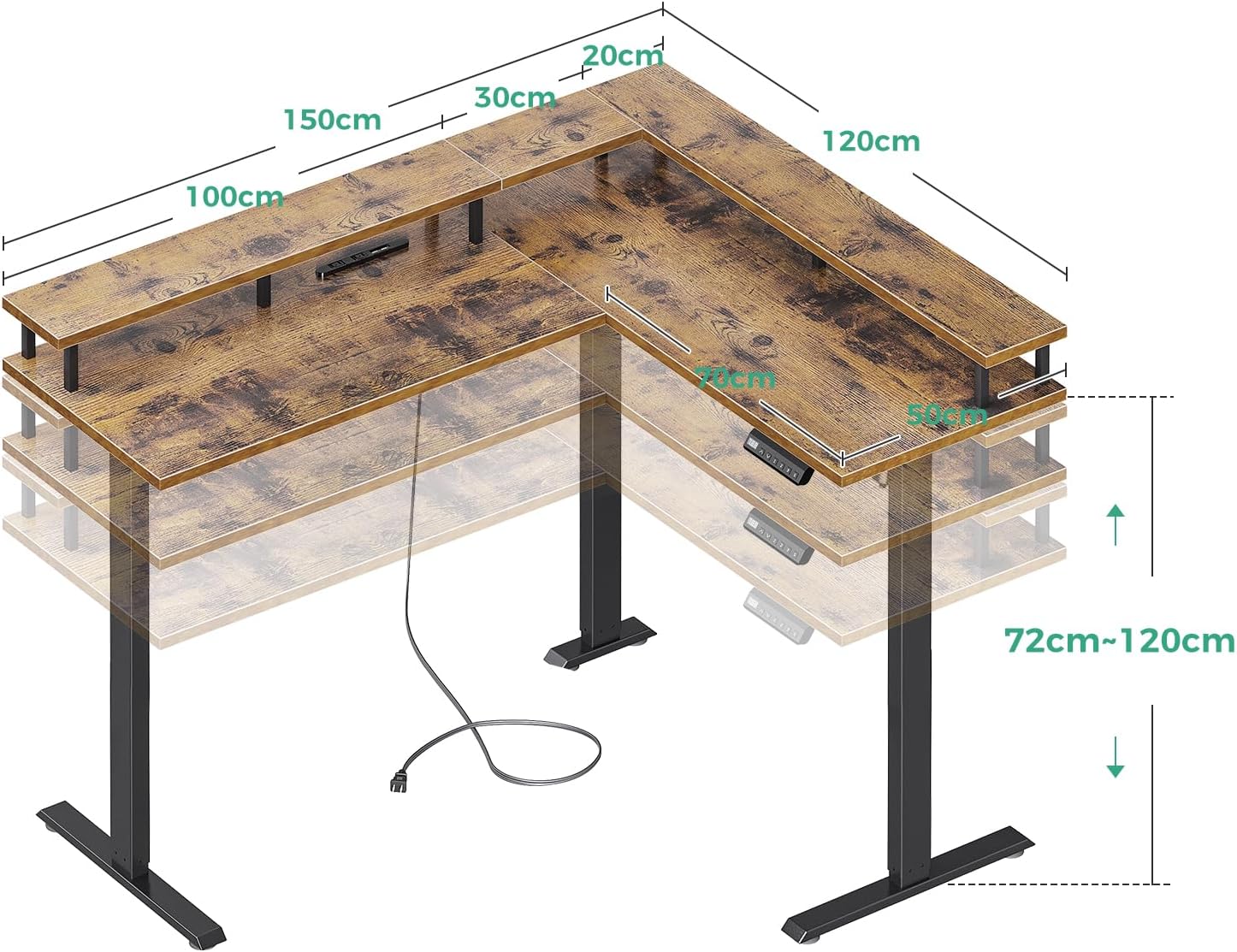
Figure 2: Desk Dimensions and Height Adjustment Range.

Figure 3: Control Panel with Memory Presets and Power Outlets.
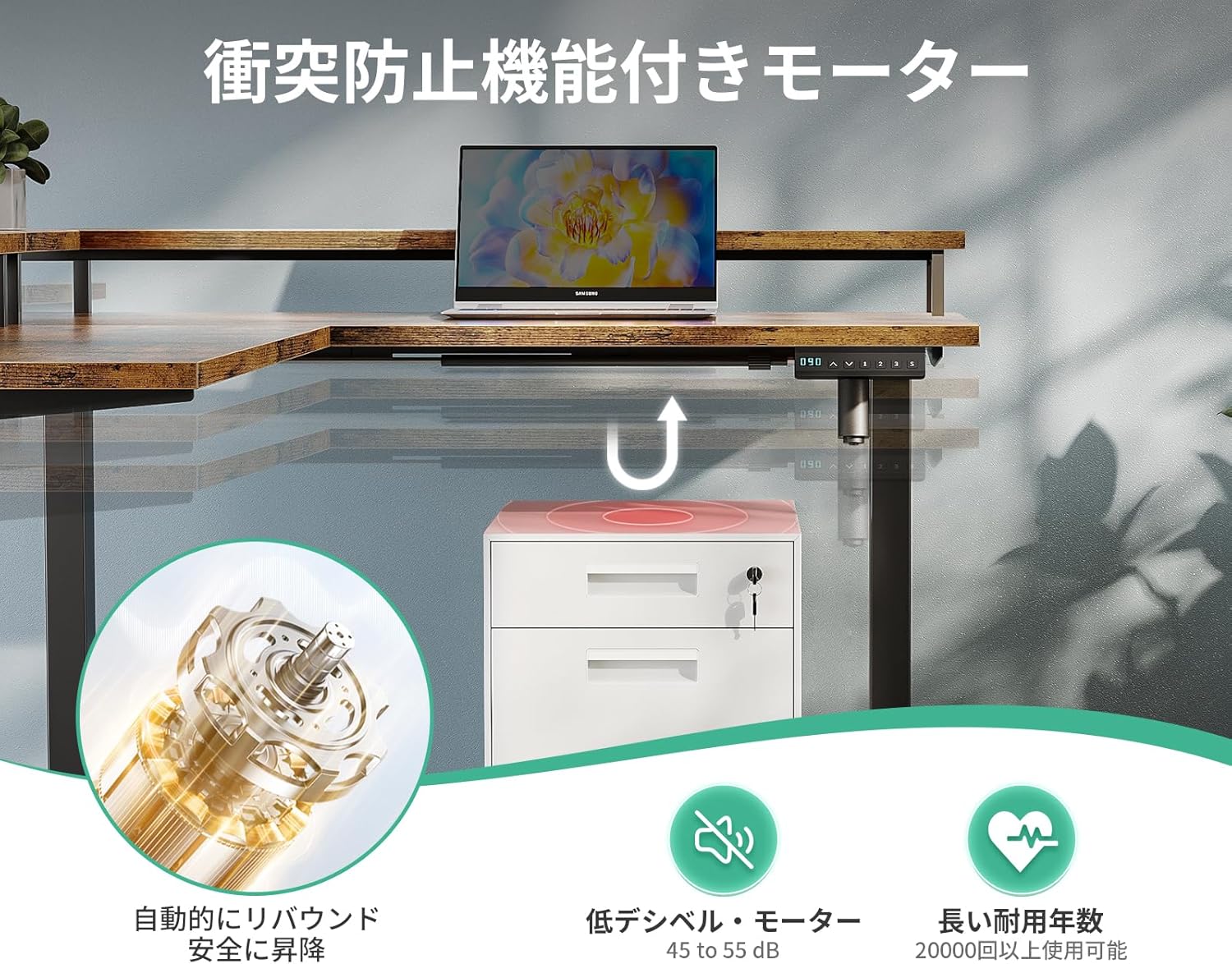
Figure 4: Anti-Collision Motor and Safety Features.
4. Монтаждоо боюнча нускамалар
Please follow the steps outlined in the video below for detailed assembly. Ensure you have all components before starting. A wrench is included for assembly, but a screwdriver or drill may be helpful (not included).
Video 1: Acrolix Reversible L-shaped Electric Standing Desk Assembly. This video demonstrates the step-by-step assembly process for an L-shaped electric standing desk, including attaching the frame, connecting components, and initial setup.
Негизги Ассамблея кадамдары:
- Пакеттен чыгаруу жана текшерүү: Бардык компоненттерди кылдаттык менен таңгактан чыгарып, берилген колдонмодогу тетиктердин тизмеси менен салыштырып текшериңиз.
- Рамканы чогултуу: Attach the crossbars to the lifting columns using the provided screws. Ensure all connections are secure.
- Иш такта панелдерин тиркөө: Secure the desktop panels to the assembled frame. The L-shaped configuration can be reversed to suit your preference.
- Электрониканы туташтырыңыз: Connect the motor cables and control panel to the main control box. Ensure all connections are firm.
- Аксессуарларды орнотуу: Attach cable management hooks, power strip, and monitor stand as desired.
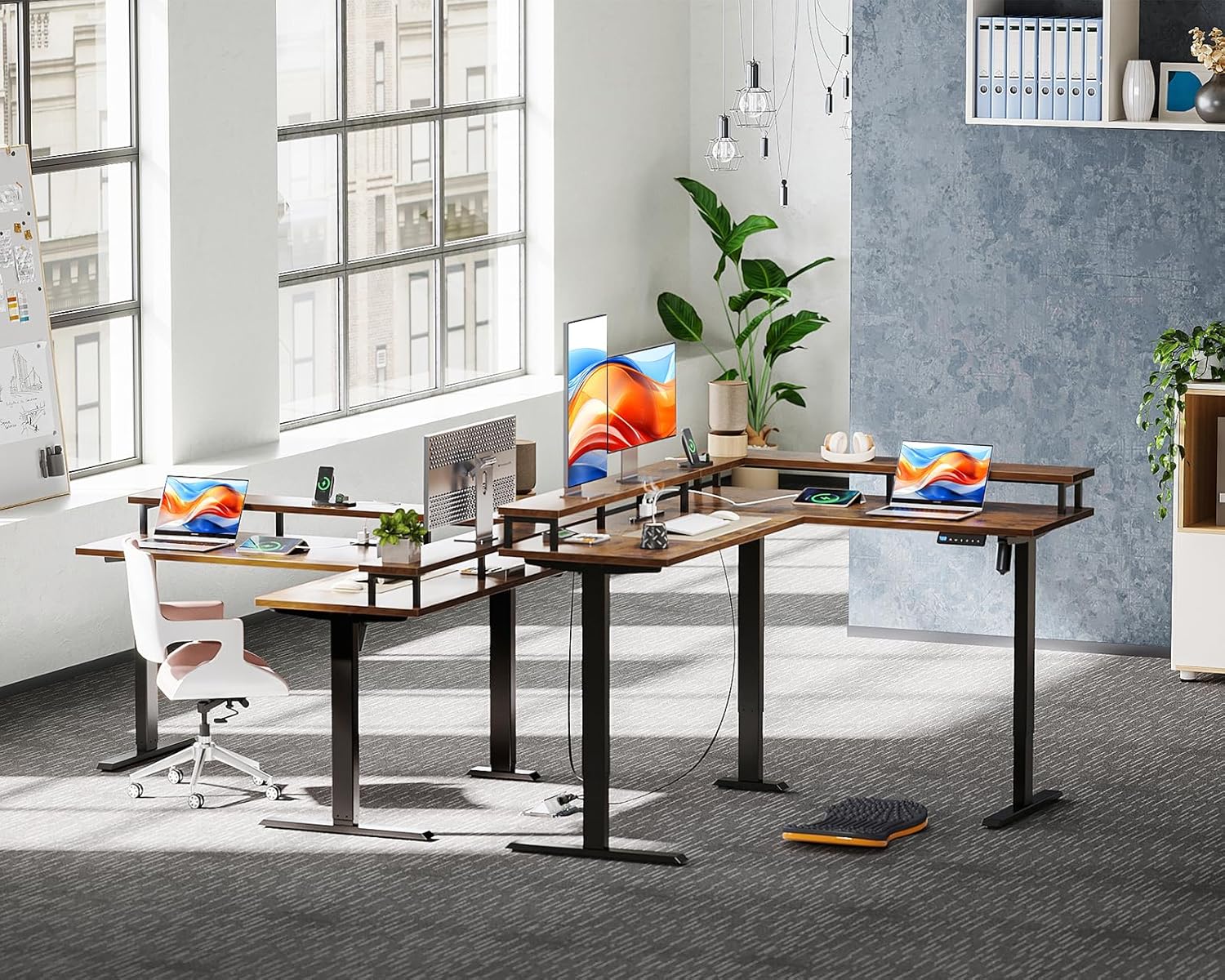
Figure 5: Desk Frame Components.
5. Иштөө нускамалары
Бийиктигин тууралоо:
- колдонуу Up (↑) жана Down (↓) arrows on the control panel to adjust the desk height.
- The digital display will show the current height.
Эстутум алдын ала орнотуулары:
- Бийиктикти сактоо үчүн: Үстөлдү каалаган бийиктикке тууралаңыз. "М" баскычын, андан кийин сан баскычтарынын бирин басыңыз (1, 2 же 3) within 3 seconds. The height is now saved to that preset.
- To use a saved height: Press the corresponding number button (1, 2 же 3). Үстел сакталган бийиктикке автоматтык түрдө жылат.
Кагылышууга каршы өзгөчөлүгү:
The desk is equipped with an anti-collision system. If the desk encounters an obstacle during height adjustment, it will automatically stop and slightly reverse direction to prevent damage or injury.
Интеграцияланган розеткаларды колдонуу:
Plug your devices into the AC outlets or USB ports located on the desk for convenient power access.
6. Техникалык шарттар
| Өзгөчөлүк | Деталь |
|---|---|
| Бренд | ODK |
| Модел | L формасындагы электрдик стол |
| Продукциянын өлчөмдөрү | 150cm (тереңдик) x 120cm (туурасы) x 72-120cm (бийиктик) |
| Бийиктигин тууралоо диапазону | 72cm - 120cm (Stepless) |
| Иш тактасынын жүктөө жөндөмдүүлүгү | 50 кг ашык |
| Материал | High-strength Melamine Laminated Board, Steel Frame |
| Түс | Vintage |
| Өзгөчөлүктөр | USB Outlets, AC Outlets, Memory Function, Anti-Collision, Monitor Stand |
| Үстөлдүн түрү | Computer Desk, Standing Desk |
| Пакет Салмагы | Болжол менен 39.2 кг |
7. Техникалык тейлөө
- Тазалоо: Үстөлдүн бетин жумшак менен сүртүңүз, гamp кездеме. Финишке зыян келтирүүчү катаал химиялык заттардан алыс болуңуз.
- Байланыштарды текшерүү: Бардык бурамаларды жана электр туташууларын бекем экендигин текшерүү үчүн мезгил-мезгили менен текшерип туруңуз.
- Кабелдик башкаруу: Keep cables tidy using the provided cable management solutions to prevent interference with desk movement.
8. Кыйынчылыктарды
Desk Not Moving / Error Codes:
- Күчтү текшерүү: Үстөлдүн иштеп жаткан розеткага туура сайылганын текшериңиз.
- Калыбына келтирүү процедурасы: If the display shows an error or the desk is unresponsive, perform a reset: Press and hold the "Баштапкы абалга келтирүү" button (often marked with a circle or 'R') for 3 seconds. The display will flash "---". Wait for the reset mode to be released. The desktop will automatically rebound 3-5mm, and after the reset program is complete, it will move to the lowest position. Once this process is finished, you can begin using the lifting function freely.
- Obstacle Check: Verify there are no obstacles beneath or around the desk preventing movement.
солкулдап:
- Бардык чогултуу бурамаларынын бекем тартылганын текшериңиз.
- Adjust the leg levelers at the bottom of the desk feet to stabilize it on uneven floors.
9. Кепилдик жана колдоо
For any product defects or issues, please feel free to contact ODK customer support at any time. Refer to your purchase documentation for specific warranty terms and contact information.


