1. Продукт бүтүп калдыview
The OBDSTAR iScan BRP is a professional, portable diagnostic tablet specifically designed for BRP (Can-am) systems. It offers comprehensive diagnostic capabilities for motorcycles, snowmobiles, ATVs, and UTVs. Featuring a 5.0-inch capacitive touchscreen and running on Android 5.1.1, this tool provides an intuitive and efficient diagnostic experience.

Figure 1.1: The OBDSTAR iScan BRP Diagnostic Tool, showcasing its user interface and robust design.
Негизги өзгөчөлүктөрү:
- Professional Diagnostics: Tailored for BRP systems, offering superb performance.
- Өркүндөтүлгөн функциялар: Supports automatic scanning, VIN recognition, control module programming/coding, ECU setting, instrument coding, TPMS, maintenance light reset, CO/idle speed/A/F value adjustment, ABS control unit setting, EOL mode, transmission memory reset, and clear computer memory.
- Колдонуучуга ыңгайлуу интерфейс: Equipped with Android 5.1.1 operating system and a simple, intuitive menu guide for quick operation.
- Реалдуу убакыт режиминде маалыматтарды көзөмөлдөө: Records and plays back data streams to quickly and accurately locate sensor and component faults.
- Көп тилдүү колдоо: Available in English, Spanish, Portuguese, French, German, Italian, Polish, Russian, Turkish, Indonesian, Farsi, Thai, Vietnamese.
- Байланыш: Wi-Fi for one-click software updates and remote assistance.
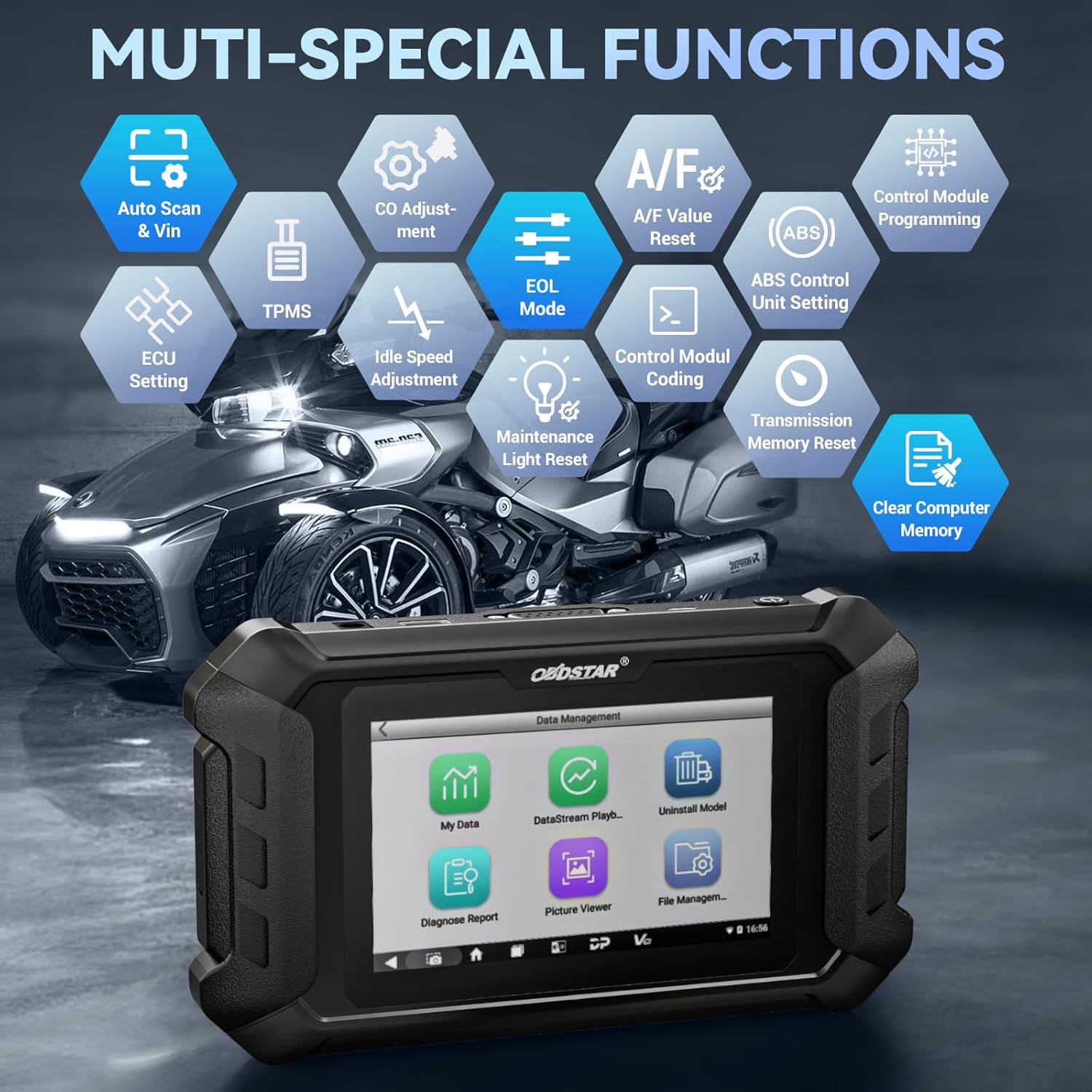
Figure 1.2: ашыкview of the multi-special functions supported by the OBDSTAR iScan BRP, including Auto Scan & VIN, ECU Setting, TPMS, A/F Value Reset, and more.
2. Пакеттин мазмуну
Пакетти ачканда, төмөнкү буюмдардын бардыгы камтылганын жана жакшы абалда экенин текшериңиз:
- Main Tablet (OBDSTAR iScan BRP Diagnostic Tool)
- 12V2A заряддагыч
- Негизги кабель
- BRP Cable
- User Manual

Figure 2.1: All components included in the OBDSTAR iScan BRP package: Main Tablet, 12V2A Charger, Main Cable, BRP Cable, and User Manual.
3. Орнотуу колдонмосу
3.1 Баштапкы күйгүзүү жана конфигурация
- Аппаратты заряддоо: Connect the 12V2A charger to the diagnostic tool and a power outlet. Ensure the device is fully charged before first use.
- Күйгүзүү: Планшеттин капталында жайгашкан кубат баскычын экран жарык болгонго чейин басып, кармап туруңуз.
- Тил тандоо: Upon first boot, you will be prompted to select your preferred language. Choose English or another supported language from the list.
- Wi-Fi туташуусу: Navigate to the system settings and connect to a stable Wi-Fi network. This is crucial for software updates and remote assistance.
- Программалык камсыздоону жаңыртуу: After connecting to Wi-Fi, it is recommended to perform a one-click software update to ensure you have the latest diagnostic software and vehicle coverage.
4. Иштөө нускамалары
4.1 Унаага туташуу
- Locate Diagnostic Port: Identify the diagnostic port on your BRP vehicle (motorcycle, snowmobile, ATV, or UTV). Refer to your vehicle's service manual for the exact location.
- Кабелдерди туташтыруу: Use the appropriate Main Cable and BRP Cable to connect the diagnostic tool to the vehicle's diagnostic port. Ensure connections are secure.
- От алдырууну күйгүзүү: Turn the vehicle's ignition to the 'ON' position (do not start the engine unless instructed by the diagnostic procedure).
4.2 Диагностиканы жүргүзүү
- Select 'MOTO Diag': From the main menu of the diagnostic tool, tap on the 'MOTO Diag' icon to enter the motorcycle diagnostic interface.
- Унаа тандоо: Select the correct vehicle brand (BRP) and model from the list.
- Automatic VIN Recognition: The tool supports automatic VIN recognition. If prompted, allow the tool to read the VIN for faster vehicle identification.
- Системаны сканерлөө: Initiate an automatic system scan to identify all available control modules and detect any diagnostic trouble codes (DTCs).
- Диагностикалык функциялар:
- Окуу коддору: View учурдагы, күтүлүп жаткан жана тарыхый диагностикалык көйгөй коддору.
- Таза коддор: Erase diagnostic trouble codes from the vehicle's ECU.
- Маалымат агымы: Monitor real-time data parameters from various sensors and components. Data can be displayed in text, waveform, or instrument diagram formats.
- Active Test (Motion Test): Perform specific tests on actuators and components to verify their functionality.
- Атайын функциялар: Access advanced functions such as ECU setting, instrument coding, TPMS reset, maintenance light reset, CO adjustment, idle speed adjustment, A/F value reset, ABS control unit setting, EOL mode, transmission memory reset, and clear computer memory.
- Save and Print Reports: After diagnosis, you can save diagnostic reports and, if connected to a compatible printer, print them for record-keeping.

Figure 4.1: The diagnostic tool's interface highlighting features like Auto VIN & Scan, One Click Upgrade, Professional Tech Support, and Live Data monitoring.

Figure 4.2: The Auto VIN & Scan feature streamlines vehicle identification for efficient diagnostics.

Figure 4.3: The Data Play Back function allows for review of recorded real-time data, aiding in fault analysis.
5. Техникалык тейлөө
5.1 Программалык камсыздоо жаңыртуулары
Regular software updates are essential to ensure your diagnostic tool has the latest vehicle coverage, bug fixes, and new features. Connect the device to a Wi-Fi network and use the 'Upgrade' function on the main menu for one-click updates.
5.2 Тазалоо жана сактоо
- Аппаратты жумшак менен сүртүңүз, гamp кездеме. Абразивдүү тазалагычтарды же эриткичтерди колдонбоңуз.
- Куралды салкын, кургак жерде, түз күндүн нурунан жана экстремалдык температурадан алыс сактаңыз.
- Зыян келтирбөө үчүн кабелдерди тыкан ороп коюңуз.
6. Кыйынчылыктарды
| Көйгөй | Мүмкүн себеп | Чечим |
|---|---|---|
| Түзмөк күйбөйт. | Low battery; faulty charger/cable; device malfunction. | Charge the device for at least 30 minutes. Try a different charger/cable. If problem persists, contact support. |
| Унаага туташуу мүмкүн эмес. | Incorrect cable connection; vehicle ignition off; incompatible vehicle model; damaged diagnostic port. | Ensure cables are securely connected. Turn vehicle ignition ON. Verify vehicle compatibility. Check vehicle's diagnostic port for damage. |
| Программалык камсыздоону жаңыртуу ишке ашпай жатат. | Unstable Wi-Fi connection; insufficient storage; server issue. | Ensure strong Wi-Fi signal. Check available storage space. Try updating again later. |
| Экран жооп бербей жатат. | Программанын катасы; физикалык зыян. | Түзмөктү өчүрүп-күйгүзүңүз. Эгер көйгөй чечилбесе, колдоо кызматына кайрылыңыз. |
7. Техникалык шарттар
- Модел: SP540
- Операция системасы: Android 5.1.1
- Процессор: RK3128 Quad-core
- Дисплей: 5.0 дюймдук сыйымдуулугу сенсордук экран
- Байланыш: Wi-Fi
- Батарея: 1 Литий Полимердик батарейка (кошулган)
- Элемент Салмагы: Болжол менен 2.55 фунт
- Пакеттин өлчөмдөрү: Болжол менен 12.91 x 9.29 x 2.76 дюйм
- Келип чыккан өлкө: Кытай
- Колдоого алынган тилдер: EN, ES, PT, FR, DE, IT, PL, RU, TR, ID, FA, TH, VN

Figure 7.1: Hardware highlights of the OBDSTAR iScan BRP, including Wi-Fi, Android 5.1.1, 5.0 Inch Touch Screen, RK3128 Quad-core Processor, and Intuitive Menu Guidance.
8. Колдоо жана кепилдик
8.1 Техникалык колдоо
OBDSTAR provides technical support for the iScan BRP diagnostic tool. You can utilize the one-click remote help function on the device to receive assistance from OBDSTAR technical staff.
8.2 Кайтаруу саясаты
This product is eligible for a 30-day refund/replacement return policy from the date of purchase. Please refer to your retailer's specific return terms and conditions for detailed information.


