1. Киришүү
Thank you for choosing the Loewe Callas 43 Television. This manual provides essential information for setting up, operating, maintaining, and troubleshooting your new television. Please read it carefully before use and keep it for future reference.
The Loewe Callas 43 is a sophisticated Smart TV designed and engineered in Germany, offering a premium viewing and audio experience. It features a 43-inch Full HD LED display with HDR10 and Dolby Vision support for stunning visuals, an integrated front soundbar for immersive sound, and comprehensive smart TV functionalities for easy access to your favorite content.
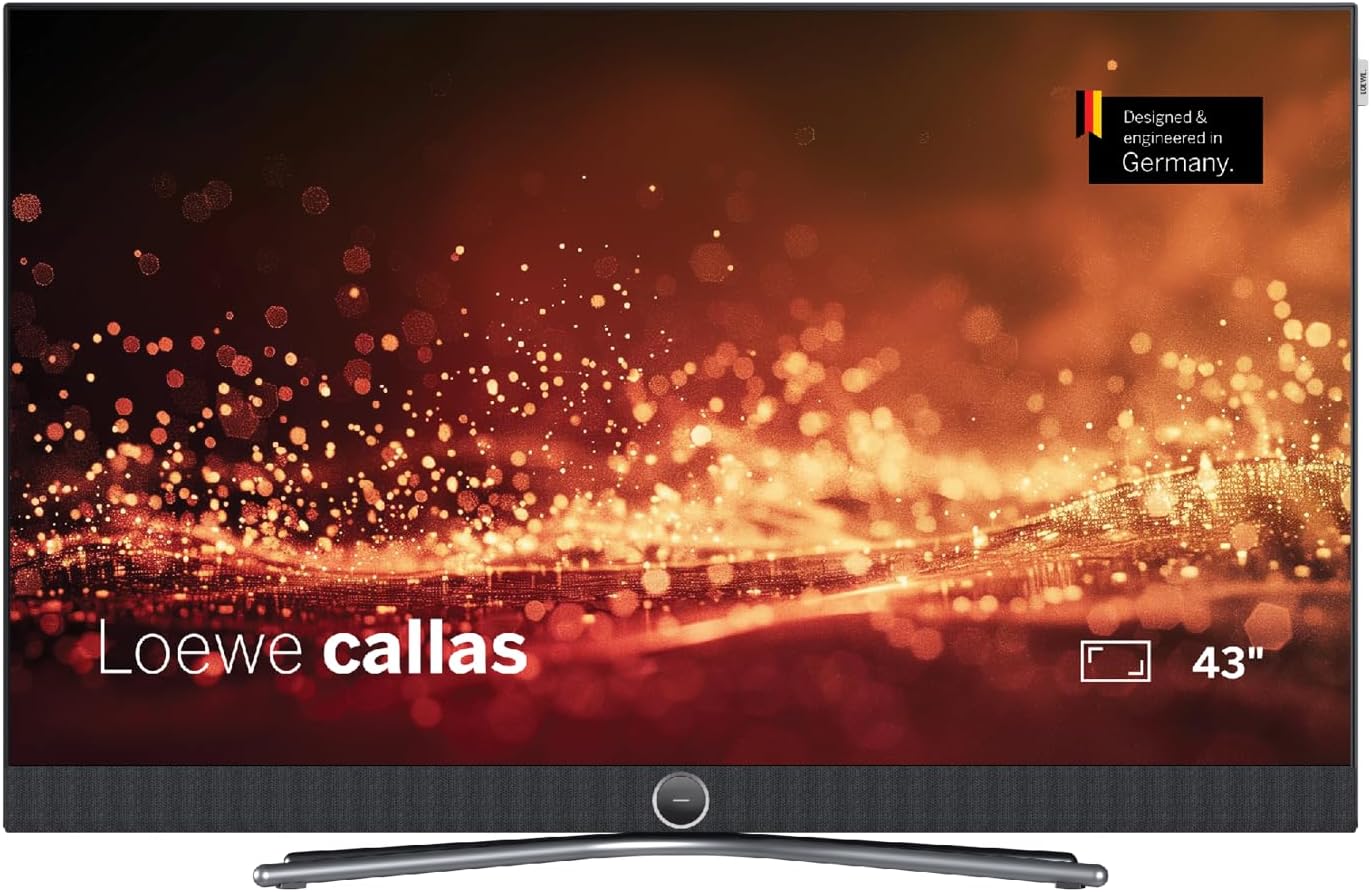
Сүрөт 1: Алдыңкы view of the Loewe Callas 43 Television, showcasing its sleek design and integrated soundbar.
2. Кутуда эмне бар
Сураныч, пакетиңизде төмөнкү компоненттердин бардыгы бар экенин текшериңиз:
- Loewe Callas 43 Television Unit
- Loewe remote alu silver (Remote Control)
- Netzkabel (2.5 m, black) (Power Cable)
- Колдонуучунун Колдонмосу (бул документ)

2-сүрөт: Side profile of the Loewe Callas 43 Television, highlighting its slim and elegant design.
3. Баштапкы орнотуу
3.1 Пакеттен чыгаруу жана жайгаштыруу
- Телевизорду жана бардык аксессуарларды таңгактан этияттык менен алып салыңыз.
- Place the television on a stable, flat surface or mount it securely using a compatible VESA wall mount (sold separately). Ensure adequate ventilation around the TV.
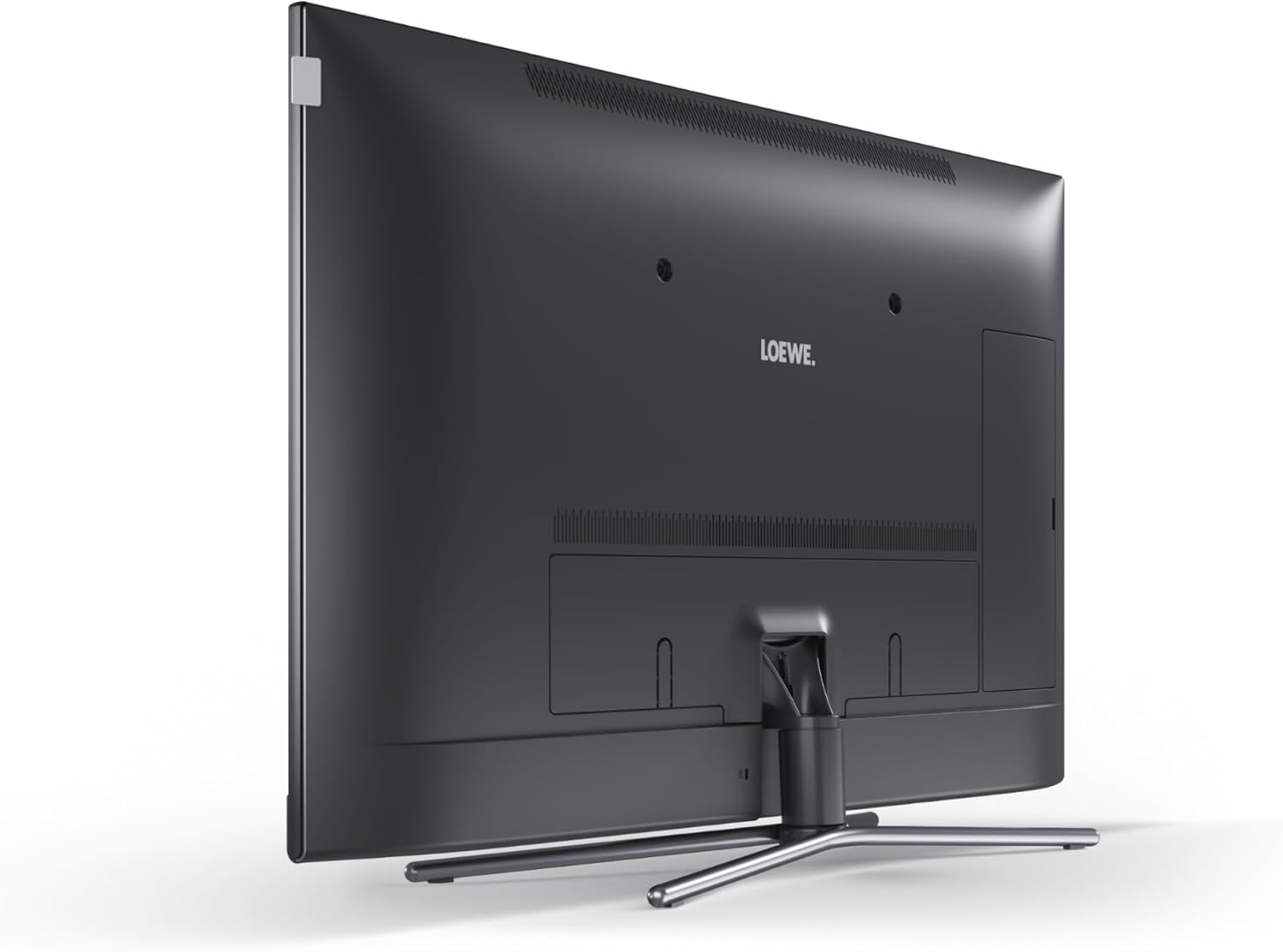
3-сүрөт: Арткы view of the Loewe Callas 43 Television, showing the stand attachment point and general back panel layout.
3.2 Кубатты туташтыруу
- Connect the provided power cable to the AC input port on the back of the television.
- Электр кабелинин экинчи учун розеткага сайыңыз.
3.3 Тышкы түзмөктөрдү туташтыруу
The Loewe Callas 43 features multiple connectivity options:
- HDMI порттору: Connect Blu-ray players, gaming consoles, set-top boxes, or other HDMI-enabled devices.
- USB порттору: Connect USB storage devices for media playback or recording.
- Антенна/кабель киргизүү: Антеннаңызды же кабелдик ТВ булагын туташтырыңыз.
- Тармак (LAN/Wi-Fi): Smart TV функциялары жана интернетке кирүү үчүн үй тармагыңызга туташыңыз.
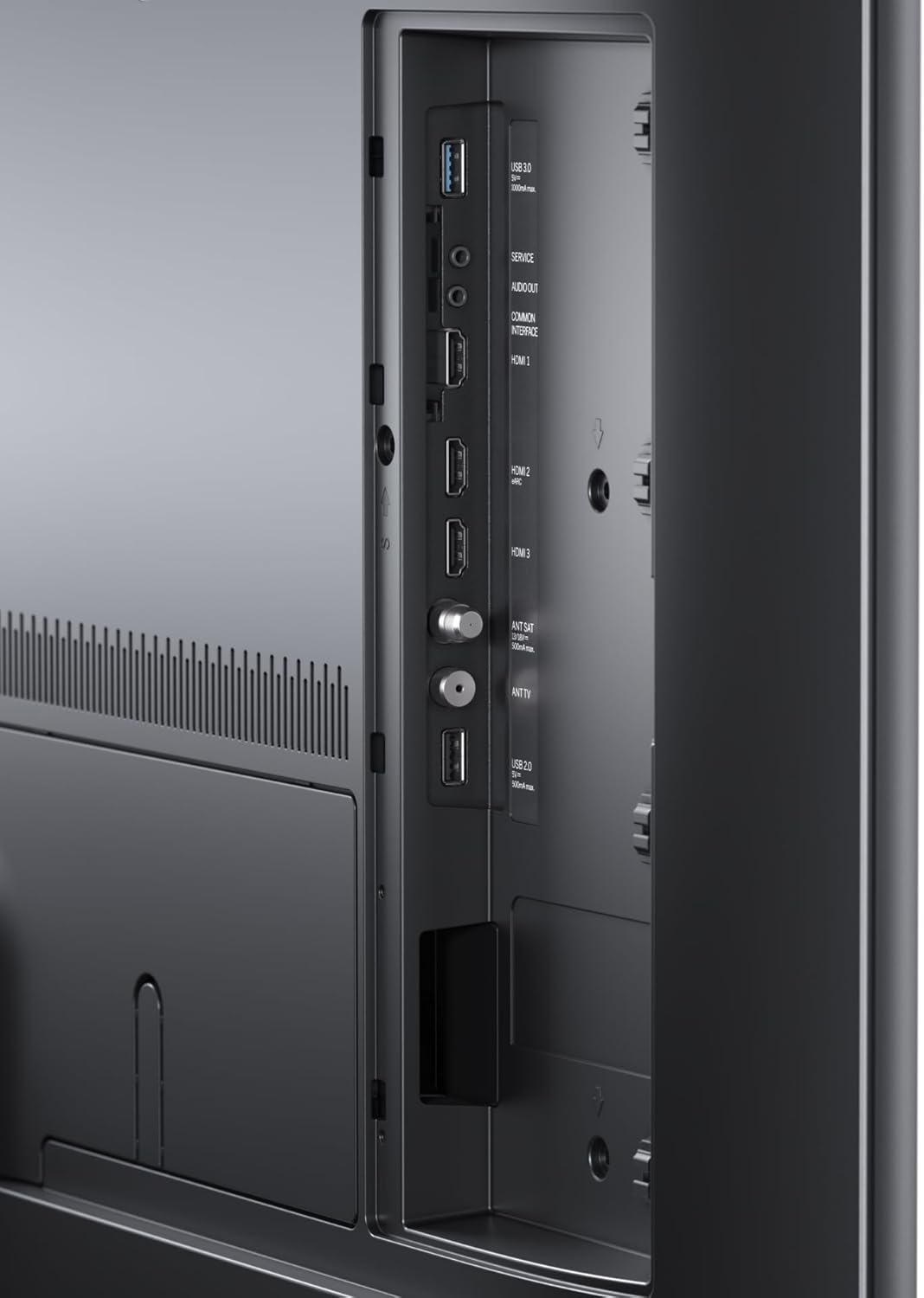
4-сүрөт: Детальдуу view of the connectivity ports on the Loewe Callas 43 Television, including HDMI and USB inputs.
3.4 Биринчи жолу орнотуу устасы
Биринчи жолу күйгүзүлгөндө, сыналгы сизди баштапкы орнотуу устасы аркылуу жетектейт:
- Каалаган тилиңизди тандаңыз.
- Configure network settings (Wi-Fi or wired connection).
- Scan for available TV channels.
- Agree to terms and conditions for Smart TV services.
- Complete the setup to access all features.
4. Телевизорду иштетүү
4.1 Алыстан башкаруу функциялары
The Loewe remote alu silver provides full control over your television. Key functions include:
- Кубат баскычы: Телевизорду күйгүзөт/өчүрөт же күтүү режимине коёт.
- Чабыттоо баскычтары: Меню багыттоо үчүн өйдө, ылдый, сол, оң жана OK/Enter.
- Көлөм +/-: Үн деңгээлин тууралайт.
- Канал +/-: Телеканалдарды өзгөртөт.
- Булак/киргизүү: Киргизүү булагын тандайт (HDMI, USB, TV).
- Smart TV/Home Button: Smart TV интерфейсине жетет.
- Сандык баскычтар: Түздөн-түз канал тандоо.
4.2 Smart TV өзгөчөлүктөрү
The Loewe Callas 43 is a Smart TV, providing access to a wide range of online content and applications. Connect your TV to the internet via Wi-Fi or Ethernet to enjoy:
- Popular streaming services (e.g., Netflix, Amazon Prime Video, YouTube).
- Web серептөө.
- Access to various apps from the app store.
- Media playback from network devices.

Figure 5: The Loewe Callas 43 Television integrated into a modern living space, demonstrating its use with a gaming console.
5. Техникалык тейлөө жана кам көрүү
5.1 Телевизорду тазалоо
- Тазалоодон мурун дайыма сыналгыдан ажыратыңыз.
- Экранды жана шкафты сүртүү үчүн жумшак, кургак, түксүз чүпүрөктү колдонуңуз.
- өжөр белгилери үчүн, жеңил гampчүпүрөккө суу же жумшак, абразивдүү эмес экран тазалагыч. Суюктукту экранга түз чачпаңыз.
- Avoid using harsh chemicals, abrasive pads, or solvents as they can damage the surface.
5.2 Программалык камсыздоо жаңыртуулары
Periodically check for software updates to ensure optimal performance and access to the latest features. Updates can usually be found in the TV's settings menu under 'System' or 'Software Update'. Ensure your TV is connected to the internet for this feature.
6. Кыйынчылыктарды
If you encounter issues with your Loewe Callas 43 Television, refer to the following common problems and solutions:
| Көйгөй | Мүмкүн болгон себеп / Чечим |
|---|---|
| Күч жок | Ensure the power cable is securely connected to both the TV and the wall outlet. Check if the outlet is working. Try a different outlet. |
| Сүрөт жок / Кара экран | Check the selected input source (HDMI, TV). Ensure external devices are powered on and connected correctly. Try restarting the TV. |
| Үн жок | Check the volume level and ensure mute is not activated. Verify audio cables for external sound systems. Check TV audio output settings. |
| Пульт иштебейт | Батареяларды алмаштырыңыз. Пульт менен сыналгынын IR сенсорунун ортосунда эч кандай тоскоолдуктар жок экенин текшериңиз. |
| Wi-Fi'га туташпай жатат | Check your router and internet connection. Re-enter the Wi-Fi password. Move the TV closer to the router or use an Ethernet cable. |
7. Техникалык шарттар
| Өзгөчөлүк | Спецификация |
|---|---|
| Бренд | Loewe |
| Модель аты | callas |
| Модель номери | 63409D90 |
| Экран технологиясы | LCD + E-LED |
| Көрүнүүчү экран диагоналы | 109.3 см (43 дюйм) |
| Резолюция | 4K (3840 x 2160 пиксель) |
| Жаңыртуу ылдамдыгы | 60 Гц |
| Байланыш технологиясы | WLAN (Wi-Fi), HDMI, USB |
| Продукциянын өлчөмдөрү (D x W x Y) | 6.8 x 97 x 63.3 см |
| Салмагы | 19 килограмм |
| Энергия эффективдүүлүгү классы | G |

Figure 6: Energy efficiency label for the Loewe Callas 43 Television. For more details, visit the EPREL маалымат базасы.
8. Кепилдик жана колдоо
Loewe products are designed for durability and reliability. Your Loewe Callas 43 Television comes with a standard manufacturer's warranty. Please refer to the warranty card included in your packaging or visit the official Loewe webСиздин аймакка тиешелүү деталдуу кепилдик шарттары жана шарттары үчүн сайт.
For technical support, service requests, or further inquiries, please visit the official Loewe support website or contact their customer service. Keep your model number (63409D90) and purchase information ready when contacting support.


