1. Киришүү
Thank you for choosing the Kamon K30 Wireless Earbuds. This manual provides detailed instructions for the proper use, setup, and maintenance of your new earbuds. Please read this manual thoroughly before use to ensure optimal performance and longevity of your device.

Image 1.1: Kamon K30 Wireless Earbuds in their charging case.
The Kamon K30 earbuds feature Bluetooth 5.1 technology for stable connectivity, intuitive touch controls, and a comfortable in-ear design. They are designed to deliver clear stereo sound for various audio activities.
2. Пакеттин мазмуну
Сураныч, пакетте төмөнкү нерселерди текшериңиз:
- 2 x Kamon K30 Wireless Earbuds
- 1 x зымсыз кубаттоо кутусу
- 1 х USB-C кубаттоо кабели
- 4 x Кулак учтары (ар кандай өлчөмдөрдө)
- 1 x User Manual
3. Продукт бүтүп калдыview
Familiarize yourself with the components of your Kamon K30 Wireless Earbuds.

Image 3.1: The Kamon K30 earbuds removed from their open charging case, showing the charging contacts.
The earbuds are designed for a secure and comfortable fit. The charging case protects the earbuds and provides additional battery life.
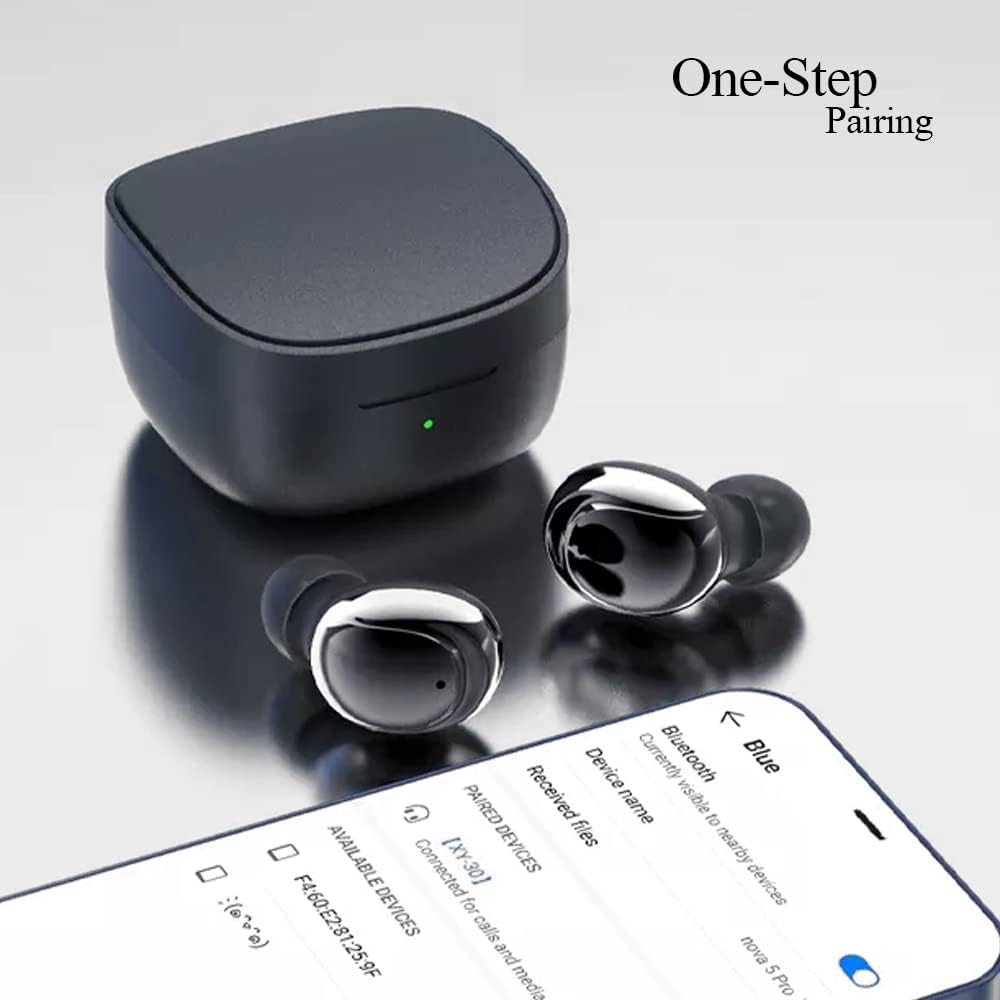
Image 3.2: Internal structure diagram illustrating the components responsible for Hi-Fi stereo sound delivery.
4. Орнотуу
4.1 Кулакчындарды жана кутучаны заряддоо
Биринчи колдонуудан мурун, кулакчындарды жана заряддоо кутучасын толук заряддаңыз.
- Кулакчындарды заряддоо кутусуна салыңыз. Заряддоо төөнөгүчтөрү менен байланышуу үчүн алардын туура отурганын текшериңиз.
- USB-C заряддоо кабелин корпустагы заряддоо портуна туташтырыңыз жана экинчи учун USB кубат адаптерине (кошумча эмес) же компьютердин USB портуна сайыңыз.
- The indicator light on the charging case will show charging status. Once fully charged, the light will change or turn off depending on the model.
- Earbud charging time: Approximately 40 minutes.
- Charging box charging time: Approximately 1 hour.

Image 4.1: The charging case and earbuds, illustrating battery life and charging indicators.
4.2 Түзмөк менен жупташтыруу
The Kamon K30 earbuds feature one-step auto-pairing for convenience.
- Түзмөгүңүздүн Bluetooth күйгүзүлгөнүн текшериңиз.
- Заряддоо кутучасын ачыңыз. Кулакчындар автоматтык түрдө күйүп, жупташтыруу режимине өтөт.
- On your device, search for Bluetooth devices and select "Kamon K30" (or similar name like "XY-30") from the list.
- Туташкандан кийин, сиз ырастоо үнүн угасыз жана кулакчындар колдонууга даяр болот.

Image 4.2: A smartphone displaying the Bluetooth pairing menu, showing "Kamon K30" as an available device.
The earbuds support Bluetooth 5.1, providing a stable connection up to 33 feet (10 meters) in open outdoor environments.
5. Иштөө нускамалары
5.1 Сенсордук башкаруу
The Kamon K30 earbuds feature intuitive touch controls on each earbud. Refer to the diagram below for specific functions:

Image 5.1: A visual guide to the touch control functions on the Kamon K30 earbuds.
- Ойнотуу/тындыруу: One-click on the left or right earbud.
- Чалууга жооп берүү/түп коюу: One-click on the left or right earbud.
- Чалуудан баш тартуу: Long press on the left or right earbud.
- Көлөмү: Triple-click the Left earbud.
- Үнүн азайтуу: Triple-click the Right earbud.
- Мурунку ыр: Double-click the Left earbud.
- Кийинки ыр: Double-click the Right earbud.
- Үн жардамчысын чакыруу: Long press on the left or right earbud for 3 seconds.
Note: The touch sensors are sensitive. Apply a light touch for control. Avoid forceful tapping.
5.2 Бир кулакчын режими
You can use either earbud independently:
- Заряддоо кутусунан бир кулакчынды алып салыңыз.
- Заряддоо кутусунун капкагын жабыңыз.
- The single earbud will automatically connect to your paired device.
6. Техникалык тейлөө
Туура тейлөө кулакчындарыңыздын узак иштөөсүн жана оптималдуу иштешин камсыз кылат.
- Тазалоо: Regularly clean the earbuds and charging case with a soft, dry, lint-free cloth. Do not use harsh chemicals or abrasive materials. Gently clean the charging contacts on both the earbuds and the case to ensure proper charging.
- Сактагыч: Колдонулбаганда, кулакчындарды чаңдан жана бузулуудан коргоо үчүн кубаттоочу кутуга салып сактаңыз. Корпусту күн нурунан жана экстремалдык температурадан алыс салкын, кургак жерде сактаңыз.
- Суу каршылык: The earbuds are waterproof (IPX rating not specified, but generally means splash/sweat resistant). Avoid submerging them in water or exposing them to heavy rain. Dry them thoroughly if they get wet.
- Батареяга кам көрүү: Батареянын кубатын сактоо үчүн, кулакчындарды жана кутучаны тез-тез толук зарядсыздандырбаңыз. Аларды үзгүлтүксүз колдонбосоңуз да, үзгүлтүксүз кубаттап туруңуз.
7. Кыйынчылыктарды
If you encounter issues with your Kamon K30 Wireless Earbuds, refer to the following common solutions:
| Көйгөй | Чечим |
|---|---|
| Кулакчындар түзмөк менен жупташкан жок. |
|
| Бир гана кулакчын иштеп жатат. |
|
| Кулакчындар заряддалбай жатат. |
|
| Low sound quality or intermittent connection. |
|
8. Техникалык шарттар
Detailed technical specifications for the Kamon K30 Wireless Earbuds:
- Модель аты: K30 (XY-30)
- Бренд: Камон
- Байланыш: Зымсыз (Bluetooth 5.1)
- Bluetooth Profiles: HSP, HFP, A2DP, AVRCP
- Өткөрүү расстояние: Up to 33 feet (10 meters) in open outdoor environments
- Наушниктин батареясынын кубаттуулугу: 35mAh
- Батарейканын кубаттуулугун кубаттоо: 350mAh
- Угуу убактысы: 3-5 саат
- Наушник заряддоо убактысы: Болжол менен 40 мүнөт
- Кубатталуучу кутунун кубатталуучу убактысы: Болжол менен 1 саат
- Мүйүз материалы: Graphene True Copper Ring Horn
- Башкаруу ыкмасы: тийүү
- Материал: ABS, Electronic Component
- Элемент Салмагы: 0.9 унция (наушнактар жана корпус бириккен)
- Пакеттин өлчөмдөрү: 2.53 x 2.5 x 2 дюйм
- Түсү: Purple (as per this variant)
- Өзгөчөлүктөр: Lightweight, Microphone Included, Rechargeable Battery, Surround Sound, Sweatproof (Waterproof)

Image 8.1: Dimensional drawing of the Kamon K30 earbuds and their charging case.
9. Кепилдик жана колдоо
For warranty information or technical support, please refer to the contact details provided on the product packaging or the official Kamon webсайт. Сатып алуу квитанциясын кепилдик дооматтары үчүн сатып алуунун далили катары сактаңыз.

Image 9.1: A user wearing a Kamon K30 earbud, demonstrating its in-ear fit.


