1. Киришүү
This manual provides detailed instructions for the installation, operation, and maintenance of your NETVUE Sentry Plus 3 Outdoor Security Surveillance Camera. Please read this manual thoroughly before using the product to ensure proper functionality and safety. Keep this manual for future reference.
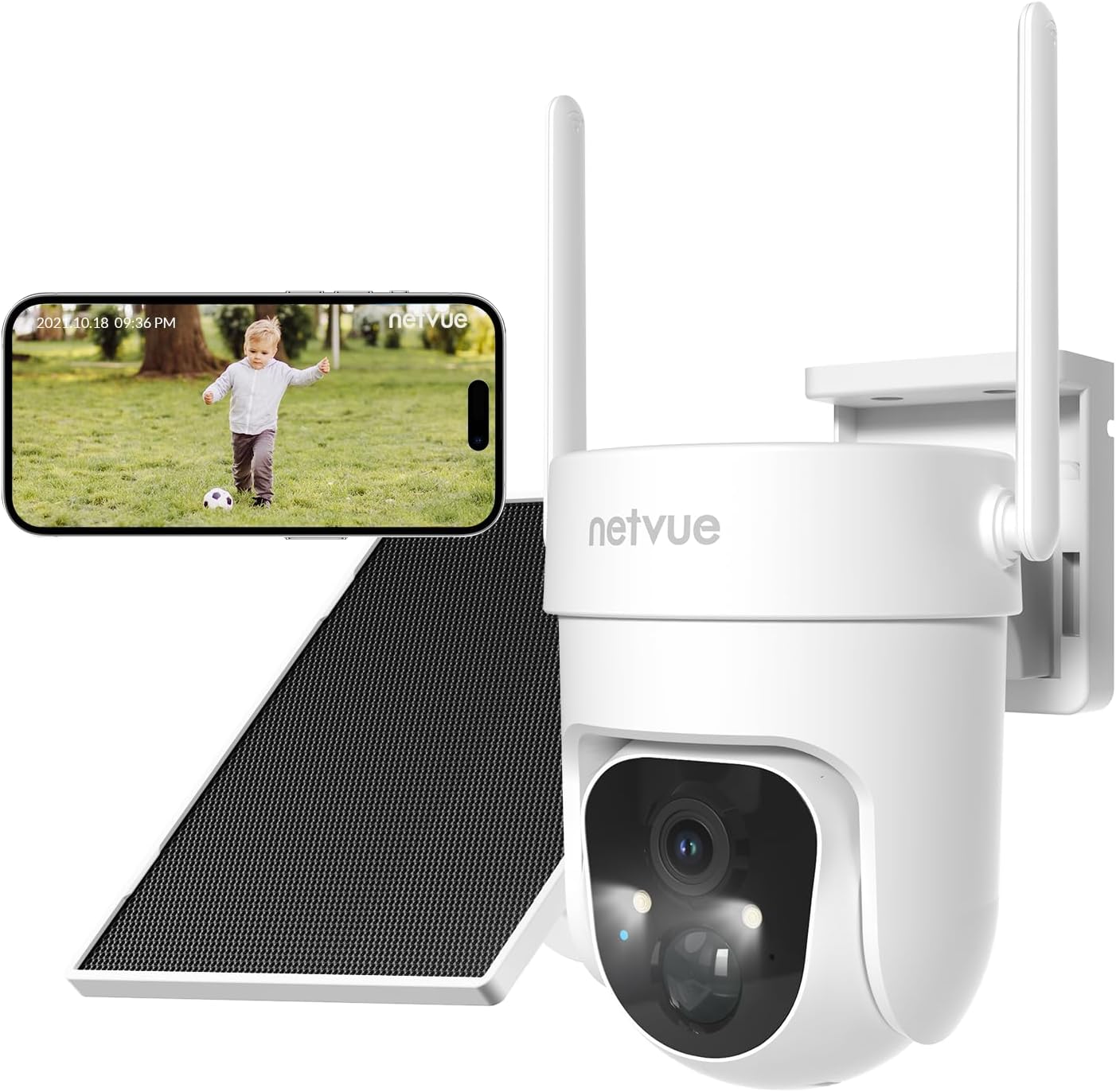
Image 1.1: NETVUE Sentry Plus 3 Outdoor Security Surveillance Camera. This image shows the camera unit, a solar panel, and a smartphone displaying a live feed from the camera.
2. Продукт бүтүп калдыview
2.1 Пакеттин мазмуну
- NETVUE Sentry Plus 3 Camera
- Күн панели
- Кронштейн орнотуу
- Монтаждоо бурамалар жана анкерлер
- USB заряддоо кабели
- User Manual
2.2 Камеранын компоненттери
- Камера линзасы
- Infrared LEDs / Spotlight
- Микрофон
- Баяндамачы
- Статус индикаторунун жарыгы
- MicroSD Card Slot (under protective cover)
- Reset Button (under protective cover)
- USB Charging Port (under protective cover)
- Антенналар (x2)
3. Орнотуу
3.1 Алгачкы заряддоо
Before first use, fully charge the camera using the provided USB cable and a 5V/2A power adapter (not included). The status indicator light will show charging progress.
3.2 Колдонмону жүктөп алуу жана каттоо эсебин түзүү
- Download the NETVUE app from the App Store (iOS) or Google Play Store (Android).
- Колдонмону ачып, жаңы каттоо эсебин түзүңүз же учурдагы каттоо эсеби менен кириңиз.
3.3 Wi-Fi туташуусу
- Камераны кошуу үчүн колдонмодогу нускамаларды аткарыңыз.
- Смартфонуңуз 2.4 ГГц Wi-Fi тармагына туташкандыгын текшериңиз. Камера 5 ГГц Wi-Fi колдобойт.
- Телефонуңузда көрсөтүлгөн QR кодун камеранын линзасы менен сканерлеңиз.
- Wait for the camera to connect to your Wi-Fi network. A voice prompt will confirm successful connection.

Image 3.3: Enhanced Wi-Fi Signal. This image illustrates the NETVUE camera's capability to maintain a strong Wi-Fi connection, showing a clear timestamped image compared to a blurry 'Other' camera feed.
3.4 Камераны орнотуу
The NETVUE Sentry Plus 3 supports both wall-mount and ceiling-mount installations.
- Choose a suitable location for installation, ensuring good Wi-Fi signal and optimal solar panel exposure.
- Бургулоо тешиктерин белгилөө үчүн монтаждык кронштейнди шаблон катары колдонуңуз.
- Тешиктерди бургула жана зарыл болсо, дубал анкерлерин салгыла.
- Secure the mounting bracket to the wall or ceiling with screws.
- Камераны монтаждоо кронштейнине бекитиңиз.
- Adjust the solar panel to face direct sunlight for maximum charging efficiency.

Image 3.4: Two-Way Installation. This image demonstrates the flexibility of installing the camera either mounted on a wall or suspended from a ceiling.
4. Камераны иштетүү
4.1 Live View жана Ойнотуу
Open the NETVUE app to access the live view of your camera. You can also review foo жазылганtage from the MicroSD card or cloud storage.
4.2 AI-Powered Motion Detection
The camera features advanced AI motion detection with customizable alert filters. You can configure the app to detect specific objects such as pets, humans, or vehicles, reducing false alarms.
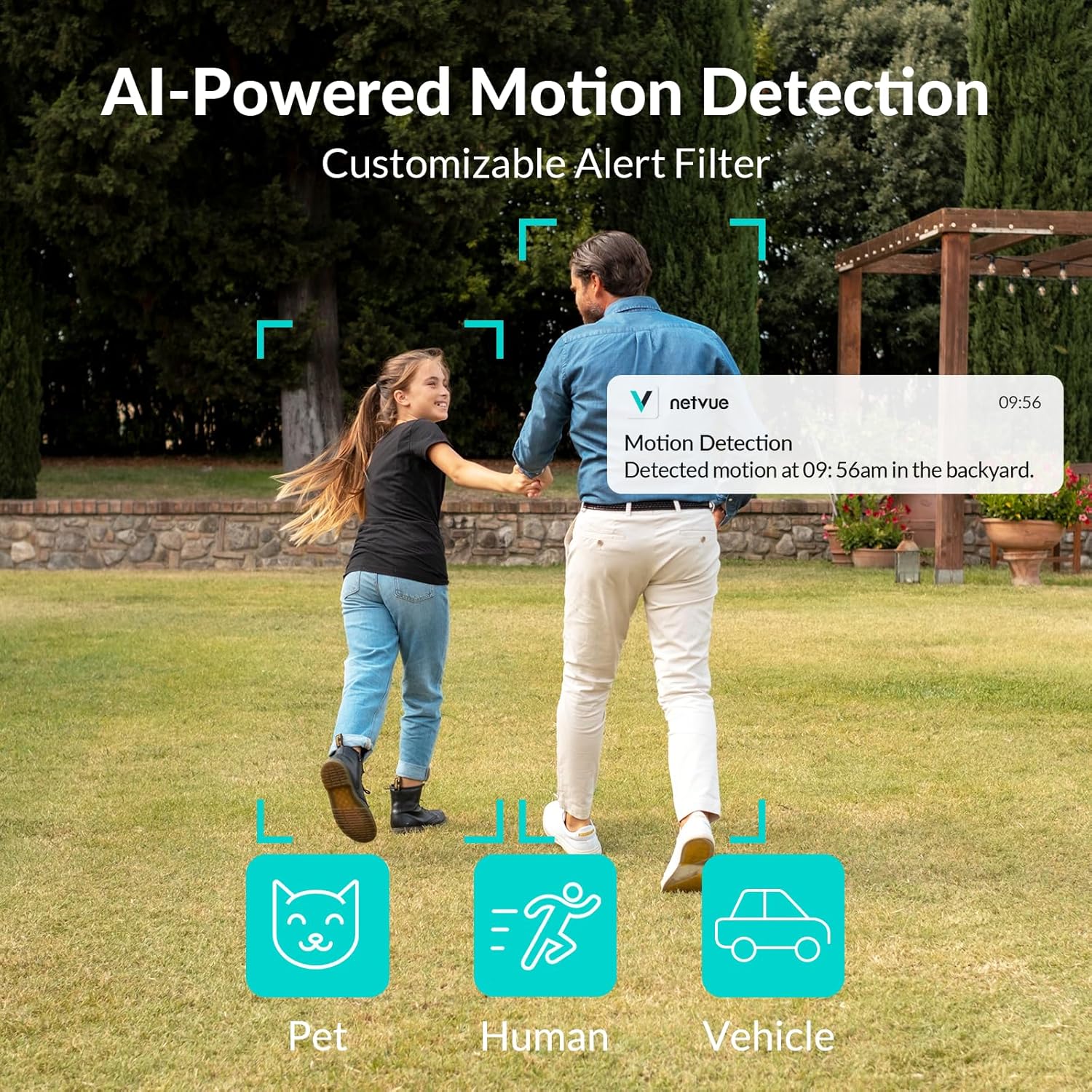
Image 4.2: AI-Powered Motion Detection. This image illustrates the camera's ability to detect and filter alerts for pets, humans, and vehicles, showing a notification on a smartphone.
4.3 Панорамалык View Control
Utilize the app to remotely control the camera's pan (355°) and tilt (90°) angles, allowing you to monitor a vast panoramic area.

Image 4.3: Vast Panoramic View. This image highlights the camera's 355-degree horizontal pan and 90-degree vertical tilt capabilities, controlled via the app.
4.4 Эки тараптуу аудио
The integrated microphone and speaker enable real-time two-way communication through the camera. This allows you to speak to visitors or deter intruders directly from your smartphone.

Image 4.4: Talk Through Your Camera. This image depicts a delivery person interacting with a homeowner via the camera's two-way audio feature.
4.5 Түнкү көрүнүш
The Sentry Plus 3 offers both infrared (black and white) and full-color night vision modes, ensuring clear visibility even in low-light conditions.

Image 4.5: Full Color Night Vision. This image compares the camera's infrared night vision (monochrome) with its full-color night vision, highlighting improved detail and color in the latter.
4.6 Сактоо параметрлери
The camera supports local storage via a MicroSD card (up to 128GB, not included) and cloud storage (subscription required). You can manage recordings and playback through the NETVUE app.

Image 4.6: MicroSD Card & Cloud Storage. This image illustrates the camera's MicroSD card slot for local storage and the option for cloud storage via subscription.
5. Техникалык тейлөө
5.1 Аба ырайына туруктуулук
The NETVUE Sentry Plus 3 camera is rated IP66 waterproof, designed to withstand various weather conditions including snow, rain, and sun. Regularly check the camera and solar panel for any debris accumulation that might obstruct their function.

Image 5.1: Outlasts in Harsh Weather. This image visually confirms the camera's IP66 waterproof rating, showing it functioning in snowy, rainy, and sunny environments.
5.2 Күн батареясын кубаттоо
Ensure the solar panel is positioned to receive maximum direct sunlight throughout the day to keep the camera's battery charged. Clean the solar panel surface periodically to remove dust or dirt that may reduce charging efficiency.
6. Кыйынчылыктарды
- Камера Wi-Fi'га туташпай жатат: Ensure your router is broadcasting a 2.4GHz Wi-Fi signal. The Sentry Plus 3 does not support 5GHz Wi-Fi networks. Verify the Wi-Fi password is correct and the camera is within range of the router. Try resetting the camera by pressing the reset button.
- Сүрөттүн сапаты начар: Check if the camera lens is clean and free from obstructions. Ensure there is adequate lighting for optimal performance, especially at night.
- Кыймылды аныктоо иштебей жатат: Verify that motion detection is enabled in the app settings. Adjust sensitivity levels and detection zones as needed. Ensure the camera's view тоскоол болбойт.
- Батарея кубатталбай жатат: Confirm the solar panel is clean and receiving direct sunlight. Check the connection between the solar panel and the camera. If using USB charging, ensure the cable and power adapter are functioning correctly.
- App not connecting to live view: This can sometimes occur due to server issues. Try closing and reopening the app, or wait a few minutes and try again. Ensure your phone has a stable internet connection.
7. Техникалык шарттар
| Өзгөчөлүк | Спецификация |
|---|---|
| Модель номери | Sentry Plus 3 |
| Байланыш технологиясы | Зымсыз (Wi-Fi) |
| Зымсыз байланыш технологиясы | Wi-Fi (2.4 ГГц гана) |
| Power Source | Күн энергиясы менен иштейт (кайра заряддалуучу литий-иондук батарея менен) |
| Ватtage | 5 ватт |
| Батареялар | 1 литий-иондук батарейка (кошулган) |
| Өзгөчөлүктөр | Easy to Install, AI Motion Detection, Spotlight Siren, Color Night Vision, Two-Way Audio |
| Сунушталган Колдонуулар | Ички/тышкы |
| IP рейтинги | IP66 суу өткөрбөйт |
| Pan/Tilt диапазону | 355° Пан, 90° Тилт |
| Шайкеш түзмөктөр | iOS, Android |
| Элемент Салмагы | 862 г |
8. Кепилдик жана колдоо
For warranty information and technical support, please refer to the NETVUE official website or contact NETVUE customer service directly. Keep your purchase receipt as proof of purchase for warranty claims.


