1. Киришүү
Thank you for choosing the Satechi Vegan-Leather Mouse Pad. This manual provides essential information for the proper setup, use, and maintenance of your new mouse pad. Designed for comfort and durability, this accessory enhances your workspace with its premium materials and functional design.
2. Өзгөчөлүктөрү
- Premium Vegan-Leather Construction: Crafted from high-quality vegan-leather with reinforced stitching for a sophisticated look and feel.
- Ergonomic and Reversible Design: Provides a comfortable surface for your wrist and can be flipped to use either side.
- Scratch and Water Resistant: Durable material protects against daily wear, spills, and stains.
- Тазалоо оңой: The surface can be easily wiped clean with a damp кездеме жана жумшак самын.
- Оптималдуу өлчөмдөр: Measuring 9.8 inches (24.9 cm) in length, 7.5 inches (19.05 cm) in width, and 0.14 inches (0.36 cm) in height, it offers ampчычкандын кыймылы үчүн ле орун.
- Тайгаланбаган база: Designed to prevent slipping on various desk surfaces, ensuring stability during use.

Image: The Satechi Vegan-Leather Mouse Pad highlighting its premium build with features like vegan-leather material, water resistance, reinforced stitching, and ease of cleaning.
3. Орнотуу
- Пакеттен чыгаруу: Carefully remove the mouse pad from its slim rectangular packaging.
- Жайгашкан жери: Place the mouse pad on your desired desk surface. Ensure the surface is clean and dry for optimal grip.
- Багыты: The mouse pad is reversible. Choose the side that best suits your preference for texture and appearance.

Image: A Satechi Vegan-Leather Mouse Pad in brown, with a white wireless mouse positioned centrally, demonstrating typical desk placement.
4. Иштөө нускамалары
The Satechi Vegan-Leather Mouse Pad is designed for effortless mouse movement and precision. Simply place your mouse on the pad and begin use. The smooth surface ensures accurate tracking for both optical and laser mice.
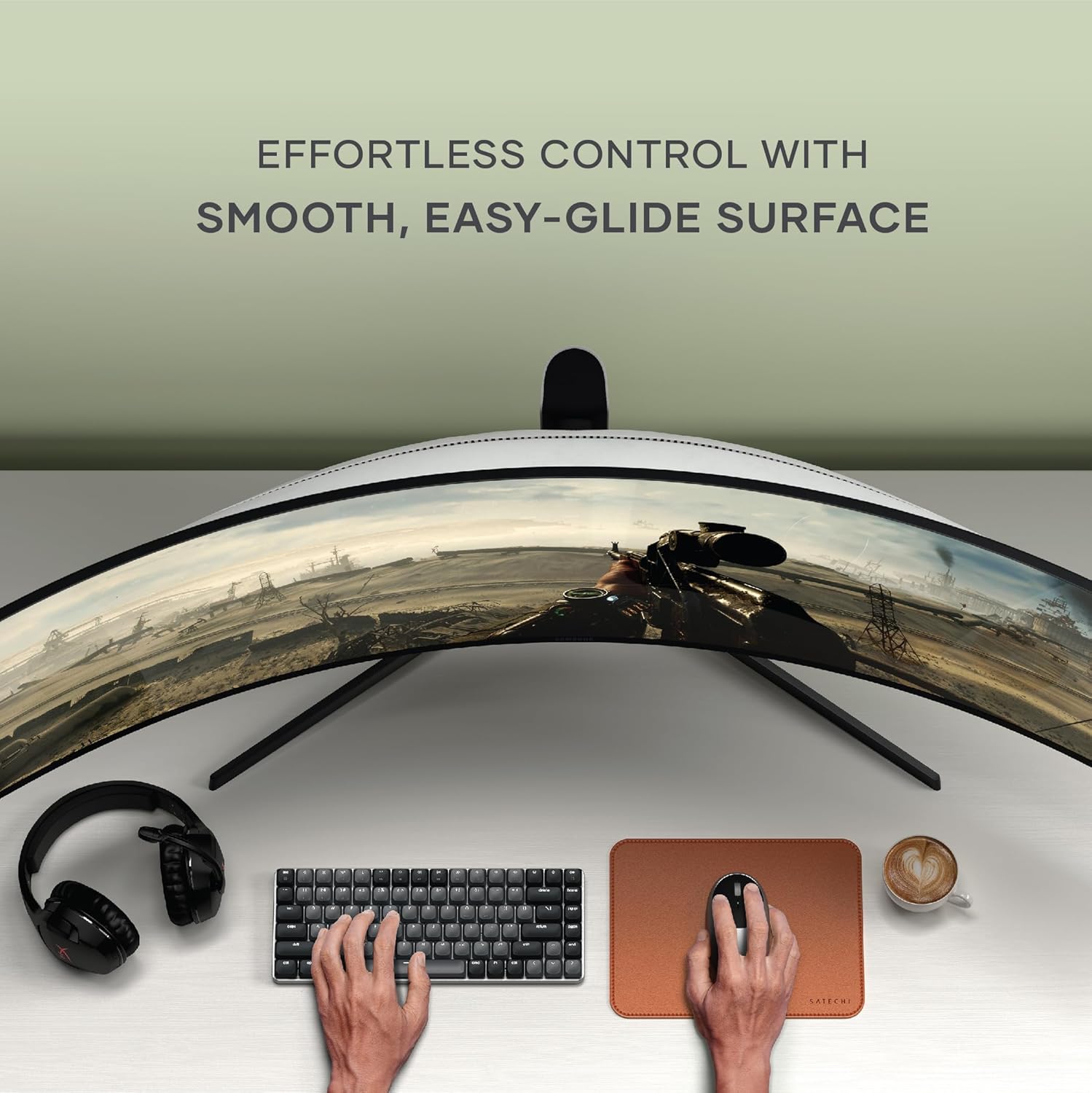
Image: A user's hands operating a mouse on the Satechi Vegan-Leather Mouse Pad, part of a modern desk setup with a keyboard and curved monitor.
5. Техникалык тейлөө жана кам көрүү
- Тазалоо: To clean the mouse pad, use a damp cloth and a small amount of mild soap. Gently wipe the surface and then dry thoroughly with a clean, soft cloth. Avoid harsh chemicals or abrasive materials.
- Төкмө каршылык: The water-resistant material helps protect your desk from accidental spills. Wipe up any liquids promptly to prevent staining.
- Узактыгы: The reinforced stitching and vegan-leather material are designed for long-lasting use. Avoid sharp objects that could scratch the surface.
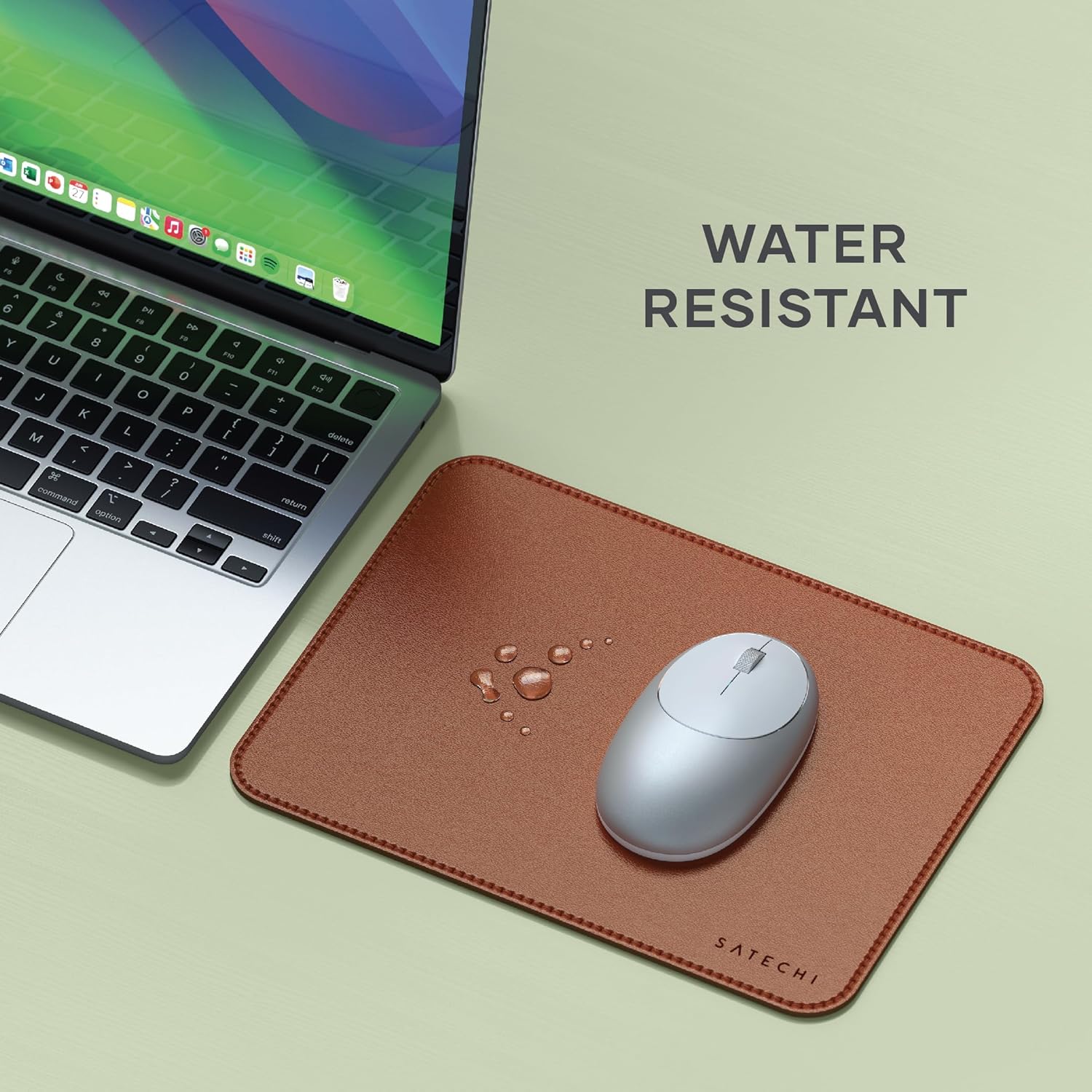
Image: Water droplets are visible on the Satechi Vegan-Leather Mouse Pad, demonstrating its water-resistant properties, positioned next to a laptop.

Image: A hand is shown wiping the Satechi Vegan-Leather Mouse Pad with a white cloth, emphasizing its easy-to-clean surface.
6. Кыйынчылыктарды
- Mouse not tracking smoothly: Ensure the mouse pad surface is clean and free of debris. Check your mouse's optical sensor for any obstructions.
- Mouse pad slipping: Verify that the desk surface beneath the pad is clean and dry. The non-slip base is designed to adhere to most surfaces. If slipping persists, ensure the pad is placed on a flat, stable area.
7. Техникалык шарттар
| Бренд | Satechi |
| Модель номери | ST-LMPN |
| Материал | Vegan тери |
| Өлчөмдөрү (L x W x Y) | 9.8 x 7.5 x 0.14 дюйм (24.9 x 19.05 x 0.36 см) |
| Элемент Салмагы | 4.1 унция |
| Өзгөчөлүктөр | Ergonomic, Non-slip, Reversible, Water Resistant |
| Сунушталган Колдонуулар | Офис, Үй |
8. Кепилдик жана колдоо
Satechi продуктылары менен капталган 2 жылдык чектелген кепилдик against defects in materials and workmanship under normal use. For warranty claims, technical support, or any inquiries, please refer to the official Satechi webсайтка же түздөн-түз кардарларды тейлөөгө кайрылыңыз.
Кошумча жардам алуу үчүн, сураныч, баш багыңыз Amazon'догу Satechi дүкөнү.


