Introduction
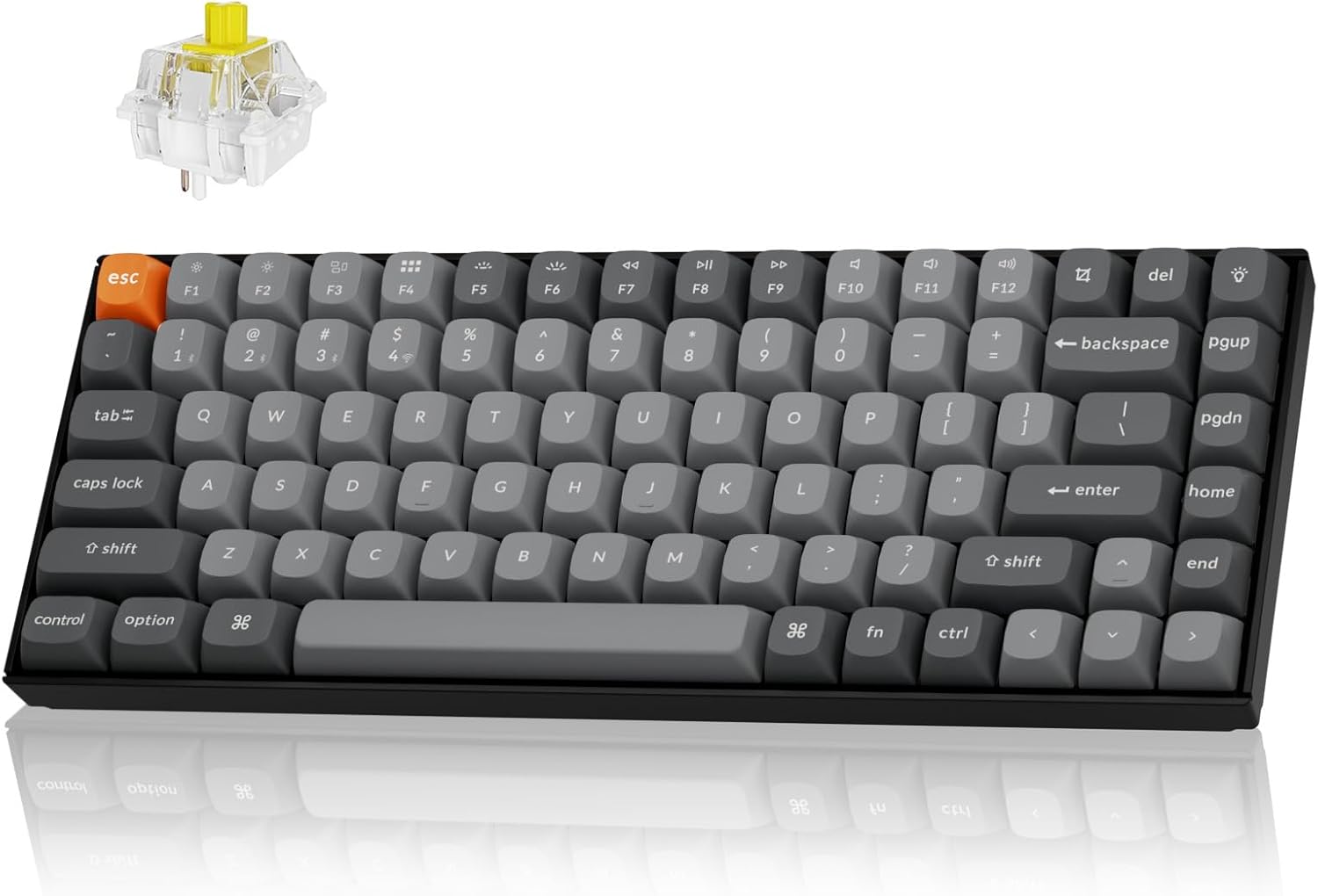
The Keychron K2 Max is a versatile 75% layout mechanical keyboard designed for seamless integration across multiple operating systems and connectivity options. It supports 2.4 GHz wireless, Bluetooth 5.1, and Type-C wired connections, offering a 1000Hz polling rate in 2.4G and wired modes for optimal performance in both gaming and professional environments. This manual provides detailed instructions for setting up, operating, maintaining, and troubleshooting your K2 Max keyboard.
Жайгашуу
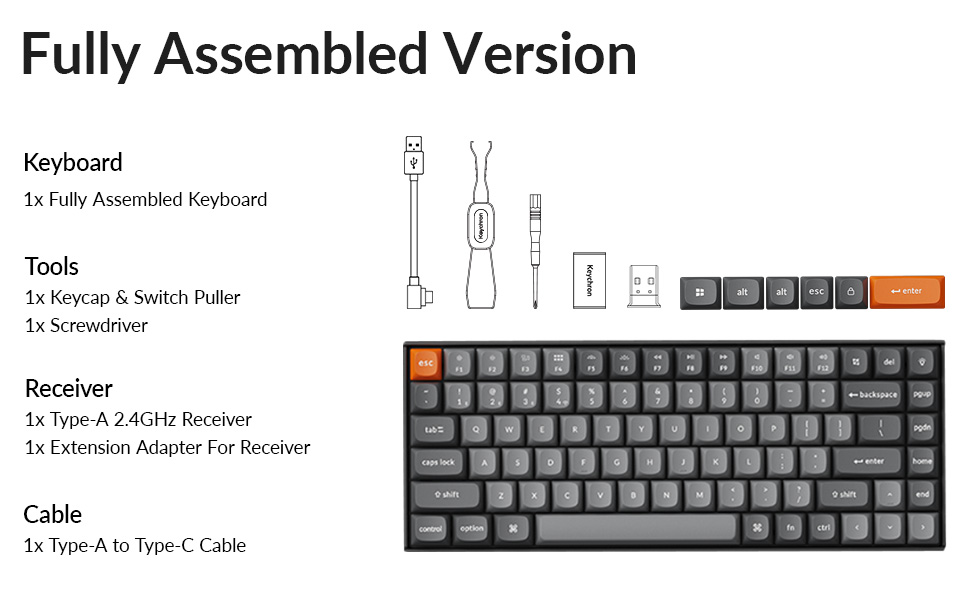
Пакеттин мазмуну
Баштоодон мурун, бардык компоненттердин пакетте бар экенине ынаныңыз:
- 1x Толугу менен чогултулган клавиатура
- 1x Баскыч капкагы жана которгуч
- 1x Screwdriver
- 1x Type-A 2.4GHz кабылдагыч
- Алуучу үчүн 1x узартуу адаптери
- 1x Type-A to Type-C кабели
- Extra keycaps for Windows layout
Баштапкы заряддоо
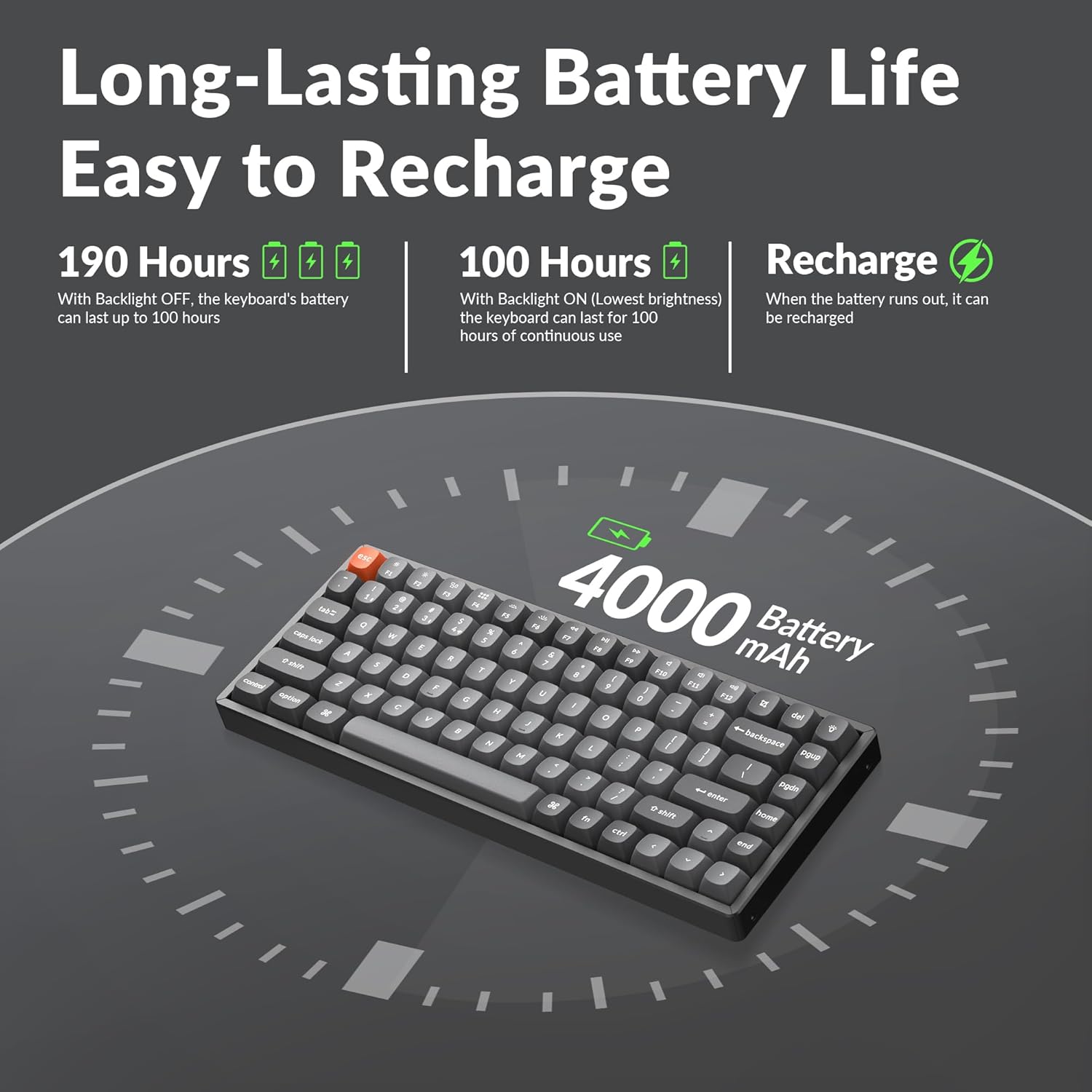
The keyboard comes with a built-in 4000mAh rechargeable battery. For optimal performance, it is recommended to fully charge the keyboard before first use. Connect the provided Type-A to Type-C cable to the keyboard's USB-C port and a power source (e.g., computer USB port or wall adapter).
Туташуу параметрлери
The K2 Max offers three connection modes:
- 2.4 ГГц зымсыз: For a stable and fast connection, ideal for gaming. Insert the 2.4GHz receiver into a USB port on your device. The receiver can be stored in a dedicated slot on the keyboard's underside when not in use.
- Bluetooth 5.1: For wireless convenience with up to 3 devices. Pair the keyboard with your laptop, tablet, or smartphone.
- С түрү зымдуу: For a direct and reliable connection, also allowing charging.


Иштөө нускамалары
Switching Operating Systems
The K2 Max is optimized for both macOS and Windows. Use the dedicated toggle switch on the keyboard to switch between macOS and Windows layouts. Extra keycaps for Windows are included to match the layout.

QMK/VIA Customization
The keyboard supports QMK open-source firmware, allowing extensive customization of key remapping, macros, and shortcuts. Access the Keychron Launcher web app for configuration without requiring any software installation.

Арткы жарыкты башкаруу
The K2 Max features South-Facing RGB Backlight. Use the dedicated function keys to cycle through various lighting effects, adjust brightness, and change colors. Refer to the keyboard's quick start guide for specific key combinations.
Батареянын иштөө мөөнөтүн башкаруу
The 4000mAh battery provides long-lasting performance. With the backlight off, the keyboard can last up to 190 hours. At the lowest brightness setting, it can provide approximately 100 hours of continuous use. Recharge the keyboard when the battery indicator shows low power.
Техникалык тейлөө
Баскычтопту тазалоо
Клавиатураңызды тазалоо үчүн, алгач аны бардык кубат булактарынан ажыратыңыз. Жумшак, түксүз чүпүрөктү бир аз сүртүңүз.ampened with water or a mild cleaning solution. For cleaning between keycaps, use compressed air or a small brush. Avoid spraying liquids directly onto the keyboard.
Клавиатураны жана которгучту алмаштыруу
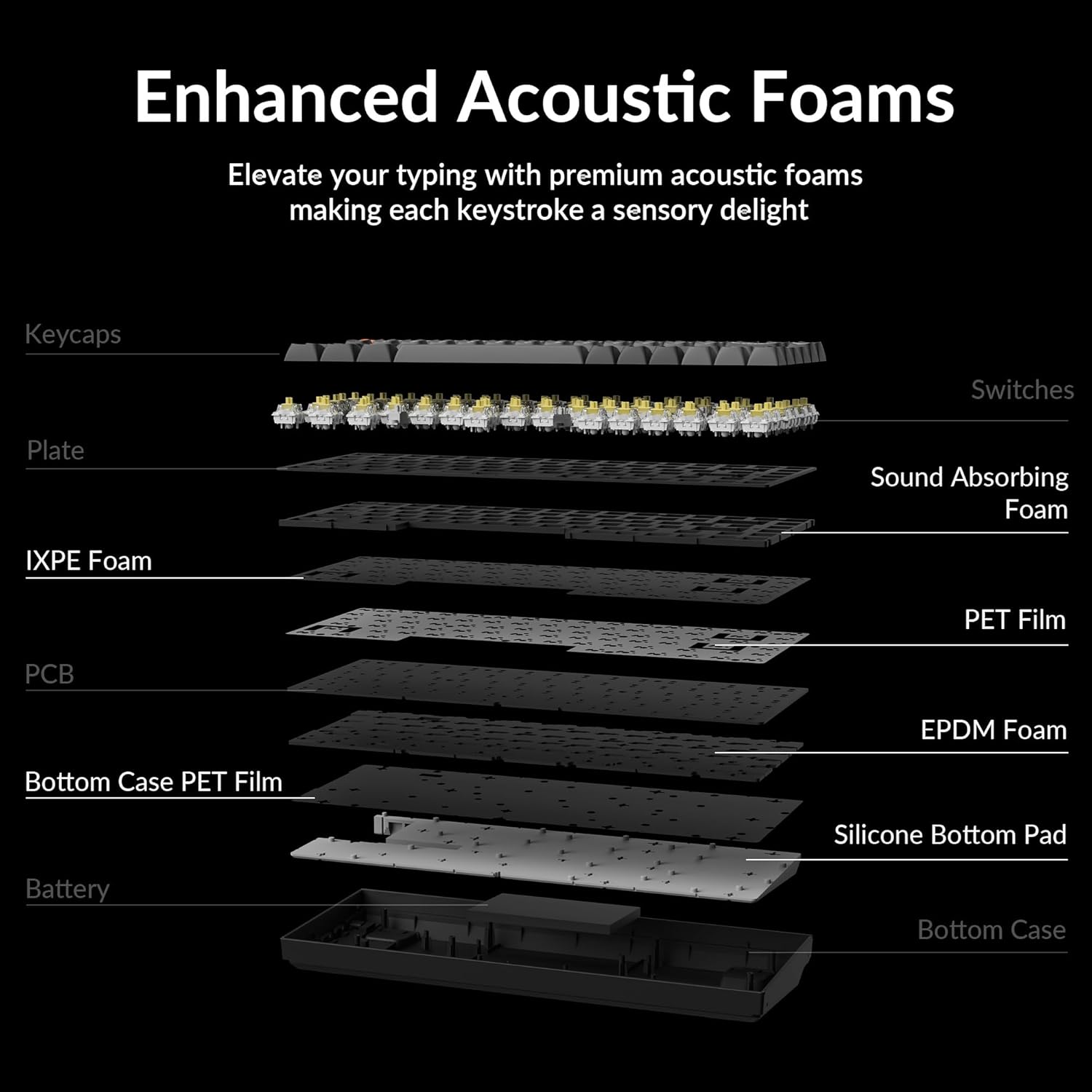
The Keychron K2 Max features hot-swappable switches, allowing you to change switches without soldering. Use the provided keycap and switch puller tools for safe removal and installation.
- Баскыч капкактарын алып салуу: Баскычтын капкагын тартуучу каражатты колдонуп, баскычтоптун капкагын акырын түз өйдө тартыңыз.
- Которгучтарды алып салуу: Insert the switch puller's prongs under the top and bottom clips of the switch and gently rock it while pulling upwards.
- Которгучтарды орнотуу: Жаңы өчүргүчтүн төөнөгүчтөрүн платадагы тешиктер менен тегиздеп, ал ордуна чыкылдаган үн чыкканча бекем басыңыз. Төөнөгүчтөрдүн ийилбегенин текшериңиз.
- Баскыч капкактарын орнотуу: Баскыч капкагын которгучтун сабы менен тегиздеп, ылдый катуу басыңыз.


Проблемаларды чечүү
Байланыш маселелери
- 2.4 ГГц зымсыз: Ensure the receiver is securely plugged into a USB port. Try a different USB port. Ensure the keyboard is in 2.4G mode.
- Bluetooth: Ensure Bluetooth is enabled on your device. Unpair and re-pair the keyboard if connection is lost. Ensure the keyboard is in Bluetooth mode and selected the correct device slot (BT1, BT2, BT3).
- текст: Check the USB-C cable connection at both ends. Try a different USB-C cable or port.
Ачкычтар жооп бербейт
- If a specific key is not responding, it might be a faulty switch. If your model is hot-swappable, try replacing the switch with a spare one or swapping it with a less frequently used key to diagnose.
- Клавиатура уйку режиминде эмес экенин текшериңиз.
- Check for any debris under the keycap or switch.
Арткы жарык көйгөйлөрү
- If the backlight is off, check if it's disabled or set to the lowest brightness. Adjust using the backlight control keys.
- Баскычтоптун батарейканын заряды жетиштүү экенине ынаныңыз.
Заряддоо маселелери
- Заряддоо кабели туура туташтырылганын текшериңиз.
- Башка USB портун же кубат адаптерин колдонуп көрүңүз.
- Allow the keyboard to charge for a few hours.
Техникалык шарттар
| Модель аты | K2M-B4 |
| Байланыш технологиясы | 2.4G Wireless, Bluetooth 5.1, Type-C Wired |
| Keyboard Description | Механикалык |
| Өзгөчө өзгөчөлүк | Backlit (South-Facing RGB) |
| Түс | Keychron Super Banana Switch (Black keyboard chassis) |
| Шайкеш түзмөктөр | Gaming Console, Laptop, PC (Mac/Windows/Linux) |
| Батарея | 4000mAh Литий Полимер (кошулган) |
| Элемент Салмагы | 3.08 фунт |
| Пакеттин өлчөмдөрү | 15.27 x 6.42 x 2.24 дюйм |
| Өндүрүүчү | Keychron |
Кепилдик жана колдоо
Кепилдик жөнүндө маалымат, техникалык колдоо же кошумча жардам алуу үчүн, расмий Keychron сайтына кириңиз website or their Amazon store. Keychron offers various protection plans for extended coverage.
зыярат кылыңыз Keychron Store on Amazon көбүрөөк өнүмдөр жана колдоо ресурстары үчүн.


