1. Киришүү
This manual provides detailed instructions for the installation, operation, and maintenance of your Leadfan 9-inch car radio stereo. This unit is designed to enhance your driving experience with advanced features such as wireless CarPlay, Android Auto, GPS navigation, Bluetooth connectivity, and a high-definition touchscreen. Please read this manual thoroughly before installation and use to ensure proper functionality and safety.
2. Шайкештик
This car radio stereo is specifically designed for Mazda 3 models manufactured between 2009 and 2013. It includes a CANBUS system for seamless integration with your vehicle's electronics.
Маанилүү эскертүү:
- Before installation, verify your car's model, year, and the shape of the center console to ensure compatibility.
- This car radio is not compatible with vehicles equipped with premium sound systems such as J.B.L, SO.NY Amplifier, or B.ose Speakers.

Confirm your car's version. The image displays compatible and incompatible Mazda 3 center console designs for installation.
3. Пакеттин мазмуну
The following items are included in your Leadfan car radio stereo package:
- 9-inch Touchscreen Head Unit
- GPS модулу/антенна
- WiFi Connection Module
- Bluetooth 5.1 модулу
- FM радио антеннасы
- AHD камдык камерасы
- Steering Wheel Control Interface (CANBUS)
- 2 x USB порттору
- RCA Киргизүү/Чыгуу кабелдери
- External Microphone Jack in RCA Cable
- Электр кабели
- User Manual

Деталдаштырылган view of the head unit dimensions, rear connections, and all included accessories.
4. Орнотуу жана орнотуу
The Leadfan car radio stereo is designed for a plug-and-play installation for compatible Mazda 3 models. However, professional installation is recommended to ensure correct wiring and functionality, especially for the CANBUS and backup camera connections.
4.1 Орнотууга чейинки текшерүүлөр
- Орнотууну баштоодон мурун унаанын от алдыруу өчүрүлгөнүн жана батареянын ажыратылганын текшериңиз.
- Confirm all included components are present as per the package contents list.
- Review your vehicle's existing wiring and dashboard layout.
4.2 Орнотуу кадамдары (Жалпы колдонмо)
- Унааңыздын радиосун жана аспаптар панелинин түпнуска жасалгасын этияттык менен алып салыңыз. Так көрсөтмөлөр үчүн унааңыздын тейлөө колдонмосун караңыз.
- Connect the main power harness, RCA cables, USB cables, GPS antenna, and FM radio antenna to the new Leadfan head unit.
- Connect the CANBUS decoder to the vehicle's wiring harness. This enables steering wheel control functionality.
- Install the AHD backup camera (if applicable) and route its video cable to the head unit's reverse input.
- Mount the new 9-inch head unit into the dashboard opening.
- Reconnect the vehicle's battery and test all functions before fully reassembling the dashboard trim.

The Leadfan car radio seamlessly integrated into a compatible Mazda 3 dashboard.
5. Иштөө нускамалары
5.1 Күйгүзүү/өчүрүү жана негизги навигация
- Бирдикти күйгүзүү же өчүрүү үчүн кубат баскычын басыңыз.
- Navigate through menus and applications using the 9-inch capacitive touchscreen.
5.2 Wireless CarPlay жана Android Auto
Бул аппарат смартфондорду үзгүлтүксүз интеграциялоо үчүн Apple CarPlay жана Android Auto зымсыз функцияларын колдойт.
- Телефонуңуздун Bluetooth жана Wi-Fi иштетилгенин текшериңиз.
- Унаа стереосунда CarPlay же Android Auto тиркемесин ачыңыз.
- Follow the on-screen prompts to pair your smartphone via Bluetooth. Once paired, the system will automatically establish a Wi-Fi connection for CarPlay/Android Auto.
- Use voice control (Siri for CarPlay, Google Assistant for Android Auto) for hands-free operation of navigation, music, calls, and messages.
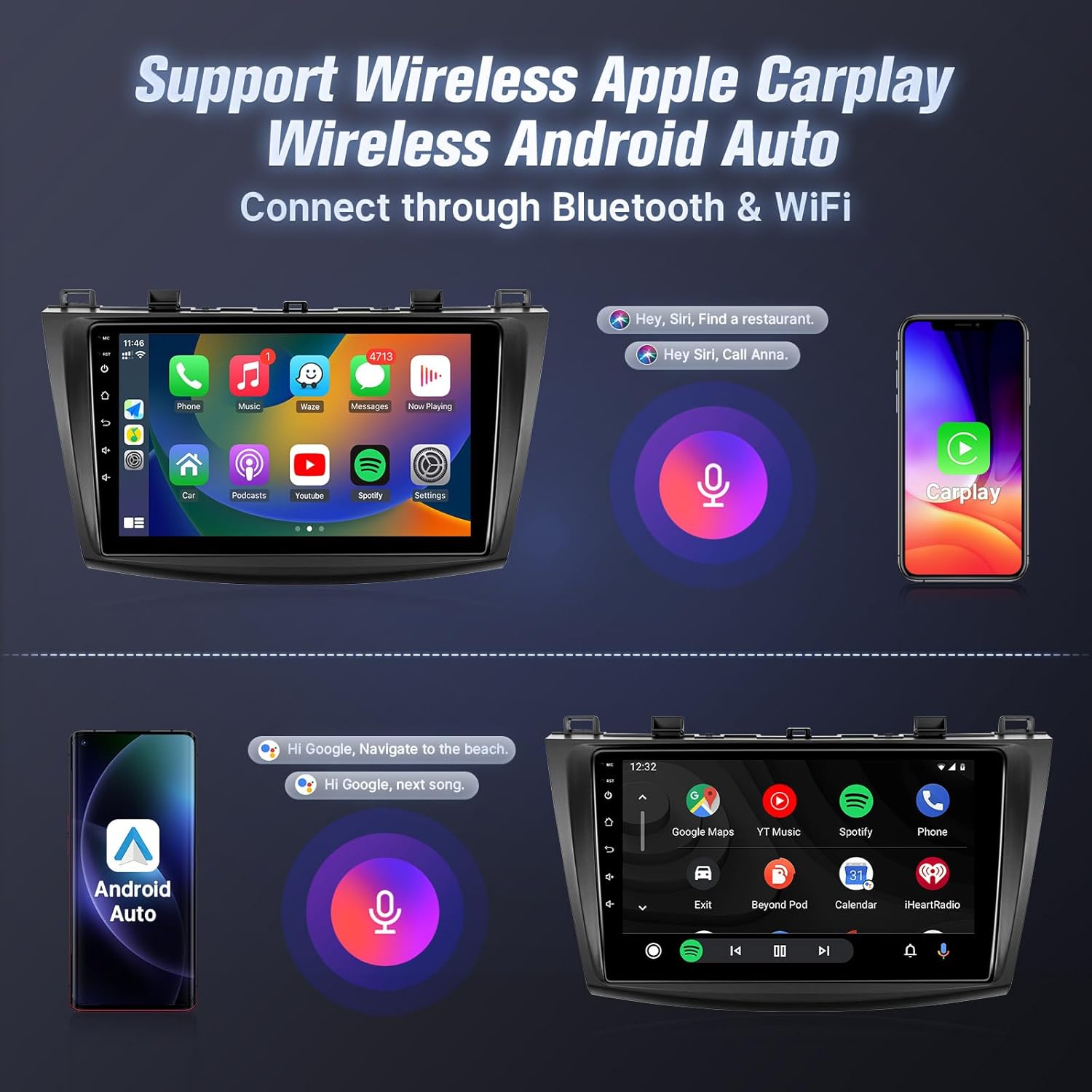
Wireless Apple CarPlay and Android Auto interfaces with voice control.
5.3 Mirror Link
Mirror Link смартфонуңуздун экранын унаанын стереосунда көрсөтүүгө мүмкүндүк берет.
- iOS түзмөктөрү үчүн: Supports one-way wireless connection via Wi-Fi.
- Android түзмөктөрү үчүн: Supports two-way wired (USB cable) or wireless (Wi-Fi) connection.
- Follow the instructions within the Mirror Link application on the head unit to connect your device.
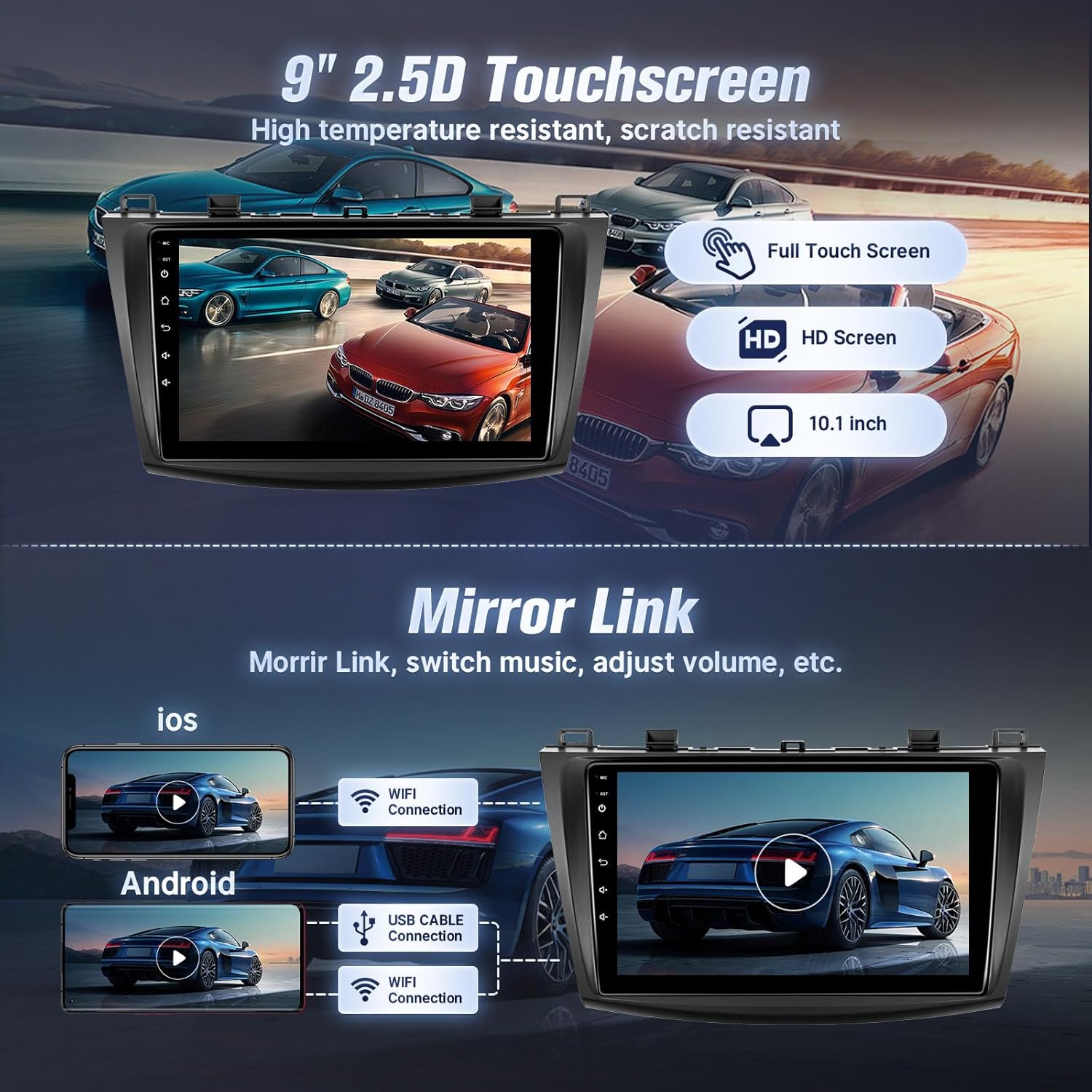
Mirror Link functionality for both iOS and Android devices.
5.4 Bluetooth байланышы
Connect your phone via Bluetooth for hands-free calling and music streaming.
- Унаа стереосундагы Bluetooth жөндөөлөрүнө өтүңүз.
- Смартфонуңузда Bluetooth'ду иштетип, жеткиликтүү түзмөктөрдү издеңиз.
- Телефонуңуздун Bluetooth тизмесинен унаа стереосун тандап, жупташууну ырастаңыз.
- Туташкандан кийин, сиз телефонуңуздан түз чалууларды жасап/кабыл алып, музыка ойното аласыз.

Чалуулар жана музыка агымы үчүн Bluetooth интерфейси.
5.5 GPS навигациясы жана Wi-Fi
The unit features built-in GPS for navigation and Wi-Fi for internet access.
- GPS: The stereo comes with a GPS antenna and supports both online and offline map files. You can use pre-installed navigation apps or download others from the app store.
- Wi-Fi: Connect to the internet via your mobile hotspot or a Wi-Fi device to browse online, download apps, and use online navigation services.
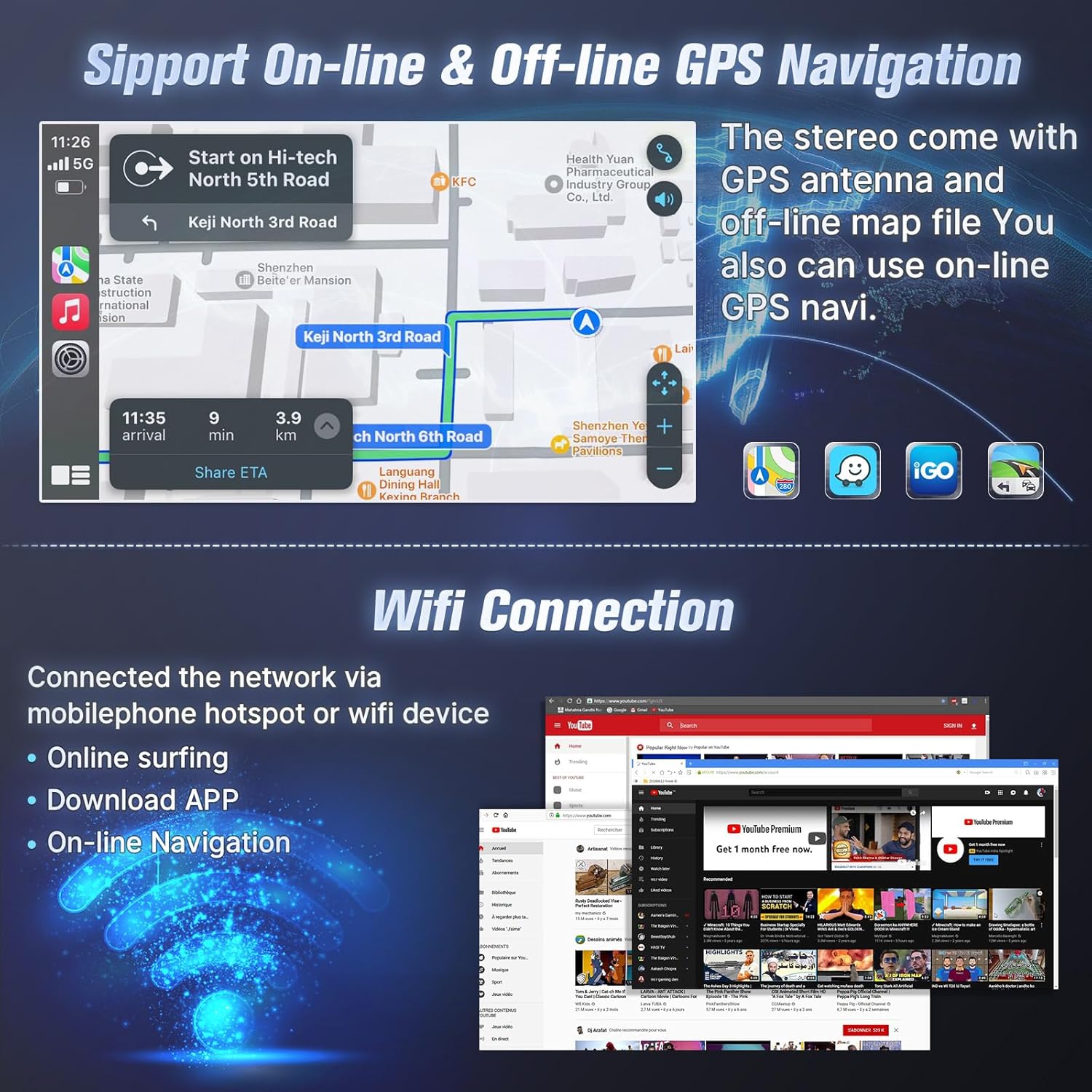
GPS navigation with online/offline map support and Wi-Fi connection for internet access.
5.6 FM радиосу
Орнотулган FM тюнери менен жергиликтүү радиостанцияларга кириңиз.
- FM радио тиркемесин ачыңыз.
- Scan for stations automatically or manually tune to your desired frequency.
- Тез жетүү үчүн сүйүктүү станцияларыңызды алдын ала орнотуулар катары сактаңыз.

FM Radio interface with tuning and preset options.
5.7 Рулду башкаруу (SWC)
After correct CANBUS setup, you can control the car stereo using your vehicle's steering wheel buttons.
- Access the SWC settings in the unit's system menu.
- Follow the on-screen instructions to map your steering wheel buttons to specific functions (e.g., volume up/down, track skip, mode change).

Руль дөңгөлөгүн башкарууну орнотуу интерфейси.
5.8 EQ Audio Adjustment and UI Themes
- EQ Audio: The unit offers 10-band EQ audio adjustment to customize sound output to your preference. Access this feature in the audio settings.
- UI темалары: Choose from 38 different user interface themes to personalize the display's appearance.
5.9 AHD камдык камера
камтылган AHD камдык камерасы ачык-айкын камсыз кылат view артка кайтканда.
- When the vehicle is shifted into reverse gear, the screen will automatically display the camera feed.
- The camera features night vision for improved visibility in low-light conditions.

Камера view and physical camera unit.
5.10 Бөлүнгөн экран режими
Бөлүнгөн экран функциясы дисплейде бир эле учурда эки тиркемени иштетүүгө мүмкүндүк берет.
- While an application is open, long-press the recent apps button or drag an app to one side of the screen (depending on the Android version) to activate split-screen mode.
- Биринчиси менен катар иштөө үчүн экинчи колдонмону тандаңыз.

Voice control and split-screen mode in operation.
6. Техникалык тейлөө
To ensure the longevity and optimal performance of your Leadfan car radio stereo, follow these maintenance guidelines:
- Тазалоо: Use a soft, dry cloth to clean the touchscreen and exterior. Avoid abrasive cleaners or solvents that could damage the screen or finish.
- Программалык камсыздоо жаңыртуулары: Periodically check for available software updates to ensure the system runs efficiently and has the latest features. Updates can typically be found through the system settings or the manufacturer's webсайт.
- Температура: Аппаратты экстремалдык температурага тийгизүүдөн сактаңыз. Түз күн нурунун узакка созулган таасири же өтө суук шарттар иштөөсүнө жана иштөө мөөнөтүнө таасир этиши мүмкүн.
- Байланыштары: Бардык кабелдердин жана туташуулардын бекем экенине ынаныңыз. Бошоң туташуулар үзгүлтүккө учурап көйгөйлөргө алып келиши мүмкүн.
7. Кыйынчылыктарды
If you encounter issues with your car radio stereo, refer to the following troubleshooting tips:
| Көйгөй | Мүмкүн себеп | Чечим |
|---|---|---|
| Түзмөк күйбөйт | Loose power connection, blown fuse, incompatible wiring. | Check power cables and fuse. Ensure correct wiring. Consult a professional installer if needed. |
| Үн чыгышы жок | Volume too low, incorrect audio source, loose speaker wires, incompatible premium sound system. | Increase volume. Select correct audio source. Check speaker connections. Confirm car does not have a premium sound system. |
| CarPlay/Android Auto туташпай жатат | Телефондо Bluetooth/Wi-Fi өчүк, туура эмес жупташтыруу, телефондун программалык камсыздоо маселеси. | Ensure phone's Bluetooth/Wi-Fi is on. Re-pair the device. Restart phone and head unit. |
| GPS сигналы жоголду же так эмес | GPS antenna obstruction, loose antenna connection, outdated maps. | GPS антеннасынын таза болушун текшериңиз view of the sky. Check antenna connection. Update map data if necessary. |
| Камдык камера көрсөтүлбөй жатат | Loose video cable, incorrect wiring to reverse trigger, faulty camera. | Check camera video cable connection. Verify reverse trigger wire is correctly connected. Test camera functionality. |
| Bluetooth/Internet connection unstable | Interference, weak signal, device compatibility. | Move away from sources of interference. Ensure strong Wi-Fi/hotspot signal. Re-pair Bluetooth device. |
If the problem persists after attempting these solutions, please contact Leadfan customer support for further assistance.
8. Техникалык шарттар
- Дисплей өлчөмү: 9 дюйм
- Чечим: 1080*600 (IPS Touchscreen)
- Операция системасы: Android 12
- RAM: 2 ГБ
- ROM: 32 ГБ
- Процессор: 4 ядролуу CPU
- Байланыш: Bluetooth 5.1, Wi-Fi
- GPS: Built-in, supports online and offline maps (North America map type)
- Өзгөчөлүктөр: Wireless CarPlay, Android Auto, Mirror Link, FM Radio, AHD Backup Camera (waterproof, night vision), Steering Wheel Control, Split Screen, 10-band EQ Audio Adjustment, Multiple UI Themes, Dual USB ports, RCA Input/Output, External Microphone Jack.
- Элемент Салмагы: 3.1 фунт
- Продукциянын өлчөмдөрү: 10.9 x 3.8 x 13.5 дюйм
- Монтаж түрү: Куралдар тактасы

Internal specifications including processor, RAM, and ROM.
9. Кепилдик жана колдоо
Leadfan provides comprehensive support for your car radio stereo:
- Кепилдик: 12 months after-sales support and replacement available within 12 months.
- Акчаны кайтаруу кепилдиги: 30 days money back service.
- Техникалык колдоо: 24-hour after-sales technical support to assist with installation and operation problems.
Колдоо кызматы менен кантип байланышса болот:
For installation or technical assistance, please follow these steps:
- Amazon'догу продукт баракчасына өтүңүз.
- Click on the 'Leadfan' store link.
- Click the 'Ask a question' button.
- Provide details of your installation or operation questions, including pictures or videos if helpful.
The Leadfan support team aims to respond within 24 hours.

Steps to contact Leadfan customer support for assistance.


