Introduction
Thank you for choosing the Grundig Wireless Bluetooth Open-Ear Earbuds. These earbuds are designed to provide a comfortable listening experience with an open-ear design, allowing you to stay aware of your surroundings while enjoying your audio. This manual provides essential information on how to set up, operate, and maintain your earbuds.
Кутуда эмне бар
- Grundig Wireless Bluetooth Open-Ear Earbuds
- USB-C заряддоо кабели
- User Manual
Продукт бүттүview
Familiarize yourself with the components of your earbuds:
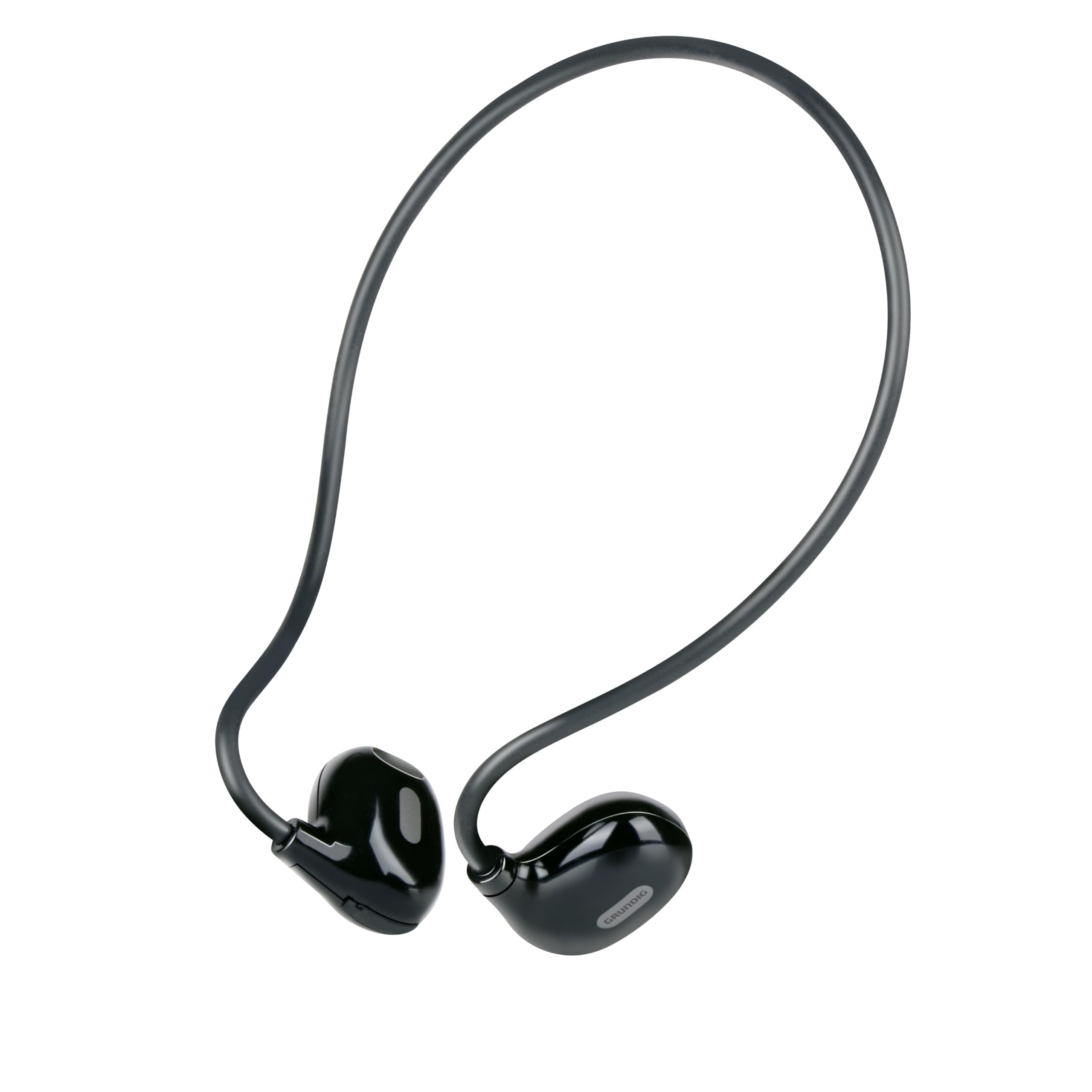
Figure 1: Close-up of a single earbud, highlighting the speaker and flexible ear hook.
- Earbud Unit: Contains the speaker and internal electronics.
- Ийкемдүү кулак илгичи: Designed to fit securely around your ear.
- Микрофон: Үнсүз чалуулар үчүн.
- Сенсордук башкаруу аймагы: For managing music and calls.
- USB-C заряддоо порту: Located on one of the earbuds for power input.
Жайгашуу
1. Кулакчындарды заряддоо
- Connect the supplied USB-C charging cable to the charging port on the earbuds.
- USB-C кабелинин экинчи учун туура келген USB кубат булагына туташтырыңыз (мисалы, дубал адаптери, компьютердин USB порту).
- The indicator light on the earbuds will show the charging status. A full charge takes approximately 1.5 hours.
- Толук заряддалгандан кийин, заряддоо кабелин ажыратыңыз.
2. Түзмөк менен жупташтыруу
Кулакчындарды Bluetooth иштетилген түзмөккө туташтыруу үчүн:
- Кулакчындар кубатталып, өчүрүлгөнүн текшериңиз.
- Press and hold the touch control area on one earbud until the indicator light flashes, indicating pairing mode.
- Түзмөгүңүздө (телефон, планшет, ноутбук) Bluetooth'ду күйгүзүп, жеткиликтүү түзмөктөрдү издеңиз.
- Select "Grundig Earbuds" (or similar name) from the list of found devices.
- Once connected, the indicator light on the earbuds will change, usually to a slow flash or off, and you will hear an audible confirmation.
- Кулакчындар күйгүзүлгөндө акыркы жупташтырылган түзмөккө автоматтык түрдө кайра туташуу аракетин көрүшөт.
3. Кулакчын тагынуу
For optimal comfort and sound, wear the earbuds as shown:

Figure 2: Proper placement of the earbuds with the ear hook.
- Place the earbud unit near your ear canal, ensuring the speaker is positioned to direct sound into your ear.
- Gently hook the flexible ear hook behind your ear to secure the earbud in place.
- Adjust for a comfortable and stable fit.
Кулакчындарды иштетүү
Күйгүзүү/өчүрүү
- Күйгүзүү: Press and hold the touch control area for a few seconds until you hear a power-on prompt.
- Өчүрүү: Press and hold the touch control area for a few seconds until you hear a power-off prompt.
Музыканы ойнотуу
- Ойнотуу/тындыруу: Tap the touch control area once.
- Кийинки трек: Double-tap the right earbud's touch control area.
- Мурунку трек: Double-tap the left earbud's touch control area.
Чалууларды башкаруу
- Чалууга жооп берүү/аяктоо: Tap the touch control area once during an incoming call or an active call.
- Чакырууну четке кагуу: Кирүүчү чалуу учурунда сенсордук башкаруу аймагын 2 секунд басып туруңуз.
Үндү көзөмөлдөө
Volume control is typically managed directly from your connected device. The earbuds support media control functions for play/pause and track skipping.
Техникалык тейлөө
- Тазалоо: Use a soft, dry cloth to clean the earbuds. Do not use abrasive cleaners or immerse them in water.
- Сактагыч: Наушниктерди салкын, кургак жерде, тике күндүн нурунан жана экстремалдык температурадан алыс сактаңыз.
- Батареяга кам көрүү: To prolong battery life, charge the earbuds regularly, even if not in frequent use. Avoid fully discharging the battery for extended periods.
Проблемаларды чечүү
| Көйгөй | Чечим |
|---|---|
| Кулакчындар күйбөйт. | Ensure the earbuds are fully charged. Connect them to the USB-C charging cable and allow 1.5 hours for a full charge. |
| Түзмөк менен жупташтыруу мүмкүн эмес. | Make sure Bluetooth is enabled on your device. Ensure the earbuds are in pairing mode (indicator light flashing). Move the earbuds closer to your device. Forget previous pairings on your device and try again. |
| Үн жок же үнү төмөн. | Check the volume level on both your connected device and the earbuds. Ensure the earbuds are properly seated on your ears. Reconnect the earbuds to your device. |
| Calls are unclear. | Ensure the microphone is not obstructed. Move to an area with less background noise. Check your device's call settings. |
| Кулакчындар тез-тез үзүлүп калат. | Ensure the earbuds are within the Bluetooth range of your device. Avoid obstacles between the earbuds and your device. Charge the earbuds if the battery is low. |
Техникалык шарттар
| Модель номери | 8711252259871 |
| Бренд | Grundig |
| Байланыш технологиясы | Зымсыз (Bluetooth 5.3) |
| Кулак жайгаштыруу | Ачык кулак |
| Башкаруу ыкмасы | Touch Control |
| Батареянын иштөө мөөнөтү | 5 саатка чейин |
| Заряддоо убактысы | Болжол менен 1.5 саат |
| Заряддоо порту | USB-C |
| Материал | Пластик жана силикон |
| Сууга туруктуулук деңгээли | Суу өткөрбөйт |
| Шайкеш түзмөктөр | Mobile phones, tablets, laptops, game consoles, desktop computers, smart speakers |
| Өзгөчөлүктөр | Fast charging, Hands-free calls |
Коопсуздук маалыматы
- Угуунун бузулушун алдын алуу үчүн кулакчындарды узак убакыт бою катуу үн чыгарып колдонбоңуз.
- Кулакчындарды айланадагы үндөрдү уга албаганыңыз кооптуу болушу мүмкүн болгон учурларда (мисалы, унаа айдоо, велосипед тебүү, жол тыгынында жөө басуу) колдонбоңуз.
- Keep the earbuds away from water and moisture.
- Do not attempt to disassemble or modify the earbuds.
- Балдар жетпеген жерде сактаңыз.
- Продукцияны жергиликтүү эрежелерге ылайык таштаңыз.
Кепилдик жана колдоо
Grundig products are designed for reliability and performance. For warranty information and customer support, please refer to the documentation provided with your purchase or visit the official Grundig webсайт. Сураныч, кепилдик дооматтар үчүн сатып алуу далилиңизди сактап коюңуз.


