Introduction
Thank you for choosing the OnePlus Nord Buds 3 Pro wireless earbuds. These earbuds are designed to provide an immersive audio experience with features like Hybrid Active Noise Cancellation, deep bass, and extended battery life. This manual provides detailed instructions for setting up, operating, maintaining, and troubleshooting your device to ensure optimal performance.
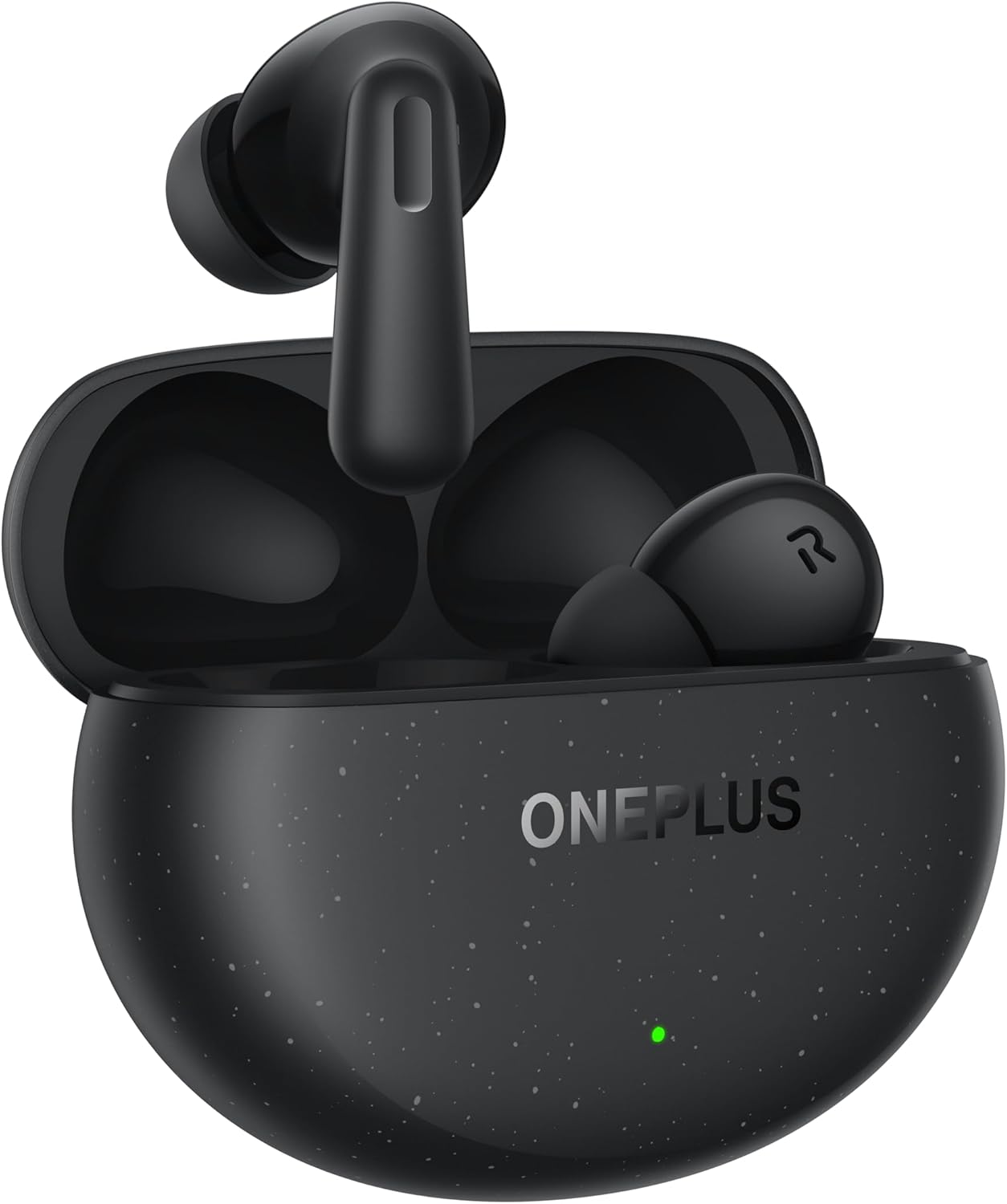
Image: The OnePlus Nord Buds 3 Pro earbuds, in Starry Black, are shown inside their open charging case. The case has a speckled finish and the OnePlus logo. A small green LED indicator is visible on the front of the case.
Кутуда эмне бар
Carefully unpack your OnePlus Nord Buds 3 Pro and ensure all items are present:
- OnePlus Nord Buds 3 Pro earbuds (1 pair)
- OnePlus Nord Buds 3 Pro charging case (1 unit)
- Silicon eartips (3 pairs: S, M, L)
- USB Type-C charging cable (1 unit)
- User guide (1 unit)
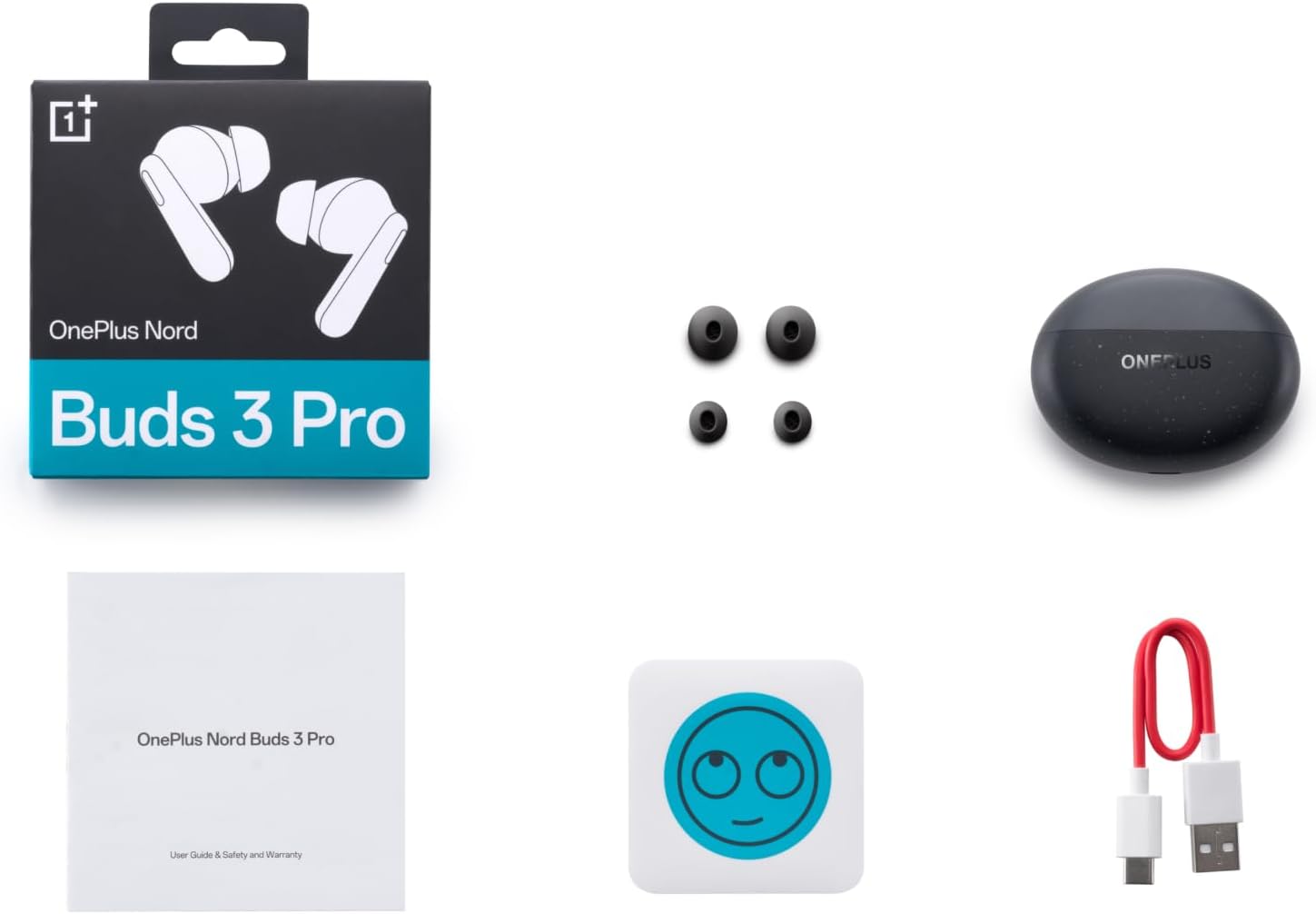
Image: A flat lay of the OnePlus Nord Buds 3 Pro package contents, including the retail box, the charging case, three pairs of silicone eartips, a USB Type-C charging cable, and the user guide.
Жайгашуу
1. Баштапкы заряддоо
Биринчи колдонуудан мурун, кулакчындарды жана заряддоо кутучасын толук заряддаңыз. Берилген USB Type-C кабелин корпустагы заряддоо портуна жана кубат булагына туташтырыңыз. Корпустагы индикатор кубаттоо абалын көрсөтөт.
2. Түзмөгүңүз менен жупташтыруу
- Кулакчындардын заряддоо кутучасында жана корпустун капкагы ачык экенин текшериңиз.
- Press and hold the function button on the charging case for 2 seconds until the indicator light flashes white, indicating pairing mode.
- On your device (smartphone, tablet, etc.), go to Bluetooth settings and select "OnePlus Nord Buds 3 Pro" from the list of available devices.
- For Android devices, the earbuds support Google Fast Pair for quick connection. Simply open the case near your Android device and follow the on-screen prompts.

Image: A person holding a OnePlus Nord Buds 3 Pro charging case and a smartphone. The smartphone screen displays a prompt for Google Fast Pair, showing the earbuds ready to connect, illustrating the pairing process.
3. HeyMelody App
For enhanced features and customization, download the HeyMelody app from your device's app store. The app allows you to manage settings, update firmware, and locate your earbuds.
Иштөө нускамалары
Touch Controls
The OnePlus Nord Buds 3 Pro feature intuitive touch controls on each earbud. Default controls are as follows, but can often be customized via the HeyMelody app:
- Бир жолу таптоо: Музыканы ойнотуу/тындыруу, Чалууга жооп берүү/аяктоо.
- Эки жолу таптоо: Кийинки трек, Чакырууну четке кагуу.
- Үч жолу таптоо: Мурунку трек.
- Press and Hold (1 second): Активдүү ызы-чууну жокко чыгаруу (ANC) жана тунуктук режимдеринин ортосунда которулуңуз.
Активдүү ызы-чууну жокко чыгаруу (ANC) жана ачыктык режими
The earbuds offer Hybrid Active Noise Cancellation up to 49dB to minimize ambient noise. Transparency mode allows you to hear your surroundings without removing the earbuds. Toggle between these modes by pressing and holding the earbud touch area.

Image: An infographic detailing key features of the OnePlus Nord Buds 3 Pro, including up to 44 hours listening time, 49dB Hybrid Active Noise Cancellation, 12.4mm Titanized Diaphragm, and Basswave 2.0 technology.
Үн сапаты
Equipped with a 12.4mm titanium-coated diaphragm and Basswave 2.0 technology, the Nord Buds 3 Pro deliver rich bass, clear vocals, and an immersive sound experience.
Батарея жана заряддоо
- Наушниктин батареясынын иштөө мөөнөтү: Up to 44 hours with ANC off, up to 20 hours with ANC on (including charging case).
- Тез кубаттоо: 10 minutes of charging provides up to 11 hours of playtime.
- Заряддоо кутусу: Recharge the case using the provided USB Type-C cable.
Техникалык тейлөө
- Тазалоо: Кулакчындарды жана заряддоо кутусун жумшак, кургак, түксүз чүпүрөк менен дайыма тазалап туруңуз. Катуу химиялык заттарды же абразивдүү материалдарды колдонбоңуз.
- Наушниктер: Remove and clean the silicone eartips with water and mild soap if necessary. Ensure they are completely dry before reattaching.
- Заряддоо байланыштары: Туура кубаттоону камсыз кылуу үчүн кулакчындардын жана кутучанын ичиндеги заряддоочу контакттарды таза жана таштандылардан таза кармаңыз.
- Сактагыч: Колдонулбай турган учурда, кулакчындарды коргоо жана кубаттоо үчүн кубаттоочу кутучасында сактаңыз. Ашыкча температурадан алыс болуңуз.
Проблемаларды чечүү
Кулакчындар жупташтырылбай же туташтырылбай жатат:
- Кулакчындардын кубатталганын текшериңиз.
- Place earbuds in the case, close the lid, then open it again to re-enter pairing mode.
- Түзмөгүңүздүн Bluetooth жөндөөлөрүн текшерип, Bluetooth иштетилгенин текшериңиз.
- Bluetooth жөндөөлөрүңүздө түзмөктү унутуп, кайра жупташтырып көрүңүз.
- Түзмөгүңүздү өчүрүп күйгүзүңүз.
Үн жок же үн сапаты начар:
- Түзмөгүңүздөгү жана кулакчындардын үнүнүн деңгээлин текшериңиз.
- Ensure the earbuds are properly seated in your ears and the correct size eartips are used.
- Кулакчындын динамиктеринен жана кубаттоочу контакттардан ар кандай таштандыларды тазалаңыз.
- Кедерги болбош үчүн туташкан түзмөгүңүзгө жакындаңыз.
Кулакчындар кубатталбай жатат:
- Заряддоо кабели корпуска да, кубат булагына да бекем туташтырылганын текшериңиз.
- Кубат булагы активдүү экенин текшериңиз.
- Наушниктеги жана корпустун ичиндеги заряддоо контакттарын тазалаңыз.
Техникалык шарттар
| Өзгөчөлүк | Деталь |
|---|---|
| Модель аты | Nord Buds 3 Pro (E511A) |
| Бренд | OnePlus |
| Байланыш технологиясы | Bluetooth |
| Bluetooth версиясы | 5.4 |
| Noise Control | Гибриддик активдүү ызы-чууну жокко чыгаруу (49 дБ чейин) |
| Айдоочунун өлчөмү | 12.4mm Titanized Diaphragm |
| Жыштык диапазону | 20 Гц - 20 000 Гц |
| Сезимталдуулук | 38 дБ |
| Импеданс | 32 Ом |
| Батареянын иштөө мөөнөтү (наушник + куту) | 44 саатка чейин (ANC өчүрүлгөн), 20 саатка чейин (ANC күйүк) |
| Rapid Charge | 11 саат ойноо үчүн 10 мүнөт кубаттоо |
| Заряддоо интерфейси | USB Type-C |
| Кулак жайгаштыруу | Кулакта |
| Элемент Салмагы | 3.52 унция (0.1 килограмм) |
| Продукциянын өлчөмдөрү | 1.09 x 0.92 x 0.82 дюйм |
Кепилдик жана колдоо
The OnePlus Nord Buds 3 Pro are covered by a limited warranty. Please refer to the warranty card included in your package for specific terms and conditions, or visit the official OnePlus webтолук кепилдик маалымат алуу үчүн сайт.
Техникалык колдоо, мүчүлүштүктөрдү оңдоо боюнча жардам же тейлөө боюнча суроолор үчүн, сураныч, төмөнкү дарекке кириңиз OnePlus колдоо кызматы webсайт же түздөн-түз кардарларды тейлөө менен байланышыңыз.


