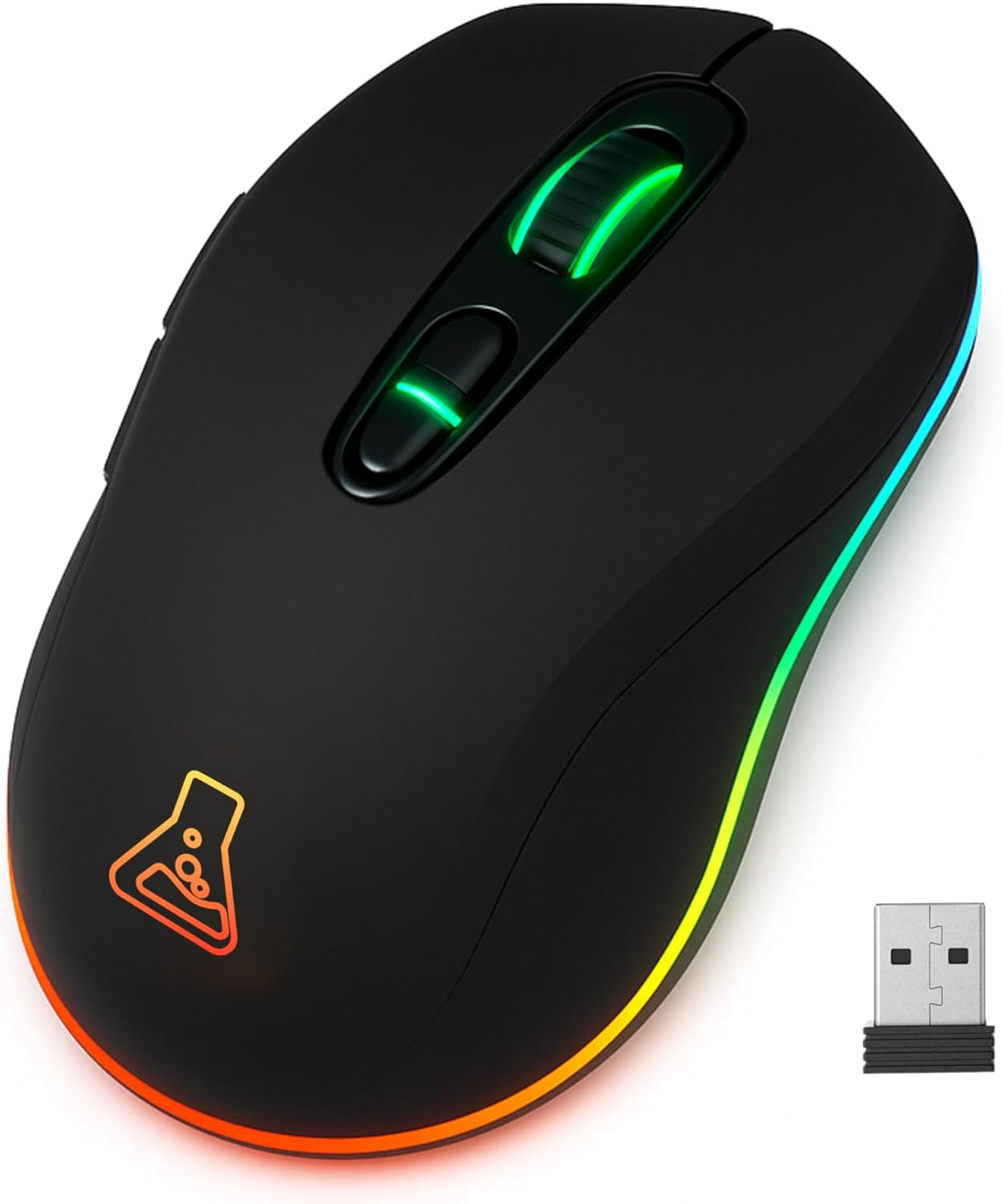
Introduction
This manual provides comprehensive instructions for the setup, operation, and maintenance of your THE G-LAB Kult Krypton Wireless Gaming Mouse. Designed for versatility and precision, this mouse features dual wireless connectivity (2.4GHz and Bluetooth), an adjustable optical sensor up to 6400 DPI, customizable RGB lighting, and a long-lasting rechargeable battery. Please read this manual carefully to ensure optimal performance and longevity of your device.
Продукт бүттүview
- Эки зымсыз байланыш: Seamlessly switch between 2.4GHz (via USB receiver) and Bluetooth for broad compatibility.
- Жөнгө салынуучу DPI: Optical sensor with sensitivity settings up to 6400 DPI for precise control.
- RGB жарыктандыруу: Integrated 7-color RGB illumination to personalize your gaming setup.
- Узак мөөнөттүү батарея: 600mA rechargeable battery offering extended usage.
- Туруктуу дизайн: Built to withstand up to 5 million clicks.
- Plug and Play: No software required for immediate use.
- Эки тараптуу дизайн: Сол жана оң кол менен иштеген колдонуучулар үчүн ыңгайлуу.
- Көп платформа шайкештиги: Works with PC, PS4, PS5, Mac, and Linux.
Жайгашуу
- Чычканды заряддоо:
Before first use, fully charge the mouse using the provided USB cable. Connect the micro-USB end to the mouse and the USB-A end to a powered USB port (e.g., computer, USB wall adapter). The RGB lighting may indicate charging status.
- 2.4 ГГц зымсыз туташуу:
- Locate the USB 2.4GHz receiver, usually stored in a compartment on the underside of the mouse.
- Insert the USB receiver into an available USB port on your computer or console.
- Turn on the mouse using the power switch located on the underside. Ensure it is set to 2.4GHz mode (if a mode switch is present).
- The mouse should automatically connect. If not, try moving the mouse or pressing a button.
- Bluetooth байланыш:
- Turn on the mouse and set the mode switch (if present) to Bluetooth mode.
- On your device (PC, Mac, PS4/PS5), navigate to Bluetooth settings.
- The mouse should appear as "Kult Krypton" or similar in the list of discoverable devices. Select it to pair.
- Жупташтыруу процессин аяктоо үчүн экрандагы көрсөтмөлөрдү аткарыңыз.

Image: The Kult Krypton mouse highlighting its dual wireless connectivity, supporting both Bluetooth and 2.4 GHz via a USB dongle.
Иштөө нускамалары
- DPI жөндөө:
The mouse features an adjustable optical sensor. Use the dedicated DPI button (usually located behind the scroll wheel) to cycle through different sensitivity levels (e.g., 800, 1600, 3200, 6400 DPI). The current DPI setting may be indicated by a change in LED color or a specific pattern.

Image: The Kult Krypton mouse illustrating its adjustable DPI settings, ranging from 800 to 6400, for precise control.
- RGB жарыкты башкаруу:
The mouse features integrated RGB lighting with 7 different colors. Specific buttons or button combinations may be used to change lighting modes or turn the lighting on/off. Refer to the product's quick start guide for exact button functions if not detailed here.

Image: The Kult Krypton mouse displaying its vibrant RGB lighting and emphasizing its Plug & Play feature and multi-platform compatibility.
- Баскыч функциялары:
The Kult Krypton mouse is equipped with 6 buttons. These typically include:
- Сол чыкылдатуу
- Оң чыкылдатуу
- Жылдыруу дөңгөлөгү (Чыкылдатуучу)
- DPI цикл баскычы
- Алга тарап баскычы
- Артка каптал баскычы
For advanced customization or remapping of buttons, check the manufacturer's website for any available software, though the product is advertised as Plug and Play.
- Энергияны башкаруу:
To conserve battery, the mouse may enter an automatic sleep mode after a period of inactivity. Move the mouse or click a button to wake it up. The 600mA battery provides approximately 15 hours of use with RGB lighting active, and up to 100 hours without RGB lighting.

Image: The Kult Krypton mouse emphasizing its extended battery life (15 hours with RGB, 100 hours without RGB) and a durability rating of 5 million clicks.
Техникалык тейлөө
- Тазалоо: Чычкандын бетин тазалоо үчүн жумшак, кургак чүпүрөктү колдонуңуз. өжөр кир үчүн, бир аз гamp кездемени колдонсо болот, бирок нымдуулуктун ички компоненттерге кирбешин камсыз кылыңыз. Катуу химиялык заттардан же абразивдүү материалдардан алыс болуңуз.
- Сенсорго кам көрүү: Так көз салууну камсыз кылуу үчүн чычкандын астыңкы жагындагы оптикалык сенсорду чаңдан же таштандыдан таза кармаңыз.
- Батареяга кам көрүү: To prolong battery life, avoid fully discharging the mouse frequently. Recharge when the battery indicator suggests low power. Store the mouse in a cool, dry place when not in use for extended periods.
Проблемаларды чечүү
- Чычкан жооп бербей жатат:
- Чычкан күйгүзүлгөнүн текшериңиз.
- Батареянын деңгээлин текшерип, керек болсо кайра заряддаңыз.
- For 2.4GHz connection: Ensure the USB receiver is securely plugged into a working USB port. Try a different USB port.
- For Bluetooth connection: Ensure Bluetooth is enabled on your device and the mouse is paired. Try re-pairing the mouse.
- Ensure the mouse is in the correct connection mode (2.4GHz or Bluetooth) via its switch.
- Курсордун кыймылы туруксуз же так эмес:
- Чычкандын астындагы оптикалык сенсорду тазалаңыз.
- Чычканды ылайыктуу жерде (мисалы, чычкан аянтчасында) колдонуп жатканыңызды текшериңиз. Өтө чагылдыруучу же тунук беттерден качыңыз.
- DPI жөндөөсүн өзүңүзгө ылайыктуу деңгээлге тууралаңыз.
- RGB жарыктандыруу иштебейт:
- Check if the RGB lighting has been turned off via a button combination.
- Чычкандын батареясынын заряды жетиштүү экенин текшериңиз.
Техникалык шарттар
| Бренд | THE G-LAB |
| Модель аты | KULT-KRYPTON |
| Байланыш технологиясы | Bluetooth, 2.4 GHz Radio-frequency |
| Кыймылды аныктоо технологиясы | Оптикалык |
| DPI диапазону | 6400 DPI чейин (Жөнгө салынуучу) |
| баскычтардын саны | 6 |
| Колдун багыты | Эки тараптуу |
| Өзгөчөлүктөр | LED Light (RGB), Lightweight, Wireless, Silent |
| Шайкеш түзмөктөр | Personal Computer, PS4, PS5 |
| Операция системасы | Linux, Mac, PC |
| Батарея түрү | Lithium-ion (600mA) |
| Батареянын иштөө мөөнөтү (болжол менен) | 15 hours (with RGB), 100 hours (without RGB) |
| Туруктуу | 5 миллион чыкылдатуу |
| Түс | Кара |
| Өндүрүүчү | AXS |
| Келип чыккан өлкө | Кытай |
Кепилдик жана колдоо
- Өндүрүүчүнүн Кепилдиги: Бул продукт 2 жылдык өндүрүүчүнүн кепилдиги менен келет. Кепилдик боюнча дооматтар үчүн сатып алганыңызды тастыктаган документти сактап коюңуз.
- Запастык бөлүктөрдүн болушу: Запастык бөлүктөр сатып алынган күндөн тартып 2 жыл бою жеткиликтүү.
- Кардарларды колдоо: For technical assistance, warranty claims, or further inquiries, please visit the official THE G-LAB webсайтка же кардарларды тейлөө бөлүмүнө кайрылыңыз.


