Introduction
Thank you for choosing the aigo CA05 Open Ear Earbuds. These wireless Bluetooth 5.4 headphones are designed for comfort, stability, and high-quality audio, making them ideal for various activities including sports and workouts. This manual provides detailed instructions on how to set up, operate, and maintain your new earbuds to ensure optimal performance and longevity.
Кутуда эмне бар
- 2x Open Ear Earbuds
- Заряддоо кутусу
- Type-C Charger Cable
- User Manual

Image: The contents of the aigo CA05 earbud package, showing the two open-ear earbuds, their charging case, a USB-C charging cable, and the user manual.
Продукт бүттүview
The aigo CA05 earbuds feature an innovative open-ear clip design for comfort and situational awareness. They utilize Bluetooth 5.4 for stable connectivity and boast a powerful acoustic unit for clear, immersive sound.

Image: The aigo CA05 open-ear earbuds and their compact charging case, all in white.
Негизги өзгөчөлүктөрү:
- Bluetooth V5.4: Ensures faster, stabler connections, lower power consumption, broader compatibility, extended range, and enhanced audio quality.
- Open-Ear Clip Design: Offers comfort, safety, hygiene, portability, and style, suitable for various activities.
- Acoustic Unit: Features a high-sensitivity driver for clear sound, a dual-unit design for broad range and deep bass, and supports spatial audio.
- Батареянын узак иштөө мөөнөтү: 8 hours of standalone usage, up to 50 hours with the 400mAh charging case.
- Компакт жана жеңил: Easy to carry and comfortable for extended wear.
- IPX4 Суу өткөрбөйт: Resistant to sweat and splashing, suitable for sports and outdoor use.
Жайгашуу
1. Кулакчындарды жана кутуну кубаттоо
Before first use, fully charge the earbuds and the charging case. Connect the provided Type-C USB cable to the charging port on the case and a power source. The indicator light on the case will show charging status.

Image: The aigo CA05 earbuds and charging case, illustrating the impressive battery life: 8 hours on a single charge for the earbuds, and up to 50 hours total with the 400mAh charging case.
2. Bluetooth Жупташтыруу
- Заряддоо кутучасын ачыңыз. Кулакчындар жупташтыруу режимине автоматтык түрдө кирет.
- Түзмөгүңүздө (смартфон, планшет, ноутбук) Bluetooth иштетиңиз.
- Издөө "aigo CA05" in the list of available Bluetooth devices.
- Select "aigo CA05" to connect. Once connected, you will hear a confirmation tone.

Image: A smartphone displaying its Bluetooth settings, with "aigo CA05" visible in the device list, demonstrating the earbuds' Bluetooth 5.4 connectivity with iOS, Android, and computer devices.
Иштөө нускамалары
Сенсордук башкаруу каражаттары:
The aigo CA05 earbuds feature touch-sensitive controls for easy operation. The specific functions may vary slightly depending on your device and application.
| Акция | Функция |
|---|---|
| Single Tap | Музыканы ойнотуу/тындыруу, Чалууга жооп берүү/Аяктоо |
| Эки жолу таптаңыз (Сол кулакчын) | Мурунку трек |
| Эки жолу таптаңыз (оң кулакчын) | Кийинки трек |
| Узак басуу (2 секунд) | Үн жардамчысын иштетүү / Чалууну четке кагуу |
| Узак басуу (5 секунд) | Күйгүзүү/өчүрүү |
Эскертүү: Үндү башкаруу адатта туташкан түзмөгүңүз аркылуу башкарылат.
Инструкцияларды кийүү
The aigo CA05 earbuds are designed for an open-ear fit, resting comfortably on your ear without entering the ear canal. This design allows you to stay aware of your surroundings while enjoying audio.
- Pick up each earbud (Left for left ear, Right for right ear).
- Gently clip the earbud onto your ear, positioning the speaker part just outside your ear canal.
- Adjust the earbud for a secure and comfortable fit. Ensure the sound is clear and balanced.

Image: A diagram illustrating the correct method for wearing the aigo CA05 open-ear earbuds, showing how to pick up the earbud and place it above the ear, then adjust for optimal audio performance.
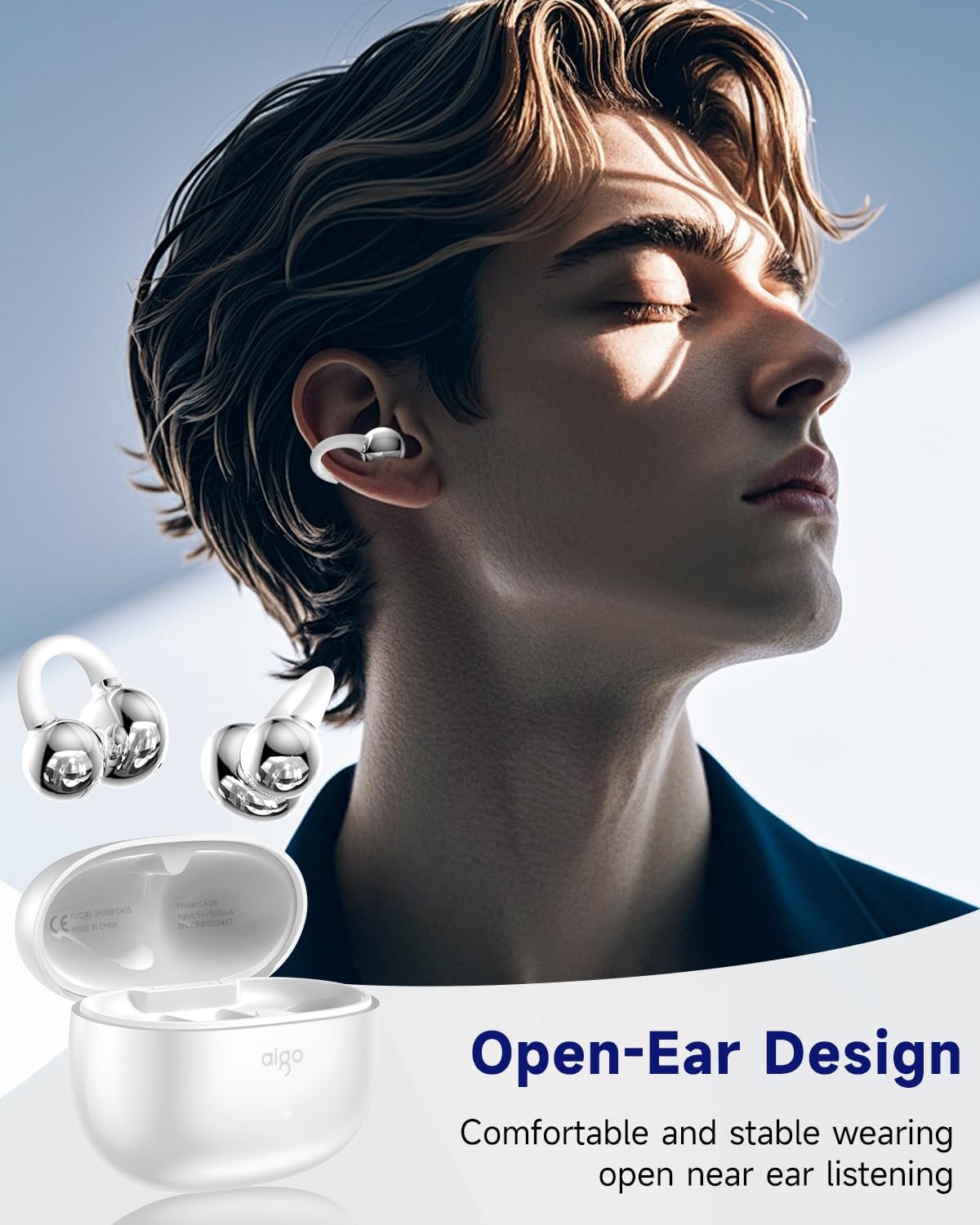
Image: A person wearing the aigo CA05 open-ear earbuds, demonstrating their comfortable and stable fit for open-ear listening.
Техникалык тейлөө
- Тазалоо: Кулакчындарды жана кубаттоочу кутуну тазалоо үчүн жумшак, кургак, түксүз чүпүрөктү колдонуңуз. Катуу химиялык заттарды же абразивдүү материалдарды колдонбоңуз.
- Сактагыч: Колдонулбаганда, кулакчындарды коргоо жана кубаттоо үчүн кубаттоочу кутучага сактаңыз.
- Суу каршылык: The earbuds are IPX4 waterproof, meaning they are resistant to splashing water from any direction. Do not submerge them in water or expose them to strong jets of water. Dry them thoroughly if they get wet.

Image: The aigo CA05 earbuds with water droplets on them, highlighting their IPX4 waterproof rating, indicating resistance to sweat and splashing during exercise.
Проблемаларды чечүү
| Көйгөй | Мүмкүн чечим |
|---|---|
| Кулакчындар жупташкан жок | Ensure earbuds are charged. Turn off and on Bluetooth on your device. Place earbuds back in case, close, then reopen to re-enter pairing mode. |
| Бир кулактын үнү чыкпайт | Check battery level of both earbuds. Try re-pairing. Ensure both earbuds are properly seated in the charging case. |
| Төмөн үн | Increase volume on your connected device. Ensure earbuds are clean and free of debris. |
| Кулакчындар заряддалбай жатат | Кубаттоочу кабелдин бекем туташтырылганын текшериңиз. Башка USB портун же кубаттагычты колдонуп көрүңүз. Кулакчындардын жана кутучанын кубаттоочу контакттарын тазалаңыз. |
| Туташуу туруксуз | Ensure no obstacles between earbuds and device. Move closer to your device. Avoid strong electromagnetic interference. |
Техникалык шарттар
| Өзгөчөлүк | Деталь |
|---|---|
| Модель аты | CA05 |
| Байланыш технологиясы | Зымсыз (Bluetooth) |
| Bluetooth версиясы | 5.4 |
| Bluetooth диапазону | 32.8 Фут (болжол менен 10 метр) |
| Кулак жайгаштыруу | Ачык кулак |
| Форма фактору | On Ear |
| Noise Control | Ыңгайлаштырылган ызы-чууну жокко чыгаруу |
| Аудио драйвер түрү | Динамикалык драйвер |
| Аудио драйверинин өлчөмү | 12 миллиметр |
| Жыштык диапазону | 20 Гцден 20,000 Гцге чейин |
| Импеданс | 16 Ом |
| Башкаруу ыкмасы | тийүү |
| Батареянын иштөө мөөнөтү (наушник) | 8 саат |
| Батареянын кубаттуулугу | 400 миллионamp Саат |
| Батареянын орточо иштөө мөөнөтү | 50 саат (заряддоо кутусу менен) |
| Ташуу кутучасын заряддоо убактысы | 2 саат |
| Сууга туруктуулук деңгээли | IPX4 суу өткөрбөйт |
| Элемент Салмагы | 9.07 г (0.32 унция) |
| Материал | Silicone (earpiece), Plastic (case) |
| UPC | 198715164251 |

Image: A visual representation of the product dimensions for both the aigo CA05 charging case and the earbuds themselves, showing measurements in inches.

Image: The aigo CA05 earbuds floating, emphasizing their lightweight design at 0.17 ounces, making them fashionable and comfortable to wear.
Расмий продукт Video
Видео: Продукциянын расмий көргөзмөсүasing the aigo CA05 Open Ear Earbuds, highlighting their design, features, and usage. This video demonstrates the comfortable open-ear fit, Bluetooth 5.4 connectivity, and overall user experience.
Кепилдик жана колдоо
Your aigo CA05 Open Ear Earbuds come with a standard manufacturer's warranty. For detailed warranty information, technical support, or service inquiries, please refer to the contact information provided on the product packaging or visit the official aigo webсайт. Кепилдик дооматтары үчүн сатып алуу дүмүрчөгүңүздү сактаңыз.
For further assistance, you may also contact the seller, Topline Power USA, through the Amazon platform.


