Introduction
This manual provides comprehensive instructions for setting up, operating, and maintaining your THOMSON 32" HD LED Fire TV (Model: 32HF2S34). This television combines useful technology with user-friendly features, offering easy access to applications, games, and streaming services through the intuitive Fire TV operating system. It supports Alexa voice control, AirPlay for Apple devices, and includes an integrated Smart Home dashboard. With a built-in Triple Tuner, Dolby Audio, and HDR10 visuals, this TV is designed to enhance your home entertainment experience.
Орнотуу колдонмосу
1. Кутудан чыгаруу жана Пакеттин мазмуну
Бардык компоненттерди таңгактан кылдаттык менен алып салыңыз. Төмөндө саналып өткөн нерселердин бардыгы бар экенин текшериңиз:
- THOMSON 32" HD LED Fire TV
- Алыстан башкаруу
- Электр кабели
- Телевизорлор (2) жана бурамалар
- Колдонуучунун Колдонмосу (бул документ)
Эскертүү: The remote control is included in the box.
2. Телевизордун стенддерин бекитүү
Place the TV screen face down on a soft, clean surface to prevent scratches. Align each stand with the corresponding screw holes on the bottom of the TV. Secure the stands using the provided screws.

Сүрөт: алдыңкы view of the Thomson 32-inch HD Fire TV.

Сүрөт: Side profile of the Thomson 32-inch HD Fire TV.

Сүрөт: Арткы view of the Thomson 32-inch HD Fire TV, highlighting the various input and output ports. These include Audio Out, CI+, Headphones, AV In, USB 2.0, 2x HDMI 1.4, Antenna, LAN, and Satellite connections.
3. Тышкы түзмөктөрдү туташтыруу
Connect your external devices such as cable boxes, gaming consoles, or Blu-ray players to the appropriate ports on the back of the TV. The TV features 2 HDMI ports, 1 USB port, AV In, and a CI+ slot.
- HDMI: Жогорку сапаттагы аудио жана видео үчүн.
- USB: USB сактагыч түзмөктөрдү туташтыруу үчүн.
- AV ичинде: Эски аналогдук түзмөктөр үчүн.
- CI+: For encrypted cable or satellite channels.
- Антенна/Спутник: Жер үстүндөгү же спутниктик антенналарды туташтыруу үчүн.
- LAN: Зымдуу интернет байланышы үчүн.
4. Күйгүзүү жана баштапкы орнотуу
Plug the power cable into the TV and then into a wall outlet. Press the power button on the remote control or on the TV. Follow the on-screen instructions to complete the initial setup, including language selection, network connection (Wi-Fi or Ethernet), and Fire TV account login.
Телевизоруңузду иштетүү
1. Fire TV Operating System
The Thomson Fire TV provides an intuitive interface for accessing a wide range of content. The home screen offers personalized recommendations and quick access to your favorite apps and streaming services.

Image: The Fire TV interface displaying popular streaming applications such as Netflix, Prime Video, Disney+, YouTube, Spotify, and Apple TV.
2. Alexa үн менен башкаруу
Your TV comes with Alexa voice control integrated into the remote. Press the Alexa button on your remote and speak commands to control your TV, search for content, get recommendations, or manage smart home devices.

Image: Demonstrates the use of Alexa voice control with the Thomson Fire TV remote. Examples of voice commands include checking the weather, playing music, opening apps like Netflix, and controlling smart home lights.
3. AirPlay функциясы
Stream content directly from your Apple devices (iPhone, iPad, Mac) to your Thomson Fire TV using AirPlay. Ensure both devices are connected to the same Wi-Fi network.

Image: Shows content being cast from an iOS device to the Thomson TV via Apple AirPlay.
4. Акылдуу үй башкаруу панели
Control your connected smart home devices directly from your TV using the integrated Smart Home dashboard. This feature allows you to monitor and manage various smart devices from a single interface.
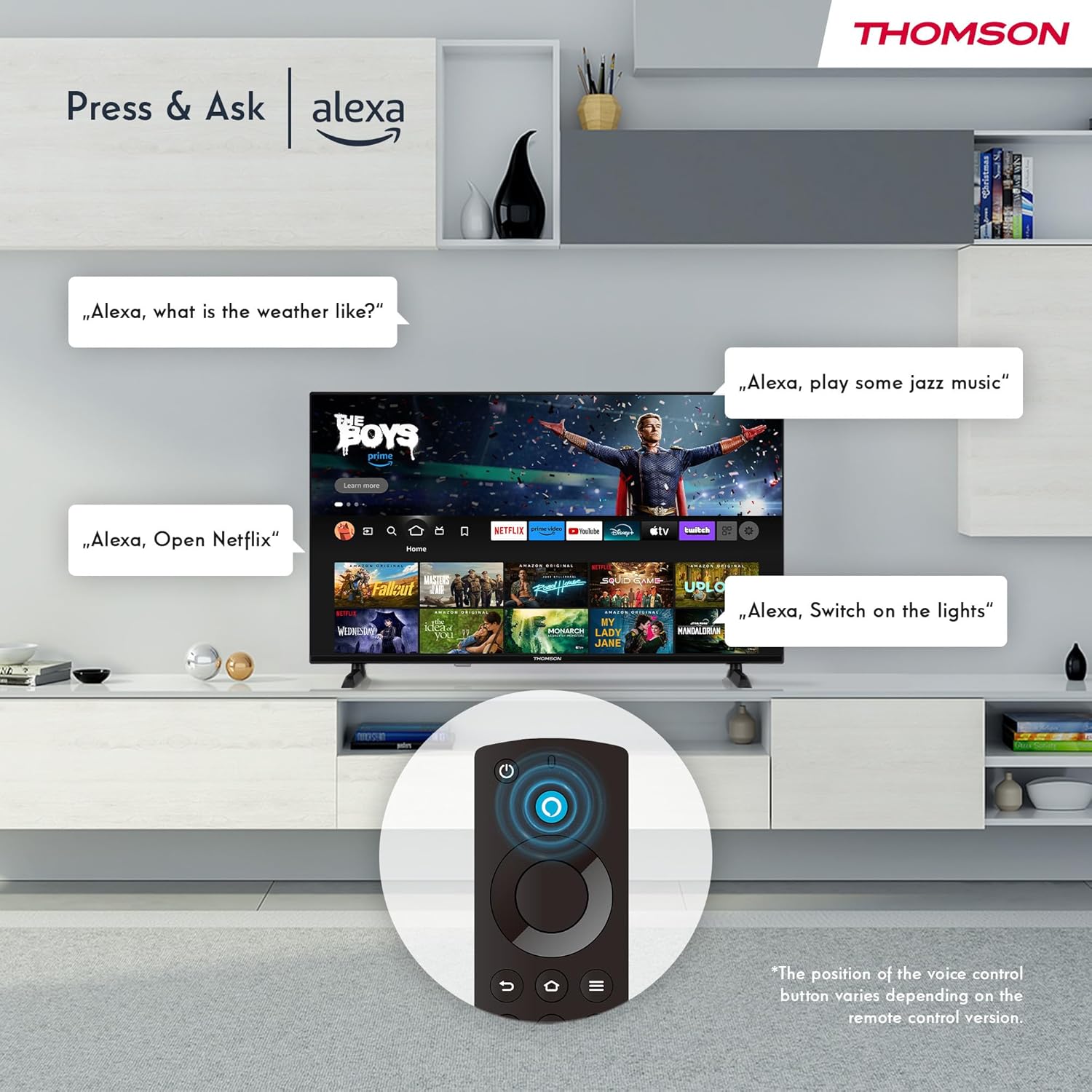
Image: The Smart Home dashboard on the Thomson TV, providing centralized control for various smart devices like cameras, lights, and plugs.
5. Multiple User Profiles
Бир нече профессионал түзүңүзfiles on your Fire TV to receive personalized recommendations and settings for each user in your household.

Image: The Fire TV interface allowing creation of multiple user profiles for personalized content recommendations.
6. Triple Tuner and CI+
The integrated Triple Tuner allows you to receive signals from various sources:
- DVB-C: Кабелдик телевидение
- DVB-S2: Satellite television
- DVB-T2: Terrestrial (antenna) television
Insert a CI+ card into the CI+ slot to access encrypted channels from your service provider.
7. Audio and Video Enhancements
Experience rich and clear sound with Dolby Audio and Dolby Digital Plus. Enjoy stunning visuals in HD resolution with HDR10 support for enhanced contrast and color.

Image: Visual representation of Dolby Audio technology enhancing the sound experience on the Thomson TV.

Image: A visual comparison demonstrating the superior image quality of HDR10 compared to SDR, highlighting enhanced colors and contrast.
8. Алыстан башкаруу
The Bluetooth remote control provides easy navigation with direct access buttons for popular streaming services like Netflix and Prime Video, as well as the Amazon Silk browser. The Alexa button activates voice commands.
Техникалык тейлөө
Телевизоруңузду тазалоо
Экранды тазалоо үчүн аны жумшак, түксүз чүпүрөк менен акырын сүртүңүз. Кежир белгилер үчүн, гampen the cloth slightly with water or a screen-cleaning solution. Avoid using harsh chemicals or abrasive materials. For the TV body, use a dry, soft cloth.
Программалык камсыздоо жаңыртуулары
Your Fire TV will periodically receive software updates to improve performance and add new features. Ensure your TV is connected to the internet to receive these updates automatically. You can also manually check for updates in the settings menu.
Проблемаларды чечүү
| Көйгөй | Мүмкүн болгон себеп / Чечим |
|---|---|
| Кубат жок / сыналгы күйбөйт |
|
| Сүрөт жок / Кара экран |
|
| Үн жок |
|
| Пульт иштебейт |
|
| Тармакка туташуу маселелери |
|
Техникалык шарттар
| Өзгөчөлүк | Деталь |
|---|---|
| Бренд | ТОМСОН |
| Модель номери | 32HF2S34 |
| Экрандын өлчөмү (диагоналдык) | 32 дюйм (80 см) |
| Дисплей технологиясы | LED |
| Резолюция | HD (1366 x 768 Pixels) |
| Жаңыртуу ылдамдыгы | 50 Гц |
| Операция системасы | Fire TV |
| Үн менен башкаруу | Alexa орнотулган |
| Зымсыз байланыш | Wi-Fi, Bluetooth 5.0, AirPlay |
| Зымдуу туташуу | 2x HDMI 1.4, 1x USB, AV In, CI+, Ethernet (LAN) |
| Түнерлер | Triple Tuner (DVB-C, DVB-S2, DVB-T2) |
| Аудио технологиясы | Dolby Audio, Dolby Digital Plus |
| HDR колдоо | HDR10 |
| Өлчөмдөрү (L x W x Y) | 71.9 x 45.6 x 15 см (стенд менен) |
| Салмагы | 4 кг |
| Энергия эффективдүүлүгү классы | E |
Кепилдик маалымат
Your THOMSON 32" HD LED Fire TV (Model: 32HF2S34) is covered by a manufacturer's warranty of 3 жыл from the date of purchase. This warranty covers defects in materials and workmanship under normal use. Please retain your proof of purchase for warranty claims. For detailed terms and conditions, refer to the warranty card included with your product or visit the official THOMSON support webсайт.
Колдоо
For further assistance, technical support, or service requests, please contact THOMSON customer support through one of the following methods:
- Онлайн колдоо: THOMSONдун расмий колдоо кызматына баш багыңыз webКөп берилүүчү суроолор, көйгөйлөрдү чечүү боюнча колдонмолор жана программалык камсыздоону жүктөп алуу үчүн сайт. www.thomsonconsumer.com/support (Эскертүү: Бул толтургуч URL, please refer to your product's specific support information.)
- Электрондук почта колдоо: support@thomsonconsumer.com (Note: This is a placeholder email, please refer to your product's specific support information.)
- Телефондук колдоо: Refer to the contact numbers provided in your product packaging or on the official THOMSON webсиздин аймак үчүн сайт.
When contacting support, please have your TV's model number (32HF2S34) and serial number ready.


