1. Киришүү
This manual provides detailed instructions for setting up, operating, and maintaining your THOMSON 40-inch FHD Fire TV. Please read this manual thoroughly before using the television to ensure proper functionality and safety. Keep this manual for future reference.
2. Коопсуздук маалыматы
Өрт, электр тогуна урунуу жана жаракат алуу коркунучун азайтуу үчүн бул продуктуну колдонууда ар дайым негизги коопсуздук чараларын сактаңыз.
- Телевизорду жамгырга же нымга тийгизбеңиз.
- Желдетүүчү тешиктерди жаппаңыз.
- Электр сайгычын туура жерге туташтырууну камсыз кылыңыз.
- Чагылган бороондо же көпкө чейин пайдаланылбай турганда сыналгыны розеткадан ажыратыңыз.
- Бардык тейлөөлөрдү квалификациялуу тейлөө кызматкерлерине тапшырыңыз.
3. Пакеттин мазмуну
Баардык буюмдар пакетиңизге камтылганын текшериңиз:
- THOMSON 40-inch FHD Fire TV
- Алыстан башкаруу (батареялар менен)
- Электр кабели
- Телевизор (2 даана)
- Телевизордук стенд үчүн бурамалар
- Колдонуучунун Колдонмосу (бул документ)

Image: The product box illustrating the TV, remote control, and various features like Fire TV, Alexa, and Dolby Audio.
4. Продукт бүтүп калдыview
Familiarize yourself with the components and connections of your THOMSON Fire TV.
4.1 Фронт View

Image: The front of the TV, showcasing its slim bezel and the Fire TV smart interface with popular streaming applications.
4.2 тарап View жана Өлчөмдөр
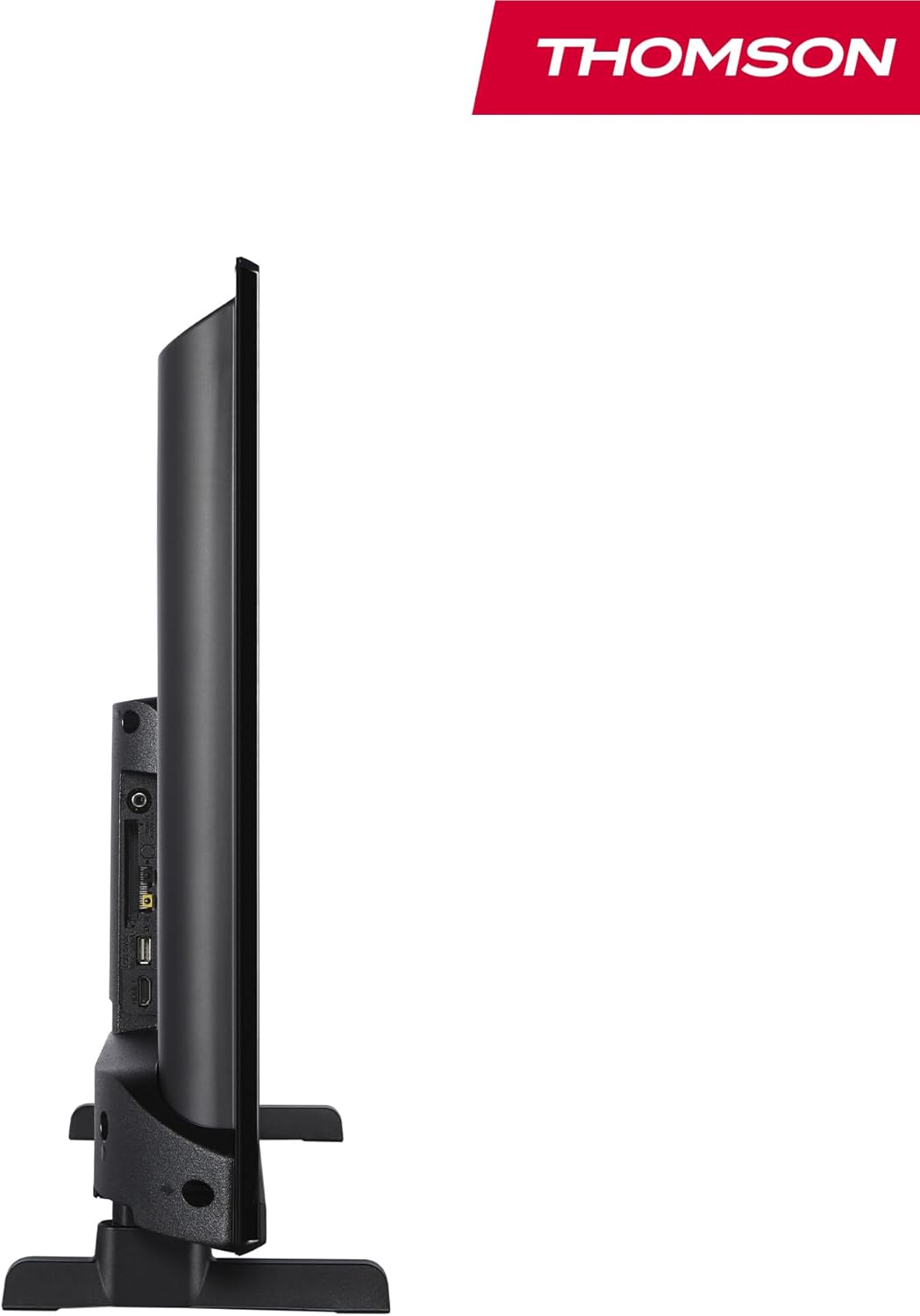
Сүрөт: бир тарап view of the television, demonstrating its thin profile.

Image: A diagram illustrating the physical dimensions of the TV, including width, height, and depth with the stand.
4.3 Арткы View жана порттор
The rear panel of your TV features various input and output ports for connecting external devices.

Сүрөт: деталдуу view of the TV's rear panel, highlighting all connectivity ports such as HDMI, USB, Audio Out, CI+, and antenna inputs.
- Аудио чыгышы: Тышкы аудио системаларды туташтыруу үчүн.
- CI+: Common Interface Plus slot for conditional access modules.
- Наушник: Жеке угуу үчүн 3.5 мм уяча.
- AV IN: For connecting older devices with composite video and stereo audio.
- USB 2.0: USB дисктерден медиа ойнотуу үчүн.
- HDMI 1.4 (x2): High-Definition Multimedia Interface for connecting Blu-ray players, game consoles, etc.
- Антенна: For connecting a terrestrial antenna (DVB-T2).
- Спутник: Спутник антеннасын (DVB-S2) туташтыруу үчүн.
- LAN: Зымдуу тармакка туташуу үчүн Ethernet порту.
5. Орнотуу
5.1 Телевизордун отургучун бекитүү
- Экран бузулуп калбашы үчүн, телевизорду жумшак, тегиз бетке бетин ылдый каратып этияттык менен коюңуз.
- Тургуч бөлүктөрүн телевизордун астыңкы жагындагы тиешелүү уячаларга тууралаңыз.
- Берилген бурамалар менен стенддерди бекитиңиз.
5.2 Алгачкы күйгүзүү жана тармакка туташуу
- Электр шнурду сыналгыга жана розеткага туташтырыңыз.
- Аны күйгүзүү үчүн телевизордогу же пульттагы күйгүзүү баскычын басыңыз.
- Follow the on-screen instructions for initial setup, including language selection and network connection (Wi-Fi or Ethernet).
- Log in with your Amazon account to activate Fire TV features.
5.3 Tuner Setup (Triple-Tuner)
Your TV is equipped with a triple-tuner for DVB-C (cable), DVB-S2 (satellite), and DVB-T2 (terrestrial) reception.

Image: The DVB-T2/C/S2 tuner inputs, allowing connection to various broadcast sources.
- Connect your antenna or satellite cable to the appropriate input on the TV.
- Navigate to the TV settings and select 'Channel Scan' or 'Tuner Setup'.
- Choose your broadcast type (Antenna, Cable, or Satellite) and follow the prompts to scan for available channels.
6. Иштөө нускамалары
6.1 Fire TV интерфейси
The Fire TV interface provides easy access to your favorite streaming services, apps, and live TV.
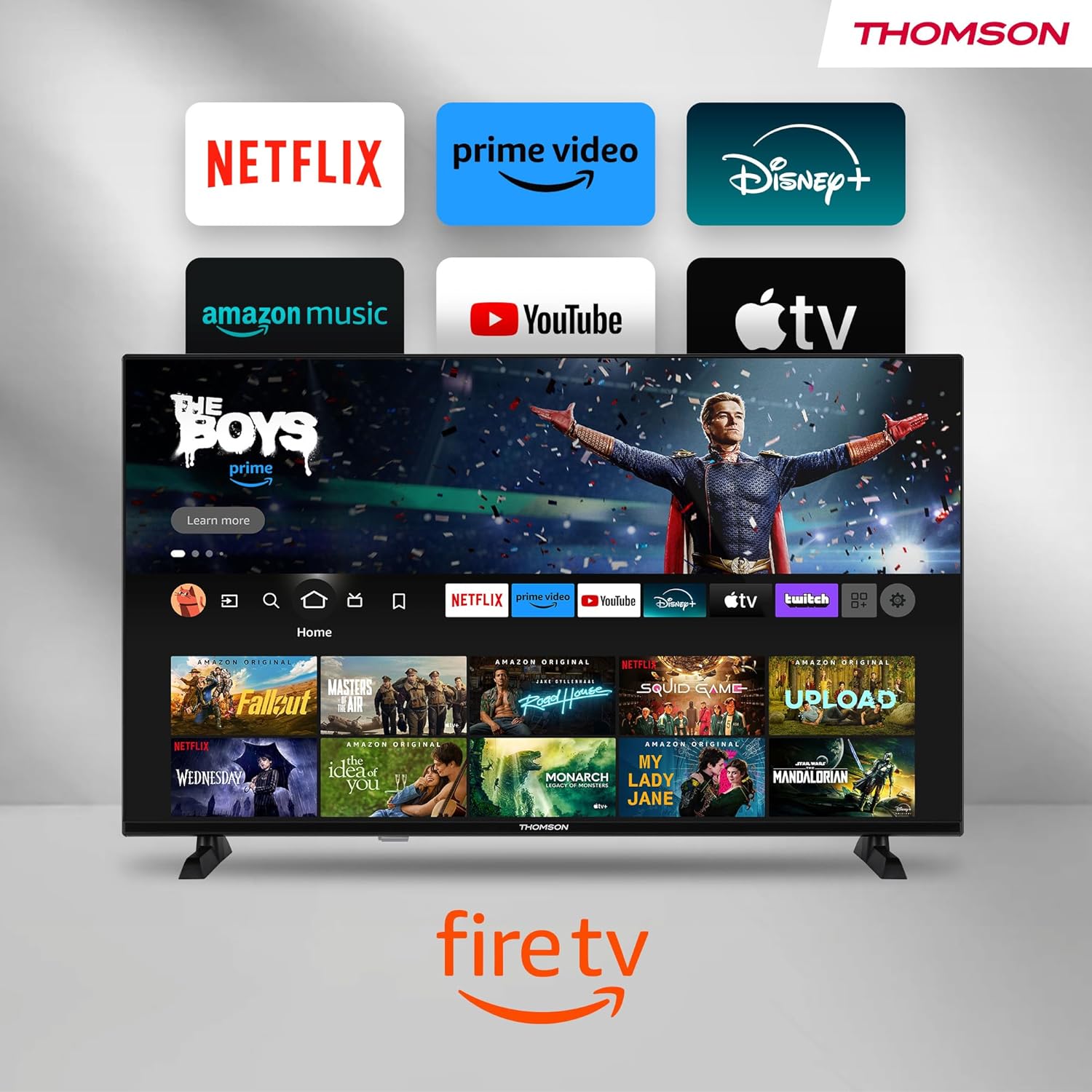
Image: The Fire TV home screen, showing a selection of popular streaming apps and content recommendations.
Navigate using the remote control's directional pad. The home screen provides personalized recommendations and quick access to your installed applications.
6.2 Alexa үн менен башкаруу
Use the integrated Alexa voice control for hands-free operation.
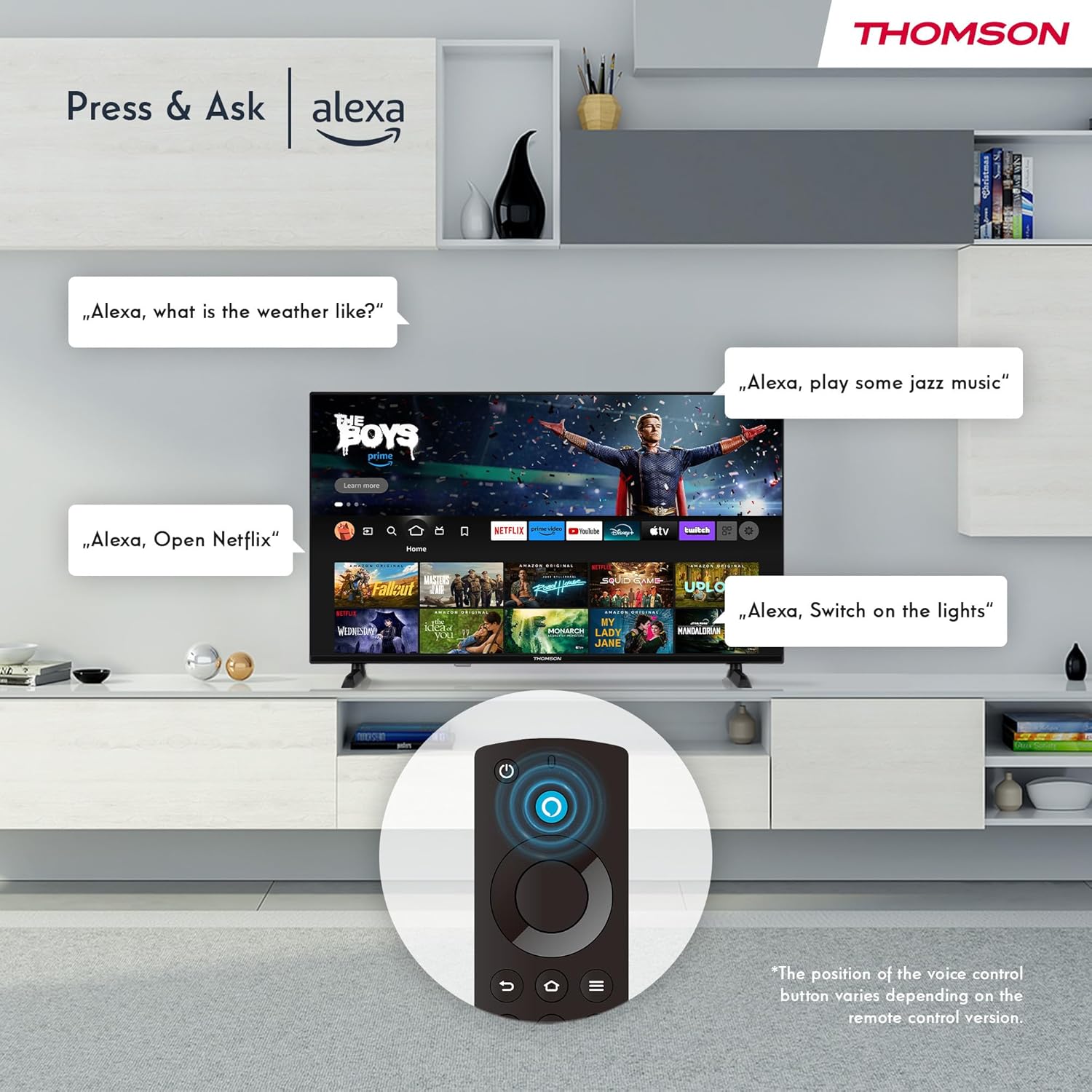
Image: Demonstrating Alexa voice commands for controlling the TV, searching content, and managing smart home devices.
Press the Alexa button on your remote and speak your command. You can ask Alexa to:
- Издөө кинолор же телешоулар.
- Колдонмолорду ишке киргизиңиз.
- Control playback (pause, play, skip).
- Check the weather or news.
- Шайкеш келген акылдуу үй түзмөктөрүн көзөмөлдөө.
6.3 Smart Home интеграциясы
Manage your connected smart home devices directly from your TV's integrated dashboard.

Image: The Smart Home dashboard, providing a centralized control panel for various smart devices in your home.
Access the Smart Home dashboard to monitor and control devices such as cameras, lights, and plugs.
6.4 AirPlay Functionality
Stream content directly from your Apple devices (iPhone, iPad, Mac) to your THOMSON Fire TV using AirPlay.

Image: A demonstration of Apple AirPlay, showing content being mirrored from an iOS device to the television screen.
Ensure both your Apple device and the TV are connected to the same Wi-Fi network. Select the AirPlay icon on your Apple device and choose your THOMSON TV from the list of available devices.
6.5 Creating User Profiles
Бир нече колдонуучу про жаратыңызfiles for personalized content recommendations and settings.

Image: The user profile selection screen on Fire TV, allowing different users to have their own personalized viewтажрыйбасы.
From the Fire TV home screen, navigate to the profile selection to add or switch profileс. Ар бир проfile can have its own watch history and app preferences.
6.6 HDR10 and Dolby Audio
Experience enhanced picture quality with HDR10 and immersive sound with Dolby Audio.

Image: A visual comparison demonstrating the improved contrast and color vibrancy offered by HDR10 technology.

Image: A graphic illustrating the immersive sound experience provided by Dolby Audio.
HDR10 provides a wider range of colors and contrasts, while Dolby Audio delivers rich, clear, and powerful sound.
6.7 Алыстан башкаруу
The ergonomic Bluetooth remote control provides easy navigation and direct access to key features.
- Алекса Баттон: Үн буйруктарын иштетүү үчүн басып, кармап туруңуз.
- Навигация аянтчасы: Менюлар аркылуу жылдыруу жана элементтерди тандоо үчүн.
- Netflix/Prime Video Buttons: Бул агымдык кызматтарга түз жетүү.
- Amazon Silk Button: түз кирүү web браузер.
7. Техникалык тейлөө
Сыналгыңыздын узак иштөөсүн жана оптималдуу иштешин камсыз кылуу үчүн төмөнкү тейлөө көрсөтмөлөрүн аткарыңыз:
- Экранды тазалоо: Экранды жумшак, түксүз чүпүрөк менен акырын сүртүңүз. Кежир издер үчүн атайын телевизорлор үчүн иштелип чыккан, экранга түздөн-түз эмес, чүпүрөккө колдонулган экран тазалагычты колдонуңуз.
- Кабинетти тазалоо: Телевизордун шкафын сүртүү үчүн жумшак, кургак чүпүрөктү колдонуңуз. Абразивдүү тазалагычтарды же эриткичтерди колдонбоңуз.
- Вентиляция: Ашыкча ысып кетүүнүн алдын алуу үчүн телевизордун артындагы желдетүү тешиктери жабылбагандыгын текшериңиз.
- Электр кабели: Кубат шнурунун кандайдыр бир бузулууларын үзгүлтүксүз текшерип туруңуз. Эгерде бузулган болсо, аны дароо алмаштырыңыз.
8. Кыйынчылыктарды
Телевизоруңузда көйгөйлөргө туш болсоңуз, төмөнкү жалпы көйгөйлөрдү жана аларды чечүү жолдорун караңыз:
| Көйгөй | Мүмкүн болгон себеп / Чечим |
|---|---|
| Күч жок | Check if the power cord is securely plugged into the TV and the wall outlet. Ensure the outlet is active. |
| Сүрөт жок, бирок үн бар | Check input source. Ensure external devices are properly connected and powered on. |
| Үн жок, бирок сүрөт бар | Check volume level. Ensure Mute is not activated. Check audio cables for external devices. |
| Пульт иштебей жатат | Check batteries. Ensure there are no obstructions between the remote and the TV. Re-pair the Bluetooth remote if necessary. |
| Wi-Fi'га туташпай жатат | Ensure Wi-Fi is enabled on the TV. Check Wi-Fi password. Restart your router. Move TV closer to router. |
| Колдонмолор жай же тоңуп жатат | Restart the TV. Clear app cache or data in settings. Ensure sufficient internet speed. |
Эгер көйгөй чечилбесе, кардарларды колдоо менен байланышыңыз.
9. Техникалык шарттар
| Өзгөчөлүк | Деталь |
|---|---|
| Модель номери | 40FF2S34 |
| Screen Size | 40.0 дюйм (100 см) |
| Дисплей технологиясы | LED |
| Резолюция | 1080p (Full HD) |
| Жаңыртуу ылдамдыгы | 60 Гц |
| Аспект катышы | 16:9 |
| Байланыш | Wi-Fi, Bluetooth 5.0, 2x HDMI 1.4, USB 2.0, AV IN, Audio Out, CI+, LAN |
| Түнерлер | DVB-C, DVB-S2, DVB-T2 |
| Өзгөчөлүктөр | Fire TV, Alexa Voice Control, AirPlay, HDR10, Dolby Audio, Smart Home Dashboard, User Profiles |
| Өлчөмдөрү (стенд менен) | 90.2 x 55.4 x 17.5 см (W x Y x D) |
| Салмагы | 9 кг |
| Энергия натыйжалуулугунун рейтинги | E |
| Камтылган компоненттер | Алыстан башкаруу |
| Колдоого алынган тилдер | Spanish, French, English, Italian, Germanic languages |
10. Кепилдик жана колдоо
Your THOMSON Fire TV comes with a manufacturer's warranty. Please refer to the warranty card included in your package for specific terms and conditions.
For technical support, troubleshooting assistance, or warranty claims, please visit the official THOMSON support website or contact their customer service line. Keep your purchase receipt and model number (40FF2S34) handy when contacting support.
Онлайн колдоо: www.thomsonconsumer.com/support


