1. Киришүү
This manual provides detailed instructions for the safe and efficient use of your DOOGEE V40 Pro 5G Rugged Smartphone. Please read this manual thoroughly before using the device to ensure optimal performance and longevity.
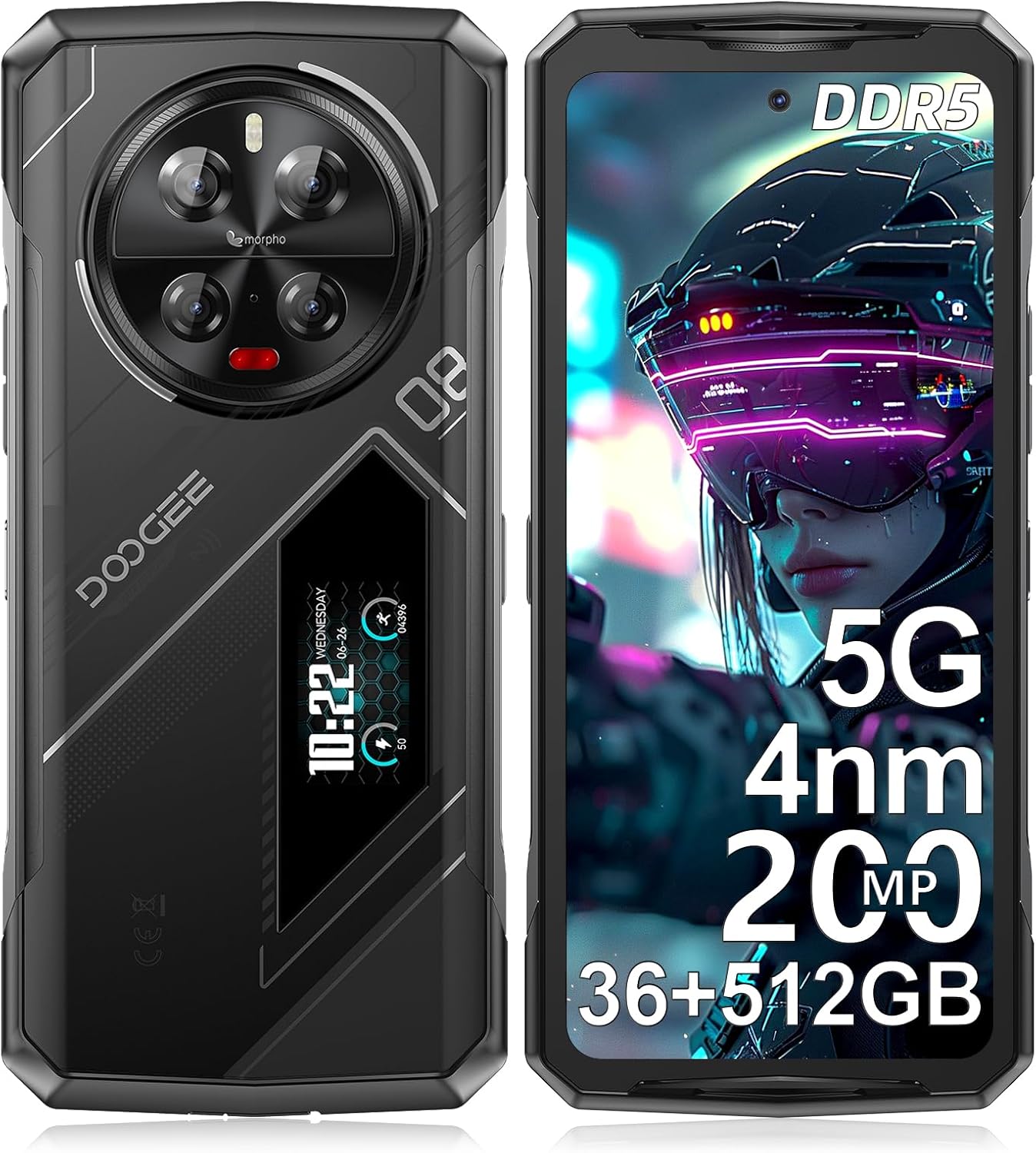
Сүрөт: алдыңкы жана арткы view of the DOOGEE V40 Pro 5G Rugged Smartphone, highlighting its robust design and rear display.
2. Кутуда эмне бар
Таңгакта бардык буюмдар бар экенин текшериңиз:
- 1 x V40Pro Rugged Smartphone
- 1 x Type-C USB кабели
- 1 х заряддагыч
- 1 x Экранга басылган коргоочу пленка (алдын ала колдонулган)
- 1 x Кол

Image: Illustration of the DOOGEE V40 Pro packaging contents, including the phone, charger, cable, and manual.
3. Орнотуу
3.1 SIM жана TF картасын орнотуу
- Аппараттын капталындагы SIM карта салгычын табыңыз.
- SIM чыгаруучу куралды ачуу үчүн лотоктун жанындагы кичинекей тешикке киргизиңиз.
- Place your Nano-SIM cards and/or TF (microSD) card into the designated slots. The V40 Pro supports 2 SIM cards + 1 TF card simultaneously.
- Аспапка лотокту кылдаттык менен кайра түртүңүз.
3.2 Баштапкы күйгүзүү
Press and hold the Power button (located on the side) until the DOOGEE logo appears. Follow the on-screen prompts to complete the initial setup, including language selection, Wi-Fi connection, and Google account setup.
3.3 Аппаратты заряддоо
Connect the provided Type-C USB cable to the charging port at the bottom of the phone and the other end to the charger. Plug the charger into a power outlet. The device supports 33W fast charging. A full charge is recommended before first use.

Image: Illustration showing the DOOGEE V40 Pro being charged, highlighting its 8680mAh battery and 33W fast charging capability.
4. Аппаратты иштетүү
4.1 Main Display Features
The DOOGEE V40 Pro features a 6.78-inch FHD+ IPS display with a 120Hz refresh rate, providing a smooth visual experience for various applications, including gaming and video playback.

Image: Visual representation of the DOOGEE V40 Pro's 6.78-inch 120Hz display, demonstrating its smooth refresh rate.
4.2 Rear Display Functionality
The unique 1.47-inch rear display provides quick access to essential information and controls without needing to unlock the main screen. Functions include:
- Эскертмелер
- Музыкалык башкаруу
- Батарея деңгээлинин дисплейи
- Exercise volume tracking

Сүрөт: деталдуу view of the DOOGEE V40 Pro's 1.47-inch rear display, showing various functions like music control and battery status.
4.3 Аткаруу жана сактоо
The device is powered by an advanced 4nm MediaTek Dimensity 7300 5G processor, ensuring high-speed performance and efficient multitasking. It comes with 36GB of RAM (16GB + up to 20GB extended) and 512GB of internal storage, expandable up to 2TB via TF card.

Image: Diagram illustrating the 4nm Dimensity 7300 Octa-core 5G Chip, highlighting its advanced process and frequency.

Image: Visual representation of the 16GB Basic RAM + 512GB ROM configuration, including extended RAM and expandable memory.
4.4 Камера тутуму
The V40 Pro features a 200MP AI quad camera system on the rear, including a 20MP night vision camera, 8MP wide-angle lens, and 3x optical zoom. The front camera is 32MP. Various modes are available for different photography styles.
- 200MP AI негизги камерасы: Жогорку чечилиштеги сүрөттөр үчүн.
- 20MP түнкү көрүү камерасы: Жарык аз шарттарда ачык сүрөттөр үчүн.
- 8MP Ultra-wide & Macro Camera: For expansive shots and close-up details.
- 32MP Ultra HD Front Camera: Жогорку сапаттагы селфи жана видео чалуулар үчүн.

Image: Detailed breakdown of the DOOGEE V40 Pro's camera system, showing the 200MP main camera, night vision, wide-angle, and front camera.
4.5 Коопсуздук өзгөчөлүктөрү
The device offers dual security options for quick and secure access:
- Каптал манжа изинин сенсору: Provides fast unlocking with a 0.1-second response time.
- Жүзүнөн ачуу: Utilizes facial recognition for convenient access.

Image: Visuals demonstrating the side fingerprint recognition and face recognition features of the DOOGEE V40 Pro.
4.6 Байланыш
The V40 Pro supports a range of connectivity options:
- 5G тармагы: For high-speed data and seamless streaming.
- Wi-Fi 6: Зымсыз интернет байланышы жакшыртылган.
- Bluetooth 5.2: Зымсыз аксессуарларга туташуу үчүн.
- NFC: Supports Google Pay, transportation cards, and access keys.
- OTG: On-The-Go functionality for connecting USB devices and reverse charging.

Image: Illustration showing the OTG reverse charging capability of the DOOGEE V40 Pro, allowing it to charge other devices.
4.7 Операциондук система
The DOOGEE V40 Pro runs on Android 14, offering a safe, secure, and user-friendly experience with enhanced privacy and security features.

Image: Screenshot of the Android 14 interface on the DOOGEE V40 Pro, showcasing its clean and user-friendly design.
5. Техникалык тейлөө
5.1 Узактыгы жана коргоо
The DOOGEE V40 Pro is engineered to withstand extreme conditions, meeting MIL-STD-810H and IP68/IP69K standards for water, dust, and shock resistance. This ensures durability against drops, moisture, and dust.
- MIL-STD-810H: Military standard for ruggedness against environmental stresses.
- IP68: Protected from dust and capable of submersion in water up to 1.5 meters for 30 minutes.
- IP69K: Жакын аралыктагы жогорку басымдагы, жогорку температурадагы чачыратуулардан корголгон.

Image: The DOOGEE V40 Pro shown in various rugged environments, demonstrating its IP68, IP69K, and MIL-STD-810H certifications for water, dust, and shock resistance.
5.2 Батареяны башкаруу
Батареянын иштөө мөөнөтүн көбөйтүү үчүн:
- Utilize the built-in Battery Saver mode.
- Monitor battery usage in settings to identify power-consuming apps.
- Avoid extreme temperatures. The phone is designed to endure temperatures from -40°C (-40°F) to +70°C (158°F).

Image: Screenshots of the DOOGEE V40 Pro's battery management settings, showing options for ultra power saving and battery percentage дисплей.
5.3 Тазалоо
Түзмөгүңүздү тазалоо үчүн жумшак, мамыксыз чүпүрөктү колдонуңуз. Өтө кир болсо, бир аз сүртүңүзamp кездеме колдонсо болот. Катуу химиялык заттардан же абразивдүү материалдардан алыс болуңуз.
6. Кыйынчылыктарды
| Маселе | Мүмкүн себеп | Чечим |
|---|---|---|
| Cannot connect to carrier network (e.g., T-Mobile 5G) | Carrier compatibility issues with 5G, or 5G setting interference. | Try disabling 5G in network settings and use 4G LTE. Verify carrier compatibility with the device model. |
| Front camera images appear oversaturated/unnatural | Software processing or specific camera settings. | Check camera settings for color correction, filters, or AI enhancements. Reset camera settings to default if necessary. Ensure good lighting conditions. |
| Apps close unexpectedly | Background app limits, low memory, or app-specific bugs. | Ensure sufficient free RAM. Close unnecessary background apps. Clear app cache/data for problematic apps. Update apps and Android OS to the latest versions. |
| Device feels heavy | Inherent design of rugged phones for durability. | This is normal for a rugged device designed for enhanced protection and a large battery. No action required. |
7. Техникалык шарттар
| Өзгөчөлүк | Спецификация |
|---|---|
| Модель аты | V40Pro |
| Операция системасы | Android 14 |
| Процессор | 4nm MediaTek Dimensity 7300 5G Octa-core |
| RAM | 36GB (16GB + up to 20GB extended) |
| Ички сактагыч | 512 ГБ |
| Кеңейтүүчү сактагыч | 2 ТБ чейин (TF карта) |
| Негизги дисплей | 6.78 Inches FHD+ IPS, 120Hz Refresh Rate |
| Арткы дисплей | 1.47 Inches Multi-function |
| Арткы камера системасы | 200MP AI Main + 20MP Night Vision + 8MP Wide-angle/Macro |
| Алдыңкы камера | 32MP Ultra HD |
| Батарея сыйымдуулугу | 8680 мАч |
| Заряддоо | 33W тез заряддоо |
| Байланыш | 5G, Wi-Fi 6, Bluetooth 5.2, NFC, OTG |
| SIM карта уячалары | 3 Card Slots (2 SIM + 1 TF) |
| Коопсуздук | Side Fingerprint Unlock, Face ID Unlock |
| Туруктуу | MIL-STD-810H, IP68, IP69K (Water, Dust, Shock Resistant) |
| Өлчөмдөр | 7.23 x 3.3 x 0.64 дюйм |
| Элемент Салмагы | 9.2 унция (262 грамм) |
8. Кепилдик жана колдоо
DOOGEE offers comprehensive customer service for your V40 Pro smartphone:
- 30 күндүк акчаны кайтарып берүү кепилдиги жана акысыз кайтарып берүү: Баштапкы канааттануу үчүн.
- 2 жылдык чектелген кепилдик: Covers manufacturing defects.
- Күнү-түнү жеке онлайн колдоо: Техникалык жардам жана суроо-талаптар үчүн.
If you encounter any issues or have questions, please contact DOOGEE customer service through Amazon's messaging system. Responses are typically provided within 24 hours.


